
USB Logic Analyzer 24MHz 8 Channel Debug Tool for Arduino ARM FPGA
4.5Editor score
24MHz sampling rate per channel
Compatible with Saleae Logic software
Supports UART SPI IIC protocols
This guide compares the top logic analyzer for electronics projects to help you choose the right tool for debugging protocols and analyzing digital signals
Finding the right logic analyzer for electronics projects is essential for anyone working with microcontrollers or embedded systems. These tools allow you to visualize digital signals and decode communication protocols like I2C and SPI with precision. Whether you are a student or a professional engineer, having a reliable analyzer streamlines your debugging process significantly.
We have evaluated ten top-rated models based on their sampling rates, channel counts, and software compatibility. Our analysis focuses on performance, ease of use, and value for money across different budget ranges. Each product listed here offers unique capabilities tailored to various levels of complexity in electronic design and testing workflows.
Every pick in this list highlights specific strengths such as portability, advanced decoding features, or cost-effectiveness. Please note that prices and availability can change over time on retailer websites. We recommend checking the latest offers before making your final decision to ensure you get the best value for your investment today.
4.5Editor score

4.5Editor score
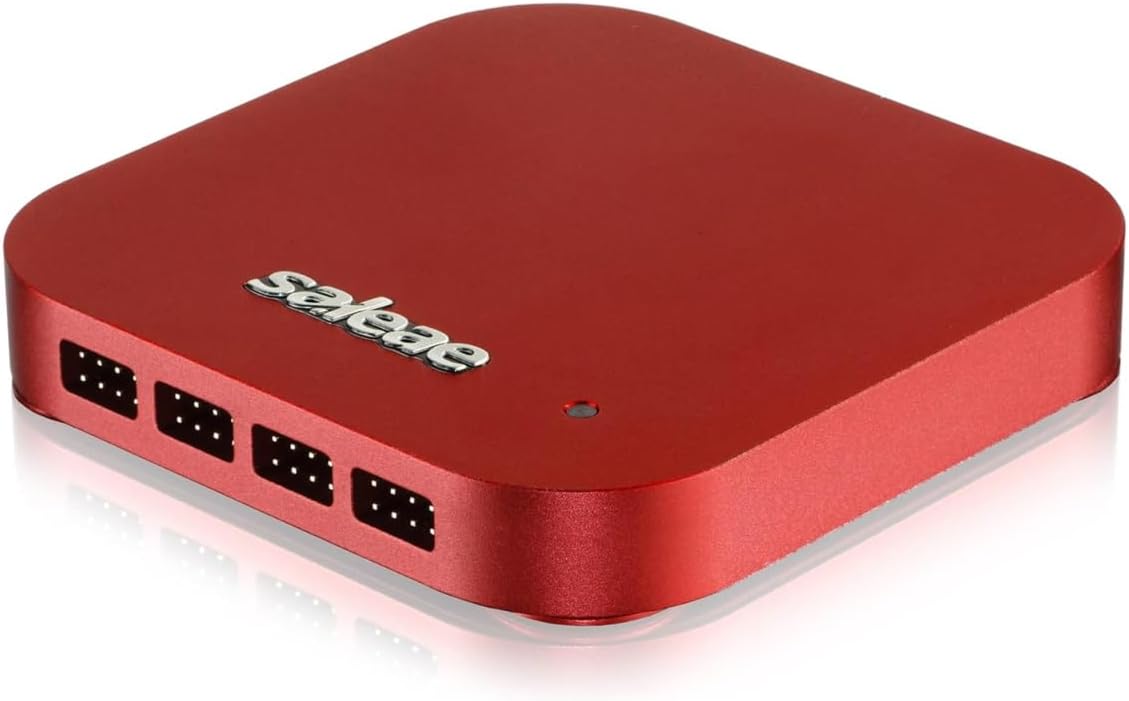
4.8Editor score
This side-by-side comparison highlights the key specifications and capabilities of each model to help you quickly identify the best fit for your specific needs.


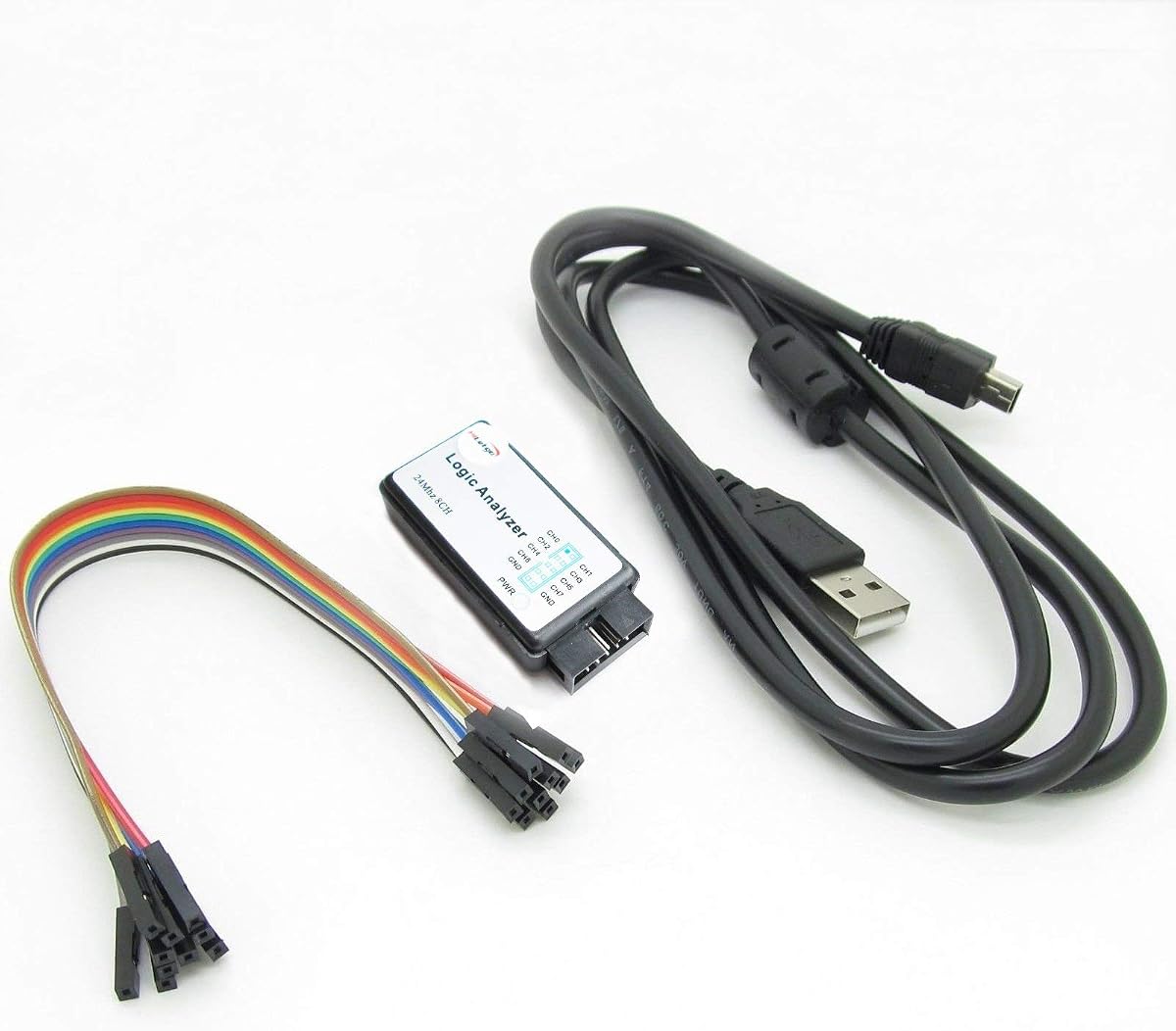


This USB Logic Analyzer offers an entry-level solution for hobbyists and students needing basic protocol debugging. With a 24MHz sampling rate and 8 channels, it handles common interfaces like UART and SPI effectively. Its compatibility with widely used software makes it a versatile choice for various electronic projects.
We may earn a commission when you buy through this link, at no additional cost to you.
The device supports adjustable voltage thresholds and sampling rates from 25KHz up to 24MHz. This flexibility allows users to capture signals from different voltage domains without additional hardware. The inclusion of support for PulseView adds to its appeal for open-source enthusiasts.
While it lacks the high-speed capabilities of professional units, it is sufficient for most Arduino and Raspberry Pi tasks. The compact form factor ensures it fits easily into any toolkit or workspace. Users should note that complex high-frequency signals may require more advanced equipment.
This unit is ideal for beginners or those on a tight budget who need reliable debugging tools. It strikes a good balance between performance and cost for standard digital logic analysis. We recommend it for educational purposes and basic embedded system development workflows.
The analyzer works seamlessly with Saleae Logic software and PulseView, ensuring a smooth user experience without complex driver setups.
Users can select from multiple sampling rates including 24MHz, 16MHz, and down to 25KHz to match specific project requirements efficiently.
We may earn a commission when you buy through this link, at no additional cost to you.
The LONELY BINARY Logic Analyzer Kit provides a complete package for digital signal analysis with a focus on ease of use. It captures signals at up to 24MHz across 8 channels making it suitable for protocols like I2C and SPI. The included breakout boards and adapters make connecting to breadboards straightforward for users.
We may earn a commission when you buy through this link, at no additional cost to you.
This kit includes everything needed for immediate use including test clips and jumper wires. The dual USB connectivity ensures compatibility with both older PCs and modern laptops without needing extra cables. A portable storage case keeps all components safe and organized during transport between labs or workstations.
While the core performance is standard for 24MHz analyzers, the value lies in the bundled accessories. This saves users from purchasing additional adapters or cases separately. It is particularly useful for students or educators who need a ready-to-go solution for classroom projects.
We recommend this kit for those who want a hassle-free setup experience with all necessary tools included. It is a solid choice for beginners looking to explore logic analysis without the frustration of missing components or complex wiring configurations.
The kit comes bundled with test clips, jumper wires, and breakout boards to ensure immediate out-of-the-box usability for any project.
Dual USB cables including Type-C allow universal compatibility with a wide range of computers and operating systems including Windows and Linux.
We may earn a commission when you buy through this link, at no additional cost to you.
The LA1010 USB Logic Analyzer stands out for its high 100MHz sampling rate and 16 channels making it a powerful tool for complex debugging tasks. It supports real-time signal visualization and decodes over 30 standard protocols including CAN and UART. Its cross-platform compatibility ensures it works seamlessly with Windows macOS and Linux systems.
We may earn a commission when you buy through this link, at no additional cost to you.
This analyzer is designed for efficiency with low power consumption and portability. The included KingstVIS software provides clear waveforms for precise analysis of digital circuits. Users can extract human-readable data from signals speeding up the debugging process for embedded systems and microcontrollers significantly.
While the software interface is functional it may feel less modern compared to some paid alternatives. However the performance and protocol support make up for this minor inconvenience. It remains a top contender for professionals needing reliable performance without the premium price tag of high-end brands.
We recommend the LA1010 for developers working on FPGA or ARM projects requiring high speed analysis. It offers excellent value for money and is highly recommended for those needing robust protocol decoding and wide system compatibility in their daily workflow.
Decodes over 30 protocols including I2C SPI UART and CAN allowing users to analyze diverse communication standards without extra plugins.
Full support for Windows macOS and Linux with auto-installing drivers ensures smooth operation across different operating environments and preferences.
We may earn a commission when you buy through this link, at no additional cost to you.
The Saleae Logic Pro 16 is a top-tier tool for engineers who demand high speed and deep memory for their projects. It offers a digital sample rate of up to 500 MS/s and over 10 billion samples which is unmatched in this category. The device also supports analog inputs allowing for mixed signal analysis without extra hardware.
We may earn a commission when you buy through this link, at no additional cost to you.
Its software is renowned for being user-friendly and cross-platform working on Windows Mac and Linux. The logic analyzer can decode SPI I2C and 23+ more protocols automatically. This feature reduces the manual work needed to interpret signals and speeds up the development cycle significantly for teams.
The high cost is justified by the performance and reliability it delivers in professional settings. While it requires a USB 3.0 port which might be an issue for older computers the benefits outweigh this limitation. It is built to save time and frustration during complex debugging sessions.
We recommend this device for professional engineers and serious hobbyists who need the best performance available. It is the ultimate tool for anyone working on high-frequency digital designs or complex embedded systems that require deep memory and precise timing analysis.
With a 500 MS/s digital sample rate this analyzer captures extremely fast signals with precision for advanced protocol debugging and timing analysis.
Supports over 10 billion samples of digital data using PC memory allowing long-duration captures for extended protocol monitoring tasks.
We may earn a commission when you buy through this link, at no additional cost to you.
The Logic Pro 8 offers a high-performance solution with 8 channels and a 500 MS/s digital sample rate similar to its 16 channel sibling. It is ideal for users who need speed but do not require the maximum channel count. The analyzer supports 10 billion samples of digital data and works on Windows Mac and Linux seamlessly.
We may earn a commission when you buy through this link, at no additional cost to you.
Its user-friendly interface makes it accessible for those new to logic analysis without compromising on professional capabilities. The device can decode SPI I2C and 23+ protocols automatically reducing manual decoding time. This makes it a reliable choice for rapid prototyping and detailed signal investigation.
While the 8-channel limit might be restrictive for highly complex bus systems it handles most standard microcontroller tasks with ease. The high sample rate ensures precise timing analysis for most applications. Users should be aware of the premium price but the performance justifies the investment.
We recommend this model for professionals and students needing fast sampling speeds without the extra cost of more channels. It strikes a great balance between performance and practicality for embedded systems work requiring precise timing and protocol decoding.
Automatically decodes SPI I2C and 23+ protocols to save time and provide clear human-readable data during debugging sessions.
Compatible with Windows Mac and Linux operating systems allowing flexible deployment across diverse development environments and hardware setups.
We may earn a commission when you buy through this link, at no additional cost to you.
The DSLogic Plus is a powerful unit offering a 400MHz sampling rate and 16 channels for detailed digital signal analysis. It features 256Mbits of onboard memory and supports both stream and buffer modes for flexible capture strategies. The device works with DSView software which is open source and supports nearly 100 protocol decoders.
We may earn a commission when you buy through this link, at no additional cost to you.
Its dual-mode capability allows users to choose between long-duration streaming or high-speed buffering depending on their needs. The shielded fly wires help ensure cleaner waveforms reducing noise during testing. This makes it suitable for environments where signal integrity is critical for accurate debugging results.
While the open-source nature is a plus for advanced users it may require more setup time than closed solutions. However the performance and cost ratio are highly competitive compared to other high-speed models. Users should be prepared to explore software settings to get the most out of the hardware.
We recommend the DSLogic Plus for engineers who need high-speed analysis and value open-source flexibility. It is an excellent choice for detailed embedded systems work where precision and cost efficiency are both important factors in the selection process.
Stream mode captures long durations while buffer mode offers high sample rates ensuring versatility for different analysis needs without compromise.
DSView software is open source with nearly 100 decoders allowing users to modify features and access a wide protocol support range.
We may earn a commission when you buy through this link, at no additional cost to you.
The HiLetgo USB Logic Analyzer is a compact device designed for basic debugging tasks with 8 channels and a 24MHz sampling rate. It supports UART IIC and SPI protocols making it suitable for common microcontroller interactions. The included EMI ferrite ring helps reduce interference on the USB line improving signal stability.
We may earn a commission when you buy through this link, at no additional cost to you.
Its input voltage range of 0 to 5V ensures compatibility with standard logic levels found in many projects. The device is easy to set up and works with standard logic analyzer software. It is a practical choice for hobbyists needing a reliable tool for everyday prototyping and testing.
While it lacks advanced features like deep memory or high-speed decoding it gets the job done efficiently. The simple interface is straightforward for beginners who do not need complex tools. Users should ensure their signals are within the supported voltage range for accurate readings.
We recommend this analyzer for hobbyists and students looking for a simple and affordable debugging tool. It is ideal for basic electronic projects where high precision is not the primary requirement but reliability is essential.
The included EMI ferrite ring on the USB cable helps minimize noise interference ensuring cleaner data captures during testing.
Supports UART IIC and SPI protocols which cover most common communication needs for Arduino and microcontroller based projects easily.
We may earn a commission when you buy through this link, at no additional cost to you.
The Logic 8 is a reliable entry-level logic analyzer from Saleae offering 8 channels and a 100 MS/s digital sample rate. It supports 10 billion samples of digital data and decodes SPI I2C and 23+ more protocols automatically. The device works on Windows Mac and Linux with a user-friendly interface that saves time.
We may earn a commission when you buy through this link, at no additional cost to you.
Its compact design makes it easy to carry to different workspaces or field debugging sessions. The software provides clear visualization of waveforms reducing frustration during development. Users can rely on its consistent performance for standard digital logic analysis tasks.
While the USB 2.0 interface limits transfer speeds it is sufficient for most low to medium frequency applications. The 8-channel limit may restrict use in complex bus systems but it handles common projects well. It is a solid option for those seeking brand reliability without the top tier price.
We recommend this model for students and hobbyists needing a trusted brand experience. It is a good step up from generic clones and offers better software support for those learning logic analysis basics effectively.
The Saleae software provides clear visualization and automatic protocol decoding to save time and frustration during development.
Its ultra portable size makes it easy to carry to different workspaces or field debugging sessions without hassle.
We may earn a commission when you buy through this link, at no additional cost to you.
This version of the DSLogic Plus offers 16 channels and a 400MHz sampling rate for robust digital analysis. It includes 256Mbits of onboard memory and supports up to 16G sample depth in stream mode. The device works with DSView software which is open source and supports nearly 100 protocol decoders.
We may earn a commission when you buy through this link, at no additional cost to you.
The dual-mode support allows users to switch between high-speed buffer and long-duration stream captures efficiently. Shielded wires help maintain cleaner waveforms during testing. This makes it a strong candidate for detailed embedded systems work requiring both depth and speed.
Users should note that the software may require configuration to optimize performance. However the flexibility and protocol support make it worth the initial setup effort. It is a versatile tool for engineers needing reliable data capture across various protocols.
We recommend this analyzer for developers who need high speed and flexible capture options. It is a great choice for complex projects where protocol decoding depth is more important than cost.
Stream mode captures and transfers data in real time for long sample duration while buffer mode stores data for high sample rate.
DSView software is open source with nearly 100 decoders allowing users to modify features and access a wide protocol support range.
We may earn a commission when you buy through this link, at no additional cost to you.
The Analog Discovery 3 is a comprehensive tool combining an oscilloscope waveform generator logic analyzer and power supplies. It offers 16 digital I/O channels at up to 125 MS/s for logic analysis. The device supports custom protocols and includes software instruments like spectrum and network analyzers for detailed testing.
We may earn a commission when you buy through this link, at no additional cost to you.
Its SDK supports hardware control in Python C and other languages making it ideal for automated testing. The variable power supplies and pattern generator add significant value for hardware development. This makes it a versatile all-in-one solution for labs or home workbenches.
While the software has a learning curve the range of features is unmatched. Users can perform comprehensive hardware validation without buying separate tools. It is more expensive than a dedicated logic analyzer but the functionality it justifies the investment.
We recommend this unit for hardware engineers and labs needing a complete test suite. It is an excellent choice for those who want to consolidate multiple tools into a single portable device.
Combines scope generator analyzer and power supply in one USB device to reduce bench clutter and increase testing efficiency.
SDK support in Python C++ and MATLAB enables hardware control and custom script automation for complex test sequences.
We may earn a commission when you buy through this link, at no additional cost to you.
Selecting the right logic analyzer requires evaluating specific technical factors to ensure it meets your project needs effectively.
Sampling rate determines how fast the analyzer can capture signals. Higher rates are needed for high-frequency protocols like SPI or UART at high baud rates. For most microcontrollers 100MHz or higher is recommended.
Choose a rate that exceeds your maximum signal frequency to avoid aliasing and missed edges.
Channels determine how many signals you can monitor simultaneously. 8 channels are often sufficient for basic debugging but 16 channels offer flexibility for bus monitoring. Consider future project complexity when choosing.
Ensure the analyzer supports enough channels for all relevant signals in your design.
Memory depth affects how long you can capture data. Deep memory is useful for monitoring infrequent events or long protocol sequences. Look for units with at least 100MB of buffer if you need long captures.
Select a model with sufficient memory to hold your longest expected capture session.
The software interface is crucial for workflow efficiency. Some analyzers work with open source tools like PulseView while others use proprietary apps. Ensure the software supports your operating system.
Choose software that supports the protocols you need to decode automatically.
Modern analyzers often decode protocols like I2C SPI and CAN automatically. This saves time compared to manually interpreting waveforms. Check the list of supported protocols before buying.
Verify that the analyzer supports the specific communication standards you use in your projects.
Logic levels vary across microcontrollers. Ensure the analyzer supports the voltage range of your target devices. Most units support 0 to 5V but some offer adjustable thresholds.
Select a unit with voltage tolerance matching your hardware to prevent damage or inaccurate readings.
Portability matters if you work in different locations. Compact units with USB power are ideal for field testing. Larger units may offer more performance but less mobility.
Choose a size that fits your workspace and transportation needs efficiently.
Prices range from cheap hobbyist units to expensive professional tools. Determine what features are essential versus nice to have. Often mid-range models offer the best value.
Invest in a model that balances cost with the performance required for your tasks.
Start by connecting the analyzer to your computer via USB and installing the necessary drivers or software. Ensure the logic analyzer is powered and recognized by the system before proceeding with any signal analysis tasks.
Connect the probe leads to the ground and signals you want to monitor on your circuit. Be careful to match voltage levels and use appropriate logic level shifters if working with 3.3V or lower signals to avoid damage.
Use the software to set the sampling rate and protocol decoders. Save your settings for future reference. Regularly update the firmware and software to ensure compatibility with new protocols and operating systems.
A logic analyzer is used to capture and display digital signals from electronic circuits. It helps engineers debug communication protocols like I2C SPI and UART by visualizing timing and data.
Eight channels are usually enough for basic debugging but 16 channels provide more flexibility for monitoring buses. Consider your most complex project when deciding on the number of channels.
Yes a higher sampling rate ensures accurate capture of fast signals. For high-speed protocols aim for at least 100MHz to avoid missing signal edges or data bits.
Many logic analyzers complement oscilloscopes well while oscilloscopes focus on analog signals. Some all-in-one units offer both features for comprehensive analysis capabilities.
Yes each analyzer typically comes with proprietary software that supports decoding protocols. Some open source units work with community tools but check compatibility with your OS.
Yes most are safe when connected properly but always check voltage levels. Use appropriate level shifting to protect your microcontrollers from over-voltage damage.
We reviewed ten top options ranging from budget-friendly kits to high-performance professional units. The LA1010 and Saleae Logic Pro models offer excellent performance for most users.
Consider your specific project needs such as sampling rate and channel count before buying. Prioritize software support that decodes the protocols you use daily for maximum efficiency.
Remember that prices can change so check current listings for the best deals. We hope this guide helps you find the perfect analyzer for your electronics projects.