
Laptop Skin Decal
4.5Editor score
Ultra-thin 0.01mm design
Precise cut for model A3404
Residue-free removal guaranteed
Protecting your new laptop is essential for maintaining its look and value over time. A quality skin or wrap adds a layer of defense against scratches and everyday wear while allowing you to personalize your device.
We evaluated ten top-rated options specifically designed for the 2026 MacBook Neo 13-inch model. Our analysis focused on material durability, ease of application, and how well each product adheres to the device.
Each pick includes detailed specs and real user feedback to guide your decision. Remember that product availability and pricing can change quickly, so verify details before purchasing your preferred wrap.
4.5Editor score

4.6Editor score
5.0Editor score
As an Amazon Associate we earn from qualifying purchases.
The following table provides a side-by-side comparison of all ten selected products. Review the key specifications and ratings to identify which wrap best suits your specific needs for protection and style.
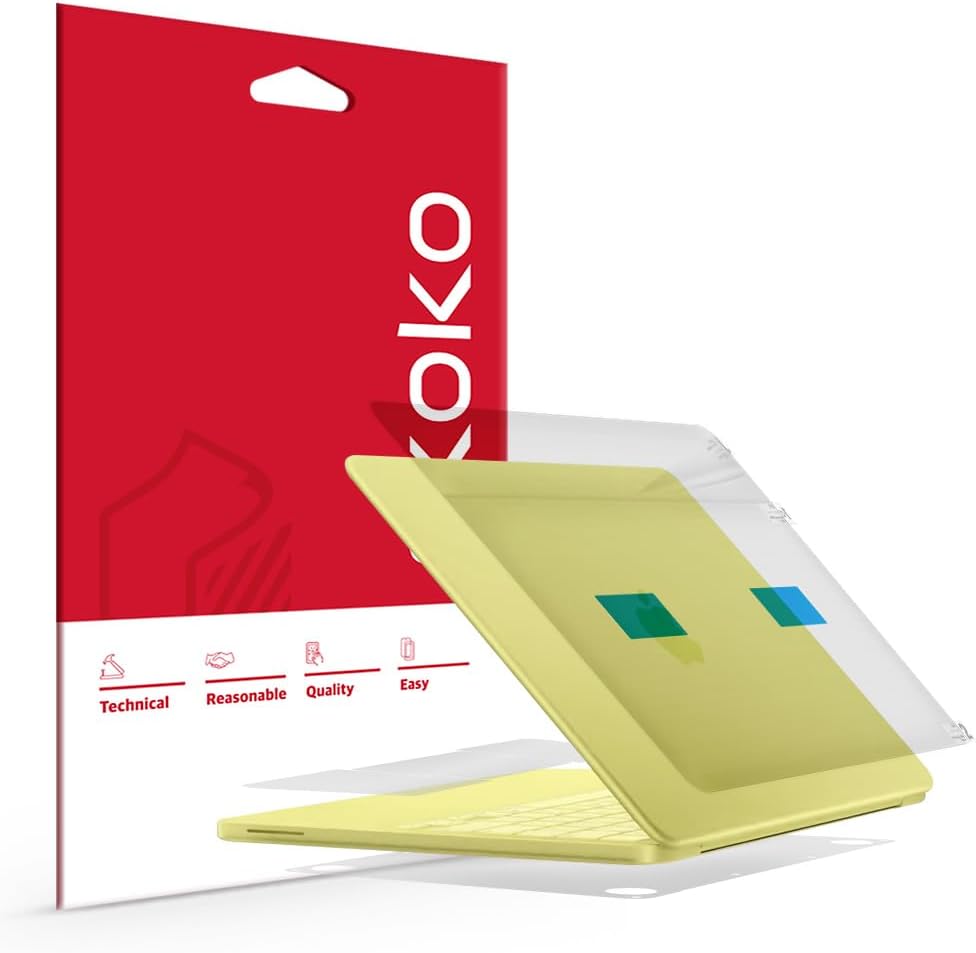


This frosted transparent vinyl skin offers a perfect balance of protection and aesthetics for the 2026 MacBook Neo. With a 4.6 rating, users appreciate its ability to hide smudges while keeping the device looking new.
We may earn a commission when you buy through this link, at no additional cost to you.
The premium matte vinyl avoids annoying shiny smudges and resists daily dust buildup effectively. Its micro-thin design adds no extra weight and retains the sleek slim texture of your laptop.
While it costs more than basic decals, the long-term protection justifies the investment. The air release adhesive ensures no bubbles during installation and allows for clean removal later.
This option is ideal for professionals and students who want a clean look without visible wear. It is a strong recommendation for anyone seeking reliable protection with style.
The matte finish specifically targets oil and fingerprints, keeping your laptop looking cleaner longer.
Custom tailored only for the 2026 MacBook Neo 13 A3404, it fits all edges and ports seamlessly.
We may earn a commission when you buy through this link, at no additional cost to you.
For those seeking a simple and affordable way to protect their laptop, this decal is an excellent choice. It is designed specifically for the 2026 MacBook Neo 13 A3404 model.
We may earn a commission when you buy through this link, at no additional cost to you.
The ultra-thin 0.01mm design ensures it does not add bulk to your device. It resists scratches and smudges effectively, which helps protect your laptop from daily use.
While it covers only the top, it is sufficient for preventing scratches on the lid. Installation is straightforward with no sticky residue left over after application.
This is perfect for students or professionals on a budget who prioritize function. It is a cost-effective solution to personalize and protect your laptop.
At a lower price point than full-body kits, it offers essential protection for the lid.
At just 0.01mm thick, it adds almost no weight, making it suitable for travel.
We may earn a commission when you buy through this link, at no additional cost to you.
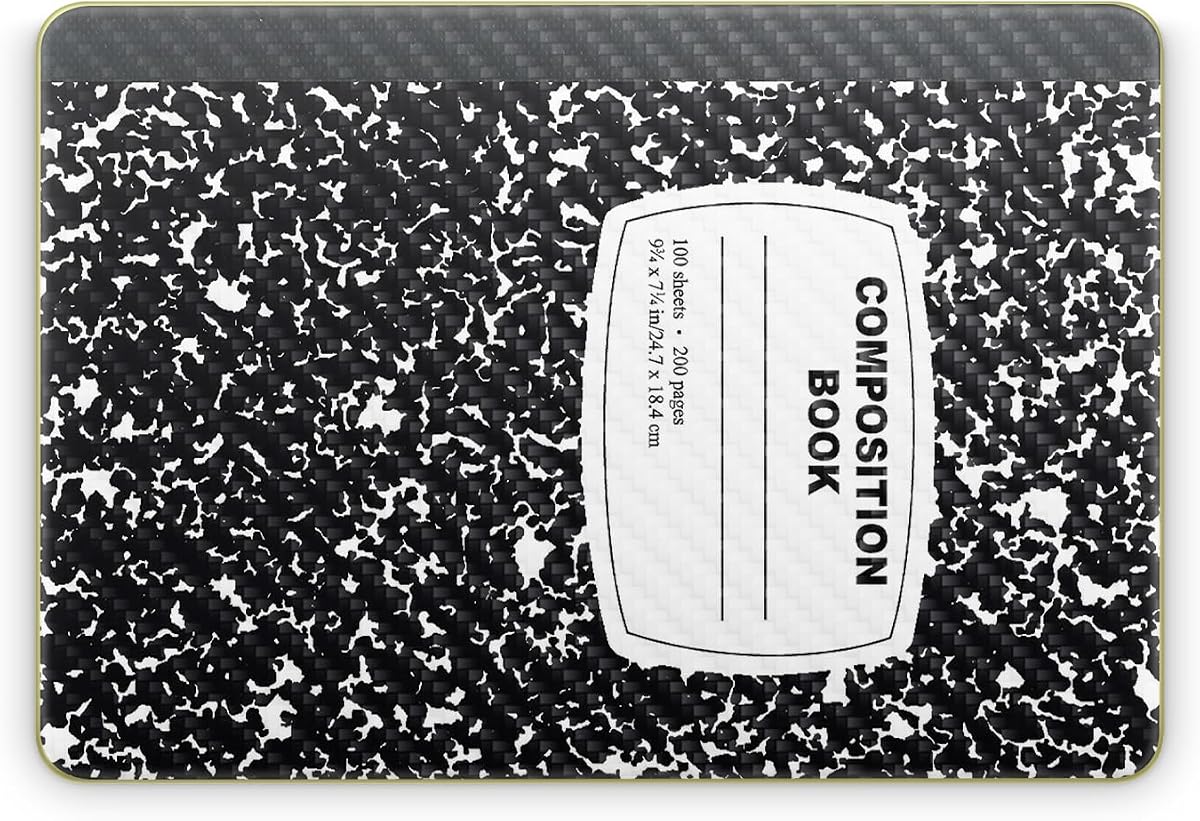
This carbon fiber skin stands out with a perfect 5.0 rating from users who value durability. It provides a rugged yet refined look that fits modern aesthetic preferences perfectly.
We may earn a commission when you buy through this link, at no additional cost to you.
Crafted with premium 3M vinyl, it shields against scratches, dust, and daily wear robustly. The patented low-grip air release adhesive ensures a flawless fit every time you apply it.
The high-tech carbon fiber finish delivers unmatched durability and a bold style. While it costs more, the quality of materials and craftsmanship is evident in its longevity.
Ideal for users who want a unique, professional look with top-tier protection. It is a premium choice for those who refuse to compromise on quality.
The carbon fiber texture is not just visual; it offers added resistance against wear and tear.
Produced in West Palm Beach, Florida, this skin ensures high manufacturing standards.
We may earn a commission when you buy through this link, at no additional cost to you.
This kit offers comprehensive protection for the top, bottom, palmrest, and trackpad. It uses a TPU film similar to screen protectors, which users find very thin and effective.
We may earn a commission when you buy through this link, at no additional cost to you.
At just 90 microns thick, it is barely thicker than a human hair. This ultra-thin design guarantees zero interference when closing your laptop lid.
The matte finish provides a non-slip grip that reduces the risk of accidental drops. It is backed by 14 years of expertise in developing protective films.
Best for users who want to protect the entire device from daily scratches. It is a strong contender for those needing bottom and palmrest protection.
Unlike lid-only skins, this kit shields the palmrest and trackpad from fingerprints and wear.
The matte texture improves handling, making the slippery bare metal much safer to use.
We may earn a commission when you buy through this link, at no additional cost to you.
This frosted clear vinyl decal upgrades plain laptops with a classic solid finish. It is designed to fit edges and ports perfectly for the 2026 MacBook Neo.
We may earn a commission when you buy through this link, at no additional cost to you.
The premium matte vinyl avoids annoying smudges and resists daily dust buildup effectively. Its micro-thin design adds no extra weight and retains the sleek texture.
Users appreciate the timeless frosted minimalist aesthetic it provides for travel and work. However, some feedback suggests ensuring alignment is critical during application.
Ideal for those who want a subtle upgrade without bold colors. It is a good option for office work and school study.
The solid frosted transparent finish is perfect for maintaining a professional look.
Because it resists oil and fingerprints, cleaning your laptop remains simple.
We may earn a commission when you buy through this link, at no additional cost to you.
Designed specifically for the 2026 MacBook Neo, this skin focuses on the high-use palm rest area. It is crafted from premium adhesive vinyl that is nearly invisible when applied.
We may earn a commission when you buy through this link, at no additional cost to you.
The 1:1 cutting ensures seamless fitting and full coverage of the wrist rest. It provides all-round protection against water, scratches, and fingerprints effectively.
Including a trackpad cover, this kit keeps the entire working surface clean. The ultra-thin profile ensures it restores the original color of the device.
This is a smart choice for users who type heavily and want to prevent oil buildup. It offers targeted protection where it is needed most.
The palm rest is prone to oils; this skin shields it to maintain the device look.
A separate piece for the trackpad ensures no sticky residue is felt during typing.
We may earn a commission when you buy through this link, at no additional cost to you.
This 4-in-1 kit provides full size protection with a sleek silver finish. It uses 3M vinyl which is known for durability and a lifespan of over 7 years.
We may earn a commission when you buy through this link, at no additional cost to you.
The mold is made by real machine copying for a 100% perfect fit. Arc-shaped cutting holes ensure the logo remains visible and the skin looks clean.
Users report no bubbles and no glue residue after application. It does not reduce the sensitivity of the touchpad, which is critical for usability.
Ideal for Silver MacBook Neo users wanting a complete protective solution. It is a robust option for long-term daily use.
The mold is copied from the actual machine, ensuring perfect fit on all edges.
Under reasonable protection, this skin can last over 7 years without wear.
We may earn a commission when you buy through this link, at no additional cost to you.
This shadow concrete skin offers a sleek and understated matte finish. It is perfect for creating a professional and polished appearance on your device.
We may earn a commission when you buy through this link, at no additional cost to you.
Crafted with premium 3M vinyl, it is built to shield against scratches, dust, and daily wear. The low-grip air release adhesive ensures a flawless fit every time.
The top skin covers the lid of the laptop with a clean, smooth look. Users appreciate the unmatched protection and everyday confidence it provides.
Best for those who want a modern, industrial look for their laptop. It is a reliable choice for daily protection with style.
The matte finish avoids shiny reflections, keeping the laptop looking smooth.
Produced in West Palm Beach, Florida, ensuring high quality control.
We may earn a commission when you buy through this link, at no additional cost to you.
This silver vinyl skin is tailored specifically for the 2026 MacBook Neo 13 A3404. It offers a classic solid silver finish that upgrades plain laptops effectively.
We may earn a commission when you buy through this link, at no additional cost to you.
The premium matte vinyl avoids annoying shiny smudges and resists daily dust. Its micro-thin design adds no extra weight and retains the original texture.
The classic solid silver finish is ideal for office work and school study. It is designed to be removable without sticky residue or damage to surfaces.
Ideal for users who want to match or enhance the silver tone. It is a good choice for travel and daily portable use.
The silver finish is timeless and matches many professional and office settings.
Easy peel-and-stick application with air release ensures a clean result.
We may earn a commission when you buy through this link, at no additional cost to you.
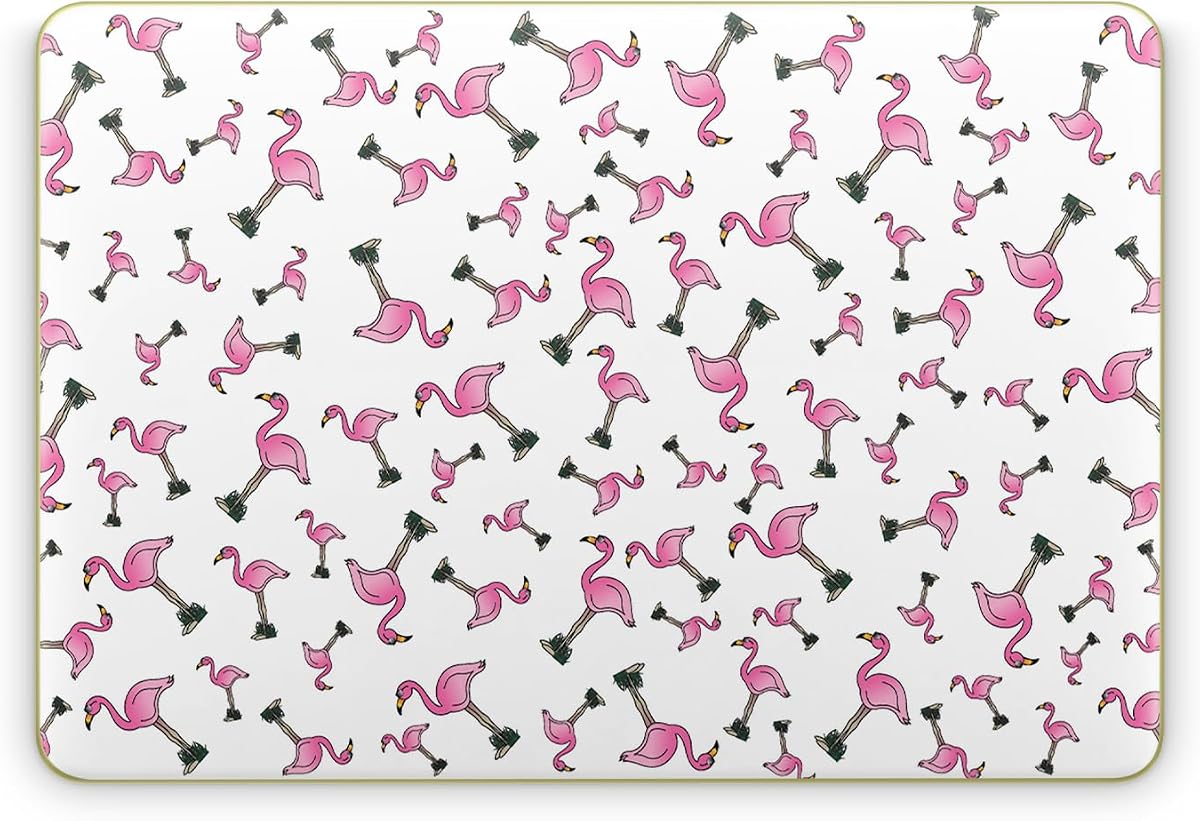
This cool flamingo skin is perfect for personalizing your MacBook Neo with color. It features a matte finish that offers a clean, smooth look for a polished appearance.
We may earn a commission when you buy through this link, at no additional cost to you.
Built to shield against scratches, dust, and daily wear, it keeps your device looking brand new. The patented low-grip air release adhesive ensures a flawless fit every time.
The premium 3M vinyl is stain resistant and durable. It allows for effortless style switching by peeling off cleanly without leaving any sticky residue.
Ideal for users who want to stand out with a bright and fun design. It is a great option for students and creative professionals.
The flamingo pattern is eye-catching and helps identify your laptop easily.
The matte finish ensures the colors stay vibrant and look professional.
We may earn a commission when you buy through this link, at no additional cost to you.
Choosing the right skin involves considering material, fit, and design. This guide covers key factors to help you select the best option for your needs.
Most skins are made from premium vinyl, such as 3M, which offers durability and a smooth finish. TPU films are also an option for a softer, more flexible feel. High-quality materials resist scratches and dust better, ensuring long-lasting protection for your device.
Look for premium 3M vinyl for maximum durability and stain resistance.
Ensure the skin is custom tailored for your specific model, such as the 2026 MacBook Neo 13 A3404. Precise cuts for edges and ports prevent peeling and ensure a seamless look. Poor fit can lead to air bubbles and reduced protection.
Check the model number and compatibility before purchasing any skin.
An ultra-thin design, often around 0.01mm or 90 microns, adds no bulk to your laptop. This preserves the original feel and sleek profile of the device. Thick skins can interfere with closing the lid or using ports.
Prioritize ultra-thin designs to maintain the original feel of the device.
Finish options include matte, frosted, or carbon fiber textures. Matte finishes resist fingerprints and oil better than glossy ones. The texture also impacts grip; a tactile finish can make the device easier to hold without slipping.
Choose a matte finish if you want to hide fingerprints and smudges.
Skins can cover just the lid, the palm rest, or the full body. Full kits protect all surfaces from daily wear, while lid skins are cheaper. Consider which areas need protection most based on your usage.
Select full-body kits for comprehensive protection against wear and scratches.
Look for skins with air release adhesive to ensure bubble-free application. This feature allows you to adjust the skin easily before it sets. Proper installation is key to preventing peeling over time.
Opt for bubble-free and residue-free installation features for ease.
High-quality skins can last several years without peeling or discoloration. Check product descriptions for claims about lifespan and resistance to daily use. Investing in a durable option saves money in the long run.
Check product descriptions for claims about lifespan and resistance to daily wear.
Choose a design that matches your personal style, from classic silver to colorful prints. Some skins offer minimal changes while others are bold statements. Your skin should reflect your personality and professional needs.
Choose a design that matches your personal style and professional needs.
To apply the skin, first ensure your laptop surface is clean and free of dust. Wipe the area with a soft cloth to avoid trapping particles under the skin, which can cause bubbles.
When applying, peel the backing slowly and align the edges carefully. Use a card or your fingers to smooth out air bubbles as you press the skin down.
Clean your skin regularly with a soft, damp cloth to remove dust. Avoid harsh chemicals that might damage the adhesive or vinyl material.
High-quality skins use residue-free adhesive that removes cleanly. However, always peel slowly and check the surface after removal to ensure no residue remains.
No, ultra-thin vinyl skins do not affect heat dissipation. The thickness is minimal enough to allow airflow around the device.
It is best to use a skin directly on the laptop. Using a case over a skin may cause it to peel off or not adhere properly.
Yes, premium skins are designed for daily use and protect against scratches and dust. They are made from safe materials that do not damage the device.
Replace the skin when it starts peeling or if you want a new look. With proper care, a high-quality skin can last several years.
Many kits offer coverage for top and bottom, but some only cover the lid. Check the product details for specific coverage areas.
We reviewed ten top skins for the 2026 MacBook Neo, offering options from budget to premium. Each provides unique features to suit different needs and budgets.
Prioritize material quality and fit to ensure long-lasting protection. Consider your style preferences and the areas you want to protect most.
Remember to check current prices and availability before purchasing. The right skin can keep your MacBook looking new and personalized.