
Computer Speakers for Desktop PC Monitor
4.2Editor score
USB C adapter included
Clip on monitor design
Adaptive channel switching
This guide compares the best MacBook external speakers setup options for 2026, evaluating sound quality, connectivity, and design to help you find the perfect
Finding the right external speakers for your MacBook can transform your audio experience. Whether you are editing videos or enjoying music, quality sound matters. This guide explores top models designed to enhance your listening sessions.
We evaluated ten distinct speaker systems based on connectivity, sound output, and ease of setup. Each option offers unique features tailored to different user needs and desk configurations. Our analysis ensures you find a match for your specific workflow.
Each pick highlights key strengths and potential trade-offs to help you decide. Prices and availability change frequently, so verify current details before purchasing. This list serves as a reliable starting point for upgrading your MacBook audio.
4.2Editor score
4.5Editor score

4.5Editor score
This side-by-side comparison highlights the key specifications of all ten products to help you quickly identify the best fit for your MacBook setup.




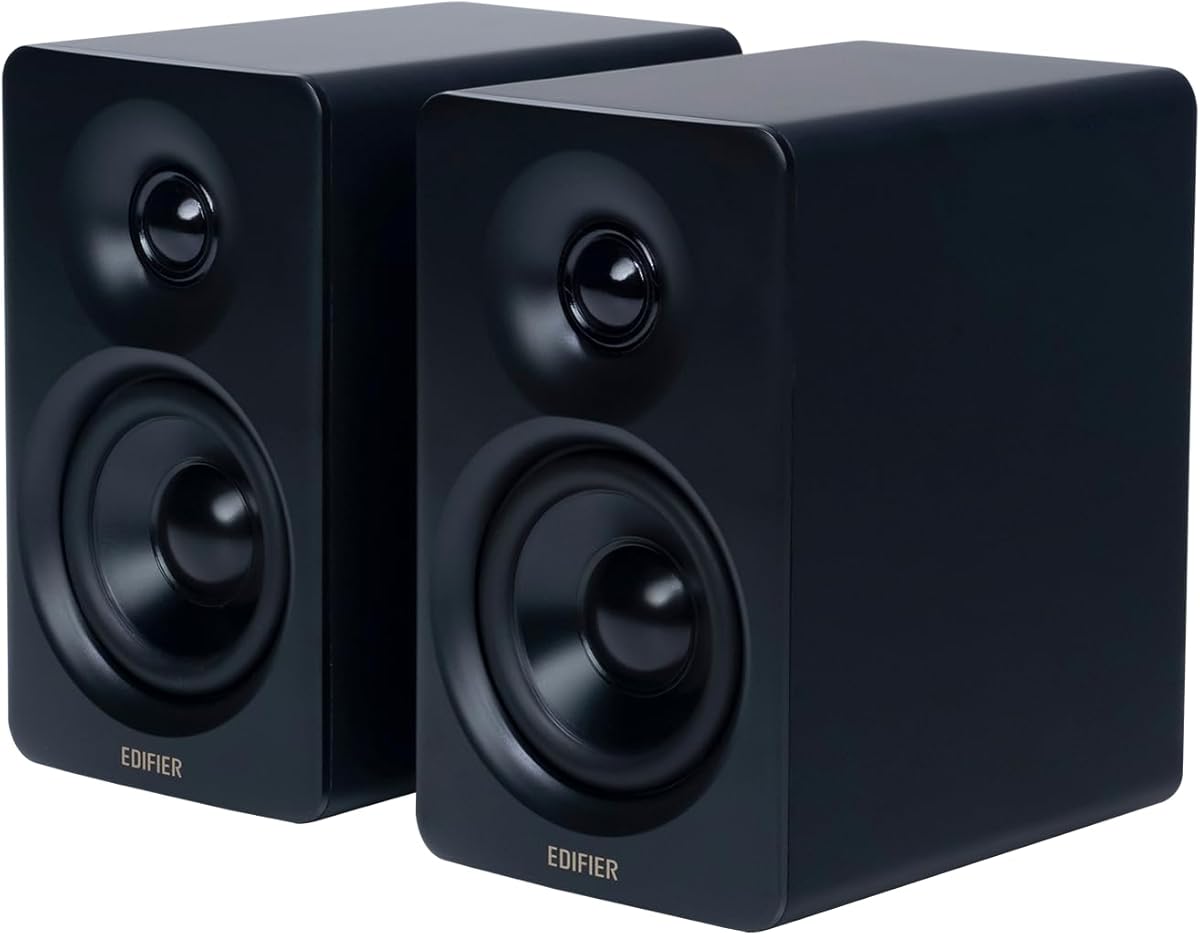
The Edifier M60 Multimedia Speaker stands out as a top choice for MacBook users seeking high fidelity sound. With a rating of 4.5 stars, it delivers exceptional audio quality that rivals much larger systems. Its compact design fits perfectly on any desk while offering robust performance.
We may earn a commission when you buy through this link, at no additional cost to you.
This speaker features a total output power of 66W RMS, providing rich and immersive audio for movies and music. The built-in DSP ensures precise two-way active crossover for clear separation of frequencies. Additionally, the Hi-Res Audio certification guarantees accurate sound reproduction for professional work.
While the price is higher than budget options, the included aluminum speaker stands and touch panel justify the cost. The only trade-off is the need for a dedicated USB C power source which may require extra cables. However, the sound quality makes it a worthwhile investment for serious users.
Anyone looking for a premium listening experience will appreciate the detailed audio processing and versatile connectivity. Whether you are editing or relaxing, the M60 delivers consistently. We recommend it for those who prioritize sound accuracy and design elegance above all else.
The M60 supports Hi-Res Audio via USB C and Bluetooth ensuring every detail in your music is preserved. This makes it ideal for professionals who need accurate monitoring without distortion.
Built with silk dome tweeters and aluminum diaphragm drivers, the M60 offers durability and clear sound. The included stands elevate the speakers to ear level for optimal listening.
We may earn a commission when you buy through this link, at no additional cost to you.
This compact speaker system is designed for convenience and powerful sound in a small package. With a 4.2 star rating, it offers excellent value for MacBook users who need reliable audio without cluttering their desk. The unique clip-on design keeps your workspace tidy and accessible.
We may earn a commission when you buy through this link, at no additional cost to you.
The speakers feature dual ultra-magnetic drivers and passive radiators that deliver loud sound and deep bass. Adaptive channel switching ensures the left and right audio remain correct even when moved. A built-in USB-C adapter makes it compatible with the latest Mac devices effortlessly.
Although the audio quality is impressive for the price, users may need to update audio drivers for optimal performance. The clamp can be tricky if the monitor is too thick. Despite this, the space-saving design and clear controls make it a top budget contender.
Ideal for students or remote workers with limited desk space, this speaker offers a balanced experience. It plugs and plays easily with macOS systems. We suggest it for anyone wanting quick audio improvement without a large financial commitment.
The included USB-C adapter ensures compatibility with modern MacBooks and iPads. This eliminates the need for extra dongles and simplifies setup significantly.
Clipping onto the monitor saves valuable desk space while keeping audio directed towards the user. This feature is perfect for minimal setups where every inch counts.
We may earn a commission when you buy through this link, at no additional cost to you.
The Edifier MR3 is tailored for professionals who need accurate monitoring and high fidelity playback. Rated at 4.5 stars, it provides a flat frequency response ideal for mixing or critical listening. The build quality is robust and designed for serious audio applications.
We may earn a commission when you buy through this link, at no additional cost to you.
With 18W RMS output per channel and a peak SPL of 92.5dB, it delivers rich full-range sound. The MDF cabinet reduces distortion effectively ensuring clarity even at high volumes. Connectivity options include balanced TRS and RCA for versatile integration with audio gear.
While it costs more than consumer speakers, the professional features justify the price. The size is larger which might not fit all desks comfortably. However, for those working on audio or video projects, the precision is unmatched in this price range.
This speaker is perfect for creative professionals who demand accuracy and versatility. The customizable EQ via the app allows fine-tuning for specific needs. We highly recommend it for studios or serious enthusiasts looking for reliable performance.
The flat response across 52Hz to 40kHz ensures you hear audio exactly as intended. This precision is essential for editing and mixing work.
Balanced inputs minimize noise for clean signal transfer. This makes it suitable for both studio use and home entertainment setups.
We may earn a commission when you buy through this link, at no additional cost to you.
Amazon Basics offers a straightforward speaker solution for those needing reliable sound without complexity. With a 4.4 star rating, these speakers deliver clear audio for daily tasks and media consumption. The design is minimal and blends well with any office environment.
We may earn a commission when you buy through this link, at no additional cost to you.
Powered by USB, they eliminate the need for separate power bricks. The bottom radiator helps produce a springy bass sound despite the small size. In-line volume control gives quick access without reaching for the keyboard or screen settings.
The sound profile is basic compared to higher-end models which may lack depth for music production. However, for general use like browsing and video calls, it performs well. The build quality is solid with a scratch-free base.
This is a practical choice for office setups or secondary rooms. The ease of use is a major plus for non-tech savvy users. We suggest it for those who want a simple plug-and-play experience.
USB power ensures easy connection to any available port. This reduces cable clutter significantly on the desk.
The small footprint allows placement in tight spaces. Ideal for desks with limited room for larger speakers.
We may earn a commission when you buy through this link, at no additional cost to you.
The Logitech Z207 provides versatile connectivity that allows seamless switching between devices. With a 4.4 rating, it is a trusted choice for users who need flexibility. The Easy-Switch technology simplifies audio management when using multiple computers or phones.
We may earn a commission when you buy through this link, at no additional cost to you.
It supports both Bluetooth 4.2 and 3.5mm cables ensuring you always have a connection method. Each speaker has an active driver and passive radiator for full range sound. The headphone jack on the speaker is handy for private listening.
While Bluetooth 4.2 is older, it remains stable for most uses. The bass is present but not overwhelming which may disappoint music lovers. The build is plastic and feels sturdy enough for daily use.
This model is excellent for home offices where you switch between a Mac and a phone often. The convenience of wireless audio is a major benefit. We recommend it for users prioritizing multi-device compatibility.
Switching between devices is as simple as pausing one and pressing play on another. This saves time and avoids manual settings changes.
Bluetooth and AUX inputs ensure flexibility regardless of your device's capabilities. This future-proofs the speaker against port changes.
We may earn a commission when you buy through this link, at no additional cost to you.
The Creative Pebble V3 combines modern connectivity with a minimalist aesthetic perfect for MacBooks. It has a 4.4 rating and is highly regarded for clarity. The USB-C port simplifies cable management making it a clean choice for modern desks.
We may earn a commission when you buy through this link, at no additional cost to you.
It features a gain switch that can boost audio power when connected to a strong port. The 45-degree drivers ensure sound is directed directly to your ears. Clear Dialog processing enhances spoken words for better comprehension in videos.
While the AUX cable is not included, the wireless option covers most needs. The gain switch is useful but requires a capable port to function fully. The design remains sleek and unobtrusive.
Ideal for users who value clean aesthetics and clear audio. It fits well into a professional workspace without distraction. We recommend it for daily productivity and media consumption.
This feature isolates spoken words making them easier to hear. It is especially useful for online meetings and tutorials.
USB-C power allows for louder audio without external adapters. This makes setup faster and easier for new users.
We may earn a commission when you buy through this link, at no additional cost to you.
These speakers are designed for simplicity and ease of use on macOS systems. With a 4.2 rating, they provide immediate sound without complex setup. The USB plug-and-play nature means no drivers are required for basic functionality.
We may earn a commission when you buy through this link, at no additional cost to you.
Dual 3W drivers and a passive radiator produce louder sound than expected. The single cable carries both power and audio to reduce clutter. It supports macOS directly ensuring compatibility with Apple devices right out of the box.
The sound is adequate for general tasks but may not satisfy audiophiles. The design is utilitarian which might not match high-end decor. However, the reliability and low price make it a safe choice.
Best for users who want a hassle-free solution. It works well for video calls and background music. We suggest it for anyone seeking a no-fuss audio upgrade.
No drivers or software installations are required. Plug in and you are ready to use instantly.
The mini sound bar design saves space and directs sound forward. It fits neatly under monitors without obstruction.
We may earn a commission when you buy through this link, at no additional cost to you.
The FUNLOGY speaker stands out for its ergonomic 30-degree tilt that directs sound to your ears. With a 4.2 rating, it combines design with performance. The compact size makes it easy to fit into any small workspace.
We may earn a commission when you buy through this link, at no additional cost to you.
Dual 48mm full-range drivers deliver impressive 14W total output with clear highs and mids. The volume dial offers tactile control that feels premium. Gold-plated inputs ensure a stable signal connection with minimal noise.
While the volume is decent, the small size limits maximum output levels. The USB cable is not detachable which is a limitation for repairs. However, the build quality is recognized with an award.
This model is great for those who appreciate thoughtful design. The tilt helps avoid sound loss on flat surfaces. We recommend it for users who value ergonomics and build quality.
The 30-degree tilt angles the audio up toward your ears. This ensures you hear the sound without moving your head.
The volume dial provides a physical way to adjust sound. It is more precise than touch buttons.
We may earn a commission when you buy through this link, at no additional cost to you.
This device is engineered for professional calls with Teams and Zoom certifications. It has a 4.2 rating for reliability in business settings. The sound bar design is compact and fits well near laptops or monitors.
We may earn a commission when you buy through this link, at no additional cost to you.
AI noise cancellation allows multiple people to speak clearly during meetings. LED indicators show call status at a glance. The microphone is integrated making it a complete solution for conferences.
While it is excellent for calls, music playback is secondary. The stereo width is narrower than dedicated speakers. The build is durable and fits business office aesthetics.
Ideal for home office workers needing a dedicated conferencing tool. It simplifies meeting setup and ensures clarity. We suggest it for frequent remote meeting participants.
Official certification ensures compatibility with Teams and Zoom. This guarantees features like auto-dialing work seamlessly.
AI noise cancellation filters background noise automatically. This improves call quality in noisy environments.
We may earn a commission when you buy through this link, at no additional cost to you.
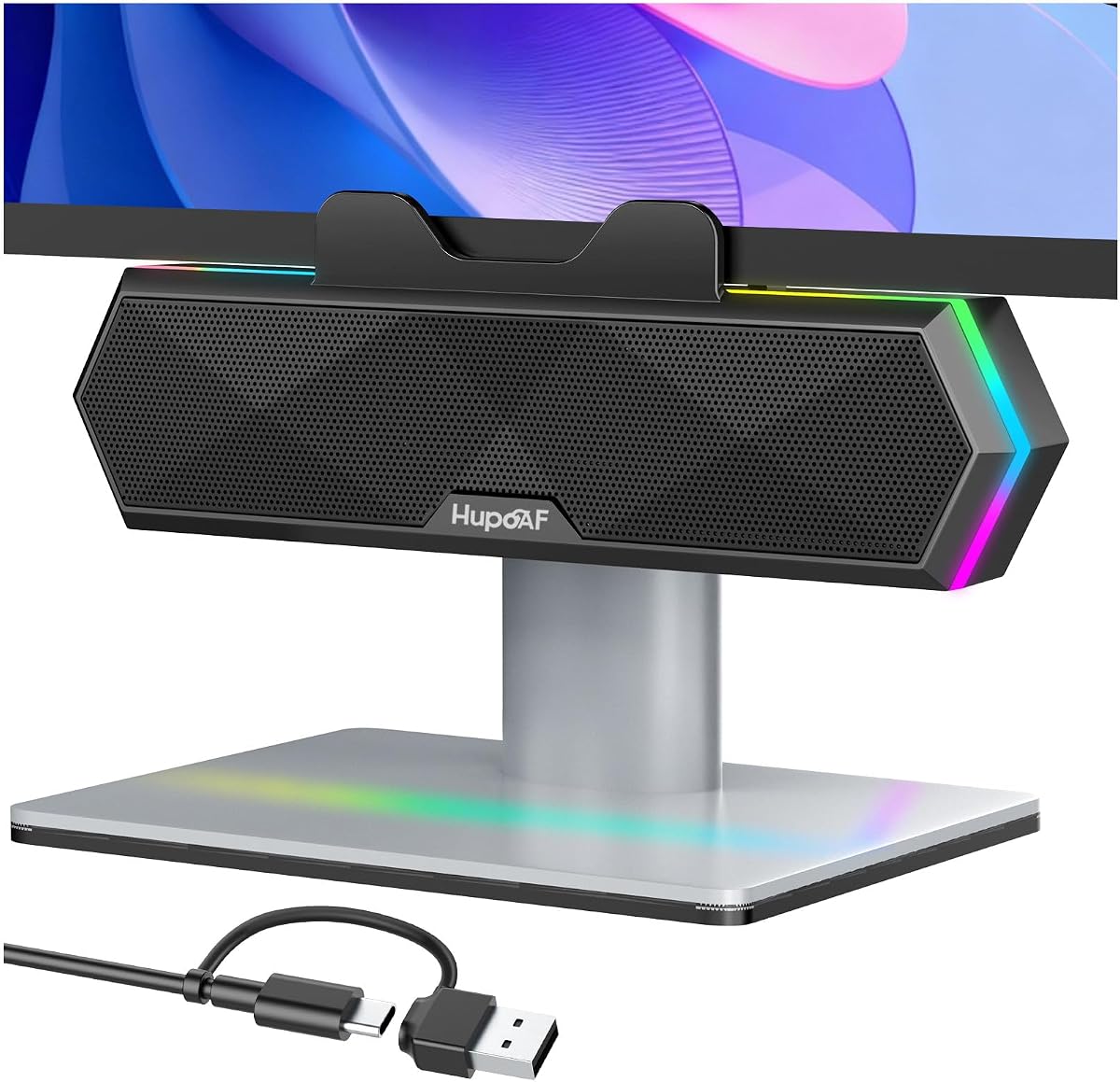
This speaker system combines functionality with style to appeal to gamers and creatives. With a 4.6 rating, it is highly praised for its features. The clip-on design keeps the desk clear while keeping audio close.
We may earn a commission when you buy through this link, at no additional cost to you.
Dual ultra-magnetic drivers provide sparkling highs and deep bass. The six RGB lighting modes add a visual element that matches gaming setups. The clamp allows flexible placement on top or side edges.
The lights can be turned off for distraction-free work. However, the clip requires a sturdy monitor to hold safely. The sound quality is impressive for the size and price.
Perfect for users who want aesthetics alongside audio. It is a versatile addition for entertainment setups. We recommend it for those seeking style and sound.
Six modes allow customization to match your mood. The lights can be disabled completely for focus.
The clip allows mounting in various positions. This saves space compared to sitting speakers.
We may earn a commission when you buy through this link, at no additional cost to you.
Choosing the right speakers involves balancing sound quality, connectivity, and design for your workspace.
Modern MacBooks often rely on USB-C ports which limit traditional 3.5mm inputs. Look for speakers that support USB-C directly or come with adapters to avoid extra dongles. Bluetooth connectivity is also useful for wireless setups but may introduce latency.
Prioritize speakers with flexible connection types to ensure compatibility with your devices.
Consider the wattage and driver size for the sound volume and depth you need. Models with passive radiators deliver richer bass for music and movies. For professionals, features like Hi-Res Audio certification ensure accurate monitoring.
Choose output power that matches your room size and content type for the best experience.
Desk space varies greatly so consider clip-on or compact options if you have a small workspace. Tall speakers might block monitors so check dimensions before buying. Aesthetic details like RGB lights or metallic finishes can complement your setup.
Select a form factor that fits your desk layout without cluttering your work area.
Prices range widely from budget-friendly USB options to premium studio monitors. Set a realistic budget and decide what features are non-negotiable like wireless support or high wattage. Higher cost often means better build quality and audio fidelity.
Align your spending with your needs to avoid overspending on unnecessary features.
Plug-and-play USB speakers save time and technical effort. Look for models that do not require driver installation on macOS. Touch controls or physical dials make volume adjustments easier during use.
Opt for user-friendly interfaces to simplify daily operation and installation.
DSP and Clear Dialog technologies improve voice clarity for calls and media. Advanced models include EQ apps for sound customization. These features enhance the listening experience without requiring external software.
Look for built-in processing to improve sound accuracy out of the box.
If you need speakers for meetings, built-in microphones simplify setup. Models certified for Teams or Zoom ensure reliable audio for calls. Dedicated microphones reduce background noise effectively.
Check for integrated mic capabilities if remote work is a primary use case.
Durable materials like metal or quality plastic ensure longevity. A warranty provides protection against defects. Higher-end models often have better construction and longer support periods.
Invest in well-built speakers to ensure long-term reliability and performance.
Connect the speakers using the included USB or audio cables ensuring secure fits. macOS usually detects external audio automatically but check settings if needed.
Adjust the speaker angles to direct sound towards your ears for optimal volume. Use the volume controls to find a comfortable level that avoids distortion.
Keep speakers clean and free of dust to maintain performance. Avoid placing them near liquids to prevent damage to internal components.
Some speakers come with USB-C adapters included which makes setup easy. Others may require a separate dongle if they use USB-A or 3.5mm inputs. Check the product details to confirm compatibility before buying.
Studio monitors like the Edifier MR3 provide accurate sound profiles for editing. They have flat frequency responses that help you hear audio details clearly. These are ideal for professional work requiring precise monitoring.
Yes models like the Logitech Z207 and Creative Pebble V3 support Bluetooth wireless connections. This reduces cable clutter and allows placement flexibility. Ensure your Mac supports Bluetooth pairing for a smooth experience.
Speakers like the Computer Speakers for Desktop PC Monitor offer a clip-on design. This saves desk space and keeps audio close to your screen. Ensure your monitor has a stable edge for secure mounting.
Most USB speakers work seamlessly with macOS without requiring drivers. System preferences allow easy switching to external audio. However some advanced features may need additional software from the manufacturer.
For small desks, 10W to 20W output is usually sufficient. This provides clear sound without overwhelming the room. Higher wattage is better for larger spaces or louder music needs.
The Edifier M60 and MR3 offer top-tier performance for those who value sound fidelity. Budget options like the USB speakers provide a great entry point for basic audio needs. Each model has unique strengths suited for different usage scenarios.
Prioritize connectivity and space design to ensure the speakers fit your workflow smoothly. Sound quality matters for media consumption and professional work alike. Choose based on your daily tasks and room constraints.
Always verify current prices and availability before making a purchase decision. Deals change frequently so timing might impact your final cost. Use this guide to narrow down options for a confident choice.