
ASUS P6X58D Premium
4.0Editor score
True 16+2 Phase Power
USB 3.0 Support
Stack Cool 3+ Cooling
This comprehensive guide compares the top Lga 1366 Motherboard options for enthusiasts seeking high performance and legacy support in modern workstation builds.
Selecting the right Lga 1366 Motherboard is crucial for enthusiasts looking to harness the power of legacy Core i7 processors. These boards offer triple-channel memory support and robust power delivery for demanding tasks.
We compared ten distinct models based on their chipset capabilities, expansion slots, and connectivity options. Our analysis focuses on reliability, overclocking potential, and compatibility with high-end workloads for legacy systems.
Each pick highlights specific strengths like SATA speeds, USB versions, and build quality. Please note that availability and pricing fluctuate frequently for these legacy components so verify current stock before purchasing.
4.0Editor score

5.0Editor score
Below is a detailed side-by-side comparison of the ten leading Lga 1366 Motherboard models available. This table highlights key specifications to help you identify the best fit for your specific legacy build needs.


The ASUS P6T7 WS SuperComputer stands out as a top-tier choice for users needing extensive expansion capabilities. It supports up to three-way SLI and CrossFireX setups making it ideal for rendering or compute tasks.
We may earn a commission when you buy through this link, at no additional cost to you.
Its six DDR3 DIMM slots allow for significant memory upgrades while the dual Gigabit LAN controllers provide network redundancy. The robust power design ensures stability even under heavy multi-core loads.
While it lacks modern USB 3.0 ports the sheer number of USB 2.0 headers ensures ample connectivity. The inclusion of IEEE 1394a ports is also useful for legacy audio or video gear.
This board is best suited for professionals requiring high-end workstation features on an older platform. If you need maximum expansion potential this model delivers unmatched versatility for LGA 1366 systems.
Supports up to 3-Way SLI and CrossFireX configurations for extreme graphical workloads.
Dual Realtek Gigabit LAN ports enable teaming for faster network throughput or backup links.
We may earn a commission when you buy through this link, at no additional cost to you.
The ASUS P6X58D Premium offers a premium feature set with its 16+2 phase power design. This ensures stable power delivery for high-performance Core i7 processors under heavy load conditions.
We may earn a commission when you buy through this link, at no additional cost to you.
It features USB 3.0 and SATA 6Gb/s support which was groundbreaking at the time. The TurboV tool allows for real-time tuning ensuring you get the most out of your hardware.
The Stack Cool 3+ solution provides effective fanless heat dissipation keeping the board cool without noise. This is particularly beneficial for quiet workstation environments.
If you prioritize performance and build quality this board is a top contender. It balances high-end specs with usability making it a great choice for enthusiast builds.
True 16+2 Phase Power Design ensures optimal performance with the best quality components.
Unleashes USB 3.0 and SATA 6Gb/s bandwidth for faster data transfer rates.
We may earn a commission when you buy through this link, at no additional cost to you.
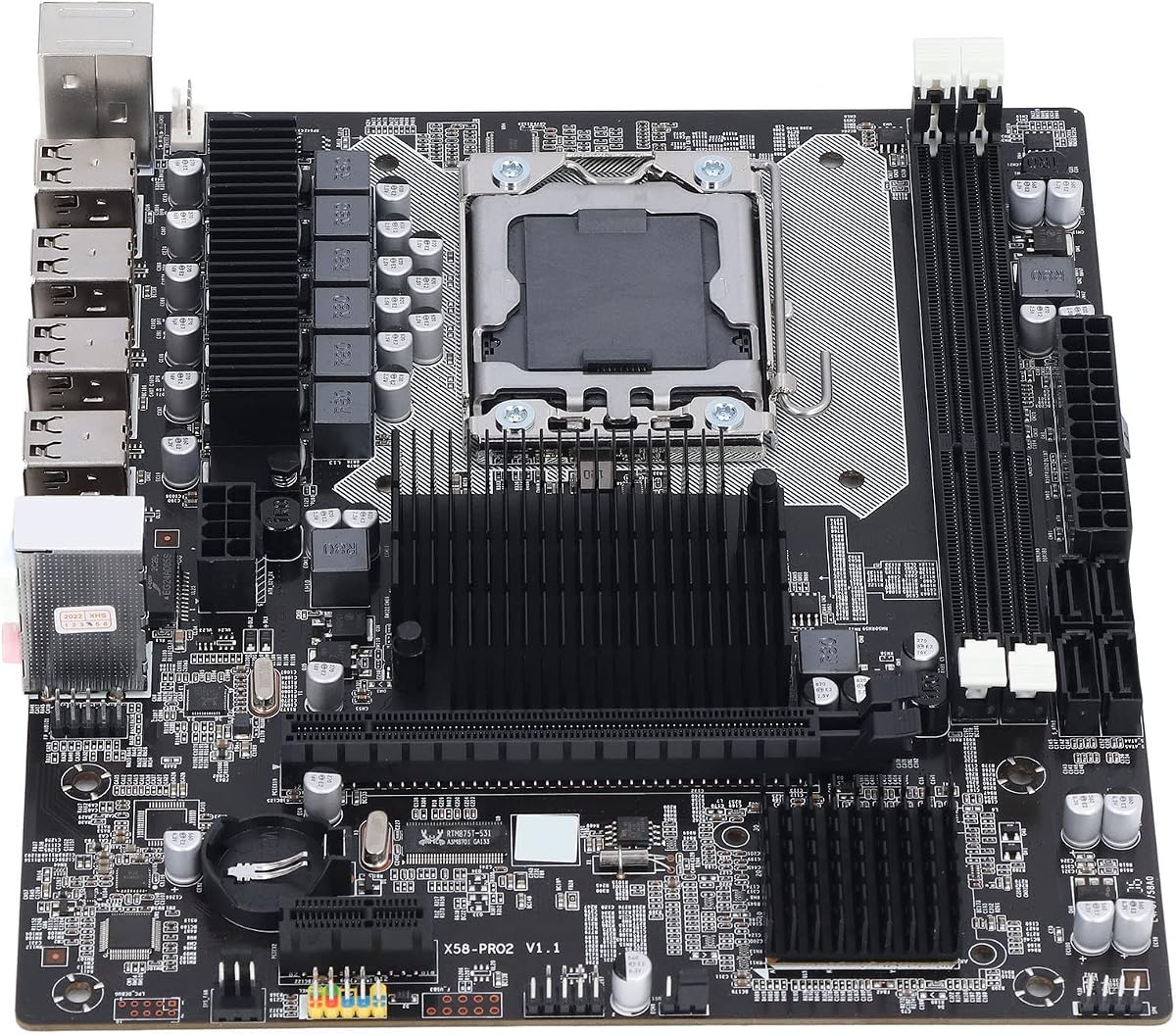
The X58 Gaming Motherboard provides a budget-friendly entry point for legacy system builders. Its solid capacitors and standard connectors make it reliable for basic to mid-range tasks.
We may earn a commission when you buy through this link, at no additional cost to you.
It supports both ECC and non-ECC memory offering flexibility for workstation needs on a tight budget. The 8-pin and 24-pin power connectors ensure compatibility with most modern ATX supplies.
While it only offers USB 2.0 this is acceptable for older peripherals or systems where speed is secondary. The design prioritizes stability and cost-efficiency over high-speed data transfer.
For builders looking to keep costs low without sacrificing essential features this board is an excellent choice. It serves as a solid foundation for budget-friendly LGA 1366 gaming rigs.
Designed for easy installation with standard ATX power supplies to keep costs low.
Supports ECC and non-ECC memory giving you flexibility for both gaming and workstation builds.
We may earn a commission when you buy through this link, at no additional cost to you.
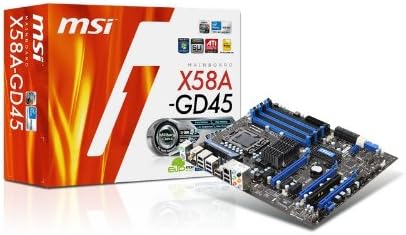
The MSI X58A-GD45 brings a blend of speed and efficiency to the LGA 1366 platform. It features revolutionary SuperSpeed USB 3.0 which is ten times faster than USB 2.0.
We may earn a commission when you buy through this link, at no additional cost to you.
Its Active Phase Switching technology controls power demand dynamically helping to reduce energy consumption. This makes it a solid choice for users concerned about power efficiency.
The board supports next-generation SATAIII up to 6Gbps doubling the data transfer rate of SATAII. This is particularly useful for users who rely on SSDs for their storage needs.
If you need a board that balances modern speed features with legacy support this model fits well. It offers the right mix of performance and stability for daily workstation use.
Revolutionary SuperSpeed USB 3.0 boosts data transfer rates between PC and USB devices.
APS Active Phase Switching allows for complete control of power demand dynamically.
We may earn a commission when you buy through this link, at no additional cost to you.
The Dx58So Extreme Series represents a specialized board often found in pre-built systems. It is designed to support the core functionality of Intel Core i7 processors within a specific chassis.
We may earn a commission when you buy through this link, at no additional cost to you.
While detailed specs vary this board is known for maintaining stability in OEM configurations. The LGA 1366 socket ensures compatibility with the high-end processors of its era.
It may not offer the expansion options of retail boards but it serves well for original system repairs. Users looking for exact replacements will find this model critical for maintaining legacy systems.
This board is best for users requiring specific hardware matching for older workstations. It provides the necessary foundation for system continuity without unnecessary features.
Designed for specific system builds ensuring compatibility with original hardware configurations.
Supports Intel Core i7 processors providing high-end performance potential.
We may earn a commission when you buy through this link, at no additional cost to you.
The ASUS P6X58D-E is packed with features including six DDR3 DIMM slots for maximum memory capacity. It supports up to 24GB of non-ECC unbuffered memory for heavy multitasking.
We may earn a commission when you buy through this link, at no additional cost to you.
With three SATA3 ports and USB 3.0 support this board handles modern storage peripherals well. The Realtek ALC889 audio codec provides high-quality sound output for enthusiasts.
Marvell Gigabit LAN ensures stable network performance which is essential for file servers or gaming. The board also includes dual PS/2 ports for legacy keyboard and mouse support.
If you need a complete package with robust I/O this model delivers excellent value. It bridges the gap between legacy architecture and modern peripherals effectively.
Supports 6x DDR3 DIMMs allowing up to 24GB total system memory.
Includes 2x SATA3 ports and 2x USB 3.0 ports for fast external device support.
We may earn a commission when you buy through this link, at no additional cost to you.
The Supermicro X8STI brings server-grade reliability to the desktop market. It supports Intel Core i7 and Nehalem processors ensuring high performance for compute-intensive workloads.
We may earn a commission when you buy through this link, at no additional cost to you.
Its support for ECC memory helps prevent data errors which is critical for professional tasks. The dual Intel Gigabit Ethernet controllers provide robust network connectivity for servers or routers.
Matrox graphics controller support ensures basic display output without needing a dedicated GPU. This is useful for systems focused on stability and processing power rather than gaming.
For users needing a board that prioritizes stability and data integrity this model is ideal. It is perfect for workstations that function as dedicated servers or compute nodes.
Supports ECC/Non-ECC unbuffered memory ensuring data accuracy in professional applications.
Dual Intel Gigabit Ethernet controllers provide reliable network throughput.
We may earn a commission when you buy through this link, at no additional cost to you.
The Supermicro X8DTN+ stands out for its ability to support dual Intel Xeon processors. This allows for massive parallel processing power ideal for scientific computing or virtualization.
We may earn a commission when you buy through this link, at no additional cost to you.
It supports up to 144GB of DDR3 memory making it a powerhouse for data-heavy tasks. The Intel 5520 chipset provides the necessary bandwidth for such high-end configurations.
With up to 144GB memory capacity and robust dual-port Ethernet this board is built for enterprise. It is designed to handle the most demanding professional workloads with stability.
If you need maximum computing power from a legacy platform this board is unmatched. It offers dual CPU capability that bridges the gap between workstation and server.
Supports dual Intel Xeon processors for massive parallel processing capabilities.
Up to 144GB DDR3 support ensures ample memory for large datasets and virtualization.
We may earn a commission when you buy through this link, at no additional cost to you.
The Asus P6T Deluxe V2 is a classic board known for its triple channel memory architecture. It supports up to 24GB of DDR3 memory which was a high standard for its time.
We may earn a commission when you buy through this link, at no additional cost to you.
Built for Intel Core i7 processors it provides the necessary speed and stability for enthusiast tasks. The ATX form factor ensures it fits most standard cases with ease.
While it may lack newer features it remains a reliable choice for specific legacy builds. Its reputation for stability makes it a preferred option for those sticking with X58.
For users looking for a solid foundation with strong memory support this board is a good fit. It balances classic performance with reliability for specific enthusiast needs.
Triple channel memory architecture allows for up to 24GB of DDR3 system memory.
Supports Intel Core i7 Processor and i7 Extreme Edition for high-end computing.
We may earn a commission when you buy through this link, at no additional cost to you.
The Intel DX58SO Extreme Series serves as an official reference design for the X58 platform. It supports up to 16GB of DDR3 memory and includes 12 USB ports for broad connectivity.
We may earn a commission when you buy through this link, at no additional cost to you.
With 7.1 Dolby Digital Audio it provides high-quality sound output for media applications. The board also supports ATI CrossFireX allowing for multi-GPU configurations if needed.
Its utility for overclocking is a strong point for users wanting to push their Core i7 limits. The design is clean and functional typical of Intel's own motherboard engineering.
For users seeking an official Intel experience this board is the go-to choice. It balances audio and connectivity features well for a legacy high-performance build.
Reference design board by Intel ensuring compatibility and stability with Core i7 processors.
Features 7.1 Dolby Digital Audio for superior sound quality in media builds.
We may earn a commission when you buy through this link, at no additional cost to you.
Selecting the right motherboard for your LGA 1366 system requires careful attention to several key factors. These elements determine compatibility performance and the longevity of your build.
The chipset defines the board features including memory support and expansion options. Look for boards with Intel X58 chipsets that support triple-channel memory for maximum bandwidth.
Choose a chipset that matches your performance needs and ensures compatibility with your chosen CPU.
Most LGA 1366 boards use DDR3 memory but the number of slots varies significantly. Aim for at least six slots to maximize capacity and allow for future upgrades.
Verify whether the board supports ECC memory if you require data integrity for professional work.
If you plan to use multiple graphics cards check the number of PCIe x16 slots available. Some boards support CrossFireX or SLI configurations which require specific lane configurations.
Ensure there is enough physical space on the board to install your desired GPU setup.
High-performance processors need stable power to avoid throttling or instability under load. Look for boards with robust phase designs such as 16+2 phase power for better stability.
Check that the power connectors match your PSU to ensure safe and reliable operation.
Legacy boards often lack modern USB 3.0 or SATA 6Gb/s ports which can limit data transfer speeds. Verify the presence of these ports if you plan to use fast SSDs or external drives.
Consider the number of USB headers for internal device expansion if you plan to add USB hubs.
ATX is the standard form factor for these boards but some larger server boards may require specific cases. Ensure your case supports the motherboard size you select to avoid fitting issues.
Choose a form factor that provides enough room for your cooling and GPU configuration.
For workstation use having dual gigabit LAN ports can improve network performance or provide redundancy. Check the type of Ethernet controller to ensure it matches your network environment needs.
Dual ports are beneficial for server applications or heavy file transfer tasks.
High-definition audio codecs are essential if you plan to use the PC for media production or gaming. Look for boards with reputable audio brands such as Realtek for cleaner sound output.
Ensure the board includes necessary audio jacks and optical ports for your setup.
Always power off your computer and unplug it before installing the motherboard. Use an anti-static wrist strap to prevent static discharge from damaging sensitive components during installation.
Install the CPU and RAM before mounting the board into the case to reduce the risk of damage. Ensure the standoffs align correctly with the screw holes to prevent short circuits.
Keep the motherboard clean by regularly removing dust from heatsinks and fans. Avoid exposing the system to high humidity or extreme temperature fluctuations to maintain component longevity.
Most LGA 1366 motherboards are compatible with Intel Core i7 processors from the first generation (900 series). They also support Intel Xeon 3500 series processors for workstation use.
No LGA 1366 motherboards only support DDR3 memory. You must use DDR3 modules to ensure system compatibility and stability on this platform.
While technically possible with modifications Windows 11 generally requires TPM 2.0 and specific CPU generations. These legacy systems do not meet official requirements but may run older OS versions.
Most X58 motherboards support up to 24GB of RAM depending on the DIMM configuration. This is due to the memory controller limitations of the original Intel X58 chipset.
Not all LGA 1366 boards feature USB 3.0 as it was not standard in that era. You may need a PCIe USB 3.0 expansion card for high-speed external connectivity.
Most boards have a BIOS update option in the startup menu. You can download the latest BIOS from the manufacturer website and flash it using a USB drive.
We reviewed ten distinct Lga 1366 Motherboard models each offering unique strengths for different user needs. The ASUS P6T7 WS SuperComputer and P6X58D Premium offer robust performance for enthusiast builds.
When selecting a board prioritize factors like memory capacity and connectivity to ensure your system meets modern demands. Consider your specific workload whether it is gaming or rendering to guide your choice.
Please note that availability fluctuates for these legacy components so check current stock before finalizing your purchase. Verify compatibility with your specific CPU and peripherals to ensure a successful build.