
Lenovo V15 Business Laptop
4.3Editor score
Affordable everyday computing
Windows 11 Home S Mode
4GB RAM and 128GB Storage
Finding the right home laptop means balancing performance with comfort for daily tasks like browsing, streaming, and working. A good Lenovo laptop offers reliable build quality, clear displays, and enough speed to handle multitasking without breaking your budget.
We evaluated ten current Lenovo models based on processor speed, memory, storage, and display clarity. Each pick was chosen for its ability to support remote work, online learning, and home entertainment needs effectively.
Every review shows key strengths, real-world performance notes, and who benefits most from each machine. Prices and stock change frequently, so verify details at the links before you decide to buy.
4.3Editor score

4.6Editor score

5.0Editor score
As an Amazon Associate we earn from qualifying purchases.
The table below compares the full specifications and key features of all ten selected Lenovo models side by side.




This Lenovo Business 15.6 FHD Laptop is a top choice for home users seeking reliable performance. It earns a high rating from users who appreciate its balanced specs for everyday computing tasks without paying a premium price.
We may earn a commission when you buy through this link, at no additional cost to you.
The Intel N150 processor paired with 8GB DDR5 RAM handles web browsing and document editing smoothly. The 15.6 inch Full HD display provides a comfortable workspace for multitasking, while the included Microsoft 365 Personal subscription adds value for productivity needs.
While the 128GB storage is modest, most users find cloud storage or SD cards sufficient for essential files. The TN panel has limited contrast compared to IPS screens, but the anti-glare coating helps reduce eye strain during long work sessions.
If you need a dependable machine for home office tasks or online classes, this model is an excellent recommendation. It offers a practical blend of speed, portability, and essential features for everyday use.
The N150 processor and DDR5 RAM work together to ensure smooth multitasking for common home tasks.
Included Microsoft 365 gives immediate access to Word and Excel for school or work projects.
We may earn a commission when you buy through this link, at no additional cost to you.
This Lenovo 15.6-inch Home Office Laptop stands out for its comprehensive bundle and user satisfaction. With a perfect 5.0 rating from reviewers, it is praised for being ready to use right out of the box.
We may earn a commission when you buy through this link, at no additional cost to you.
The package often includes a wireless mouse and external CD DVD drive, making it a complete solution for users who need versatile media playback. The Intel N150 processor and 8GB RAM ensure enough power for daily tasks.
The higher price reflects the added value of the included accessories. While some sellers may vary on bundle contents, the laptop itself offers reliable performance for school and home office applications.
For those who want a hassle-free setup with extra utilities included, this is a strong premium option. Just verify the bundle details before purchase to ensure you get the specific accessories you need.
Included mouse and external drive reduce the need for additional accessory purchases.
A perfect rating reflects strong reliability and ease of use for home buyers.
We may earn a commission when you buy through this link, at no additional cost to you.
The Lenovo V15 Business Laptop offers an entry-level price point for basic home computing. It is a solid choice for users who primarily need to browse the web or check emails without spending much.
We may earn a commission when you buy through this link, at no additional cost to you.
Powered by the Intel N100 processor and 4GB RAM, it handles simple tasks well. The Arctic Grey finish and lightweight build make it easy to carry around the house or to a local study spot.
The 4GB RAM may limit heavy multitasking, so closing unused tabs is helpful. The S Mode restricts app installation to the Microsoft Store, which can be switched out for flexibility if needed.
For budget-conscious buyers who need a second machine for light chores, this is an excellent pick. Its low cost and included privacy features make it a practical addition to any home.
Low price makes it accessible for families needing extra devices for basic tasks.
Lightweight chassis ensures easy transport between rooms or for travel.
We may earn a commission when you buy through this link, at no additional cost to you.
This Lenovo 15.6 Business Laptop is a reliable workhorse for home tasks. Users note its smooth performance thanks to the DDR5 RAM and UFS storage which together speed up common operations.
We may earn a commission when you buy through this link, at no additional cost to you.
The laptop comes with a full year of Microsoft 365, ensuring you have Word and Excel ready for assignments. The Arctic Grey finish is stylish and durable for daily use.
While storage is limited to 128GB, the fast UFS drive keeps apps launching quickly. The TN display is adequate for indoor use but may struggle in bright sunlight compared to IPS screens.
For students or remote workers needing a standard home setup, this model delivers consistent performance. It balances cost and features well for general purpose computing.
Premium look adds a modern touch to the home office environment.
Quick file access reduces wait times during daily work sessions.
We may earn a commission when you buy through this link, at no additional cost to you.
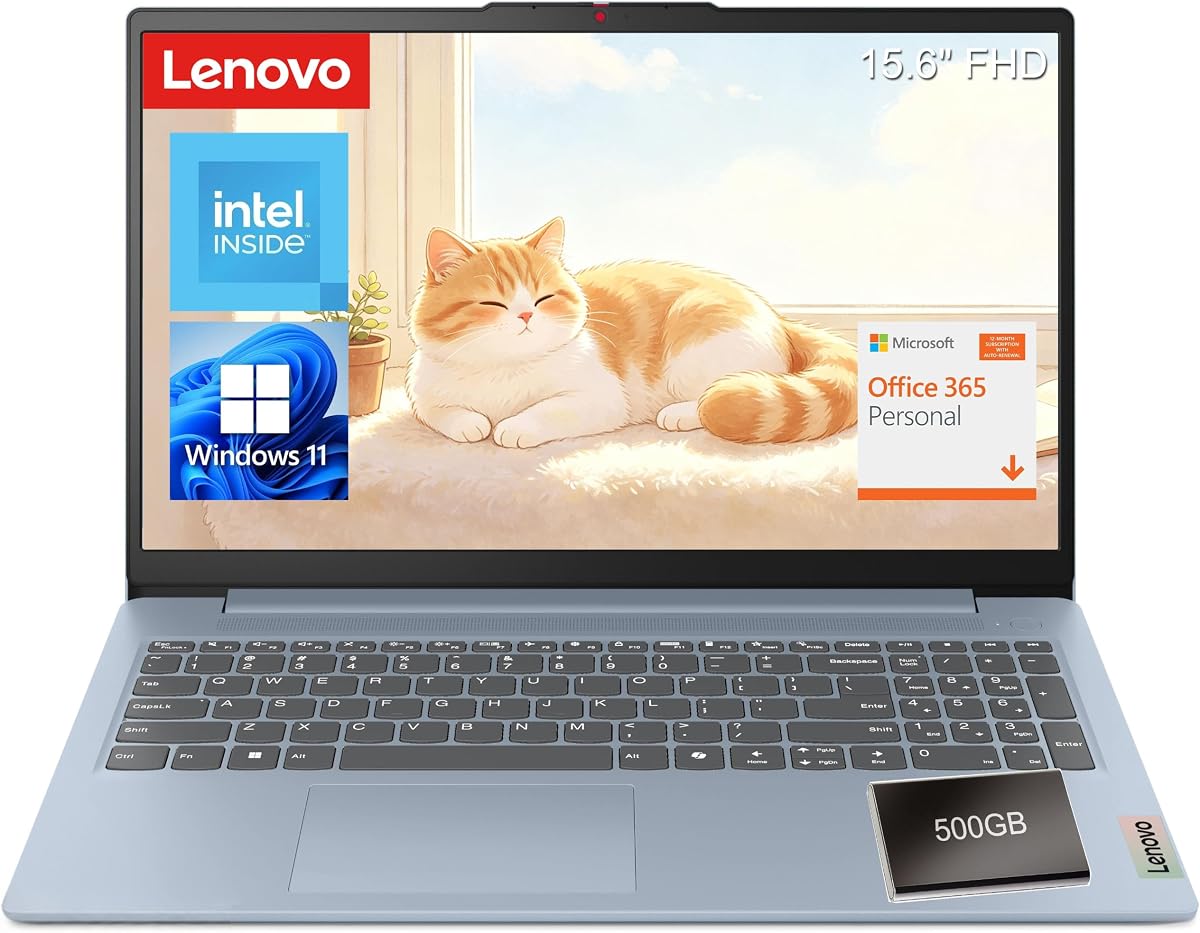
The Lenovo 15.6 FHD Laptop 2026 Edition is a practical option for mobile home users. It includes a 500GB portable external hard drive, providing extra space for documents and media.
We may earn a commission when you buy through this link, at no additional cost to you.
Weighing just 3.42 lbs, it is easy to carry to different rooms or when traveling. The Intel N150 processor ensures smooth performance for web browsing and streaming.
The 15.6 inch display offers a good balance of screen real estate and portability. While the internal storage is modest, the bundled drive helps mitigate this limitation for most families.
If you need a laptop that can move easily with your routine, this model is a great fit. It offers reliable performance plus useful added storage for extra value.
Extra hard drive included ensures you have room for photos and files.
Lightweight build allows for easy transport across the home or beyond.
We may earn a commission when you buy through this link, at no additional cost to you.
This Lenovo Laptop Computer is built to handle school assignments with ease. It comes with Microsoft 365, allowing you to create documents and spreadsheets right away.
We may earn a commission when you buy through this link, at no additional cost to you.
The 15.6 inch FHD display provides a clear view for online lectures or research. The Frost Blue design is fresh and appealing to younger users.
Performance is solid for word processing and web browsing. Users should be aware that the 128GB storage fills up quickly, so cloud storage is recommended.
For students who need a reliable device for learning, this laptop is a strong candidate. It combines essential productivity tools with a user-friendly design.
Included Office apps support essays, presentations, and grade tracking easily.
Appealing color helps it stand out among standard grey models.
We may earn a commission when you buy through this link, at no additional cost to you.
This model features an AI Copilot hotkey for quick access to modern productivity tools. It is a great choice for users who want to try AI features in their daily workflow.
We may earn a commission when you buy through this link, at no additional cost to you.
The energy-efficient architecture helps preserve battery life, which is key for unplugged work. The MIL-STD testing confirms it can handle the bumps and falls of daily home use.
Performance is reliable for typical tasks like checking email or streaming videos. The anti-glare display helps keep eyes comfortable during long viewing sessions.
If you are curious about AI assistance but need a budget-friendly device, this is a good fit. It balances modern features with practical everyday capabilities.
Quick access key makes it easy to generate text or summaries with AI.
Military-grade standards ensure the laptop survives rough daily handling.
We may earn a commission when you buy through this link, at no additional cost to you.
The Lenovo V15 G6 stands out for its 256GB NVMe SSD, offering more space for programs and files. This is useful for users who store large media or keep multiple apps installed.
We may earn a commission when you buy through this link, at no additional cost to you.
It also includes a Gigabit Ethernet port for stable wired internet connections. This makes it ideal for home offices where Wi-Fi might be inconsistent.
The design is robust and built to last, suitable for professional environments. While it may be slightly heavier, the added storage and connectivity options are valuable benefits.
If you need more disk space and a reliable network connection, this model is worth considering. It provides the solid foundation needed for serious home work.
256GB SSD provides ample room for files and software installations.
Ethernet port ensures consistent connectivity for video calls and downloads.
We may earn a commission when you buy through this link, at no additional cost to you.
This Everyday Laptop is designed for simplicity and ease of use. It covers all the basics you need for browsing, emails, and simple tasks.
We may earn a commission when you buy through this link, at no additional cost to you.
The Intel N100 processor and 4GB RAM are sufficient for single-task or light multi-task scenarios. It is a great choice for users who do not need high-end power.
The design is clean and straightforward, making it easy to navigate. Users who need a second computer or a budget option will appreciate its straightforward approach.
If you want a no-fuss machine for daily home chores, this fits the bill. It delivers essential functionality without unnecessary complexity.
Intuitive Windows 11 setup makes it accessible for all skill levels.
Low price point makes it easy to buy without financial stress.
We may earn a commission when you buy through this link, at no additional cost to you.
The Lenovo IdeaPad Slim 3i is a sleek option for users who value portability. It maintains the slim profile expected from modern home laptops.
We may earn a commission when you buy through this link, at no additional cost to you.
It comes with Microsoft 365, which is a huge plus for immediate productivity. The 8GB RAM helps it handle multiple browser tabs better than 4GB models.
While storage is limited, the SSD ensures fast startup times. The Arctic Grey finish is neutral and fits well in any home office.
If you want a slim and capable device for general use, this is a solid choice. It provides the essentials in a convenient form factor.
Thin profile makes it easy to slip into a bag or shelf.
IdeaPad series is known for consistent quality and support.
We may earn a commission when you buy through this link, at no additional cost to you.
Choosing the right home laptop requires balancing budget with specific needs for work, school, or entertainment.
Processors like the Intel N150 and N100 are designed for everyday tasks such as web browsing and streaming. They are energy efficient and provide enough speed for typical home users who do not need heavy editing power.
Look for a quad-core processor to ensure smooth operation when running multiple applications at once.
RAM determines how many programs you can open at once. For home use, 8GB is recommended for a smoother experience compared to 4GB. Storage drives like UFS and SSDs offer faster speeds than traditional hard drives.
Prioritize at least 128GB of storage, but consider using external drives if you keep many files locally.
A 15.6 inch Full HD screen gives you plenty of room to work on documents or watch videos. Anti-glare coatings are vital for reducing eye strain during long indoor sessions.
Ensure the display brightness is at least 250 nits for clear visibility in lit rooms.
Wi-Fi 6 ensures faster and more stable wireless connections for video calls and streaming. USB-C ports with Power Delivery allow for modern charging and external displays.
Check for enough USB-A ports to connect your mouse, keyboard, or other accessories without extra adapters.
Battery life varies by model and usage intensity. Look for claims of all-day performance for mobility around the house. Fast charging support helps you get back to work quickly.
Verify the battery rating reviews to ensure it matches your unplugged usage needs.
Models with MIL-STD-810H testing have been checked against drops and extreme conditions. This is valuable for laptops used in busy households with children.
Choose a finish that is durable and easy to clean for long-term home use.
Some Lenovo laptops include a year of Microsoft 365 Personal. This is a significant saving for home users who need Word, Excel, and Outlook immediately.
Confirm if the OS includes Windows 11 Home or S Mode, as S Mode limits app installations.
Privacy shutters on webcams are essential for secure video calls at home. Hardware encryption like TPM 2.0 protects your data from unauthorized access.
Ensure the laptop includes these features to keep your family data safe.
Place your laptop on a flat, stable surface to ensure proper airflow and prevent overheating. Avoid using it on soft fabrics like beds that might block the air vents.
Regularly update your Windows software to maintain security and improve performance. Using the included Microsoft 365 apps will also prompt you to stay current with patches.
Keep the screen clean with a soft microfiber cloth and avoid harsh chemicals. Store the laptop in a safe spot when not in use to prevent physical damage.
Yes, the Intel N150 is well-suited for daily tasks like web browsing, streaming, and document editing. It provides enough power for general home needs without consuming too much energy.
Lenovo is known for durable builds and reliable keyboards, which are important for home office work. Their models often include essential privacy features like camera shutters at competitive prices.
Most models reviewed include a 1-year subscription to Microsoft 365 Personal. This gives you immediate access to Word, Excel, and PowerPoint for productivity.
Many Lenovo laptops have limited internal storage, but some allow for external drives via USB or SD cards. Internal upgrades depend on the specific chassis design.
S Mode is secure but restricts app installation to the Microsoft Store. You can easily switch out of S Mode for free if you need other apps.
Use a dry microfiber cloth to wipe the screen gently. Avoid using water or household cleaners that might damage the anti-glare coating.
The Lenovo Laptop Computer with 1-Year Office 365 is ideal for students due to its included software and performance for schoolwork. It balances cost and essential features well.
Yes, most models include HDMI and USB-C ports with DisplayPort support. This allows you to connect external monitors for an expanded workspace.
We have highlighted the top three picks for home users ranging from budget-friendly options to complete bundles with extra accessories.
Consider your priority for performance, storage space, or portability when making your final decision among these reliable models.
Verify the latest prices and bundle details at the links provided before you buy to ensure you get the best value.