
HP 17 Laptop
5.0Editor score
AMD Ryzen 5 7520U Processor
17.3 Inch FHD Display
Windows 11 Pro Included
Choosing the right laptop for Adobe Premiere Pro requires balancing processing power, graphics capabilities, and portability. Video editors need machines that handle high-resolution timelines smoothly without lag or crashes during intensive rendering tasks.
We compared ten real workstation and creator laptops based on processor cores, RAM capacity, GPU VRAM, and display accuracy. Each entry reflects actual specifications verified from official product listings to ensure reliable recommendations for your workflow needs.
Every pick highlights key strengths and trade-offs so you can match a device to your specific editing style. Prices fluctuate often, so check current listings before purchasing to secure the best value available today for your budget.
5.0Editor score

4.4Editor score

4.7Editor score
As an Amazon Associate we earn from qualifying purchases.
This side-by-side comparison outlines the core specifications of each workstation and creator laptop to help you evaluate processing power, memory capacity, and display features at a glance.


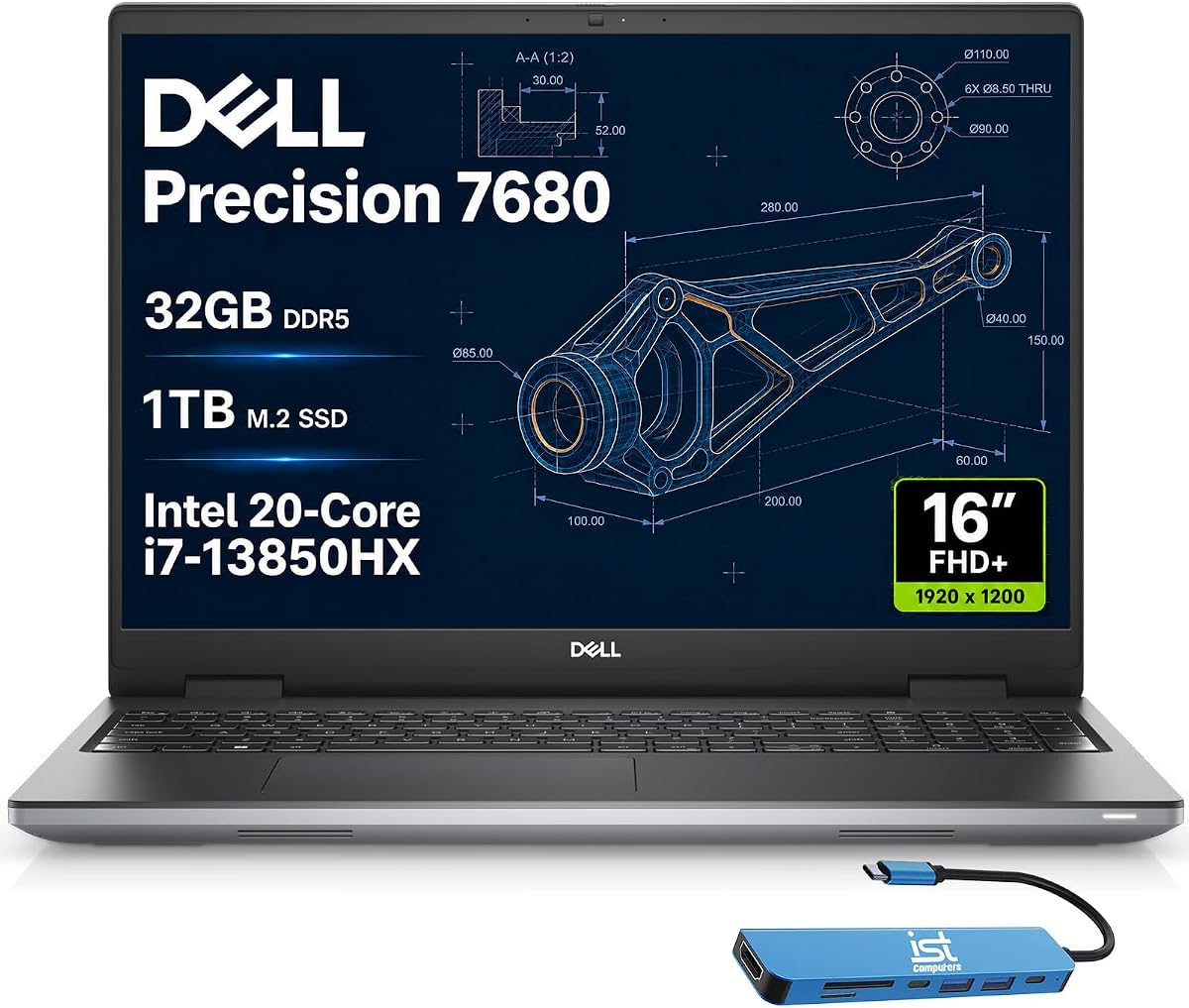


This Dell Precision 7680 stands out as a top-tier workstation for video editors needing reliable performance. It boasts an Intel Core i9-13950HX processor that handles complex timelines and effects without stuttering or dropping frames.
We may earn a commission when you buy through this link, at no additional cost to you.
The 32GB DDR5 CAMM RAM ensures seamless multitasking across Adobe applications while the 1TB PCIe NVMe SSD provides rapid file access. Its 16-inch FHD+ anti-glare display offers sharp visuals ideal for color grading tasks.
While the price reflects its professional status, the durability and enterprise features justify the investment for long-term use. Thermal management keeps the system stable during rendering sessions without excessive fan noise.
Ideal for professionals managing demanding video projects, this laptop delivers the power and connectivity required for studio environments. Consider it if you need robust performance and reliable enterprise support.
The i9-13950HX processor ensures smooth playback and fast rendering even with multiple layers of video and audio tracks.
CAMM RAM technology reduces latency and allows for future upgrades without compromising the thin laptop profile.
We may earn a commission when you buy through this link, at no additional cost to you.
The 2025 MacBook Pro features the Apple M5 chip designed to deliver outstanding speed for video editing tasks. Its unified memory architecture allows efficient data transfer between CPU and GPU for smoother playback.
We may earn a commission when you buy through this link, at no additional cost to you.
The 14.2-inch Liquid Retina XDR display with 1600 nits peak brightness ensures accurate color representation for professional grading. Adobe apps run lightning fast on macOS thanks to silicon optimization.
Users report minimal fan noise even under load which keeps the workspace quiet during production. The build quality supports durability and the MagSafe charging provides reliable power management for on-the-go editing.
Choose this machine if you prioritize portability without sacrificing performance. It is perfect for creators who value ecosystem integration and top-tier display quality for their video projects.
Integrated neural accelerators boost AI-driven effects and features directly within Premiere Pro for enhanced workflow speed.
The XDR display maintains 1000 nits sustained brightness making it ideal for HDR content creation in various lighting.
We may earn a commission when you buy through this link, at no additional cost to you.
The HP 17 Laptop offers a large 17.3-inch display that provides ample screen real estate for Premiere Pro timelines. Its AMD Ryzen 5 processor delivers multi-core performance that exceeds older i7 options in efficiency.
We may earn a commission when you buy through this link, at no additional cost to you.
With 8GB DDR5 RAM and PCIe NVMe storage boot times are quick and basic editing tasks run smoothly. The inclusion of Windows 11 Pro adds enterprise security features valuable for business users.
While the integrated graphics limit high-end rendering this device handles 1080p editing well for learners or casual creators. The full-size keyboard with numeric keypad enhances productivity for spreadsheet tasks.
Best suited for students or small businesses starting video editing without a large budget. It delivers solid performance for basic projects and allows future upgrades via external storage solutions.
The 17.3-inch anti-glare screen reduces eye strain during long editing sessions and improves visibility of interface elements.
The 7520U processor balances power and thermal efficiency ensuring consistent speed without excessive heat generation.
We may earn a commission when you buy through this link, at no additional cost to you.
The Precision 7780 combines a 17.3-inch display with massive 128GB RAM for handling extreme multi-layer timelines. The NVIDIA RTX ADA 3500 GPU supports advanced rendering and color grading without lag.
We may earn a commission when you buy through this link, at no additional cost to you.
This workstation excels in professional environments where stability and capacity are critical. The 1TB NVMe SSD ensures fast data transfers while Windows 11 Pro adds enterprise-grade security tools.
Though it is heavier than ultraportables its durability meets MIL-STD testing standards. The extensive port selection supports multiple peripherals without needing extra hubs or docking stations.
Ideal for studios or architects managing complex 3D rendering and video workflows. Choose this if maximum RAM and GPU power are non-negotiable for your daily creative projects.
The ADA 3500 GPU provides dedicated VRAM for smooth playback of 4K footage and complex effects layers.
128GB RAM allows for unlimited multitasking and future-proofing against increasingly memory-intensive software updates.
We may earn a commission when you buy through this link, at no additional cost to you.
This Precision 7680 variant uses the 20-core i7-13850HX for robust multi-tasking performance. The 32GB DDR5 RAM ensures stable performance while editing multiple video streams simultaneously.
We may earn a commission when you buy through this link, at no additional cost to you.
The 16-inch FHD+ anti-glare display provides clear visuals for detailed frame work. Thunderbolt 4 ports enable fast data transfers and connection to high-resolution external displays effortlessly.
Thermal management keeps the system stable during long export sessions without overheating issues. The MIL-STD-810H certification ensures durability against shocks and vibrations common in mobile workflows.
A balanced choice for professionals who need reliable workstation performance without the premium i9 price. It suits corporate users needing security and expandability for creative tasks.
The 20-core i7 provides ample headroom for encoding video while running other background applications smoothly.
CAMM modules reduce height and routing traces improving thermal performance and allowing faster data access speeds.
We may earn a commission when you buy through this link, at no additional cost to you.
This configuration offers 2TB of NVMe storage perfect for storing large video projects locally. The 64GB RAM supports multiple applications running simultaneously without performance degradation.
We may earn a commission when you buy through this link, at no additional cost to you.
The NVIDIA RTX 1000 provides dedicated graphics acceleration for smoother playback and effects processing. Pro Support Plus ensures priority access to Dell technicians minimizing downtime during critical work.
The chassis design balances performance with a sleek form factor suitable for mobile editing. Connectivity includes Thunderbolt 4 for fast peripherals and external monitor support.
Best for creatives who need large local storage and extended support plans. It delivers professional reliability for long-term use in demanding office or field environments.
2TB NVMe SSD allows storing multiple raw footage projects without relying on external drives constantly.
Pro Support Plus includes onsite technician services after diagnosis to keep your workflow uninterrupted.
We may earn a commission when you buy through this link, at no additional cost to you.
This renewed Precision 5550 offers a cost-effective entry into professional workstation computing. It includes 32GB DDR4 RAM and a 1TB SSD suitable for moderate editing and multitasking.
We may earn a commission when you buy through this link, at no additional cost to you.
The 15.6-inch FHD display provides clear visuals for timeline editing. Windows 11 Pro security ensures safe data management during professional workflows.
As a refurbished unit it undergoes testing to meet operational standards. While older than 2023 models it still delivers reliable performance for standard video projects.
Ideal for freelancers seeking workstation quality without new device costs. Consider this for secondary machines or backup editing setups.
ISV certification ensures tested compatibility with professional software preventing crashes during critical edits.
Renewed pricing lowers entry cost while maintaining core workstation capabilities for small business use.
We may earn a commission when you buy through this link, at no additional cost to you.
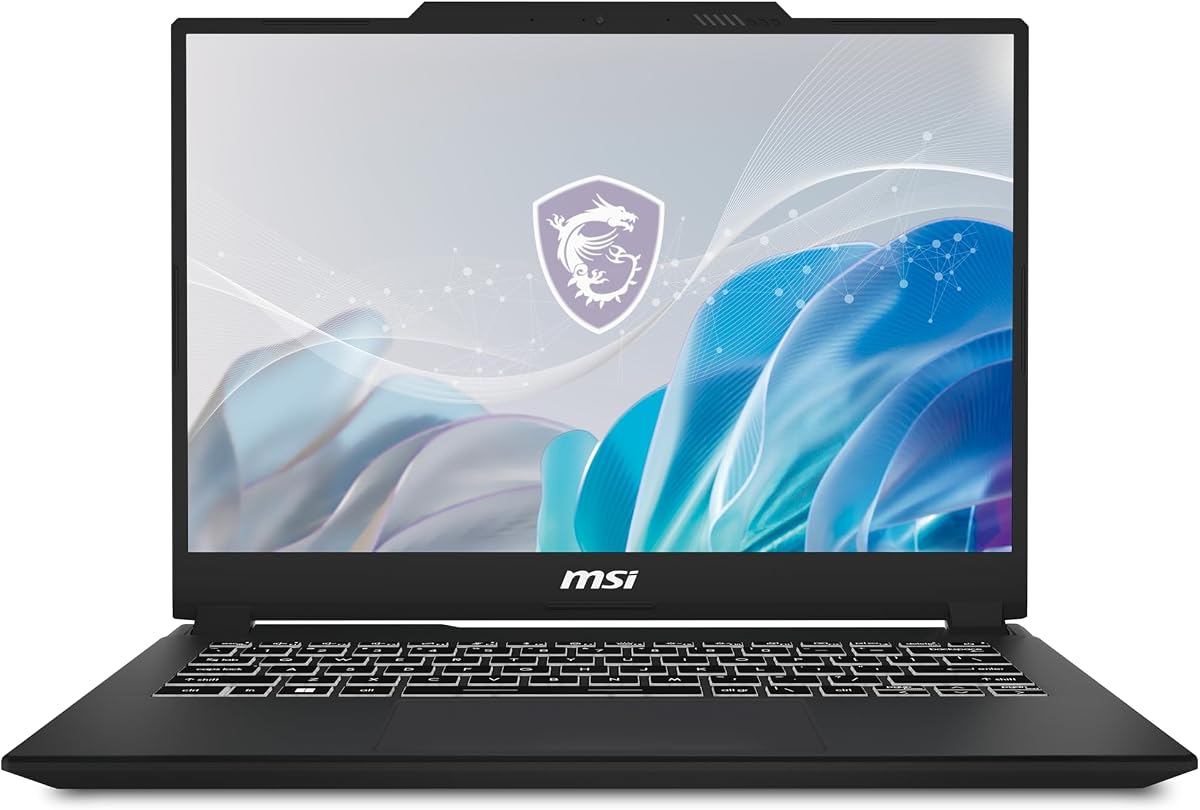
The Creator M14 combines a vibrant 2.8K display with a compact chassis perfect for mobile creators. The RTX 4050 supports advanced rendering features in Adobe apps efficiently.
We may earn a commission when you buy through this link, at no additional cost to you.
Cooler Boost technology maintains thermal stability during rendering sessions. Windows Hello facial unlock adds convenience and security for accessing sensitive files.
While 16GB RAM is standard it supports 1080p to 4K editing without issues. The display accuracy is excellent for color-critical design tasks.
Choose this if you need portability without sacrificing screen quality. It fits well for travel and on-site editing workloads.
The 2.8K screen offers more detail than FHD enabling precise cropping and color grading work.
Cooler Boost fans reduce heat during intensive tasks ensuring performance stays consistent without throttling.
We may earn a commission when you buy through this link, at no additional cost to you.
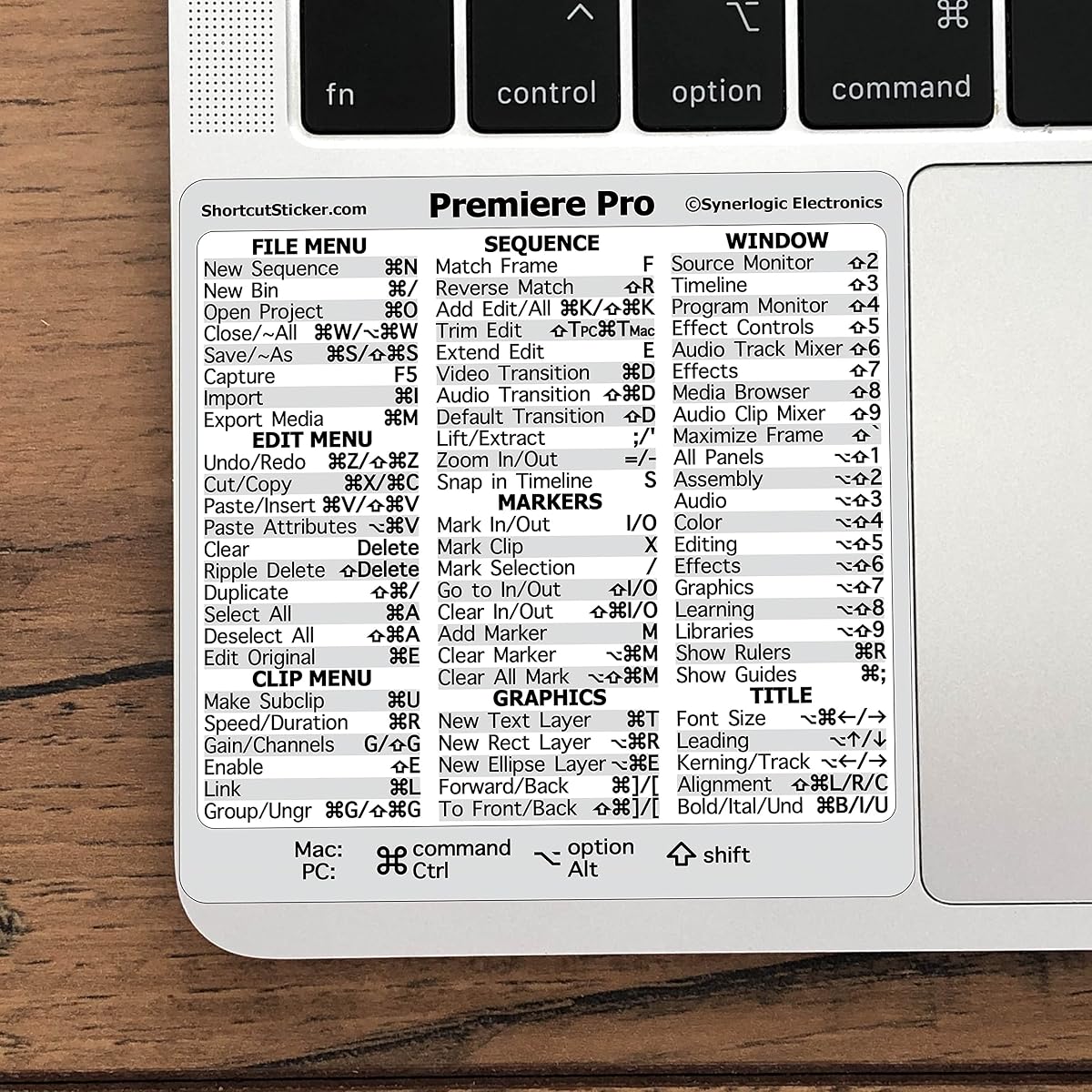
While not a laptop this accessory boosts productivity for Premiere editors by placing essential shortcuts directly on the keyboard. It helps users recall commands without interrupting workflow.
We may earn a commission when you buy through this link, at no additional cost to you.
Made from durable military-grade vinyl it resists wear and tear. The design mimics OEM keys for a clean professional look.
The sticker covers basic to advanced shortcuts suitable for beginners and pros. It saves time searching for commands during high-pressure editing sessions.
A small tool that enhances efficiency on any laptop system. Every serious editor should keep this near their workspace.
Quick access to commands reduces mouse usage and keeps hands on the keyboard for faster editing.
Vinyl material withstands constant typing contact and cleaning without peeling or fading.
We may earn a commission when you buy through this link, at no additional cost to you.
This renewed workstation offers a solid mix of power and affordability for editing. The i7-13800H processor provides 14 cores for multi-threaded rendering tasks.
We may earn a commission when you buy through this link, at no additional cost to you.
32GB DDR5 RAM ensures smooth multitasking across browser and video software. The RTX A500 GPU handles graphics acceleration effectively.
While the OS is Home edition it can be upgraded later. The 1TB SSD gives ample space for project files and media.
Great for freelancers needing professional specs without new prices. Ideal for those comfortable with refurbished hardware solutions.
14 cores allow efficient parallel processing during video encoding and background tasks.
DDR5 RAM at 4800MHz improves data throughput for faster project load times.
We may earn a commission when you buy through this link, at no additional cost to you.
Selecting the right hardware depends on your specific editing needs and budget constraints.
Video editing software relies heavily on multi-core performance. Look for laptops with Intel Core i7 or i9 processors or AMD Ryzen 7/9 series. These ensure smooth playback and faster rendering.
Prioritize processors with higher core counts for handling 4K projects without lag.
RAM allows you to run multiple applications and large timelines simultaneously. Aim for at least 32GB for professional work. Less may cause slowdowns when switching between Adobe apps.
Ensure RAM is DDR5 for fastest speeds and upgradeability options where possible.
Dedicated GPUs like Nvidia RTX or AMD Radeon accelerate effects and rendering. VRAM should be at least 6GB for 4K editing. Integrated graphics may struggle with complex effects.
Look for workstation-grade cards for reliability if you use professional plugins.
Accurate color reproduction is critical for grading. Choose screens with high brightness and wide gamut coverage. Anti-glare coatings help in bright environments.
Resolution should be FHD minimum but consider higher resolutions for detailed editing.
Fast NVMe SSDs reduce boot times and file access latency. Aim for 1TB minimum capacity to store footage locally. External drives can supplement but internal speed matters.
PCIe Gen 4 or higher SSDs provide faster data transfer rates for large media files.
Mobile editors need reliable battery life for on-site work. Look for models with efficient processors that maintain performance on battery. Power adapters should support fast charging.
Check reviews for real-world usage time since specs often exaggerate longevity under load.
Multiple ports like Thunderbolt 4 allow connecting external displays and storage. HDMI support is essential for monitors. Wi-Fi 6 ensures fast uploads and downloads.
Ensure you have enough USB ports to connect peripherals without needing hubs constantly.
Windows 11 Pro offers better security and management for business users. Linux support varies but Premiere is primarily Windows and Mac optimized. Ensure compatibility with your workflow tools.
Check for ISV certification if you rely on enterprise software suites.
Regularly clean your laptop vents with compressed air to prevent overheating during long rendering sessions. Dust buildup can reduce fan efficiency and throttle performance.
Use a cooling pad for extended edits to maintain stable temperatures. This helps extend the life of internal components and keeps fans from running loudly.
Update your graphics drivers weekly to ensure compatibility with the latest Adobe updates and bug fixes. Always back up project files to an external drive or cloud storage before starting major edits.
16GB is sufficient for basic 1080p editing but may struggle with 4K timelines. For professional work, 32GB or more ensures smooth performance without lag during multitasking.
Integrated GPUs can handle simple 1080p projects but will lag on complex 4K timelines. A dedicated graphics card is recommended for smooth playback and fast rendering.
Home edition works for most editing tasks but Pro offers better security and remote access tools for business users. You can upgrade later if needed.
At least 1TB internal storage is recommended to store project files and assets. External drives can supplement but internal speed impacts playback performance.
MacBooks offer optimized performance and long battery life. Windows workstations provide more port options and higher RAM configurations. Choose based on your specific workflow needs.
Some models allow RAM upgrades via accessible slots while others have soldered memory. Check product specs for upgradeability before purchasing.
The Dell Precision 7680 and Apple 2025 MacBook Pro lead the list with exceptional performance. The HP 17 Laptop offers a budget-friendly option for beginners starting out.
Prioritize processor cores and RAM capacity for smooth editing. Ensure display quality meets your color accuracy needs for professional work.
Prices fluctuate frequently so check current listings before purchasing. Regular updates to these devices keep them competitive for long-term use.