
Weilisi 10.2 Desk Ring Light
4.5Editor score
360 degree rotating design
Space saving C-clamp mount
10 brightness levels included
Streaming requires professional lighting to engage viewers and ensure clear video quality. A good key light eliminates harsh shadows and provides consistent illumination for your face and workspace, making your content look polished and credible from the start.
We evaluated ten top-rated streaming lights based on brightness output, color temperature range, ease of control, and build quality. Our analysis focuses on real-world performance for streamers, podcasters, and video creators who need reliable tools for daily use.
Each pick highlights specific strengths like app control, portability, or budget value to match different setup needs. Prices and availability may change quickly so check the links for the latest offers before making your final purchase decision today.
4.5Editor score

4.5Editor score
4.6Editor score
As an Amazon Associate we earn from qualifying purchases.
This side-by-side comparison highlights the core specifications of each model to help you decide quickly. We focus on output brightness, control methods, and physical design to show how they fit different streaming environments.



The Elgato Key Light stands out as a top choice for professional streamers seeking reliable brightness and color control. It holds a strong 4.5 rating from users who praise its consistent output and smooth integration with desktop software.
We may earn a commission when you buy through this link, at no additional cost to you.
This light delivers 2800 lumens to illuminate your workspace evenly while allowing you to adjust color temperature from warm amber to cool blue. The opal glass face ensures no glare or harsh shadows appear on your camera feed during live sessions.
While it comes at a premium price, the ability to control settings via Wi-Fi and its low heat generation make it a worthy investment. You might find the initial setup slightly complex compared to simpler plug-and-play alternatives.
If you prioritize image quality and want a light that grows with your setup, this model is highly recommended. It provides the flexibility needed for both casual streaming and more serious production environments.
With 2800 lumens, this light ensures your face is brightly lit even in dim rooms without looking washed out.
Use the Elgato Control Center app to tweak settings quickly without reaching for physical knobs during a broadcast.
We may earn a commission when you buy through this link, at no additional cost to you.
The Logitech Litra Glow is perfect for creators who need a quick lighting solution for webcams and laptop setups. Its 4.5 rating reflects user satisfaction with its ability to improve video call quality significantly.
We may earn a commission when you buy through this link, at no additional cost to you.
TrueSoft technology delivers balanced full spectrum light that flatters skin tones without creating harsh shadows. The frameless diffuser spreads light widely making it ideal for smaller spaces where desk space is limited.
While it lacks the raw power of larger studio lights, its convenience and ease of use make it a favorite for casual streamers. You may wish it had more manual controls or a dedicated stand for flexible positioning.
Choose this if you need a plug-and-play light that sits neatly on your monitor. It simplifies your setup while providing a professional look for video conferencing and light streaming.
The 3-way monitor mount lets you adjust height and tilt precisely to fit any laptop or desktop screen.
Certified by strict UL guidelines, this light can stay on all day without overheating or causing eye strain.
We may earn a commission when you buy through this link, at no additional cost to you.
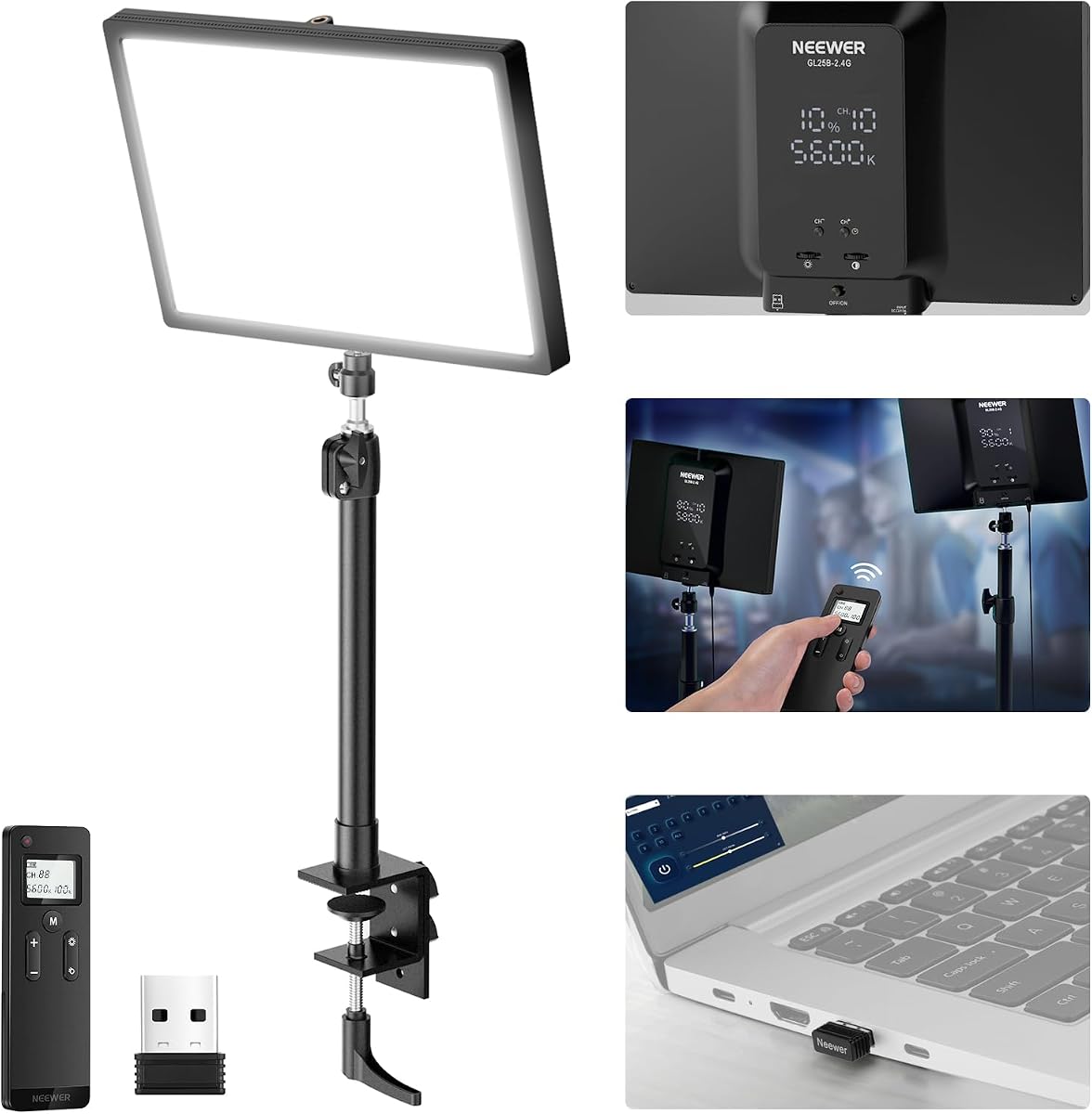
The NEEWER GL25B offers exceptional value with a high rating of 4.7 due to its robust feature set. It provides bright and soft light suitable for both streaming and content creation tasks.
We may earn a commission when you buy through this link, at no additional cost to you.
Featuring 176 LEDs behind a diffuser panel it delivers 2300 lux with minimal glare. The fanless design ensures silent operation which is critical for voice recording and live audio streams.
While the remote and PC control add convenience some users might find the panel size substantial for small desks. Adjusting color temperature and brightness steplessly gives you fine control over your look.
This light is ideal for those who want professional features at a mid-range price. It bridges the gap between budget and premium options with impressive build quality and performance.
Control the light directly on the panel or use the remote to adjust settings without leaving your chair.
The fanless cooling system keeps noise to zero so your audience hears only your voice not fans.
We may earn a commission when you buy through this link, at no additional cost to you.
The Elgato Key Light Air MK.2 is designed for users who want a lighter version of the flagship model with similar features. It holds a 3.8 rating reflecting some trade-offs in brightness compared to the main version.
We may earn a commission when you buy through this link, at no additional cost to you.
With 2100 lumens it provides ample light for smaller rooms. The slim 15 inch panel fits easily on desks without taking up too much space while still offering full color control.
You can power it via USB-C or even a battery bank using the MagSafe ring which adds portability. However some users prefer the raw power of the original model for larger sets.
If portability and space saving are priorities this model is a strong contender. It works well for mobile streaming setups where power sources are limited.
Power your light from a laptop or battery bank so you can stream anywhere without wall outlets.
Use touch controls directly on the panel or the app to adjust settings quickly during your stream.
We may earn a commission when you buy through this link, at no additional cost to you.
The Weilisi 10.2 Desk Ring Light is a highly affordable option that still delivers solid performance for beginners. Its 4.5 rating shows that users appreciate its versatility and ease of use on any desk.
We may earn a commission when you buy through this link, at no additional cost to you.
It rotates 360 degrees and allows angle adjustments to find the perfect lighting position. The metal C-clamp saves space and keeps the desk tidy while supporting the light securely.
While it does not match the brightness of larger panels it is sufficient for close-up streaming or video calls. The plastic construction might feel less premium but it is durable enough for daily use.
If you are on a tight budget and need a simple reliable light this is an excellent choice. It provides essential lighting features without breaking the bank.
The metal C-clamp holds the light securely without taking up desk surface space for other gear.
Rotate the ring to face any direction ensuring your subject is lit from the ideal angle.
We may earn a commission when you buy through this link, at no additional cost to you.
This NiceVeedi kit offers two lights for the price making it great for multi-angle setups. Users rate it 4.4 for its practical design and ability to cover different areas in your room.
We may earn a commission when you buy through this link, at no additional cost to you.
Each panel has 15W output and a high CRI for accurate skin tones. The included tripods can be adjusted to various heights allowing you to position lights precisely.
Since you get two units you can create a balanced lighting scheme without buying separately. The stands are lightweight which helps with portability but might feel less sturdy than heavy duty options.
Choose this kit if you want a full lighting setup for the price of one large light. It is perfect for YouTubers who need fill and key lights.
Using two lights helps eliminate shadows on one side of your face for a balanced look.
Compact design and storage bag make it easy to move your lights between rooms or locations.
We may earn a commission when you buy through this link, at no additional cost to you.
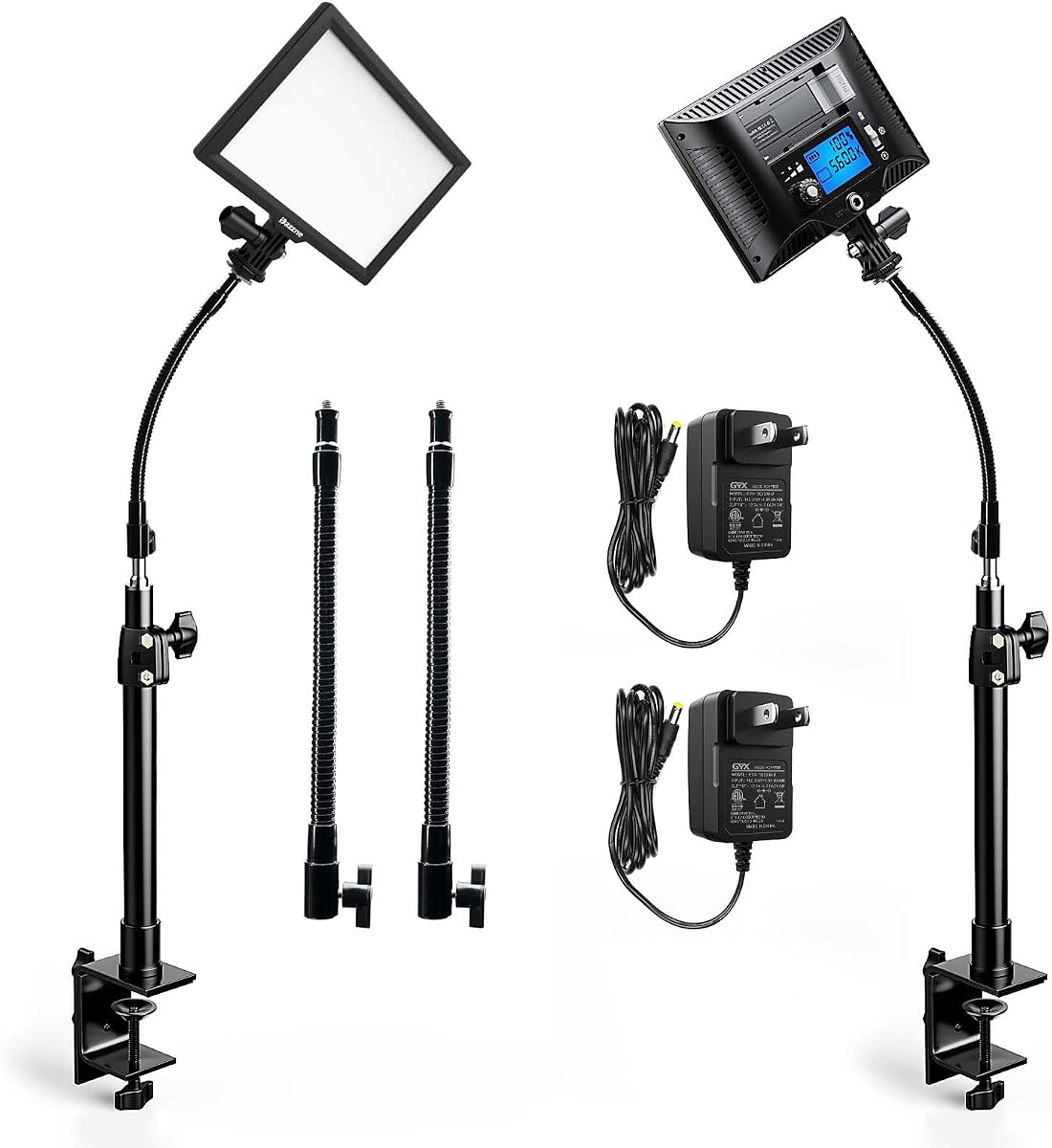
This 2-pack features gooseneck tubes that allow for unique positioning options. With a 4.8 rating it is highly praised for its flexibility and detailed control interface.
We may earn a commission when you buy through this link, at no additional cost to you.
The LCD screen shows brightness and color settings clearly so you know exactly what you are setting. The memory function saves your last settings so you do not have to reset them each time.
While the output is not as high as larger panels the flexible necks help you reach tight spots. Some users worry about the long-term durability of the flexible tubes.
If you need precise light direction and clear visual controls this kit is a top choice. It offers a high user rating due to its thoughtful design features.
The LCD display ensures you never guess your brightness or color temp settings during a session.
The gooseneck tubes let you bend the light into angles impossible with standard stands.
We may earn a commission when you buy through this link, at no additional cost to you.
The Godox ES45 is designed to reduce eye strain during long streaming sessions with its soft edge-lit design. It has a 4.4 rating reflecting comfort and professional quality for video calls.
We may earn a commission when you buy through this link, at no additional cost to you.
The magnetic remote attaches to the back for easy access and auto-charges when docked. This feature adds convenience so you never lose the remote during a busy broadcast.
While it is a smaller panel it provides a very soft light that is gentle on your eyes. The range of color temperatures ensures you can match any room lighting perfectly.
If you spend long hours on camera this light prioritizes your comfort and ease of use. The magnetic remote adds a unique touch that users find highly practical.
Soft diffused light reduces eye strain helping you stay fresh even after long streaming hours.
The magnetic remote docks and charges automatically so it is always ready when you need it.
We may earn a commission when you buy through this link, at no additional cost to you.
This kit includes two lights with gooseneck tubes making it easy to set up a balanced lighting scheme. It shares similar specs with the previous pack but focuses on value and flexibility.
We may earn a commission when you buy through this link, at no additional cost to you.
The LCD display and memory function make adjustments easy and consistent. The CRI rating ensures colors look natural which is important for professional video quality.
While it is not the brightest option on the market it provides enough light for most streaming setups. You must manage the two panels separately unless you group them via channels.
If you want two lights for the price and need flexible necks this is a strong option. It delivers solid performance for streamers who need to light two angles.
Use two lights to eliminate shadows on both sides of your face for a balanced professional look.
The built-in memory function remembers your last settings so you can start recording quickly.
We may earn a commission when you buy through this link, at no additional cost to you.
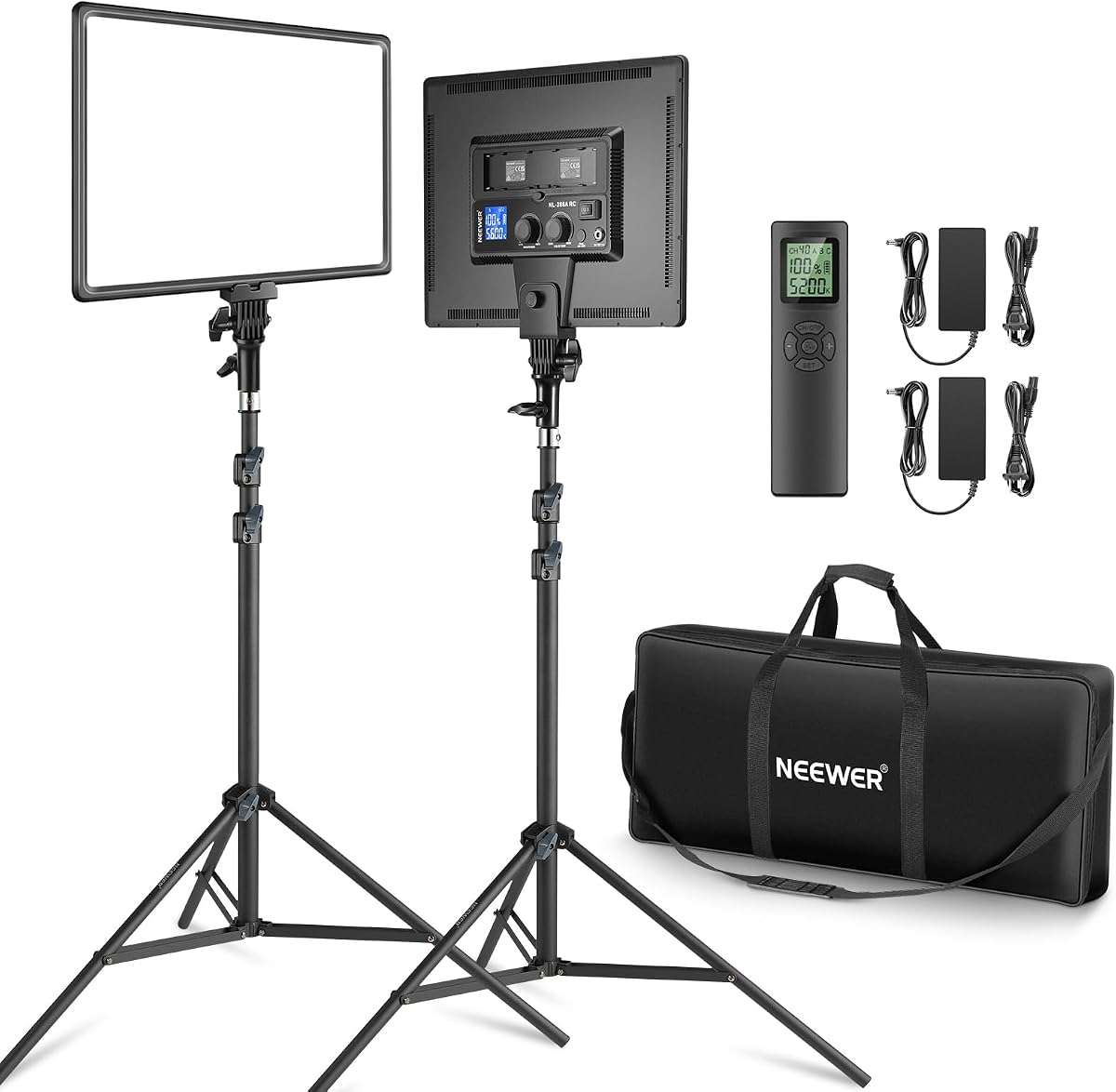
The Neewer 18 Inch LED Kit delivers high brightness with two powerful panels making it suitable for larger rooms. Its 4.6 rating reflects its reliability and professional performance for serious creators.
We may earn a commission when you buy through this link, at no additional cost to you.
Each panel outputs 45W providing 4800 lux of light to fill any space evenly. You can control them in groups using the remote and use batteries or AC power for flexibility.
While it is pricier and takes up more room the output is unmatched in this price range. Some users find it too large for small desks but perfect for studio setups.
If you need high brightness for large sets or outdoor shooting this kit is the top choice. It offers professional-grade power and control for demanding environments.
With 4800 lux output this light fills large rooms evenly without any dark corners.
Use AC adapters or optional batteries to shoot on the go without needing wall outlets.
We may earn a commission when you buy through this link, at no additional cost to you.
Choosing the right key light requires understanding your specific needs and environment. Here are key factors to consider before making your purchase.
Brightness is measured in lumens or lux. Higher output allows you to light larger spaces and use wider apertures on your camera. Look for at least 2000 lumens for standard streaming setups.
Prioritize higher brightness if you have a large room or plan to film in low light conditions.
A wide range from 3200K to 5600K lets you match your room lighting. This flexibility ensures your skin tones look natural and consistent across different times of day.
Choose a light with a wide color range to adapt to various room lighting quickly.
CRI indicates how accurately the light displays colors. A high CRI of 95 or above ensures your clothes and props look true to color on camera.
Always check the CRI score to avoid washed-out or unnatural colors in your video feed.
Apps and remotes allow you to adjust lights without stopping your stream. Look for Wi-Fi capabilities or physical remotes for convenience during long sessions.
Select a control method that fits your workflow to avoid interrupting your content creation process.
Some lights run on USB while others require AC adapters. If you plan to shoot on location battery or USB options are essential for mobility.
Ensure the power supply matches your ability to access outlets during your streaming sessions.
Clamps save desk space while tripods offer flexibility. Consider where you will place the light to decide between a clamp or stand.
Choose a mount that secures the light safely without cluttering your workspace.
Fans can be noisy during audio recording. Fanless designs keep noise down but may get hotter than fan-cooled models.
Prioritize silent operation if you record audio directly during your live streams.
Metal panels often dissipate heat better than plastic. A sturdy build ensures the light withstands regular adjustments and transport.
Invest in durable materials if you plan to move the light frequently or use it daily.
Position the light 45 degrees to the side and above your eye level to create flattering shadows. This angle helps define your face shape without casting dark shadows under your eyes.
Avoid pointing the light directly at your camera lens to prevent glare or lens flare. Use a diffuser or angle it slightly towards the background to soften the light further.
Keep the light clean by dusting it regularly with a dry cloth. Avoid using harsh chemicals that could damage the diffuser or electronic components.
For most home setups, 2000 to 3000 lumens is ideal. This ensures your face is well lit without looking overexposed. Adjust based on room size and background lighting conditions.
Yes, adjustable color temperature helps match ambient lighting. It prevents mixed lighting issues and keeps your skin tones consistent throughout the stream.
Phones are not bright enough for professional streaming. They often lack diffusion leading to harsh shadows. A dedicated key light is a better investment.
Use a fill light or increase the distance of your main light. Positioning the key light slightly higher and using a diffuser softens shadows effectively.
Clamps save desk space while tripods offer mobility. Choose based on whether you want a permanent setup or something portable.
Look for a CRI of 95 or higher. This ensures accurate color reproduction which is vital for professional-looking video content.
We recommend the Elgato Key Light for professionals seeking reliable brightness and app control. It offers a balance of features that suit most serious streamers effectively.
Consider the Logitech Litra Glow or Weilisi Ring Light for those starting with tight budgets. Both offer solid performance without breaking the bank for newcomers.
Remember to check the latest prices and availability before buying to ensure you get the best deal. Our guide is designed to help you find the perfect lighting setup.