
HDMI Extender Over Single Cat5e/6/7 Ethernet, HDMI to Cat 6 Converter
4.9Editor score
Full HD 1080p at 60Hz
Power over Cable included
Smart EDID copy for compatibility
Compare the top 10 HDMI Extender Cat 5 6 7 Ethernet models for 4K support, range, and value to find the right signal extension solution for your setup.
Finding the right HDMI extender can transform how you set up home theaters or conference rooms. Quality extenders let you send video over long distances using standard ethernet cables instead of bulky HDMI cords. This guide reviews the best options available today for reliable performance.
We compared ten top-rated models based on resolution support, maximum cable length, and extra features like IR passthrough. Each product was evaluated for build quality, ease of installation, and compatibility with common devices like consoles and PCs to help you choose wisely.
Every pick highlights key strengths and potential trade-offs so you know exactly what to expect. While ratings and availability can shift, these selections represent the most consistent performers in the market for extending HDMI signals efficiently and effectively.
4.9Editor score

4.6Editor score
4.2Editor score
The following comparison table lists all ten models side by side so you can quickly check resolution limits, distance capabilities, and unique features before making a final decision for your project.




This OREI model stands out as a top choice for users needing reliable 4K extension over Cat6 cabling. With a 4.6 rating from verified buyers, it delivers crisp visuals and consistent performance without lag.
We may earn a commission when you buy through this link, at no additional cost to you.
The device supports HDMI 2.0a and 18Gbps bandwidth, ensuring full 4K HDR content remains intact during transmission. Power over Cable means you only need to plug in the transmitter, reducing clutter at the display end.
While it lacks a loop-out port for local monitoring, the single-way IR pass-through is sufficient for most setups. The durable metal case helps dissipate heat, which is crucial for long-term operation in confined spaces.
It is ideal for home theaters or small office setups where clean installation and high fidelity matter. If you prioritize image quality and simplicity, this extender offers excellent value and functionality.
It supports HDR10, Dolby Digital, and 4K@60Hz YUV 4:4:4 for vibrant and accurate colors.
Only the transmitter requires power, enabling simple installation and zero-latency signal transfer.
We may earn a commission when you buy through this link, at no additional cost to you.
This extender brings flexibility with an HDMI loop-out that lets you view the source locally while sending the signal remotely. It scores well among users who need both local monitoring and long-distance transmission.
We may earn a commission when you buy through this link, at no additional cost to you.
Support for 12-bit color and HDR ensures sharp visuals for gaming or media playback. The built-in EDID management helps resolve compatibility issues between source devices and remote displays without manual tweaks.
However, the system must connect directly to a Cat6 or Cat7 cable without using network switches. This limitation restricts its use in large networks but keeps the signal stable for dedicated AV runs.
If you need a reliable setup for a conference room or home theater with dual displays, this model provides the right balance of features and simplicity for professional-grade results.
Supports up to 12-bit color 4:4:4 for sharp visuals and smooth playback.
One-way IR pass-through allows control of streaming devices from the receiver side.
We may earn a commission when you buy through this link, at no additional cost to you.
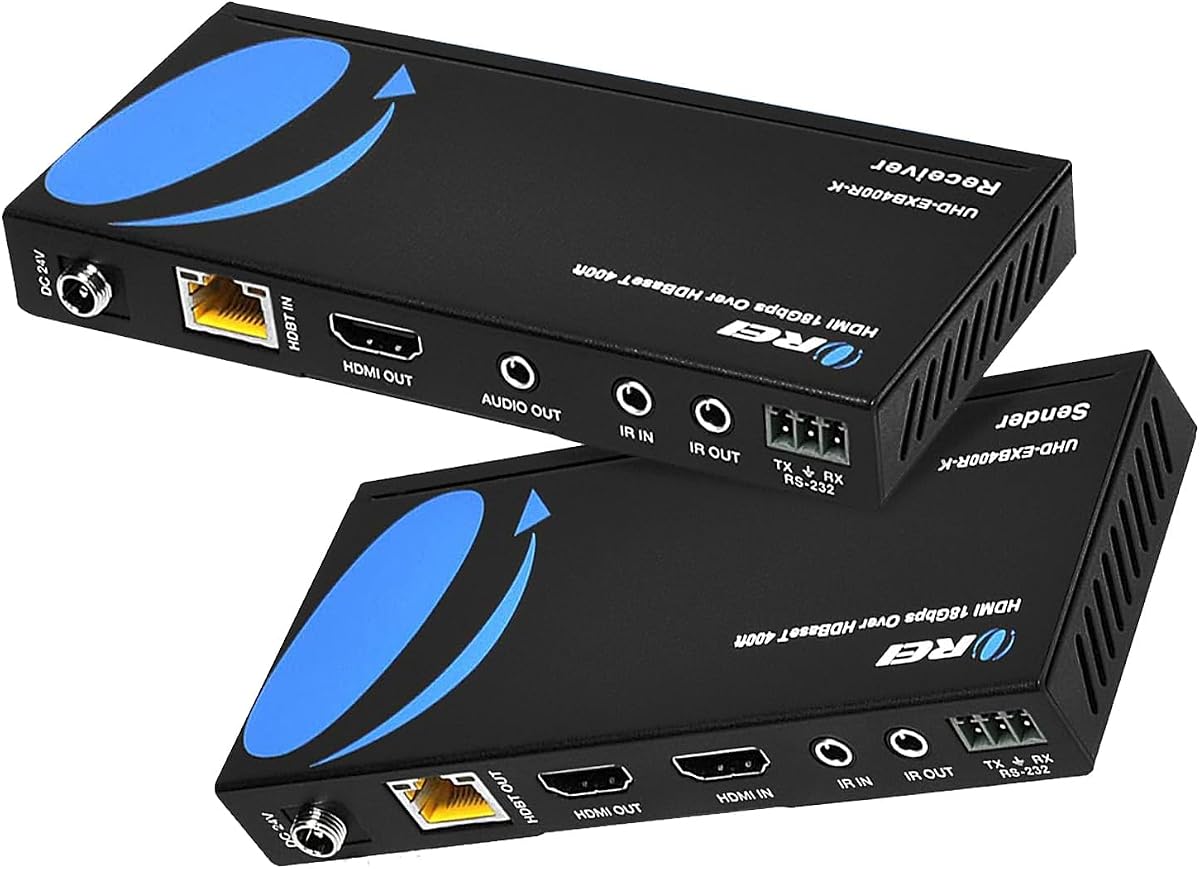
For projects requiring distances up to 400 feet, this HDBaseT solution offers unmatched reach without losing signal quality. Its robust build and advanced control options make it a favorite among professional installers.
We may earn a commission when you buy through this link, at no additional cost to you.
The RS-232 port allows for command control in automated systems, while two-way IR ensures seamless operation. Power over Cable simplifies the wiring process by reducing the need for extra outlets at the display end.
One thing to note is that HDBaseT units from OREI are not interchangeable with other brands or models due to chip-set differences. You must purchase the matching transmitter and receiver together for it to work.
This kit is perfect for large venues or complex installations where long cable runs and centralized control are essential. If you need professional-grade performance and flexibility, this model is worth the investment.
Uses HDBaseT Technology for lossless and lag-free video transmission up to 400 feet.
Enables source device to recognize remote commands from remote display.
We may earn a commission when you buy through this link, at no additional cost to you.
This model is a strong option if you need solid performance without breaking the bank. It handles 4K content at 30Hz and full 1080p at 60Hz, which works well for movies and static displays.
We may earn a commission when you buy through this link, at no additional cost to you.
The inclusion of an HDMI loop-out on the transmitter makes it easy to keep a local monitor active while sending the signal to a remote screen. This dual-setup capability is rare at this price level.
Keep in mind that it does not support HDMI ARC or IP streaming, so it is strictly for direct source-to-display extension. The adapter provided for international use adds convenience for global buyers.
For casual users or classrooms that do not need high frame rates, this extender offers great functionality. Its plug-and-play design ensures you can get started quickly without technical expertise.
Transmits Full HD 1080P and up to 4K@30Hz HDMI signals up to 50 meters.
Connect an HDMI display by the source while extending signal to a remote screen.
We may earn a commission when you buy through this link, at no additional cost to you.
With a near-perfect rating, this budget-friendly option delivers solid performance for standard HD setups. Users appreciate its simple setup and reliable signal extension without needing complex configurations.
We may earn a commission when you buy through this link, at no additional cost to you.
The Smart EDID copy function ensures your display is recognized correctly, avoiding common handshake issues. Additionally, you can power the device via a USB port or standard adapter, adding flexibility to placement.
While it does not reach 4K resolution, the 1080p@60Hz performance is smooth and lag-free for daily use. The aluminum housing helps keep temperatures low during extended operation.
This extender is perfect for schools or offices where cost efficiency and simplicity are key. If you do not need 4K, this unit provides excellent reliability and value for your setup.
Experience uncompressed Full HD 1080p@60Hz video with 3D support over a single Ethernet cable.
Ensures perfect handshake between your source and display devices.
We may earn a commission when you buy through this link, at no additional cost to you.
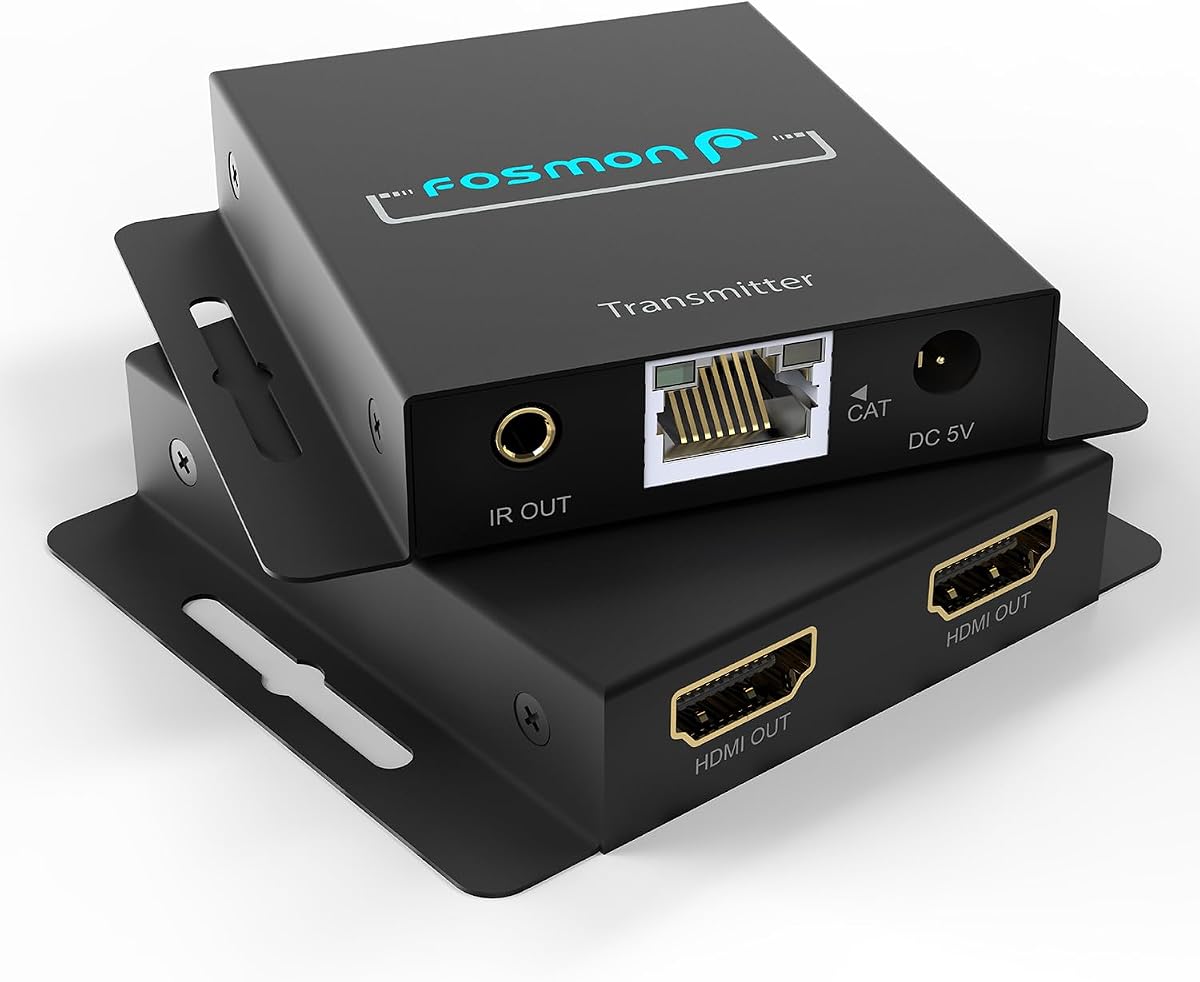
Fosmon offers a practical solution for spaces needing long runs with local monitoring options. The receiver includes an HDMI out for dual display setups, making it versatile for presentations or monitoring.
We may earn a commission when you buy through this link, at no additional cost to you.
An EQ button automatically adjusts for cable length settings, which helps maintain stable signals over different distances. Support for 3D and high-quality audio formats like Dolby TrueHD adds to its appeal.
The system works well with most common devices like PCs and gaming consoles. Its plug-and-play nature ensures that installation is straightforward even for non-technical users.
For classrooms, gyms, or meeting rooms where reliability and flexibility are essential, this model delivers consistent performance. It balances price and function well for mid-level professional applications.
Transmit 1080P@60Hz signals up to 230ft with superior audio-video sync.
HDMI out on receiver allows 1 in 2 out config combining extender and splitter functions.
We may earn a commission when you buy through this link, at no additional cost to you.
This avedio links kit prioritizes durability with a sturdy metal shell that resists noise and heat. It supports deep color up to 36 bits and works well with next-gen consoles like the PS5.
We may earn a commission when you buy through this link, at no additional cost to you.
The automatic adjustment system ensures stable signal reception even with varying cable qualities. Users appreciate the straightforward plug-and-play setup that requires no drivers or manual configuration.
While it does not include IR cables in the package, its core video transmission performance remains reliable. The deep color support makes it a great choice for media centers requiring accurate colors.
If you want a robust extender that can handle demanding environments, this model offers good value. It fits well in both residential and light commercial applications needing durable hardware.
Extend HDMI audio and video signals simultaneously for up to 196ft.
Adopt POC technology requiring only one power adapter for the entire device.
We may earn a commission when you buy through this link, at no additional cost to you.
The Blackbird PRO series is known for reliability, and this extender lives up to that reputation with a perfect rating. It delivers consistent 4K performance and includes smart features to simplify integration.
We may earn a commission when you buy through this link, at no additional cost to you.
Bidirectional IR passthrough is a standout feature that allows you to control devices from either side. This adds significant convenience for setups where the remote source is hard to reach.
Smart EDID ensures seamless compatibility across a wide range of displays and sources. The loop-out port lets you monitor locally while sending the main signal to a remote location.
For professional installers who demand high uptime and robust features, this model is a solid choice. It offers a refined experience with minimal configuration hassles for complex projects.
Supports resolutions up to 4K@30Hz with YCbCr 4:4:4.
Allows control of source devices from either transmitter or receiver.
We may earn a commission when you buy through this link, at no additional cost to you.
This PWAY model is designed for users who need high-quality video at 60Hz over a decent distance. It supports true 4K with HDR, making it suitable for modern gaming consoles and media players.
We may earn a commission when you buy through this link, at no additional cost to you.
The loop-out port allows for real-time monitoring, which is helpful during setup or for multi-display environments. Power over Cable ensures you do not need extra outlets at the display end.
While it focuses on core performance rather than extra bells and whistles, the video transmission is stable. Users can rely on it for critical AV installations where smooth motion is required.
If your setup demands 60Hz refresh rates at 4K resolution without breaking the bank, this unit fits well. It delivers the speed and clarity needed for gaming and high-end video content.
Delivers uncompressed 4K Ultra HD resolution at 60Hz support for stunning picture quality.
Extend your HDMI signals up to 200ft using standard CAT5e/CAT6/CAT7 cables.
We may earn a commission when you buy through this link, at no additional cost to you.
This unit stands out for its ability to extend signals over very long distances using standard ethernet infrastructure. It converts HDMI to TCP/IP for transmission, which simplifies cabling for large setups.
We may earn a commission when you buy through this link, at no additional cost to you.
Despite using compression to manage bandwidth, it maintains full HD quality and supports 36-bit color for rich visuals. IR extension ensures you can control devices even when they are far from the screen.
It is important to note that M-JPEG compression is used, which means there is a slight processing step. For most applications this is not noticeable, but strict lossless needs may require different options.
For large venues or multi-building setups where distance is the main challenge, this extender offers a practical solution. It allows flexible integration into existing network structures with minimal extra hardware.
Uses a Cat5E/6 cable for data transfer up to 120 meters.
Converts HDMI signal to standard TCP/IP and transmits by internet cable.
We may earn a commission when you buy through this link, at no additional cost to you.
Choosing the right extender involves balancing resolution needs, distance limits, and additional features that fit your specific setup.
Different models support different maximum ranges, from 165 feet up to 400 feet. Check your installation distance to ensure the extender can cover it without signal loss.
Pick a model with a range that exceeds your actual distance by 20 percent for safety.
Some extenders only support 1080p while others handle 4K at 60Hz. Consider your source devices and display capabilities to match the resolution requirement.
Always verify if the unit supports your desired refresh rate like 60Hz for smooth motion.
PoC allows you to power both transmitter and receiver from a single adapter. This reduces cable clutter and simplifies installations where outlets are scarce.
Look for PoC support to make setup easier and cleaner in tight spaces.
IR passthrough lets you control your source device from behind the TV using the remote. One-way or two-way options depend on your control needs.
Choose two-way IR if you want control access from both the source and display ends.
A loop-out port on the transmitter or receiver allows you to view the signal locally while extending it remotely. This is great for testing and monitoring.
Select a unit with loop-out if you need dual-screen setups or real-time checks.
Metal housings dissipate heat better and protect internal components from physical damage. This is important for long-term reliability in demanding environments.
Prefer models with metal enclosures over plastic for durability and longevity.
Ensure the extender works with HDMI standards like HDCP and your specific source devices like gaming consoles. Compatibility issues can cause handshake failures.
Check the product description for listed compatible devices to avoid conflicts.
Reputable brands often provide better warranties and technical support. This matters if you face setup issues or need replacement parts.
Opt for brands with established support records to protect your investment.
Start by connecting the transmitter to your source device and the receiver to your display. Plug them into a power adapter or use PoC if supported.
Use a high-quality Cat6 or Cat7 cable to run between the transmitter and receiver units. Secure the cable to avoid accidental disconnections.
Allow the devices to stay powered on for a few minutes to stabilize. Avoid moving them during active use to maintain signal integrity.
Most dedicated HDMI over Ethernet extenders require a direct point-to-point connection and are not compatible with network switches. Using a switch can disrupt the signal transmission and cause dropouts. Check your specific model's manual to confirm if it supports switch compatibility before purchasing.
Power over Cable technology allows the receiver to be powered through the same ethernet cable that carries the video signal. This means you only need to plug in the transmitter, simplifying installation. It reduces the need for extra power outlets at the display end.
Cat5e cables can work but may limit range and performance at high resolutions like 4K. For 4K and long distances, Cat6 or Cat7 cables are strongly recommended. Using better cable ensures stable transmission and reduces the chance of signal degradation.
Most standard HDMI extenders do not support HDMI ARC or eARC features for audio return. If you need to send audio from your TV back to a soundbar or receiver, look for models specifically stating ARC support. Otherwise use separate audio cables for return paths.
Some brands use proprietary chipsets that only work with their own matching transmitter and receiver units. Using mismatched units can lead to no signal or unstable performance. Always confirm compatibility before buying components separately for these systems.
Most modern TVs and monitors include EDID to communicate capabilities to the source. If you face resolution issues check if the extender has EDID management features to handle compatibility. This ensures your display is recognized correctly during setup.
We have reviewed ten reliable HDMI extender models that meet various needs from budget-friendly to high-end professional setups. Each option offers distinct benefits depending on your required range and video quality.
Prioritize features like Power over Cable and loop-out ports if you want cleaner installations and flexibility. Choosing the right cable type also plays a big role in performance and stability.
Prices and stock levels can change so verify current availability before buying. We hope this guide helps you find the perfect solution for your HDMI extension needs.