
BITFUNX NGC to HDMI Adapter
4.4Editor score
GC2SD Gen2 support
Line doubling features
MicroSD storage expansion
This guide compares the top GameCube HDMI adapters for modern displays, evaluating picture quality, compatibility, and ease of setup for retro gamers.
Modern displays lack analog inputs, making GameCube HDMI adapters essential for playing classic titles today. These devices convert legacy signals into crisp digital formats while preserving original visuals and sound fidelity for nostalgic experiences.
We evaluated ten leading adapters based on signal processing, compatibility with DOL-001 consoles, and real-world performance on HDTVs. Our analysis prioritizes low latency, accurate color reproduction, and robust build quality to ensure smooth gameplay sessions.
Each pick highlights unique strengths like firmware updates, S-Video extraction, or plug-and-play simplicity. Prices and availability fluctuate frequently, so verify current listings before purchasing to secure the best deal for your specific console model.
4.4Editor score

4.6Editor score

4.2Editor score
Compare all ten adapters side-by-side to find the perfect match for your GameCube console and display setup.



This adapter stands out with GCVideo OS integration and exceptional image clarity compared to standard cables. It offers advanced features like line doubling and scanlines without needing extra power sources for consistent performance.
We may earn a commission when you buy through this link, at no additional cost to you.
Users appreciate the programmed remote for menu navigation and the USB port enabling future firmware updates. The included 3D printed shelf reduces strain on the digital connector, enhancing long-term durability and console protection.
While it supports only DOL-001 consoles with digital ports, this limitation ensures optimized signal processing. The cost reflects premium build quality and active development support from the manufacturer.
Ideal for collectors seeking the best possible GameCube experience on modern TVs. Its robust warranty and feature set justify the investment for serious retro gaming enthusiasts.
Line doubling and scanline features recreate authentic retro visuals without sacrificing clarity on 1080p screens.
USB connectivity allows easy firmware updates, keeping performance and features current over time.
We may earn a commission when you buy through this link, at no additional cost to you.
This adapter provides a cost-effective solution for connecting legacy consoles to HDMI displays. It supports 720P and 1080P output with a simple plug-and-play setup for immediate gaming.
We may earn a commission when you buy through this link, at no additional cost to you.
The included HDMI cable and easy installation make it accessible for beginners. External power ensures stable signal transmission without screen lag during extended sessions.
While it lacks advanced customization like firmware updates, it delivers smooth picture quality for standard gaming. Compatibility spans multiple Nintendo systems for versatile use.
Perfect for casual gamers on a budget seeking reliable connectivity. Its straightforward design ensures consistent performance across various modern displays.
No drivers or software needed; simply connect and start playing retro games instantly.
Supports N64, GameCube, and SNES for one adapter handling multiple classic consoles.
We may earn a commission when you buy through this link, at no additional cost to you.
This adapter combines HDMI output with powerful storage expansion through GC2SD Gen2. It supports microSD cards up to 512GB for backing up game files and running homebrew software smoothly.
We may earn a commission when you buy through this link, at no additional cost to you.
Video quality is enhanced with line doubling and precise color reproduction via digital HDMI format. A USB port enables firmware updates to maintain optimal performance over time.
Compatibility includes Wii consoles with GameCube controller ports but focuses on DOL-001 models. The remote simplifies menu navigation for aspect ratio and scanline adjustments.
Best suited for users wanting both visual fidelity and homebrew capabilities. Its dual functionality offers unique value beyond standard HDMI conversion.
Back up and restore game files while loading homebrew software faster through adapter enhancements.
Works with specific Wii models, extending retro gaming options across multiple Nintendo platforms.
We may earn a commission when you buy through this link, at no additional cost to you.
This converter handles multiple legacy devices beyond GameCube by using standard RCA inputs. It delivers 1080p output for compatible TVs with simple plug-and-play functionality.
We may earn a commission when you buy through this link, at no additional cost to you.
Supports various TV formats like PAL and NTSC for global compatibility. An included HDMI cable and USB power setup ensure reliable connection for extended use.
While not ideal for high-end displays, it provides clear video for standard setups. One-year warranty offers peace of mind against defects or issues.
Best for households with mixed legacy equipment needing one converter. Its versatility and affordability make it a practical all-around choice.
Handles PAL, NTSC, and SECAM inputs for seamless international device compatibility.
Manufacturer support includes a full year of replacements for customer confidence.
We may earn a commission when you buy through this link, at no additional cost to you.
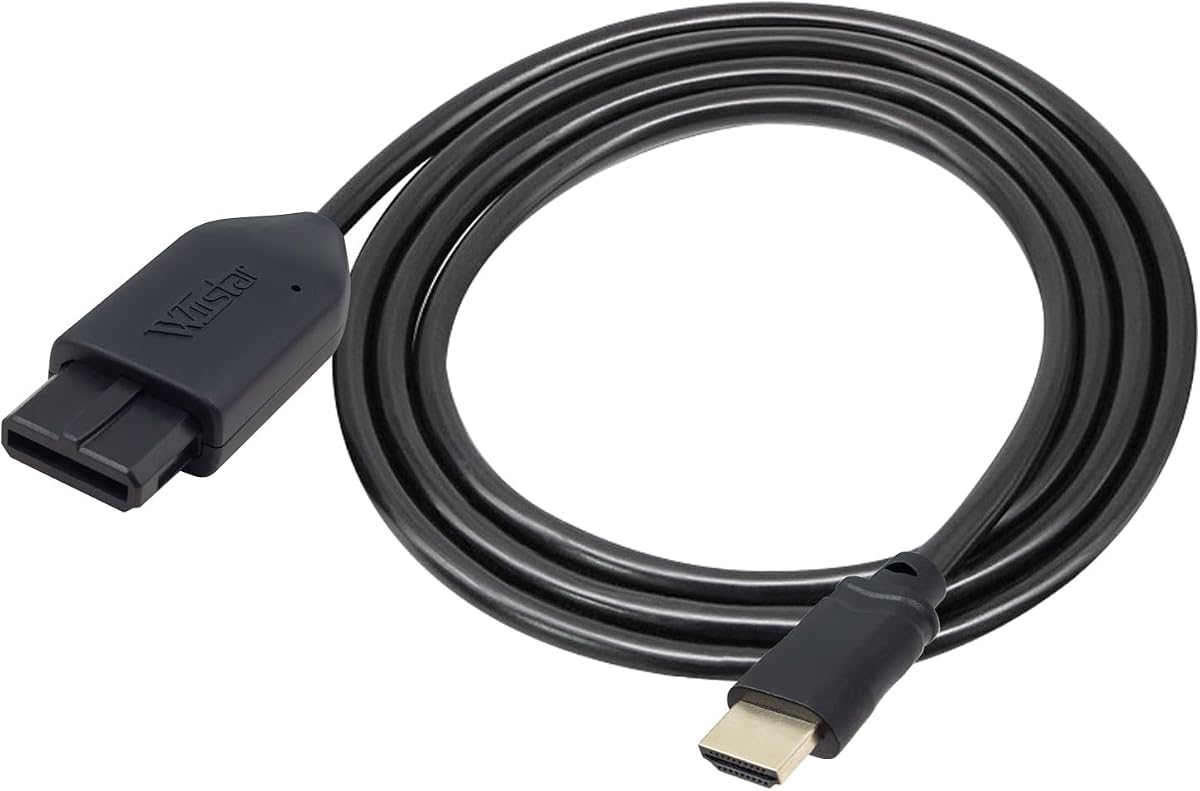
This cable integrates the console port and HDMI plug for minimal clutter on your setup. It outputs S-Video signals for better picture quality than standard composite AV connections.
We may earn a commission when you buy through this link, at no additional cost to you.
Supports 1080p60hz on modern monitors and projectors without needing external power. The all-in-one design simplifies installation with fewer cables required.
Audio transmission may need separate handling depending on your setup. Video performance remains stable for standard retro gaming sessions.
Best for users prioritizing clean cable management. Its S-Video focus provides a noticeable upgrade from basic RCA converters.
Eliminates extra connectors for a tidy and straightforward gaming console setup.
S-Video extraction offers sharper visuals with accurate colors compared to composite inputs.
We may earn a commission when you buy through this link, at no additional cost to you.
This link cable supports multiple consoles with dedicated connectors and aspect ratio switching. The toggle allows easy switching between 4:3 and 16:9 for different game preferences.
We may earn a commission when you buy through this link, at no additional cost to you.
S-Video signal extraction ensures better image quality than composite inputs. Detachable HDMI design supports extended cables for flexible TV placement.
Latency remains minimal for responsive gameplay during competitive sessions. Clear visuals with precise colors enhance retro gaming immersion.
Best for collectors using various classic systems. The aspect ratio switch adds valuable control for optimized display settings.
Toggle between 4:3 and 16:9 for optimal game presentation on any modern display.
Use longer HDMI cables to position TVs further without compromising connection quality.
We may earn a commission when you buy through this link, at no additional cost to you.
This adapter converts analog signals to crisp 1080P output for sharp visuals on modern displays. It features USB power design to ensure stable signal transmission without external adapters.
We may earn a commission when you buy through this link, at no additional cost to you.
Aspect ratio switching between 4:3 and 16:9 allows flexible viewing options. Plug-and-play functionality ensures quick setup without drivers or software.
Color accuracy and low input lag deliver responsive gaming experiences. Broad compatibility with classic consoles adds versatility for retro collections.
Best for users seeking reliable upscaled output. Its USB power integration simplifies cabling for consistent performance.
Converts analog signals to 1080P for enhanced sharpness on HD displays.
USB power design reduces signal instability during extended gaming sessions.
We may earn a commission when you buy through this link, at no additional cost to you.
This adapter handles N64, SNES, and GameCube via proprietary analogue ports without needing extra power. Plug-and-play HDMI connectivity allows immediate use with modern displays.
We may earn a commission when you buy through this link, at no additional cost to you.
No installation software or hardware is required for basic setups. Packaging may vary but consistent quality remains across units.
Warranty coverage includes 12 months support for repairs or replacements. Simple design focuses on functionality over advanced customization options.
Best for casual collectors needing a versatile adapter. Its power-free operation and wide console support offer excellent value.
Operates directly from console power reducing cable clutter and setup complexity.
Includes full 12 months repair and replace support for customer confidence.
We may earn a commission when you buy through this link, at no additional cost to you.
This converter supports legacy systems with included HDMI cable for quick connections. It delivers smooth picture quality optimized for 16:9 displays without additional power needs.
We may earn a commission when you buy through this link, at no additional cost to you.
Plug-and-play setup ensures instant gaming with no lag. Customer service includes 30-day returns and 1-year replacement for added security.
Basic design focuses on essential functionality without advanced tuning options. Clear visuals remain reliable for standard retro gaming experiences.
Best for users needing an easy plug-and-play solution. Its return policy supports risk-free purchase decisions.
HDMI cable included in the box eliminates separate purchases for full setup.
30-day return window allows testing performance before committing to the adapter.
We may earn a commission when you buy through this link, at no additional cost to you.
This converter extracts S-Video signals for cleaner images compared to standard RCA composite. It outputs original console resolution maintaining authentic retro visuals on modern displays.
We may earn a commission when you buy through this link, at no additional cost to you.
Backup USB power ensures stability in rare unstable display situations. Nickel-plated connectors resist oxidation for long-lasting stable signal transmission.
Includes a 1.5m HDMI cable for flexible setup without extra purchases. No external power required simplifies cabling for most users.
Best for purists preferring original resolution output. Its S-Video focus improves clarity over basic composite converters.
Extracts S-Video path for more defined visuals than composite cables alone.
Nickel-plated HDMI ports prevent oxidation and maintain stable signals over time.
We may earn a commission when you buy through this link, at no additional cost to you.
Selecting the right adapter depends on your console model, display type, and desired features.
Check if your GameCube has a digital port (DOL-001) or standard AV multi-out. Digital port adapters offer higher resolution but require specific hardware.
S-Video extraction provides clearer images than composite RCA. Adapters supporting S-Video output ensure better color accuracy and detail on modern TVs.
Some adapters need external USB power while others draw from the console. Verify power needs based on your available outlets and cable management preferences.
Premium models include USB ports for firmware updates. This extends device longevity and adds features without needing a new hardware purchase.
Look for 4:3 or 16:9 switches to match game outputs. Proper ratios prevent stretched visuals and maintain original game design integrity.
Ensure the adapter supports 1080p for modern HDTVs. Higher resolutions improve sharpness on large screens but depend on console capabilities.
Select brands offering at least 12 months warranty coverage. Reliable support ensures replacements for defects without extra costs or hassles.
Advanced adapters support microSD cards for backups or homebrew. This adds functionality beyond video conversion for tech-savvy users.
Connect the adapter to your GameCube console using the proprietary port. Ensure firm insertion to avoid loose connections affecting signal stability.
Plug the HDMI output into your display. Select the correct input source on your TV to view the console feed.
For adapters requiring power, connect the USB cable to a stable source. Regularly inspect cables for wear to prevent future interruptions.
No, some adapters only work with DOL-001 consoles featuring digital ports. Check product compatibility before purchasing to ensure it supports your specific model.
A blue screen usually indicates failed connection. Check HDMI cable seating and power supply. Ensure your TV input matches the connected port.
Yes, if your monitor has HDMI input and supports the adapter's resolution. Some monitors may need HDMI mode adjustment for legacy signal detection.
Not all models require external power. Some draw from the console, while others need USB power for stable signal transmission on certain displays.
GCVideo OS enables advanced image processing like line doubling. It enhances retro visuals while maintaining low latency for responsive gameplay experiences.
GameCube HDMI adapters handle console output only. GBA games played via Game Boy Player may work depending on adapter signal processing capabilities.
Our top picks range from premium feature-rich models to affordable plug-and-play solutions. Each offers unique benefits suited to different collector needs and display setups.
Prioritize compatibility and signal quality to ensure authentic retro experiences. Advanced adapters provide better visuals while simpler ones offer convenience.
Always verify current pricing and stock before ordering. Availability changes frequently, so act quickly when you find the ideal adapter.