
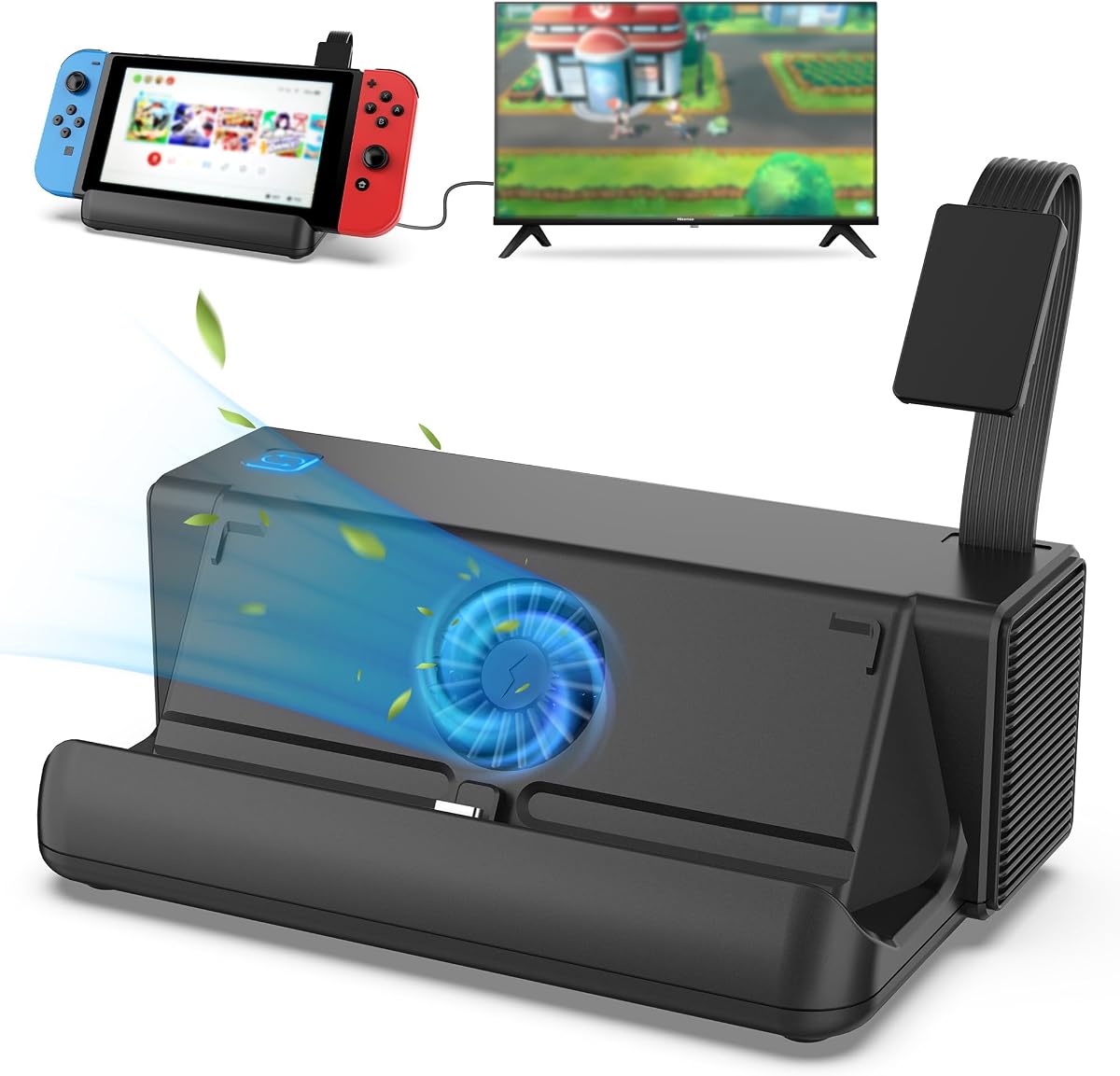
TNP Cooling Fan for Nintendo Switch Original Dock
3.9Editor score
Three high-speed cooling fans
Adjustable turbo and normal modes
Compact space-saving design
This guide compares the top external cooling fans for Nintendo Switch docks to prevent overheating and ensure stable performance during long gaming sessions
Gaming on your Nintendo Switch for extended periods can generate significant heat, potentially leading to performance throttling or system shutdowns. An external cooling fan for the Switch dock helps maintain optimal temperatures, ensuring your console runs smoothly without interruption during intense play sessions.
We have evaluated ten distinct cooling solutions designed specifically for various Switch dock models, including the original, OLED, and emerging Switch 2 variants. Our comparison focuses on cooling efficiency, noise levels, ease of installation, and additional features like card storage or RGB lighting to help you find the perfect fit.
Each product entry below details specific specifications, pros, and cons to guide your decision-making process effectively. Please note that pricing and availability fluctuate frequently on retail platforms, so verify current details before making your final purchase decision for the best value.
3.9Editor score

4.6Editor score
4.4Editor score
The following table provides a side-by-side comparison of all ten selected cooling fans and dock accessories. Review each product's key specifications to quickly identify which model aligns best with your specific Nintendo Switch version and gaming needs.


This cooling fan is highly rated by users who need reliable temperature control for their original Switch or Switch 2 dock. It prevents overheating during long sessions and features an LED display for real-time monitoring of fan speed and air temperature.
We may earn a commission when you buy through this link, at no additional cost to you.
The adjustable speed range allows users to balance cooling power with noise levels. Below 2400 RPM, the unit operates nearly silently, which is ideal for focused gameplay. The included Micro USB cable connects directly to the dock's power port for seamless integration.
While the fan can produce some sound at maximum speed, this is a reasonable trade-off for the strong ventilation it provides. The fixed pad ensures stability, and the joystick caps add value by protecting your console from potential scratches.
Ideal for gamers who prioritize performance monitoring and quiet operation, this unit is a top pick. Its lifetime warranty adds peace of mind, making it a solid long-term investment for protecting your Nintendo Switch from thermal issues.
The digital LED display keeps you informed of the current air temperature exiting your console, ensuring you know exactly when cooling is most effective.
Included joystick caps and a sponge fixed pad not only stabilize the unit but also prevent your console from slipping or getting scratched during use.
We may earn a commission when you buy through this link, at no additional cost to you.
The TNP cooling fan is a straightforward solution for those seeking to prevent overheating without breaking the bank. It utilizes three high-speed fans to improve heat dissipation and keeps your console cool during extended gaming sessions.
We may earn a commission when you buy through this link, at no additional cost to you.
Its design allows for quick installation by connecting to the dock's USB port without extra tools. The adjustable fan speed options let you choose between a turbo boost for intense games or a quieter mode for casual play.
Although user ratings are slightly lower than other options, the core function of cooling remains effective. The compact build ensures it fits neatly on your entertainment setup without taking up too much space.
This option is best for budget-conscious gamers who want reliable cooling performance. It provides excellent value by delivering multiple fans in one affordable package, ensuring your Switch stays cool and stable.
The trio of high-speed fans works together to lower the console's temperature quickly, effectively preventing overheating even during marathon gaming sessions.
Simple installation means you can set it up immediately by plugging it into the dock's USB port, requiring no additional tools or complicated assembly.
We may earn a commission when you buy through this link, at no additional cost to you.
This NEWDERY cooling stand is specifically tailored for the Switch 2, offering a dual-fan system that actively cools the console upon connection. It integrates game card storage and extra USB ports, making it a versatile accessory for the next-gen console.
We may earn a commission when you buy through this link, at no additional cost to you.
The fan operates at full speed when connected but allows manual control via a button for three distinct cooling levels. This flexibility lets you manage noise and power based on your immediate gaming needs without manual intervention.
While the RGB lighting adds a customizable aesthetic, it might be a distraction for some users. However, the ability to turn it off or select from nine modes ensures it can fit any gaming environment style.
Gamers looking for a comprehensive accessory for their Switch 2 will appreciate this unit. It combines cooling, storage, and connectivity into one device, reducing the need for multiple separate peripherals in your setup.
Equipped with six game card slots, this stand lets you store and access your favorite games instantly without carrying a separate case.
The three additional USB ports allow you to connect controllers, headsets, or charge other devices directly from the cooling stand.
We may earn a commission when you buy through this link, at no additional cost to you.
The Bewinner USB cooling fan base is designed to work effectively with various consoles, focusing on heat management. It includes three internal fans that keep the system cool, ensuring stable performance during intense gaming hours.
We may earn a commission when you buy through this link, at no additional cost to you.
Its small and compact design makes it easy to place on any surface. The side control switch allows you to toggle between turbo and normal speeds or turn the unit off completely without moving the device.
Constructed from superior materials, this unit is built to last. The simplicity of its design ensures that there are no complex parts that could break down over time, making it a reliable option.
This product is well-suited for users who want a no-fuss cooling solution. It delivers on its promise to keep the console cool while remaining affordable and easy to use for daily gaming needs.
A convenient side switch allows you to quickly adjust cooling speeds between turbo and normal modes, giving you control over performance and noise.
We may earn a commission when you buy through this link, at no additional cost to you.
This ZMBESUP dock is a robust solution for Switch owners who need both cooling and expanded functionality. It features one-key game card switching technology, allowing you to swap between four active cards instantly without physical handling.
We may earn a commission when you buy through this link, at no additional cost to you.
The built-in cooling fan maintains optimal performance during long sessions, preventing overheating efficiently. Independent power switches let you turn off unused features like the card reader to save energy and reduce noise when resting.
While it requires the original Switch AC adapter, the versatility it offers is significant. With desktop mode support and multiple ports, it serves as a central hub for your gaming setup, reducing clutter significantly.
If you want a single device that handles charging, cooling, and game management, this dock is a top choice. It combines multiple accessories into one sleek unit, offering convenience and performance in one package.
Switch between four active game cards with a single button press, protecting your console from wear and eliminating the need to swap cards manually.
Separate on/off switches for the fan and card reader let you customize your setup to save energy and reduce noise during quieter periods.
We may earn a commission when you buy through this link, at no additional cost to you.
This GLDRAM fan is specifically designed for the 2021 OLED dock, ensuring a perfect fit and optimal cooling performance. It uses high-efficiency turbo fans to blow air directly onto the console surface to dissipate heat rapidly.
We may earn a commission when you buy through this link, at no additional cost to you.
With fourteen game card slots on the top, it offers ample storage for your collection. The Type-C cable ensures easy power connection, allowing the unit to operate seamlessly without needing additional adapters or ports.
The blue light fan adds a stylish aesthetic that matches the modern design of the OLED dock. While it is made of ABS material, the unit remains lightweight and durable for long-term daily use.
For owners of the OLED model, this replacement offers superior cooling compared to stock options. It addresses heat issues directly while adding practical card storage, making it a valuable upgrade for your console setup.
Designed specifically for the 2021 OLED dock, this fan ensures a perfect fit that enhances air circulation without any compatibility issues.
The unit includes fourteen game card slots on the top, providing convenient storage to keep your frequently played cards handy and secure.
We may earn a commission when you buy through this link, at no additional cost to you.
The Dobe cooling fan is a reliable accessory for the Switch OLED base, focusing on quiet performance and effective heat dissipation. It uses a high-speed fan to increase air circulation inside the base, ensuring your console stays cool during use.
We may earn a commission when you buy through this link, at no additional cost to you.
Installation is straightforward as it connects directly to the base's power port. The blue LED lighting effect turns on and off in sync with the fan, adding a subtle aesthetic touch to your gaming setup.
While it has limited manual controls, the plug-and-play nature makes it convenient for everyday use. The included adapter ensures you have everything needed to get started immediately after purchase.
Gamers who prioritize silence and simple functionality will find this model ideal. It provides the necessary cooling power to prevent overheating without introducing distracting noise or complex setup steps.
The blue LED inside the fan matches the fan's operation, turning on and off simultaneously for a cohesive and modern look.
We may earn a commission when you buy through this link, at no additional cost to you.
This cooling fan is engineered for the Switch 2 with smart auto on/off functionality that aligns with your console's power state. It features a premium 45mm turbine fan that provides ample airflow without creating distracting noise.
We may earn a commission when you buy through this link, at no additional cost to you.
You can choose from three speed settings to match your needs: low at 4000 RPM, medium at 5000 RPM, or max at 6000 RPM. This range ensures effective heat removal whether you are playing casually or intensely.
The vertical air duct design aligns perfectly with the console's inlet to deliver focused cooling. The unit includes residue-free nano tape for secure placement, though it can be placed on the dock without tape if needed.
For Switch 2 owners seeking advanced convenience, this is a strong option. The automation and speed control options ensure your console stays cool efficiently while minimizing manual adjustments during your gaming session.
The fan starts and stops automatically with your Switch 2, offering true hands-free use and ensuring cooling is always active when you need it.
A vertical air duct aligns with the console's air inlet to deliver powerful and efficient airflow for fast heat dissipation without wasted air.
We may earn a commission when you buy through this link, at no additional cost to you.
This passive stand is perfect for users who want cooling without fans or power cables. Its elevated hollowed-out structure boosts airflow circulation around the dock, effectively reducing overheating risks without any moving parts.
We may earn a commission when you buy through this link, at no additional cost to you.
Made from sturdy black acrylic with non-slip silicone pads, it locks your Switch 2 Dock in place. The design ensures a snug fit that prevents slips and scratches, keeping your setup clean and sleek at all times.
Installation is effortless as you simply place your dock onto the stand. There are no tools needed, making it the most convenient way to enhance airflow and reduce heat without any complexity or additional wiring.
Ideal for silent gaming environments, this stand offers peace of mind without the hum of a fan. It is a simple yet effective solution to prolong dock lifespan and maintain stable performance during long play.
This fanless design ensures absolute silence by using an elevated structure to boost natural airflow, eliminating any mechanical noise entirely.
High-quality black acrylic construction paired with non-slip pads ensures your dock stays secure and protected from damage or slipping during use.
We may earn a commission when you buy through this link, at no additional cost to you.
This versatile cooling fan works with both the original Switch dock and other devices like the Steam Deck. It uses a bottom cooling design to lower operating temperatures, preventing unexpected game pauses caused by overheating.
We may earn a commission when you buy through this link, at no additional cost to you.
Equipped with an LED display, you can monitor real-time fan speed and exhaust temperature. The three physical buttons allow easy operation for speed adjustment and power, making it convenient for daily use without complex steps.
The speed ranges from 510 RPM to 6000 RPM to meet varying heat dissipation needs. Below 2400 RPM, it runs nearly silent, balancing strong cooling performance with a quiet experience during sensitive game moments.
Gamers looking for a multi-device solution will find this fan highly useful. It includes a stabilizer pad and caps for added value, backed by a lifetime warranty and responsive customer service support for any issues.
Designed to work with both the original Switch and Steam Deck, this fan offers flexible cooling for different gaming handhelds and docks.
The LED display shows real-time fan speed and exhaust temperature, giving you clear feedback on your cooling performance at all times.
We may earn a commission when you buy through this link, at no additional cost to you.
Selecting the right external cooling fan involves considering your specific Switch model, noise tolerance, and desired features. This guide outlines key factors to help you make an informed decision.
Ensure the cooling fan matches your specific console version, whether it is the original Switch, OLED, or Switch 2. Some units are designed exclusively for the OLED dock, while others are universal or tailored for the new generation.
Always check the product details to confirm fit and connection requirements before purchasing to avoid compatibility issues.
Noise is a critical factor if you play in quiet environments. Look for fans that offer adjustable speed settings, allowing you to run at lower RPMs for silence during casual gaming.
Units that operate below 2400 RPM often provide a nearly silent experience, balancing cooling needs with comfort.
Effective cooling requires adequate airflow. Fans with multiple blades or high RPM ratings can dissipate heat faster, which is vital for extended play sessions.
Consider models with dual fans or turbo modes if you frequently push your console to its performance limits.
Most cooling fans draw power from the dock's USB or Type-C ports. Ensure your dock has an available port or an adapter to connect the unit easily.
A reliable power connection ensures consistent performance without needing extra wall outlets.
Some cooling units come with extras like game card storage slots, RGB lighting, or temperature displays. These features add value by keeping your setup organized and customizable.
Decide which extras you actually need to avoid paying for features you might not use.
A good cooling fan should be easy to install without complex assembly. Look for plug-and-play designs that connect directly to the dock without needing extra tools.
Simple setups save time and allow you to start cooling your console immediately.
Durability matters when selecting electronics. Materials like ABS plastic offer light weight and resistance to wear. A sturdy construction ensures the unit withstands daily use over years.
Check for mentions of quality materials in the product description to ensure longevity.
A solid warranty indicates manufacturer confidence in their product. Many units come with lifetime warranties or 24-hour support to resolve quality issues quickly.
Always verify the warranty terms to protect your purchase against defects.
Install the cooling fan by connecting it to the available USB or Type-C port on your dock. Ensure the fan blades are facing the correct direction to blow air toward the console's heat vents.
Adjust the fan speed based on your needs. Use lower settings for quiet gaming and higher settings for intensive play sessions to maintain optimal temperatures.
Clean the fan regularly using a soft brush or compressed air to remove dust. Dust accumulation can reduce airflow and increase noise, impacting cooling efficiency.
Yes, external cooling fans effectively reduce overheating by increasing airflow around the dock. This prevents performance throttling and ensures smooth gameplay during extended sessions.
Many fans are designed specifically for the Switch OLED dock to ensure perfect fit. Always check compatibility labels to confirm support for your specific console version.
Noise levels vary by model and speed setting. Most fans operate nearly silently at lower speeds but can produce some noise at maximum performance to ensure adequate cooling.
Most cooling fans draw power from the dock's existing ports. Included cables like Micro USB or Type-C are typically sufficient to connect the fan without extra outlets.
Yes, they are safe as they are designed to protect the console from heat. Proper installation and using the correct settings ensure they do not damage your device.
Many options support the original dock model. Verify product specifications to ensure the connection points match your dock's ports for successful integration.
We have reviewed ten excellent cooling solutions tailored for various Switch dock models. The top picks highlight the best overall, budget, and premium options available to help you find your ideal match.
Prioritize factors like noise level, cooling power, and compatibility with your specific console. A fan that fits perfectly and operates quietly will enhance your gaming experience significantly.
Prices and stock change frequently so always check current availability before buying. Selecting the right fan today ensures your console stays cool and performs well for years to come.