
Logitech B100
4.6Editor score
Affordable price point
Simple plug and play
Ambidextrous design
This guide compares the top ten durable computer mouse options for reliability and long-term performance across various use cases and budgets.
Finding a durable computer mouse is essential for anyone who spends long hours working on a desktop or laptop. A reliable device ensures precision and comfort without frequent replacements or technical glitches.
We evaluated ten top-rated models based on build quality, longevity, and user feedback. Our analysis focuses on materials, switch ratings, and overall performance to help you choose wisely.
Each pick highlights key strengths and potential trade-offs for different needs. Please note that availability and pricing may vary over time, so verify details before purchasing your preferred model.
4.6Editor score

4.5Editor score

4.5Editor score
The following table provides a side-by-side overview of the ten selected models. It highlights their key specifications to help you quickly identify the right fit for your specific workflow.





The Logitech M705 Marathon stands out as a top choice for durability and efficiency. With a rating of 4.5 stars, it promises up to three years of battery life, reducing waste and hassle.
We may earn a commission when you buy through this link, at no additional cost to you.
Its hyper-fast scrolling wheel allows you to navigate long documents effortlessly. The laser grade tracking ensures smooth cursor control even on wood-grain or polished tables where optical sensors often fail.
The only notable trade-offs are its weight and right-handed shape. While these might not suit everyone, the ergonomic design supports natural hand positioning for extended work sessions.
Buyers seeking a long-lasting, high-performance wireless mouse should consider this model. It delivers reliability and comfort that justify its position as a leading option in the market.
The extended battery life means fewer changes and less environmental impact, making it ideal for remote work or infrequent desk access.
Laser tracking technology ensures reliable performance on surfaces where standard optical mice might struggle or lose precision entirely.
We may earn a commission when you buy through this link, at no additional cost to you.
The Logitech B100 offers remarkable value for those needing a dependable wired mouse. Its high rating reflects consistent performance and ease of use for basic computing tasks.
We may earn a commission when you buy through this link, at no additional cost to you.
With zero setup requirements, you simply plug it into a USB port and start working. The ambidextrous design makes it accessible for both left and right-handed users comfortably.
While it lacks wireless freedom and advanced features, its simplicity is a strength for office environments. A sturdy build ensures it withstands daily wear without breaking easily.
This mouse is ideal for students or budget-conscious buyers needing a reliable tool. It provides essential functionality without unnecessary complexity or higher costs.
No drivers or software are needed, allowing immediate use right out of the box for quick deployment in shared or personal spaces.
Its robust construction ensures years of service at a fraction of the cost of more expensive wireless alternatives available today.
We may earn a commission when you buy through this link, at no additional cost to you.
The Logitech Signature M650 L combines premium features with robust durability for serious users. Its rating of 4.5 stars highlights satisfaction with its ergonomic design and quiet operation.
We may earn a commission when you buy through this link, at no additional cost to you.
SilentTouch technology reduces click noise by 90 percent, making it perfect for shared offices. The SmartWheel offers precision or speed scrolling with a simple flick of the finger.
Although it costs more and fits larger hands best, the comfort it provides is worth the investment. Customizable buttons enhance productivity for complex workflows requiring shortcuts.
Professionals seeking a high-end, comfortable, and quiet mouse will appreciate this model. It delivers a refined experience that elevates daily computing tasks significantly.
Reduced noise levels help maintain focus in open workspaces by minimizing distractions caused by loud clicking during frequent use.
Side buttons can be programmed for specific actions, streamlining repetitive tasks and improving overall workflow efficiency on various platforms.
We may earn a commission when you buy through this link, at no additional cost to you.
The Logitech M185 is designed for portability and ease of use. Its compact size makes it perfect for laptops and tight workspaces while maintaining solid performance.
We may earn a commission when you buy through this link, at no additional cost to you.
Rated 4.4 stars, it offers up to one year of battery life, reducing maintenance frequency. The ambidextrous shape ensures comfort for any hand orientation during daily use.
While it lacks advanced customization, its straightforward functionality is a benefit for general users. The use of recycled materials also appeals to environmentally conscious buyers.
Travelers or those with limited desk space will find this mouse ideal. It balances durability, convenience, and eco-friendly design effectively for everyday tasks.
Its small footprint allows easy storage in laptop bags, ensuring you always have a reliable pointing device when working away from home.
Incorporating recycled plastic into production reduces environmental impact while still delivering a sturdy and dependable hardware product.
We may earn a commission when you buy through this link, at no additional cost to you.
The Logitech M510 provides a balanced mix of comfort and features. Its ergonomic design supports natural hand positioning, making it suitable for long work sessions.
We may earn a commission when you buy through this link, at no additional cost to you.
With up to two years of battery life, it minimizes interruptions. Side-to-side scrolling adds versatility for navigating spreadsheets or wide web pages efficiently.
The main trade-off is its size, which might be too large for smaller hands. However, the soft rubber grips and contoured shape enhance stability and control.
This model is excellent for users needing a reliable mid-range option. It offers enough features to boost productivity without reaching premium price points.
Side-to-side scrolling functionality simplifies working with horizontal content, reducing the need for multiple clicks or keyboard shortcuts.
The receiver stays in your laptop, allowing easy addition of other Logitech devices without consuming extra USB ports on your system.
We may earn a commission when you buy through this link, at no additional cost to you.
The Logitech Signature M550 L is crafted specifically for larger hands seeking comfort and precision. Its full-size design ensures the hand fits naturally without cramping.
We may earn a commission when you buy through this link, at no additional cost to you.
Quiet clicks and SmartWheel scrolling enhance focus and efficiency. With up to two years of battery life, it supports uninterrupted work across multiple devices.
Although it requires more desk space, the ergonomic benefits outweigh this for many users. Support for various operating systems increases its versatility in diverse environments.
Buyers with larger hands will appreciate the tailored fit and quiet operation. It offers a premium experience at a reasonable cost for everyday computing needs.
The full-size shape reduces strain during extended use by providing ample support and space for hand movement and resting.
Compatibility with Windows, macOS, Linux, and mobile platforms makes switching devices effortless without reconfiguring setup each time.
We may earn a commission when you buy through this link, at no additional cost to you.
The TECKNET Wired Mouse is built for heavy-duty use with tested durability up to 6 million keystrokes. Its rating reflects strong performance in demanding office environments.
We may earn a commission when you buy through this link, at no additional cost to you.
Adjustable DPI levels allow precise tracking for different tasks. The included back and forward buttons enhance browsing efficiency without needing keyboard shortcuts.
Lack of wireless flexibility and advanced software limits customization. However, for users preferring a stable, cable-connected setup, these trade-offs are often acceptable.
This mouse is ideal for those needing reliability and speed. It offers a robust build and essential features that support efficient daily productivity.
A wired connection eliminates potential wireless interference or lag, ensuring instant response times for critical tasks requiring precision.
Dedicated forward and backward keys streamline web navigation, saving time and effort when researching or moving between pages.
We may earn a commission when you buy through this link, at no additional cost to you.
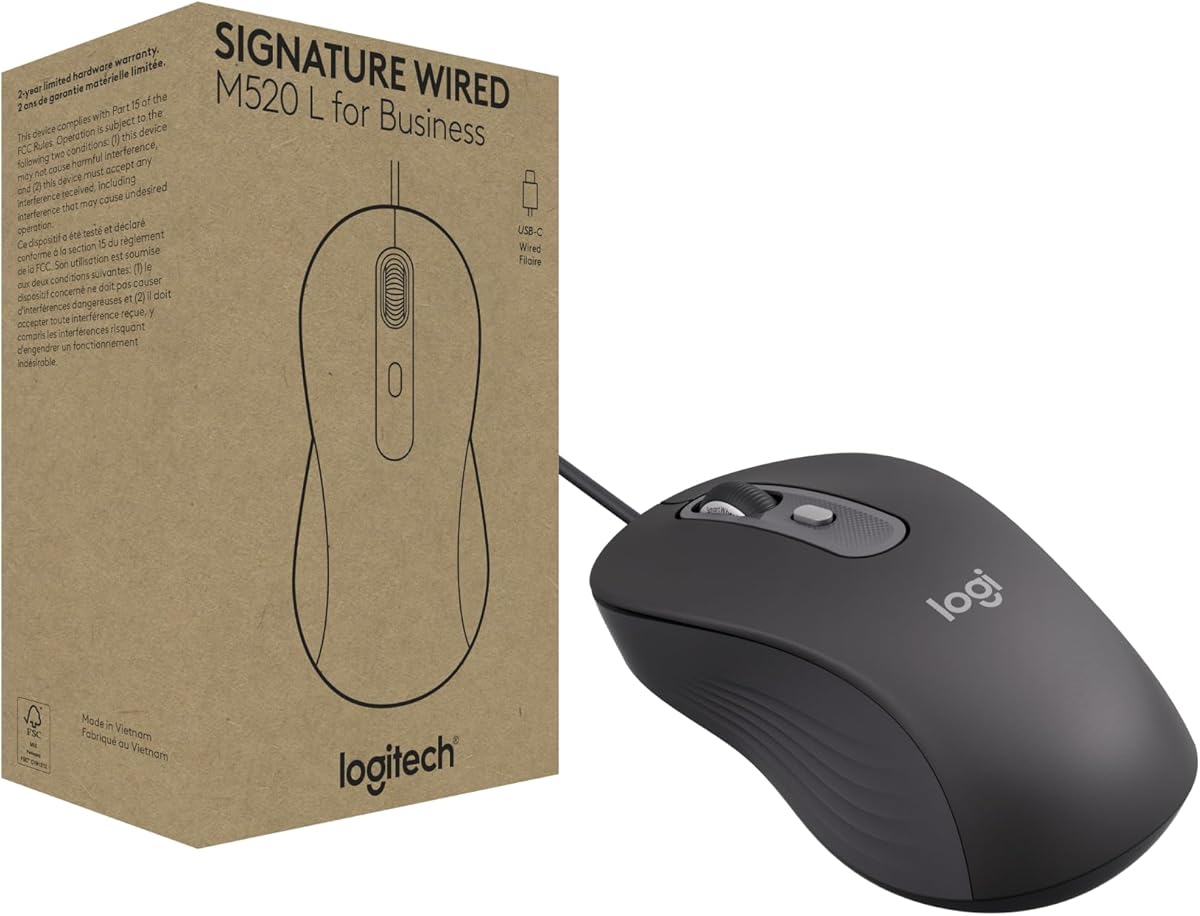
The Logitech M520 L features a USB-C connection suited for modern business environments. Its rating highlights reliability and quiet performance for open workspaces.
We may earn a commission when you buy through this link, at no additional cost to you.
SmartWheel scrolling allows switching between precision and speed easily. SilentTouch technology reduces noise, promoting focus during collaborative or quiet periods.
While limited to a wired connection, its energy efficiency and durable build are strong points. This model appeals to organizations standardizing on consistent hardware.
IT departments and professionals valuing connectivity will find this mouse suitable. It offers a modern, efficient solution for daily business tasks.
USB-C compatibility ensures it works with newer laptops and devices without requiring adapters, simplifying setup across modern hardware.
Reduced click noise helps maintain a professional and distraction-free atmosphere in shared office spaces or conference rooms.
We may earn a commission when you buy through this link, at no additional cost to you.
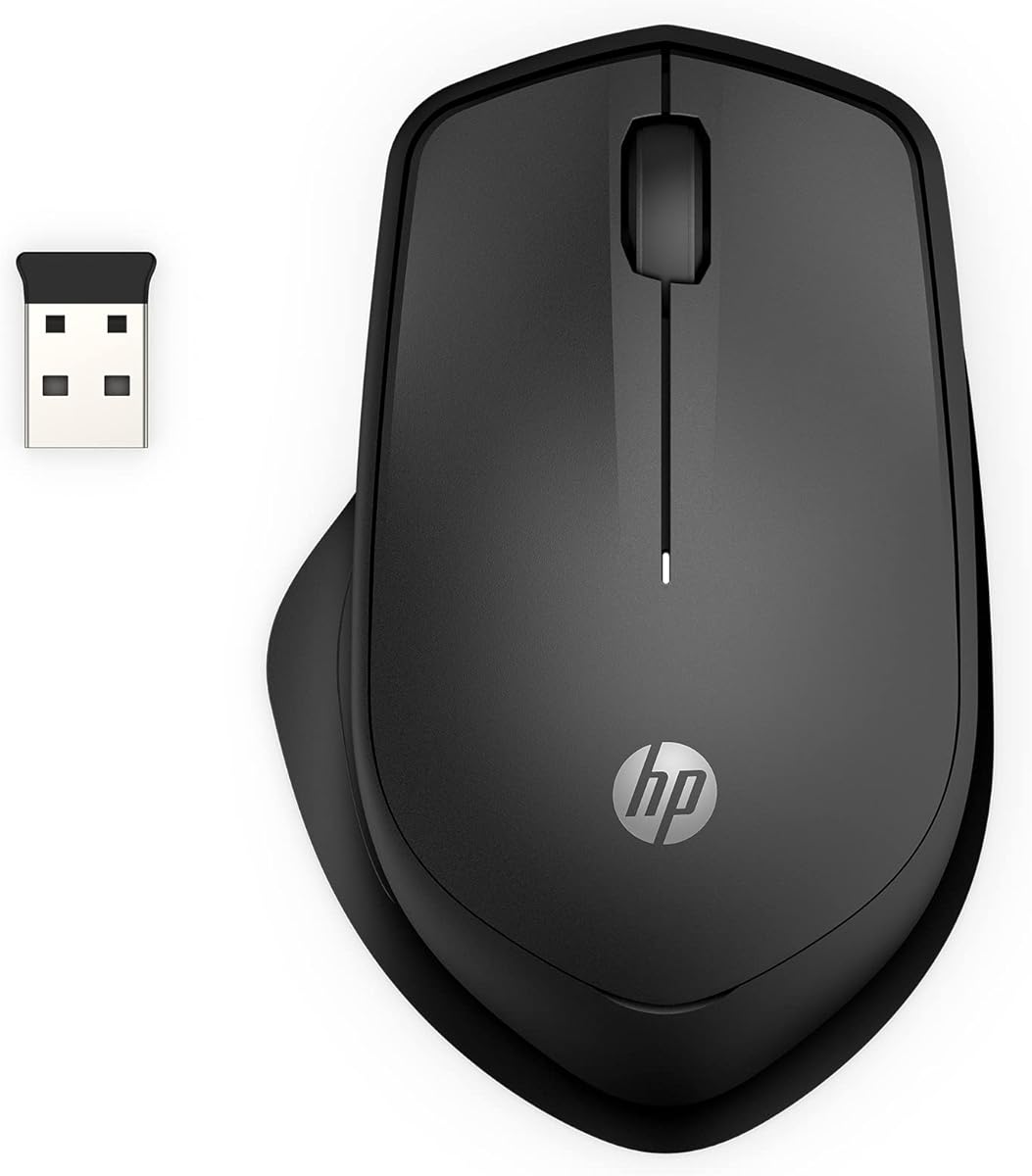
The HP 280 Silent Wireless Mouse is designed to minimize sound while maintaining performance. Its high rating confirms satisfaction with its ergonomic shape and quiet clicks.
We may earn a commission when you buy through this link, at no additional cost to you.
Multi-surface technology ensures smooth movement on various textures without a mouse pad. Up to 18 months of battery life reduces frequent changes for users.
Its limitation to right-handed use may exclude some buyers. However, for those prioritizing quiet operation and comfort, this model delivers strong results.
Ideal for shared spaces or quiet zones, this mouse offers dependable functionality. It balances affordability with features that support efficient daily work.
Up to 90 percent noise reduction on buttons makes it perfect for libraries, home offices, or shared workspaces where sound matters.
Multi-surface technology tracks reliably on different materials, removing the need for a dedicated mouse pad and enhancing portability.
We may earn a commission when you buy through this link, at no additional cost to you.
The Acer Wireless Mouse offers a high click rating of up to 10 million, promising long-term durability. Its design supports adjustable DPI for flexible control across tasks.
We may earn a commission when you buy through this link, at no additional cost to you.
Visual indicators show battery status and DPI changes clearly. The inclusion of forward and backward buttons enhances navigation efficiency without software needs.
While not as ergonomic as premium models, it provides essential wireless features at a low cost. This makes it a practical choice for general office use.
Users wanting a durable, feature-rich mouse on a budget will find it useful. It balances performance and value effectively for everyday computing needs.
Rated for millions of clicks, this mouse is built to withstand heavy usage, ensuring longevity even in high-traffic work environments.
Five DPI levels allow users to adjust cursor speed for precise editing or rapid navigation without changing physical devices or settings.
We may earn a commission when you buy through this link, at no additional cost to you.
Selecting a durable mouse involves evaluating build quality, connectivity, ergonomics, and features that match your workflow. This guide breaks down key factors to simplify your decision.
Look for mice made with high-grade plastics or reinforced components. Check for click ratings above 5 million to ensure longevity. Recycled materials can also offer durability while being environmentally friendly.
Prioritize models tested for millions of keystrokes to avoid premature failure and replace.
Choose a shape that supports your natural hand posture to prevent strain. Full-size mice suit larger hands, while compact ones work for travel. Ambidextrous designs offer flexibility for left-handed users.
Comfort over long sessions is crucial, so match the size to your hand and desk space.
Wireless models provide freedom but require battery management. Wired options offer stability and zero latency. Consider USB-C or wireless receivers that stay in your device.
Decide between wireless convenience and wired reliability based on your workspace and usage patterns.
For wireless mice, aim for models lasting over a year on one battery. Look for auto-sleep modes to conserve power. Rechargeable options reduce waste and ongoing costs.
Long battery life minimizes interruptions and maintenance, keeping you productive.
Adjustable DPI settings allow customization for different tasks. Laser tracking works better on varied surfaces than optical sensors. Ensure the mouse handles polished or wood-grain tables smoothly.
Precision tracking ensures your cursor responds accurately, reducing errors during detailed work.
Programmable buttons can streamline workflows by assigning shortcuts. Side buttons are useful for forward/back navigation. Check if software is needed or if hardware customization is built in.
Customizable buttons enhance productivity, especially for repetitive tasks or complex software.
Quiet click technology reduces noise in shared environments. If you work in open offices, silent models help maintain focus. Traditional clicks provide tactile feedback but may be disruptive.
SilentTouch features can improve comfort without sacrificing responsiveness or durability.
Ensure the mouse works with your operating system like Windows, macOS, or Linux. Some models support mobile devices like tablets or phones. Universal drivers simplify setup across devices.
Wide compatibility ensures you can switch devices easily without compatibility issues or extra drivers.
Begin by setting the mouse on a flat surface. Connect it via USB or insert the wireless receiver. If using batteries, ensure correct polarity and cover the battery compartment securely.
Regularly clean the sensor lens with a soft cloth to maintain tracking accuracy. Wipe the body to remove dust and oils that can affect grip and durability over time.
Update any accompanying software to access full customization features. Adjust DPI settings to match your tasks and check for battery warnings to prevent unexpected shutdowns.
Durability depends on materials, switch ratings, and build quality. Mice tested for millions of clicks and reinforced components last longer. Look for reputable brands that offer warranties to support long-term use.
Modern wireless mice are highly reliable with stable connections. They offer more flexibility but require battery management. For most users, wireless options match wired performance in speed and accuracy.
Measure your hand length from wrist to fingertip. Full-size mice suit larger hands while compact ones fit smaller ones. Test ergonomic models in store or check return policies to ensure comfort.
Many models support multi-device switching via Bluetooth or receivers. Check compatibility with your operating systems. Some allow seamless transitions between computers without needing to re-pair.
DPI stands for dots per inch, determining cursor speed. Higher DPI allows faster movement, lower DPI offers precision. Adjustable settings let you adapt to different tasks and screen sizes.
A quality mouse should last several years with regular use. Switch ratings and build materials influence lifespan. Proper care and avoiding drops help extend its functional life significantly.
The top picks highlight models like the M705 Marathon for longevity and the B100 for value. Each option balances durability with features suited to different needs and budgets.
Consider your hand size, connectivity preferences, and workspace environment when selecting. Comfort and reliability should guide your choice to ensure sustained productivity.
Prices and availability may change over time so verify current details before buying. This guide helps you choose a mouse that supports your workflow for years.