
Bodno Matica MC320
4.3Editor score
Dual-sided printing capability
Includes complete supplies package
Compatible with Windows and Mac
This guide compares the top dual sided card printers for 2026, evaluating features, speed, and value to help you choose the right ID card solution.
Choosing the right dual sided card printer is essential for organizations needing professional identification badges. Quality printers ensure vibrant colors, durability, and secure encoding for various card types used daily.
We evaluated ten leading models based on performance, software compatibility, and included supplies. Our analysis highlights key differences in speed, resolution, and warranty support to simplify your decision-making process effectively.
Each selection provides specific insights into capabilities and user experiences. Note that pricing and availability fluctuate regularly, so verify current details before purchasing to ensure you get the best value available today.
4.3Editor score
4.6Editor score

5.0Editor score
This table provides a side-by-side comparison of the top ten dual sided card printers available. Review each model's key specifications to determine which fits your operational requirements and budget constraints best.


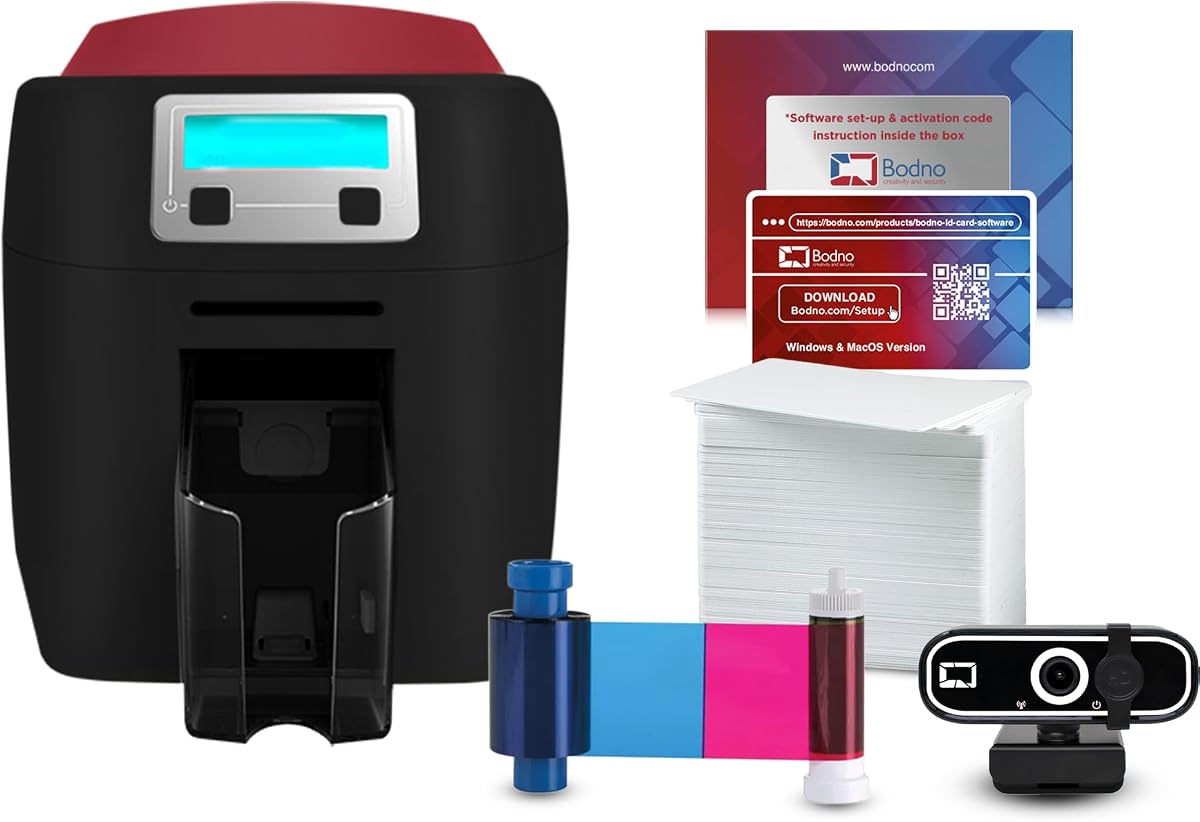
The Bodno Magicard 400X stands out as a top choice for organizations seeking reliable dual sided printing. With a 4.6 rating, it delivers vibrant color quality and comes with essential supplies to start immediately.
We may earn a commission when you buy through this link, at no additional cost to you.
Its all-inclusive package includes a 300-print YMCKO ribbon and software with pre-made templates. The dual-sided capability allows for comprehensive designs while the 4-year warranty ensures long-term reliability and peace of mind.
While the upfront cost is significant, the included supplies and support mitigate early expenses. Users note the software is intuitive, making it accessible even for those without advanced design experience or technical skills.
This model is ideal for businesses needing consistent, professional ID cards without complex setup. Its balance of features, support, and quality makes it a standout recommendation for most standard printing environments today.
The package includes everything needed to start printing immediately including ribbons and cards. This reduces initial setup time and ensures you can produce professional cards right away without additional orders.
Bodno offers lifetime software support with a 4-year hardware warranty. This commitment ensures you receive updates and assistance whenever needed, protecting your investment over the long term effectively.
We may earn a commission when you buy through this link, at no additional cost to you.
The Bodno Seaory S28 offers exceptional value for organizations needing dual-sided printing on a budget. With a 4.6 rating, it balances cost and performance while including a camera for integrated card design workflows easily.
We may earn a commission when you buy through this link, at no additional cost to you.
Its dual-sided printing in one pass boosts productivity without sacrificing quality. The software features pre-made templates and drag-and-drop capabilities, making it easy to create professional cards quickly. without training.
While the hardware warranty is two years compared to four on other models, the lifetime software support adds significant value. Users appreciate the Linux compatibility which expands options for varied office environments.
This printer is perfect for small to medium businesses seeking quality without overspending. Its inclusion of a camera and broad OS support makes it a versatile choice for diverse operational needs effectively.
The included camera allows for direct card design and customization. This feature streamlines the process of creating photo IDs by capturing images directly within the software workflow efficiently.
Support for Windows Mac and Linux ensures flexibility across different IT environments. This broad compatibility means the printer can integrate into existing systems regardless of the operating system used.
We may earn a commission when you buy through this link, at no additional cost to you.
The Fargo DTC4250e achieves a perfect 5.0 rating making it a top choice for premium needs. Its unique erase and rewrite capability allows for card reuse which can save costs in specific applications effectively.
We may earn a commission when you buy through this link, at no additional cost to you.
The smart LED LCD screen simplifies navigation and print commands. Direct-to-card technology ensures high-quality output that is durable and resistant to wear. The included supplies make it ready to use immediately.
While the price is higher than entry-level models, the reliability and advanced features justify the investment. Users report exceptional satisfaction with the ease of use and the professional quality of printed cards daily.
This printer is ideal for organizations prioritizing quality and card management features. The ability to rewrite cards combined with robust hardware makes it a strong choice for premium operational environments.
The built-in erase and rewrite feature allows for card reuse. This reduces waste and costs for organizations that need to update existing cards frequently without printing new plastic.
The smart LED LCD screen provides easy access to commands and settings. This design reduces the learning curve for new users and streamlines daily printing tasks efficiently.
We may earn a commission when you buy through this link, at no additional cost to you.
The Evolis Primacy 2 is a newer 2022 model designed to replace the original Primacy 1. With a 4.3 rating, it offers a 25% speed increase reaching 280 full color cards per hour efficiently.
We may earn a commission when you buy through this link, at no additional cost to you.
It includes essential supplies and Imaging card design software to get started quickly. The optional LCD touch screen with QR code display adds modern convenience for operational assistance and status updates easily.
Users appreciate the Ethernet connectivity which allows for networked printing. While the touch screen is optional, the LED panel provides clear messages for troubleshooting and maintenance without added complexity.
This model is well-suited for environments needing faster output than standard models. The balance of speed, connectivity options, and software support makes it a reliable choice for growing offices today.
At 280 cards per hour this printer offers 25% faster speeds than its predecessor. This increase helps reduce wait times during high-volume card issuance events efficiently.
An optional LCD touch screen provides QR code display and operational assistance. This feature enhances user interaction and simplifies maintenance tasks for the operator easily.
We may earn a commission when you buy through this link, at no additional cost to you.
The Magicard 300 is a reliable model known for consistent performance in various environments. With a 4.2 rating, it provides a 300 dpi resolution suitable for clear logos and micro-text details effectively.
We may earn a commission when you buy through this link, at no additional cost to you.
Free tech support helps with setup and troubleshooting which is a significant advantage. The LED display offers easy-to-understand messages ensuring smooth operations without constant intervention from IT staff.
Users value the inclusion of 100 PVC cards and a color ribbon to start. While it lacks some advanced features of newer models, its reliability and support make it a solid choice for routine use.
This printer is ideal for organizations seeking a dependable workhorse for daily printing. The combination of free support and essential supplies ensures a smooth start and ongoing operational stability.
Experts are available to assist with printer setup and troubleshooting. This support ensures that initial installation goes smoothly and issues are resolved quickly without delay.
At 300 dpi this printer delivers clear images and text quality. This resolution is sufficient for professional ID cards and ensures logos look crisp and detailed.
We may earn a commission when you buy through this link, at no additional cost to you.
The Card Imaging Fargo DTC4500e offers robust features for high-volume needs with a 4.2 rating. Its 500 images per ribbon capability reduces frequent ribbon changes which increases operational efficiency significantly.
We may earn a commission when you buy through this link, at no additional cost to you.
The dual hopper allows holding two different card types at once. This feature is particularly useful for organizations that need to print different badge types without stopping to reload constantly.
Users report the smart LED LCD screen simplifies access to commands and settings. While the setup requires some attention, the included software and warranty support help manage the complexity effectively.
This model suits organizations with varied card requirements needing efficiency. The dual hopper and high ribbon capacity make it a practical choice for diverse operational printing needs daily.
The dual hopper can hold two different card types simultaneously. This feature saves time by eliminating the need to reload the hopper when switching between different badge types.
At 500 images per ribbon this printer reduces maintenance frequency. This high capacity ensures longer continuous operation times between ribbon replacements is.
We may earn a commission when you buy through this link, at no additional cost to you.
The Bodno Magicard 300 is a solid middle-ground option with a 4.4 rating. It offers dual-sided printing capability with a comprehensive package that includes a 300-print YMCKO ribbon to start effectively.
We may earn a commission when you buy through this link, at no additional cost to you.
The Bronze Edition software provides pre-made templates for ease of use. Users appreciate the lifetime software support which ensures ongoing assistance beyond the 3-year hardware warranty period.
While it shares similarities with other models, the Bodno branding and Bronze Edition features add unique value. The drag-and-drop design capabilities make it accessible for users of all technical skill levels.
This model is ideal for those seeking a balance of features and support. The inclusive package ensures you have everything needed to begin printing high-quality IDs immediately.
Bodno provides lifetime software support which is rare in this category. This ensures you always have access to updates and help long after the hardware warranty expires.
The package includes supplies and a 300-print ribbon for immediate use. This reduces the hassle of ordering separate consumables and gets you started right away.
We may earn a commission when you buy through this link, at no additional cost to you.
The Zebra ZC300 stands out for its versatility in color or monochrome printing modes. With a 3.6 rating, it appeals to those needing flexibility in usage for different card types effectively.
We may earn a commission when you buy through this link, at no additional cost to you.
Its graphical LED LCD interface offers animations and text-based messages in your preferred language. This design helps any user understand what the printer needs and how to perform functions easily.
Government-grade AES data encryption protects sensitive data during printing. The redesigned hopper and saloon-style output doors make loading and unloading cards simpler than previous generations.
This model is best for organizations needing security and flexibility. The combination of encoding options and robust security features makes it suitable for sensitive government or corporate use cases.
The highly graphical LED LCD interface uses icons and animations. This intuitive design allows any user to easily understand printer status and perform functions without manuals.
AES data encryption protects sensitive information during the print process. This ensures that confidential data remains secure and prevents unauthorized access during printing operations.
We may earn a commission when you buy through this link, at no additional cost to you.
The Bodno Matica MC320 offers an affordable option for dual-sided printing with a 4.3 rating. It delivers high-quality results without the high costs typically associated with dual-sided printers on the market.
We may earn a commission when you buy through this link, at no additional cost to you.
The Bronze Edition software includes pre-made templates accessible via a secure activation code. This ensures convenient and hassle-free use for users needing to print quickly without extensive setup time.
Users appreciate the ready-to-use nature of the printer with necessary supplies included. The 3-year warranty and dedicated support ensure long-lasting dependable performance for daily operational needs.
This printer is ideal for startups and small businesses needing reliability. The balance of cost and performance makes it a smart entry point into professional ID card printing effectively.
The Bronze Edition software provides pre-made templates for quick design. Accessible via activation code it ensures the software is ready to use immediately upon setup.
Direct-to-card technology ensures high-quality prints on standard PVC cards. This method allows for precise image placement and durable results for various identification needs.
We may earn a commission when you buy through this link, at no additional cost to you.
The Zebra ZC350 is recognized for incredible printing speeds surpassing others in its class. With a 4.2 rating, it allows you to get the job done in no time when efficiency is critical for operations.
We may earn a commission when you buy through this link, at no additional cost to you.
Its visual interface lets you look at your card before printing eliminating the need for test runs. This saves time and money by reducing wasted materials during the printing process effectively.
Users report it is ready to print the second you get it and extremely easy to install. The snug-fit ribbon design ensures correct installation without stress or adjacent open areas causing issues.
This model is perfect for high-volume environments prioritizing speed. The customizable encoding delivers flexibility like no other making it a top choice for complex identification card needs.
The display provides a quick way to look at your card before printing. This eliminates the need for test runs and ultimately saves you time and money on consumables.
The snug-fit ribbon design has no play or adjacent open areas. This ensures there is never a question about the ribbon being installed incorrectly during operation.
We may earn a commission when you buy through this link, at no additional cost to you.
Selecting the right dual sided card printer requires understanding your specific operational needs. Key factors include speed, compatibility, software, and warranty to ensure long-term reliability.
Consider how many cards you need to print per hour. Models like the Evolis Primacy 2 offer higher speeds up to 280 cards per hour which is crucial for high-volume environments.
Choose a speed that matches your peak demand to avoid bottlenecks during card issuance events.
Ensure the printer supports dual-sided printing if your card design requires information on both sides. This is essential for professional IDs with photos on one side and details on the other.
Look for models that print both sides in one pass to save time and increase productivity effectively.
Check that the software works with your operating system. Options vary from Windows-only to broader support including Mac and Linux depending on your IT infrastructure requirements.
Verify that the included design software offers templates and drag-and-drop features for ease of use by all staff members.
Some packages include ribbons and blank cards while others do not. All-inclusive packages like those from Bodno allow you to start printing immediately without additional purchases.
Calculate the cost of included supplies against standalone printer options to understand the true entry price.
USB and Ethernet connections allow for flexible setup. Networked printing via Ethernet is beneficial if multiple users need to send jobs to the printer from different locations.
Ensure the connectivity matches your office network setup to avoid compatibility issues during installation.
Warranty periods range from two to four years. Longer warranties indicate confidence in build quality and reduce financial risk over the lifecycle of the device.
Check if lifetime software support is offered as this adds value beyond the hardware warranty period significantly.
Security features like AES data encryption protect sensitive data during printing. This is critical for organizations handling confidential employee or member information securely.
Look for authentication features that prevent unauthorized printing from unapproved devices on the network.
Some printers support magnetic stripes or contactless encoding. This flexibility allows you to create swipe-and-go cards or contactless access cards with a single device.
Verify the encoding options match your card's functionality needs before purchasing the printer.
Proper setup ensures consistent results. Place the printer on a level surface and connect it to your computer using the recommended cable before installing the software and drivers.
Keep the printer clean by following the maintenance schedule. Clean the rollers and printhead periodically to prevent smudges and ensure smooth card feeding during operation.
Store ribbons and cards in a cool dry place. This prevents the materials from degrading due to heat or humidity which could affect print quality over time.
Dual-sided printers can print on both sides of a card while single-sided only print on one side. Dual-sided models often offer more comprehensive designs and save time by printing both sides in one pass automatically.
Most bundles include card design software like Card Imaging or Bodno Bronze Edition. These programs offer pre-made templates and drag-and-drop features that make designing professional ID cards easy without advanced skills.
Ribbons typically yield between 250 and 500 prints depending on the model. The Bodno Magicard 400X comes with a 300-print ribbon while the Fargo DTC4500e offers 500 images per ribbon.
Many models like the Magicard 400X and Seaory S28 are compatible with Mac operating systems. Always verify system requirements before purchasing to ensure seamless integration with your current hardware.
Most models come with a hardware warranty ranging from two to four years. Additionally, many include lifetime software support to assist with design updates and troubleshooting as needed.
These printers are designed for PVC cards which are standard for ID badges. Always use recommended card types to avoid damage to the printer mechanism and ensure optimal print quality.
Our top picks highlight the Bodno Magicard 400X for overall value and the Fargo DTC4250e for premium features. Each offers distinct advantages depending on your specific operational priorities and budget constraints.
Prioritize models with lifetime software support and comprehensive warranties to ensure long-term reliability. This approach protects your investment and provides peace of mind during daily operations.
Remember to check current pricing and availability as these details change frequently. Verifying the latest offers ensures you secure the best value for your organization's needs today.