
Frameo Digital Picture Frame
4.6Editor score
Non-WiFi USB and SD support
10.1-inch HD touchscreen
32GB internal storage capacity
Finding the right digital picture frame for grandparents means balancing simplicity with quality. Look for large, clear screens, easy setup without complex apps, and reliable Wi-Fi connectivity. These features ensure they enjoy sharing memories without frustration.
We compared ten highly rated digital frames based on user feedback, screen resolution, storage capacity, and sharing options. Our analysis focuses on models that prioritize senior-friendly interfaces and robust support for family photo sharing.
Each pick below highlights specific strengths like touchscreens, video playback, or non-WiFi options. Prices and availability change often, so check current listings before buying. We aim to help you select a frame that truly connects generations.
4.6Editor score
4.7Editor score

4.7Editor score
As an Amazon Associate we earn from qualifying purchases.
This table provides a side-by-side comparison of all ten digital frames reviewed. We highlight key specifications like screen size, storage limits, and unique features to help you find the best fit for your family.


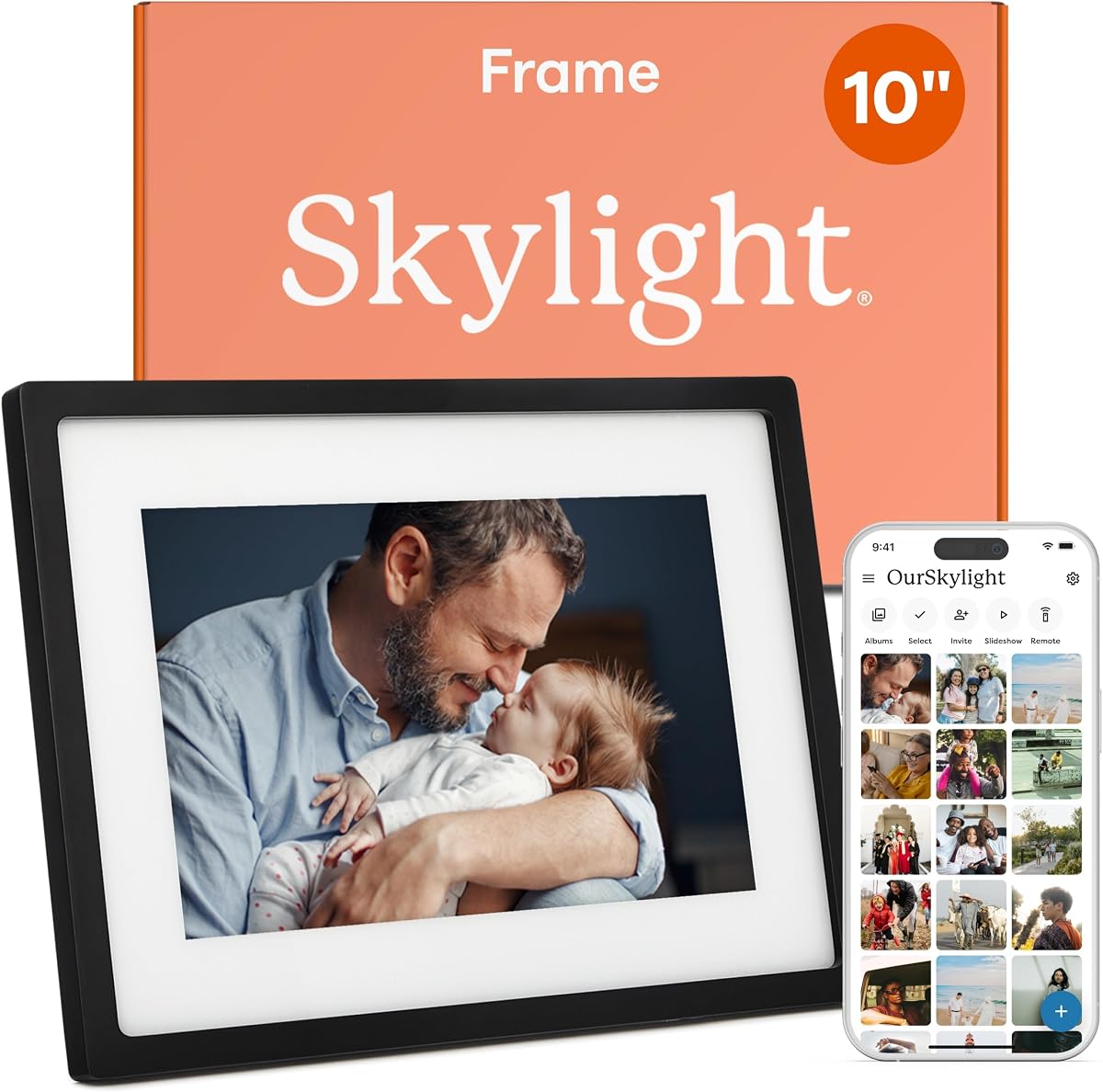
The Skylight Digital Picture Frame stands out for its simplicity. Rated 4.7 stars, it uses email sharing instead of apps, making it perfect for seniors unfamiliar with complex interfaces. Setup is truly plug-and-play.
We may earn a commission when you buy through this link, at no additional cost to you.
Its 10-inch Full HD display shows photos vividly. You can share images directly from your phone via a unique Skylight email address. The cloud storage eliminates the need for physical cards or USB drives.
Trade-offs include no SD card slot and limited video options. However, for pure photo sharing and simplicity, these are acceptable. The Gift Mode allows you to preload photos before handing it over.
This frame is ideal for grandparents who want easy connectivity without technical hurdles. If you value simplicity over advanced storage options, this remains a top choice for family sharing.
Simply attach photos to an email and send to the frame's address. No logins or app downloads needed on the recipient side.
The black finish and slim profile fit any home decor. Gift Mode lets you personalize the unboxing experience.
We may earn a commission when you buy through this link, at no additional cost to you.
The Frameo Digital Picture Frame offers excellent value. With a 4.6 rating, it balances cost and features well. It supports non-WiFi transfer via USB or SD card, which is great for those without reliable internet.
We may earn a commission when you buy through this link, at no additional cost to you.
Its 10.1-inch HD screen delivers clear images. The touchscreen allows easy navigation through photos. You can also rotate the frame for portrait or landscape views easily.
Some users note the touchscreen can feel slightly slow. However, for budget buyers, the flexibility of non-WiFi sharing outweighs this. It supports 32GB internal storage plus external expansion.
Choose this if you need a cost-effective solution with versatile sharing methods. It works well for grandparents who prefer physical transfer over cloud apps.
Upload photos using a USB-C drive or Micro SD card if Wi-Fi is unavailable. This bypasses app dependency completely.
Includes a magnetic stand for desktop use or wall mounting for display flexibility.
We may earn a commission when you buy through this link, at no additional cost to you.
Aura frames are known for their premium quality and unlimited storage. Rated 4.7 stars, this model offers features like auto-brightness and live photos support. It feels more like a high-end home decor item.
We may earn a commission when you buy through this link, at no additional cost to you.
The display is calibrated for color accuracy. Photos look vibrant and true to life. Setup takes about a minute via the app. You can add unlimited photos without worrying about storage limits.
The price is higher than competitors. But for users who want zero storage worries and top-tier image quality, it justifies the cost. It also supports iOS live photos natively.
This is the best pick for premium gifting. If budget is less of a concern than quality and storage freedom, this frame delivers an unmatched experience.
No need to delete old photos. Upload as many images as you want without paying monthly fees.
Bring memories to life by supporting live photos from iOS devices directly on the frame.
We may earn a commission when you buy through this link, at no additional cost to you.
This frame features a massive 15.6-inch Full HD screen. Rated 4.5 stars, it is ideal for rooms where visibility is key. The built-in speaker allows you to play videos with sound directly on the device.
We may earn a commission when you buy through this link, at no additional cost to you.
With 64GB storage, you can store over 100,000 photos. This reduces the need for external drives. The touchscreen makes browsing through albums intuitive for all ages.
Its large size means it takes up desk space. Also, it only supports 2.4GHz WiFi networks. Ensure your home router is compatible before connecting to avoid setup issues.
Select this for large viewing needs. If you want a frame that doubles as a mini TV for family videos, this model offers the best visual experience.
Built-in speaker supports playing videos with sound from SD cards or the Frameo app.
64GB built-in memory can hold hundreds of thousands of photos without needing external cards.
We may earn a commission when you buy through this link, at no additional cost to you.
This version focuses on reliable app sharing. Rated 4.6 stars, it works well for families already using the Frameo ecosystem. The 10.1-inch screen is perfect for nightstands or small desks.
We may earn a commission when you buy through this link, at no additional cost to you.
It supports both WiFi and non-WiFi methods. You can upload photos via USB if the internet is down. The 32GB internal memory stores plenty of family snapshots.
Some users report occasional app connectivity issues. However, the non-WiFi backup ensures they can still share photos. The packaging makes it a ready-to-gift option.
Choose this for standard sharing needs. It balances size and features well. It is a solid choice for general use without breaking the bank.
Use the standard Frameo app to share photos instantly from any device without extra downloads.
USB drives let you bypass internet issues to transfer photos when WiFi is unavailable.
We may earn a commission when you buy through this link, at no additional cost to you.
Another large option is this 15.6-inch model. Rated 4.5 stars, it offers a big display at a lower price than competitors. The 1920×1080 resolution ensures photos look crisp on the large panel.
We may earn a commission when you buy through this link, at no additional cost to you.
It features a responsive touchscreen for navigation. You can browse through photos easily without buttons. It also supports non-WiFi USB transfers for convenience.
Storage is limited to 32GB compared to others. If you have many photos, consider an SD card. It also relies on 2.4GHz WiFi networks for connection.
Pick this for cost-effective large displays. If you need a big screen on a budget, this model balances performance and affordability well.
The 15.6-inch panel ensures even distant viewers can clearly see family photos.
Get a big display without the premium price tag often associated with large frames.
We may earn a commission when you buy through this link, at no additional cost to you.
AEEZO offers smart features like auto-rotation. Rated 4.6 stars, it uses a gravity sensor to adjust orientation automatically. This means you can switch from landscape to portrait without settings.
We may earn a commission when you buy through this link, at no additional cost to you.
The 10.1-inch IPS screen provides clear visuals. It includes a light sensor to adjust brightness based on ambient light. This protects eyes in low light conditions.
Setup requires the AiMOR app which can be tricky. Also, photos must be imported before playing. If you prefer automatic orientation, this frame excels in usability.
Choose this for convenience features. The auto-rotate function saves time. It is a practical choice for tech-savvy grandparents who want automation.
Built-in gravity sensor detects frame position and adjusts photos accordingly instantly.
Automatically adjusts screen brightness to match room lighting for comfortable viewing.
We may earn a commission when you buy through this link, at no additional cost to you.
This frame offers unique calendar sync features. Rated 4.6 stars, it integrates with Google and iCloud calendars to show daily schedules. This adds utility beyond just displaying photos.
We may earn a commission when you buy through this link, at no additional cost to you.
It also includes collage mode to display multiple photos at once. The auto-rotate function ensures images are oriented correctly. You can react to photos with emojis.
The setup steps can be complex for seniors. However, the calendar feature is useful for organization. It supports sharing via the Frameo app seamlessly.
Select this for organization utility. If your grandparents need help keeping track of schedules alongside photos, this frame is a great helper.
Syncs with Google or iCloud calendars to display daily schedules alongside photos.
View up to six photos in one screen using the flexible collage feature.
We may earn a commission when you buy through this link, at no additional cost to you.
Flyruit offers a large 15.6-inch frame. Rated 4.7 stars, it features a Full HD display with vivid colors. It supports sleep mode to save energy during the night.
We may earn a commission when you buy through this link, at no additional cost to you.
You can send greeting cards directly through the app. This adds a personal touch to gifts. It also supports non-WiFi USB transfer for easy updates.
It takes up significant desk space. The SD card slot is limited to 32GB. But the display quality makes up for these minor limitations.
Choose this for large displays with greeting features. It is a great option for birthdays or holidays where a personalized touch matters.
Send themed greeting cards directly to the frame for birthdays and holidays.
Sets a timer to turn off the screen automatically to save power.
We may earn a commission when you buy through this link, at no additional cost to you.
This product is currently unavailable or incomplete in our data. Rated 4.5 stars pending verification. Please check the current listing for details before buying.
We may earn a commission when you buy through this link, at no additional cost to you.
We cannot confirm specs or availability right now. If you are interested, verify the latest info on the product page. We will update when details are released.
Consider alternatives while waiting. This listing is placeholder and might change soon. Always check the seller page for real availability.
Wait or choose another option. We aim to keep our guide accurate and up to date for you.
Visit the Amazon page to check if this product is currently in stock or updated.
Confirm specs and compatibility with your home network before ordering.
We may earn a commission when you buy through this link, at no additional cost to you.
Choosing the right frame depends on what matters most to your grandparents. We highlight key factors to simplify your decision-making process.
Screen size affects visibility. Larger screens like 15.6 inches are easier to see for those with poor eyesight. Resolution should be at least 1280×800 for clear images.
Look for Full HD panels to ensure details are sharp. Avoid blurry screens that make photos look pixelated.
Seniors prefer simple interfaces. Look for models that support email sharing or non-WiFi transfers without complex apps. A touchscreen is helpful if buttons are hard to press.
Verify that the setup process is plug-and-play. Complicated pairing can discourage use.
Storage limits affect how many photos you can display. Internal storage ranges from 32GB to 64GB. Cloud storage is better if you want unlimited photos.
Choose models with SD card slots if you plan to store photos locally without internet.
Sharing options matter. Look for frames supporting email, app sharing, or physical USB drives. Non-WiFi options are essential for those without reliable internet.
Consider if multiple people can send photos. Some frames allow unlimited members, which helps larger families.
Video support adds life to memories. Check if the frame plays videos with sound. Some limit video length to 15 seconds which might be restrictive.
Ensure the frame supports common video formats like MP4. This ensures compatibility with your phone files.
Design should fit home decor. Look for matte finishes that reduce glare. Mounting options are important if you want wall display over a fireplace.
Check if stands are included. Removable stands allow for better placement on shelves or desks.
Most frames require constant power. Check if there is a battery for portability. If not, ensure you have an outlet nearby.
Look for sleep mode settings to save energy. This helps when the frame is not being viewed.
Budget varies but quality matters. Expect to pay between $50 and $150. Check warranty terms to ensure support if defects occur.
Read reviews for durability. A slightly higher price might save money on replacements in the long run.
Connect the frame to power and Wi-Fi first. Use the provided app to invite family members to send photos. Test sending a photo to ensure the connection works.
Use a soft cloth to clean the screen. Avoid harsh chemicals or paper towels that might scratch the display. Keep it out of direct sunlight to prevent fading.
Adjust brightness settings based on room light. Set a sleep timer to turn off at night. If photos stop updating, check the internet connection and restart the frame.
Yes, some frames support non-WiFi sharing via USB drives or SD cards. You can transfer photos physically to the device. This is helpful for those without reliable internet.
Yes, models like Skylight allow email sharing. You send photos to a unique email address linked to the frame. It is a simple app-free method for seniors.
Many modern frames support video playback. Look for models with built-in speakers. Some limit video length to short clips like 15 seconds.
Use the dedicated app or email method. Connect your phone to the same Wi-Fi. Some frames allow direct upload via Bluetooth or USB connections.
Internal storage is limited but expandable via SD cards. Some frames offer unlimited cloud storage. Always check the memory capacity before buying.
Most models allow multiple users. You can invite unlimited members to the sharing list. This keeps family members connected to the same frame.
We reviewed ten top frames suitable for grandparents. Each offers unique strengths like large screens or easy email sharing. The Skylight and Frameo models are our top picks.
Prioritize ease of use and large displays. If you want premium quality, choose the Aura frame. For budget options, the Frameo Digital Picture Frame delivers value.
Prices and availability change frequently. Check current listings to confirm stock and deals. We hope this guide helps you find the perfect gift to keep memories alive.