
OTraki 4 Pack Drawing Gloves
4.6Editor score
Includes four gloves total
Multiple size options available
Lightweight and breathable
This guide compares ten top digital drawing glove options to help artists find the best anti-smudge and palm rejection solution for tablets and iPads.
Digital artists often face smudges and friction while working on screens. A digital drawing glove solves this by reducing contact between your skin and the device. It ensures clean strokes and protects your artwork from accidental touches during long sessions.
We compared ten highly rated gloves based on comfort, material quality, and size options. Our analysis focuses on how well they prevent smudging while allowing smooth movement across various tablet surfaces. Each product offers unique features for left and right-handed users.
Each pick below highlights specific strengths like breathability or eco-friendly materials. Note that prices and availability can change frequently on retailer sites. Always check current listings before making your final decision to ensure you get the best deal available today.
4.6Editor score

4.5Editor score
4.4Editor score
The following table presents a side-by-side comparison of all ten digital drawing gloves reviewed in this guide. You can see key specifications and features for each model to help you decide quickly.


The HUION Artist Drawing Glove stands out as a top choice for digital artists seeking reliable performance. With a high rating of 4.5 stars, users appreciate its ability to reduce friction on graphics tablets. It is designed to fit either hand comfortably, making it versatile for all users.
We may earn a commission when you buy through this link, at no additional cost to you.
This glove is made from soft Lycra and Nylon, ensuring extreme flexibility during use. The anti-fouling design prevents smudges from appearing on your screen or monitor. Its black color is also soiling resistant, meaning you do not need to wash it frequently after every session.
While it reduces friction effectively, it cannot prevent accidental touches on touch screens. You may need to disable palm rejection settings on your device. This trade-off is acceptable given the comfort and smooth glide it provides for sketching and inking.
If you need a simple and effective glove for digital drawing, this is a strong recommendation. It works well for sketching, coloring, and professional digital art. The free size design adapts to most hand shapes without causing discomfort during work.
The soft Lycra and Nylon blend ensures the glove stretches easily without restricting finger movement.
Its surface prevents oils from your hand from smudging the screen while keeping scratches at bay.
We may earn a commission when you buy through this link, at no additional cost to you.
This 3-Layer glove offers specialized features for iPad and tablet users who need precise palm rejection. The anti-slip design enhances grip and keeps the screen spotless during creative work. Users rate it highly for its ability to reduce distractions while drawing.
We may earn a commission when you buy through this link, at no additional cost to you.
The set includes two gloves and an extra cleaning cloth, adding value to your purchase. Available in three sizes, it ensures a proper fit for different hand shapes. The moisture-wicking fabric keeps hands cool during long sessions, which is essential for focus.
The fit might vary slightly due to manual measurements, but the range covers most adults. Some users might find the fabric less durable under heavy friction. However, the comfort and precision make it a great choice for regular digital artists.
Choose this glove if you prioritize a clean screen and comfortable fit for iPad use. It elevates your digital art experience by preventing accidental touches. The extra cloth and glove ensure you are prepared for extended creative periods.
This multi-layer construction prevents palm touches while allowing your hand to glide smoothly.
Receiving two gloves and a cleaning cloth makes this set more versatile than single units.
We may earn a commission when you buy through this link, at no additional cost to you.
The XPPen Artist Drawing Glove is designed with high elastic material for excellent air permeability. It fits both left and right hands comfortably, allowing you to focus on creating. Users appreciate the soft skin-friendly texture that stops smudging effectively.
We may earn a commission when you buy through this link, at no additional cost to you.
The black color is resistant to dirt, so you do not need to wash it often. This convenience is great for artists who work frequently without time for maintenance. The glove allows an easier glide over tablet surfaces compared to bare skin.
Only Size M is included, which might not fit very small or large hands perfectly. Limited color options mean you cannot match specific aesthetic preferences. However, the material quality and fit are generally well-received by reviewers.
This glove is a reliable choice for standard-sized hands needing smooth tablet interaction. It stops smudges and allows for precise strokes in every session. Consider checking sizing guides if you have unusually large or small hands.
The fabric stretches well to fit hand shapes without losing its shape over time.
Black color hides dirt effectively, reducing the need for frequent washing and care.
We may earn a commission when you buy through this link, at no additional cost to you.
This 4 Pack offers excellent value for artists needing multiple gloves for different uses. The lightweight Lycra fiber ensures soft texture and strong tensile strength. It works for sketching, inking, and coloring on various devices like monitors and light boxes.
We may earn a commission when you buy through this link, at no additional cost to you.
The gloves reduce friction effectively, allowing hands to slide smoothly over screens. They are universal for men, women, and teens with small hands. The black color remains soiling resistant, maintaining a clean look without constant washing.
These gloves cannot avoid palm being sensed by devices, so you must disable palm detection. Size measurements may have slight deviations due to manual checks. Despite this, the comfort and efficiency improvements are significant for daily work.
Buy this pack if you want to share gloves or keep spares handy. It is perfect for learners and professional artists alike. The set covers most needs for digital drawing and traditional paper sketching tasks.
The design adapts to various hand shapes and sizes comfortably for all users.
Smooth sliding over screens improves work efficiency and reduces hand fatigue.
We may earn a commission when you buy through this link, at no additional cost to you.
This glove stands out with a unique cute cat print that adds charm to your setup. It features high elastic material with excellent air permeability for comfort. The design fits both right and left hands, accommodating different preferences easily.
We may earn a commission when you buy through this link, at no additional cost to you.
The black base color with print is resistant to dirt, keeping it clean. Its soft texture allows for an easier glide on tablets. This option is perfect for artists who want to express personality through their accessories.
Some users might prefer plain designs for professional settings. Availability could be limited compared to standard models. However, the quality matches other XPPen gloves while offering a distinct visual appeal.
If you enjoy unique designs, this glove is a delightful choice. It provides the same functional benefits as other gloves but with extra flair. It works well for both digital drawing and creative hobbies.
This design differentiates the glove from standard styles, adding a personal touch.
The fabric stretches to fit your fingers without feeling tight or restrictive.
We may earn a commission when you buy through this link, at no additional cost to you.
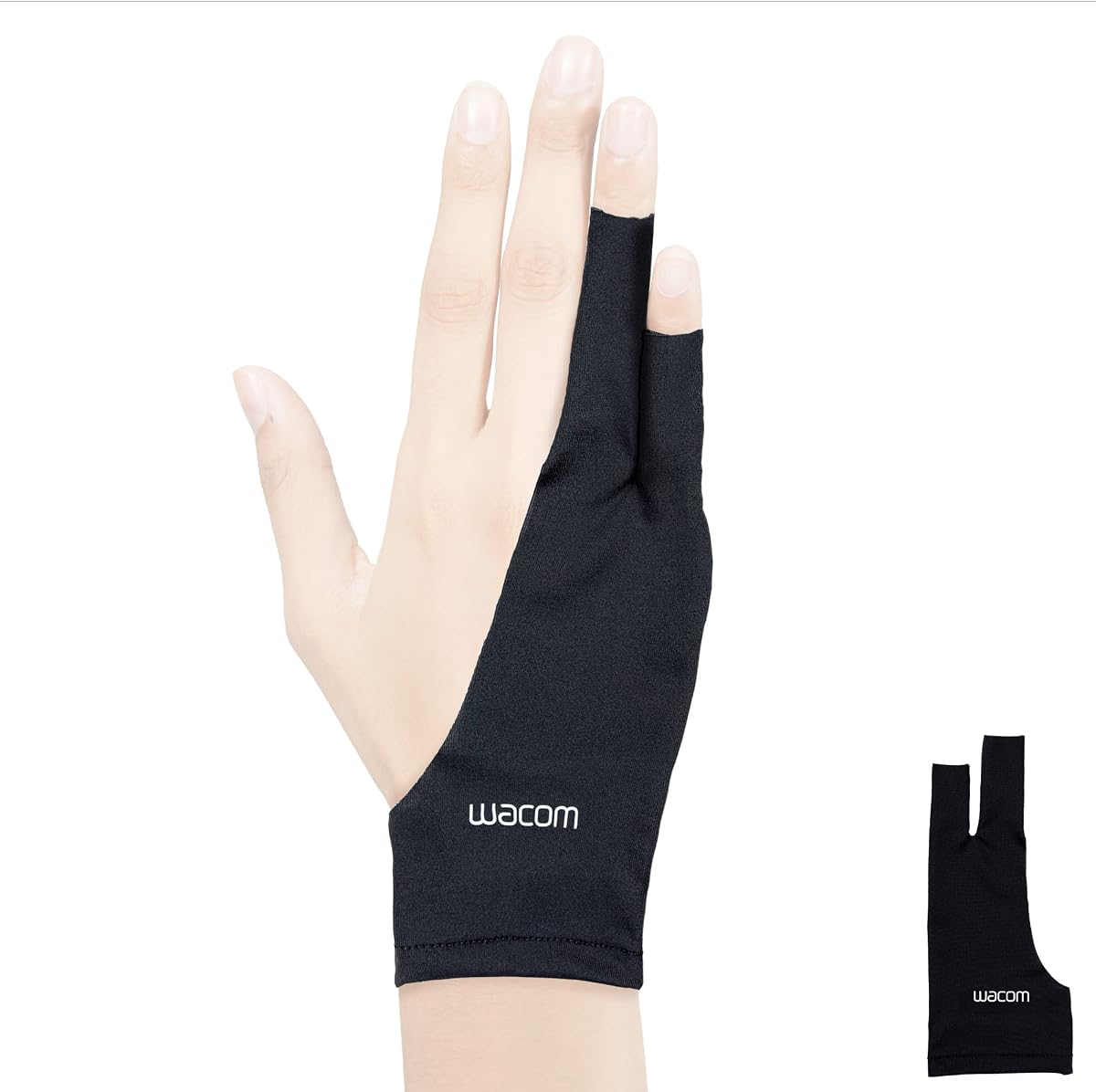
This glove is made of 90% recycled materials, offering comfort and durability with eco-friendly construction. It features an exposed fingertip design for touchscreen access and typing ease. Users appreciate the clear view without smudges from sweat or oils.
We may earn a commission when you buy through this link, at no additional cost to you.
You can glide over screens with reduced friction for hours of comfort. The ambidextrous fit works for right or left-handed users. While the price is higher, the sustainable materials and brand reputation justify the cost for many.
One-size fits most might not suit every hand perfectly. It lacks extra size options like other brands. However, the stretchy design generally accommodates average hand sizes well without issues.
Choose this if you prioritize sustainability and trusted brand quality. It is ideal for keyboard work and digital drawing combined. The comfort and clear screen make it a great investment for professionals.
Constructed from eco-friendly recycled polyester and spandex for durability and comfort.
Access touchscreens and keyboards freely without removing the glove.
We may earn a commission when you buy through this link, at no additional cost to you.
This 4 Pack provides ample supply for regular users with moisture-wicking fabric. It ensures comfort during long sessions by keeping hands dry. The size options allow you to find a perfect fit for your hand dimensions.
We may earn a commission when you buy through this link, at no additional cost to you.
It prevents smudges effectively and improves work efficiency. The gloves work for sketching, inking, and coloring. Men, women, and teens can use them universally. The black color is stain resistant to reduce cleaning needs.
The package includes four gloves in one size with options for other sizes. Some deviation in measurement might occur. However, the dexterous design ensures focus on creating without distractions.
If you need multiple gloves for different days or backups, this pack is ideal. It supports long creative periods comfortably. The moisture-wicking feature is a key benefit for daily artists.
The fabric draws moisture away to keep hands dry and comfortable for hours.
Choose from multiple sizes to ensure the best fit for your specific hand shape.
We may earn a commission when you buy through this link, at no additional cost to you.
This glove works seamlessly with various devices including iPads and oil painting surfaces. The 3-layer design enhances grip and prevents accidental palm touches. It keeps the screen spotless while ensuring scratch-free drawing for precision.
We may earn a commission when you buy through this link, at no additional cost to you.
The soft stretchy fabric is crafted for comfort during long sessions. Receiving two gloves adds value. It elevates the digital art experience by reducing friction and smudges effectively.
Users might find it slightly less grippy if hands get sweaty. Size options are limited to a set range. Despite this, the protection and comfort are highly rated for creative work.
Choose this if you use multiple devices for your art. It offers reliable protection and smooth movement across screens. The extra glove ensures you always have a clean one ready.
Works with drawing tablets, iPads, and even oil painting surfaces.
Ensures no smudges or scratches while enhancing precision in every stroke.
We may earn a commission when you buy through this link, at no additional cost to you.
This glove offers S, M, and L sizes to choose the best fit. It is designed to stop smudging for drawing tablets effectively. The black color is resistant to dirt so you do not need to wash it frequently.
We may earn a commission when you buy through this link, at no additional cost to you.
High air permeability keeps your hands cool and comfortable. It allows for an easier glide on tablet screens. The soft texture ensures comfort during extended creative work sessions.
If you have smaller hands, the S size is ideal. Some may find the design basic compared to stylized options. However, functionality remains high with reliable performance and durability.
Pick this for a tailored fit with standard functionality. The sizes help avoid discomfort from loose gloves. It is a solid choice for focused artists who need reliability.
Available in S, M, and L to match your specific hand size.
Skin-friendly texture that stops smudging and allows for an easier glide.
We may earn a commission when you buy through this link, at no additional cost to you.
This 4 Pack is perfect for beginners and people who like to learn. It works on light boxes and tracing pads effectively. The strong tensile strength ensures durability for repeated use. Reduces skin friction for smooth movement.
We may earn a commission when you buy through this link, at no additional cost to you.
The gloves prevent smudging and improve work efficiency. They are universal for men and women. The black color is soiling resistant reducing cleaning needs. Ideal for artists who need multiple gloves for practice.
They cannot prevent palm being sensed by your device. You must close built-in palm detect before starting. Manual measurement may vary slightly. These issues are minor compared to the benefits.
If you are starting digital art, this pack is highly recommended. It supports learning and creative tasks. The value and utility make it a top choice for new artists.
Ideal for artists and learners who like to paint or study art.
Works on light box and tracing light pad for sketching.
We may earn a commission when you buy through this link, at no additional cost to you.
Choosing the right glove depends on your hand size, device, and comfort needs.
Look for high elasticity materials like Lycra or Nylon. These ensure the glove stretches comfortably without losing shape. Soft textures reduce friction and prevent smudges on sensitive screens.
Prioritize breathable fabrics to keep hands cool during long drawing sessions.
Check if the glove comes in multiple sizes like S, M, and L. A proper fit prevents bunching or slipping while you draw. Ambidextrous designs work for both left and right hands.
If possible, choose a glove with clear size measurements for accuracy.
Ensure the glove works with your specific tablet or iPad model. Some gloves have palm rejection layers that block accidental touches. Others may require disabling device settings for best results.
Verify if the glove prevents smudges on touchscreens effectively.
Long sessions require moisture-wicking fabrics to manage sweat. Breathable materials prevent your hand from getting hot inside the glove. Comfort is key for maintaining focus over time.
Choose options with soft, stretchy fabric for maximum comfort.
Look for stain-resistant colors like black to reduce washing frequency. Strong tensile strength ensures the glove lasts longer under stress. Some gloves are designed to resist tears or stretching over time.
Easy care options save time and extend the product life.
Buying packs like 4 sets can be more cost-effective. This ensures you have backups when one gets dirty or lost. Check what accessories like cleaning cloths are included.
More items often mean better value for regular users.
Some gloves feature prints or colors that reflect personal style. While function matters most, aesthetics can make the accessory more appealing. Consider if the design fits your workspace vibe.
Choose colors that hide dirt to maintain a clean look.
Trusted brands often provide better quality control and warranties. Reading reviews helps identify common issues or strengths. Reputable sellers ensure you get a product that meets expectations.
Stick with known names for reliability and support.
Put the glove on your writing hand and ensure it fits snugly without sliding. If your device has palm rejection settings, check if you need to disable them for the glove to work correctly.
Draw or sketch as usual. The glove will reduce friction between your skin and the screen. If your hand feels sweaty, adjust or remove the glove briefly to let it air out.
Clean the glove gently with mild soap and water. Air dry it flat instead of using a dryer to maintain the fabric. Replace it if the material stretches out or becomes less effective.
They reduce friction and prevent smudges but do not always block palm touches. You may need to disable device settings for best results. Check product specs for touch compatibility.
Check the product size chart and measure your hand. Options like S, M, and L help you find the right fit. A snug fit prevents slipping while drawing.
Yes, they are designed to be reused many times. Wash gently to remove sweat or oils. Proper care extends their lifespan significantly.
Most models are ambidextrous and fit both hands. Some designs specify left or right use, so check the description. Universal gloves are best for flexibility.
Some gloves do not have thick palm rejection layers. You may need to turn off palm rejection settings on your device. This ensures accurate detection without accidental inputs.
Wash it when it feels dirty or sweaty. Dark colors like black resist stains so you may wash less. Air dry to preserve the fabric.
Yes, they work well on light boxes and paper too. They prevent oils from transferring to your artwork. Ideal for mixed media artists.
Breathable fabrics help keep hands cool and dry. Comfort depends on fit and material quality. Choose moisture-wicking options for extended use.
We reviewed ten top options including HUION and OTraki packs. Each offers unique benefits from eco-friendly materials to stylish prints. The right choice depends on your hand size and device.
Prioritize comfort and fit for the best experience. Look for breathability and smudge protection to improve your workflow. A good glove makes a big difference in your art.
Always check current prices and availability on retailer sites. Options and deals may change over time. This ensures you get the best value for your creative work.