
Wathai 2 Pack 120mm PC Fan Dust Filter Cover
4.7Editor score
Affordable two pack value
Standard 120mm fit
Durable PVC construction
Discover the top rated computer fan dust filters for 2026. This guide compares magnetic mesh, PVC, and plastic covers to keep your PC clean.
Protecting your computer components from dust is essential for longevity. High quality filters block debris while maintaining airflow. Choosing the right one depends on your case size and mounting needs.
We compared ten top rated options based on material quality and ease of installation. Our list includes DIY mesh sheets and pre sized covers for standard fans. Each product was evaluated for dust blocking efficiency and durability over time.
Each pick shows key specs and real user ratings to help you decide. Prices and availability change frequently so check links before buying. Investing in a good filter saves time on cleaning and prevents overheating issues.
4.7Editor score

4.6Editor score

4.8Editor score
This side by side comparison highlights the key differences between all ten options. You can see size variations and mounting styles at a glance. Choose the filter that matches your specific case vents and cooling needs.




This DIY mesh filter is rated highly for its versatility and coverage area. It allows you to cover large intake vents that standard filters cannot reach. The magnetic attachment system makes it simple to remove for cleaning without tools.
We may earn a commission when you buy through this link, at no additional cost to you.
The 1mm holes strike a good balance between stopping dust and maintaining airflow. Users appreciate the included magnetic strips that stick to the mesh for easy placement on iron shells. It helps keep components clean and extends their working life.
You will need to measure and cut the mesh to fit your specific case ports. While this adds a small step, it ensures a custom fit for non standard sizes. The PVC material is durable but should be washed gently to avoid damage.
Buy this if you have a PC case with large or irregular ventilation openings. It is an essential accessory for maintaining a clean gaming PC or workstation. The two pack gives you enough material for multiple intake areas.
The large size allows you to cut exactly what you need for your specific chassis.
Peel and stick strips ensure the mesh stays secure on metal surfaces during operation.
We may earn a commission when you buy through this link, at no additional cost to you.
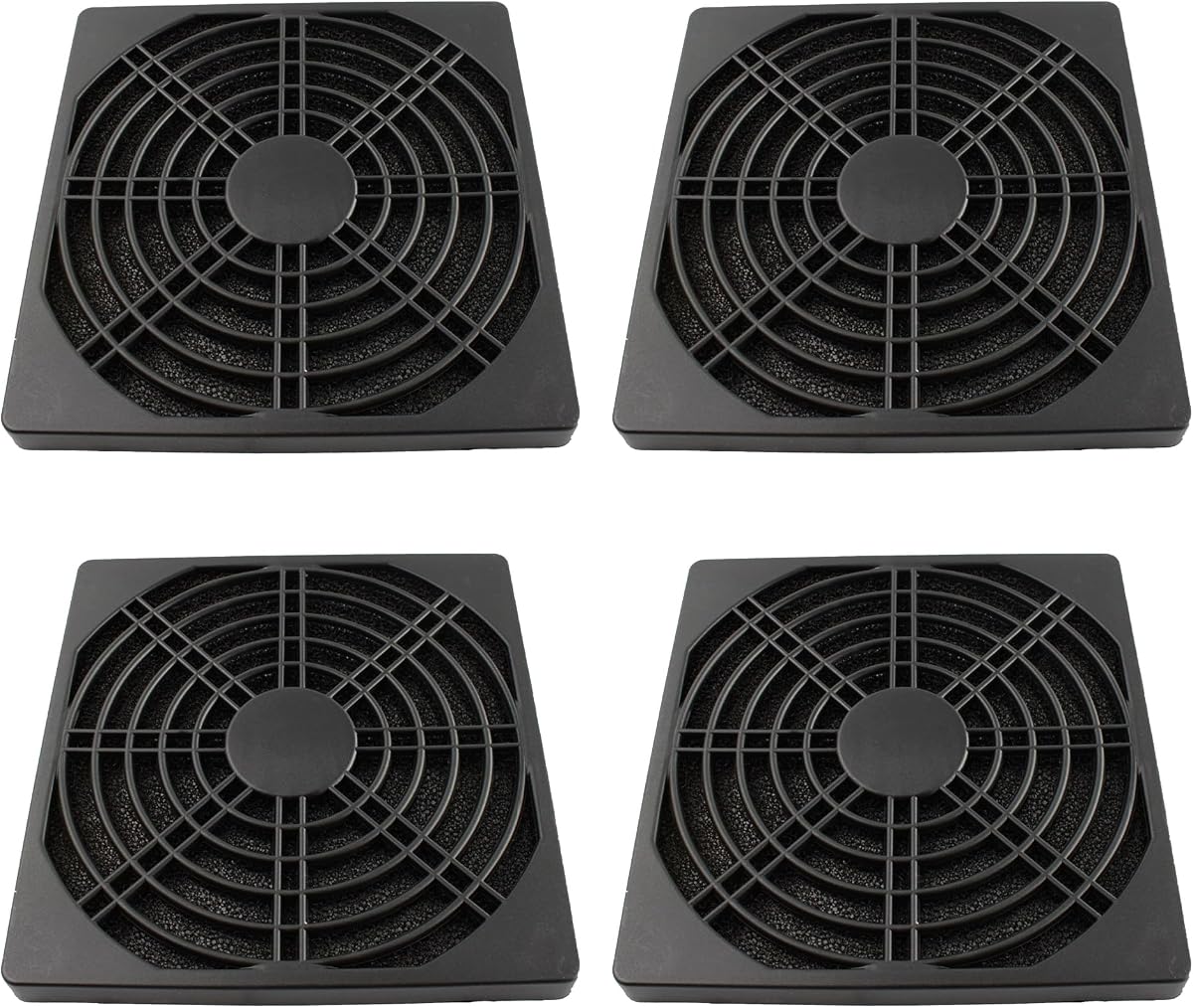
This affordable two pack is a great entry point for PC owners wanting basic protection. The 120mm size fits most standard case fans perfectly. Users report it helps keep components clean and minimizes noise from the fan.
We may earn a commission when you buy through this link, at no additional cost to you.
The PVC material is flexible enough to sit flat against vents without obstructing air. While it does not come with screws, the tight fit often holds it in place. It is a practical solution for extending the lifespan of your fans.
You may need to use a bit of tape or rely on friction for secure mounting. The material is durable enough for long term use but lacks the premium feel of metal options. Cleaning is straightforward as it can be rinsed easily.
Choose this if you need a low cost solution for standard fan vents. It is suitable for home computer chassis and speaker grilles. The value pack ensures you have backups for multiple intake spots.
Get reliable dust blocking without spending a lot on premium hardware accessories.
Designed to match the most common 120mm fan size found in consumer PCs.
We may earn a commission when you buy through this link, at no additional cost to you.
This premium filter offers an ultra fine mesh design that effectively blocks dust particles. It is made of high quality PVC that resists deformation for long lasting use. The magnetic frame allows for easy placement without needing screws.
We may earn a commission when you buy through this link, at no additional cost to you.
Users love how it reduces noise while maintaining efficient operation of the cooling system. The fine mesh ensures components stay clean without restricting airflow significantly. It is designed for everyday use and holds up well over time.
The specific 360mm by 120mm size means it fits certain standard fans but not others. Ensure your case matches these dimensions before purchasing. The surface is smooth and easy to wipe down for maintenance.
Ideal for users wanting a balance of quality and convenience. The two pack provides coverage for two major intake points. It is a great choice for ensuring a quieter computing environment.
The tight weave stops even small particles from reaching sensitive internal hardware.
Premium PVC ensures the filter keeps its shape and function through repeated cleaning cycles.
We may earn a commission when you buy through this link, at no additional cost to you.
This option features a thickened aluminum frame with stainless steel mesh for durability. It includes screws for a permanent installation that does not rely on magnets. The grill design protects fingers and prevents cables from being cut by fans.
We may earn a commission when you buy through this link, at no additional cost to you.
Users appreciate the sturdy build quality that feels more robust than plastic options. The metal construction ensures the filter does not warp over time. It is ideal for desktop PCs where safety and longevity are priorities.
Installation requires drilling or existing screw holes on your case. If your chassis lacks these, you may need to modify it. The screws included fit standard 120mm fan vent spacing precisely.
Choose this if you want a secure and safe mounting solution. It is perfect for homes with kids or pets near PCs. The four pack covers multiple intake vents on your rig.
The rigid grill prevents accidental contact with spinning blades inside the case.
Unlike magnetic filters, these stay fixed in place even with high airflow vibrations.
We may earn a commission when you buy through this link, at no additional cost to you.
This large mesh sheet is designed for users who want maximum customization. The 400x300mm size allows you to cover almost any intake area. Equipped with flexible magnetic strips, it attaches securely without screws.
We may earn a commission when you buy through this link, at no additional cost to you.
The fine mesh pattern balances dust filtration with minimal airflow restriction. It protects sensitive components like GPUs and CPUs from overheating caused by dust buildup. The material is waterproof and can be rinsed under water easily.
You will need to use household scissors to cut the mesh to your specific needs. While this takes a bit of time, it ensures a perfect fit. The magnetic system allows for quick removal when cleaning is needed.
Ideal for custom builds or cases with non standard fan sizes. It is a versatile solution for maintaining a clean system. The two pack provides enough material for multiple projects.
Use this on PC cases, consoles, or any device with steel surface intake vents.
Designed to let cool air flow efficiently while keeping the internal environment dust free.
We may earn a commission when you buy through this link, at no additional cost to you.
This set of four covers is designed to fit standard 120mm case fans. The unique design includes a mesh cover that allows for maximum airflow. They are made from durable plastic that resists wear and tear.
We may earn a commission when you buy through this link, at no additional cost to you.
Users find these useful for servers and gaming rigs alike. The fine mesh traps dust effectively without clogging quickly. Keeping internal components clean helps improve overall system performance over time.
Installation is straightforward as they are designed to slide over fans. However, they do not include screws so rely on friction for hold. The material is lightweight but sturdy enough for daily use.
Good for those needing simple coverage for multiple fans. It is a great idea for extending the life of your PC. The four pack ensures you have enough for a full setup.
Compatible with desktop computers, servers, and various devices with square fans.
Keeps the internal components clean and dust-free for optimal cooling performance.
We may earn a commission when you buy through this link, at no additional cost to you.
This twelve pack offers an excellent quantity for large cases or multiple systems. Made of PVC, they are suitable for home computer chassis and speaker grilles. The help keep your PC clean and minimize noise from the fan.
We may earn a commission when you buy through this link, at no additional cost to you.
Users appreciate the affordability of buying in bulk. It allows you to cover every intake and exhaust point without high cost. The black color matches most modern case aesthetics seamlessly.
They are simple flat pieces without built in frames or magnets. You may need to secure them with tape if friction is not enough. However, they do the job of blocking dust effectively.
Choose this if you need many filters at a low price. It is great for covering all vents in a workstation. The value ensures you never run out of replacements.
Buying in twelve count is cheaper per unit and ensures you have backups.
Dimensions match standard 120mm fans found in most computer cases.
We may earn a commission when you buy through this link, at no additional cost to you.
These filters are designed for 140mm fans which are common in larger cases. The magnetic frame attaches tool free to any computer case. The ultra fine mesh captures fine dust to prolong service life of hardware.
We may earn a commission when you buy through this link, at no additional cost to you.
Users like the convenience of quick removal for cleaning and replacement. The PVC material withstands repeated washing without deformation. It ensures optimal circulation of airflow while keeping components clean.
Since it is a universal design, check if your fans are exactly 140mm. The 5 pack offers great value for covering all intakes on a rig. Lifetime technical support is also included with the purchase.
Best for builds using 140mm intake fans specifically. It matches perfectly with home computer cases and workstations. The 5 pack ensures you have enough for full system coverage.
Designed specifically to cover standard 140mm fan vents accurately.
Includes five filters allowing complete coverage for most multi fan setups.
We may earn a commission when you buy through this link, at no additional cost to you.
This pack includes both filters and screws for permanent mounting. The rigid PVC grid shields spinning blades and keeps cables safe. The mesh offers high airflow efficiency ideal for overclocked PCs.
We may earn a commission when you buy through this link, at no additional cost to you.
Users highlight the hair defense upgrade that traps cat and dog hair. This is essential for shedding seasons to prevent fan jams. The vibration proof mounting ensures filters stay secure during high load.
Installation requires aligning holes with standard 105mm spacing. The 40 steel screws create a permanent fixation that outlasts magnetic ones. The mesh is washable under a faucet in seconds.
Ideal for homes with pets or vibration sensitive setups. It keeps fingers safe from accidental contact. The 10 pack ensures you have enough for multiple cases.
Reinforced holes and steel screws prevent filters from falling off during operation.
Protects cables and fingers from spinning blades effectively.
We may earn a commission when you buy through this link, at no additional cost to you.
This four pack of magnetic filters is made of long lasting PVC. The ultra fine mesh cover can be washed with water and soap if it becomes dirty. It is easy to install and remove without tools.
We may earn a commission when you buy through this link, at no additional cost to you.
Users find it effective at rejecting dust entry when inhaling cold air. It reduces noise while providing efficient dust reduction properties. Fits any standard 120mm fan sizes perfectly.
Clean every couple of weeks or when dust appears for best performance. Do not bend or wash in a washing machine as it can damage the mesh. The magnetic frame allows easy placement on power supplies too.
Choose this for standard cases wanting simple maintenance. It effectively reduces noise and protects from overheating. The four pack covers most intake points in a standard PC.
Material allows gentle hand wash to restore performance without needing replacement.
Designed to match any standard 120mm fan size found in most cases.
We may earn a commission when you buy through this link, at no additional cost to you.
Choosing the right filter involves understanding your case size and mounting type. This guide breaks down the key factors to consider before buying.
Your PC case intake vents come in standard and non standard sizes. Standard fans are often 120mm or 140mm. DIY sheets allow custom cuts for large or irregular vents. Always measure your vents before purchasing.
Select a filter that matches your vent dimensions exactly. Incorrect sizes may block airflow or leave gaps for dust to enter.
Mounting types include magnetic screw and friction fit. Magnetic filters are tool free and easy to remove for cleaning. Screw mounted filters provide permanent stability and security. Friction fit works for tight spaces without tools.
Choose magnetic for convenience and screws for stability. Ensure your case supports the mounting method you pick.
Mesh density determines how fine the dust particles are blocked. Finer mesh traps more dust but may restrict airflow more. Coarser mesh allows better airflow but may let smaller dust through. Balance is key for cooling.
Pick ultra fine mesh for high dust areas and coarser for high airflow needs. Consider your environment when choosing density.
Common materials include PVC plastic and metal. PVC is flexible and washable. Metal is durable and rigid. Ensure the material can withstand repeated washing and temperature changes.
Invest in durable materials to prevent deformation over time. High quality materials last longer and clean easier.
Filters should be easy to remove and clean regularly. Look for designs that can be rinsed under water. Avoid filters that are glued in place or hard to detach. Maintenance frequency affects performance.
Choose filters that wash easily to maintain airflow. Regular cleaning prevents clogs and overheating issues.
Packages range from single units to bulk packs. Buy enough to cover all intake and exhaust vents. Single packs may not suffice for multi fan cases. Bulk packs offer better value for multiple rooms.
Count your vents and buy enough filters to cover them. Extra filters ensure you have replacements available.
Filters should not restrict cooling airflow significantly. High resistance can cause fans to work harder and noise more. Look for designs optimized for airflow efficiency. Test airflow after installation.
Prioritize airflow friendly designs. Ensure your fans can maintain cool temperatures with the filter in place.
Prices vary from very affordable to premium. Bulk packs usually offer better value per unit. Consider how many filters you need versus unit cost. Balance quality with cost to meet your needs.
Set a budget before buying. Higher quality often means longer life and easier maintenance.
Start by measuring your intake vents carefully. Use a ruler to determine the exact width and length. If using a DIY sheet cut the mesh with scissors to match your measurements. Ensure the size covers the entire vent area.
Attach the filter according to its mounting type. For magnetic filters peel the adhesive and stick to metal surfaces. For screw filters align holes and tighten screws securely. Ensure the filter is flat to avoid obstruction.
Clean your filters every few weeks depending on dust levels. Remove them carefully and rinse under running water. Let them dry completely before reinstalling. This maintains airflow and prevents dust buildup.
Most quality filters are designed to minimize airflow restriction. However, denser mesh may reduce airflow slightly. Choose a filter optimized for high airflow to avoid overheating.
Clean filters every couple of weeks if you have pets or dust. Use compressed air or rinse under water for metal plastic ones. Regular cleaning keeps your PC running cool.
Yes, many filters work on speakers and gaming consoles. Ensure the size matches the intake vents on the device. The flexible materials allow for multiple uses.
Magnetic filters are reliable if the magnets stay strong. Ensure the metal surface is clean for best suction. They offer easy removal for cleaning without tools.
Use adhesive backing or screw filters instead. Some cases require drilling for screw mounts. Check your case material before buying magnetic options.
Some filters help reduce noise by smoothing airflow. They prevent debris from hitting fan blades. This can lead to quieter operation overall.
Our top picks include the MoKo DIY sheet and the 360mm magnetic cover. These offer the best balance of size and ease of use. They protect your hardware without requiring complex tools.
Prioritize airflow and compatibility when choosing a filter. Ensure it fits your vents and maintains cooling. Regular maintenance will keep your system running smoothly.
Remember to check current prices and availability before buying. Prices change frequently so verify before checkout. Investing in protection now saves repair costs later.