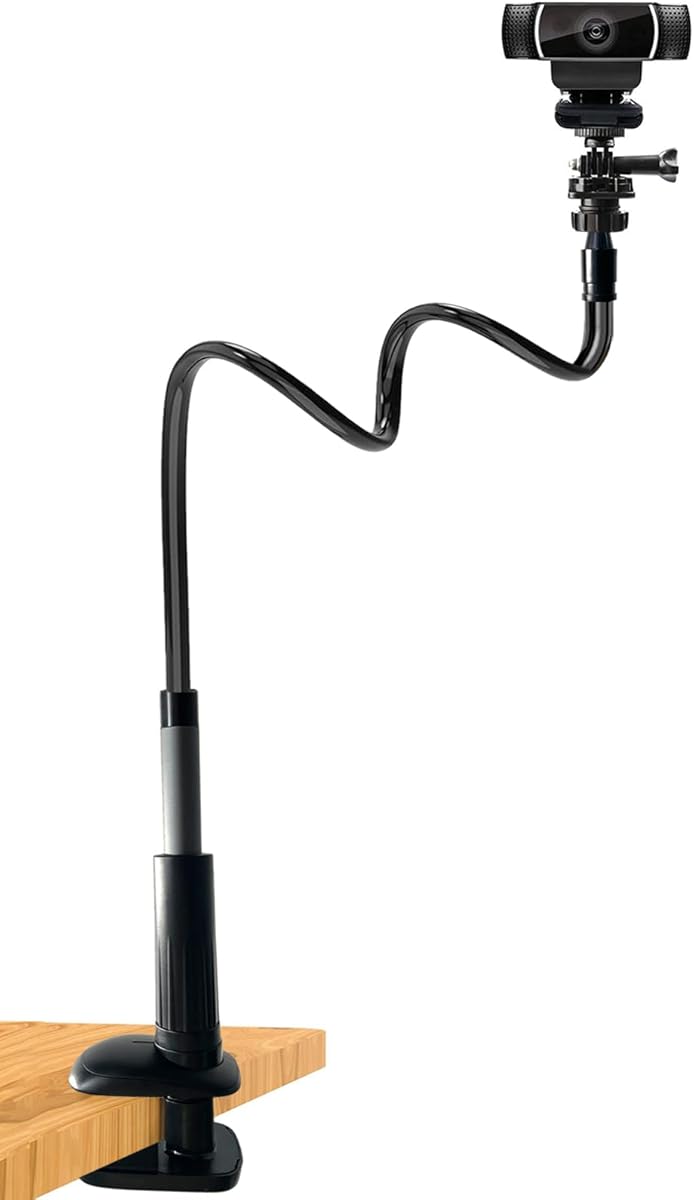
30 Inch Webcam Stand Camera Mount, Upgraded Thick Base Flexible Gooseneck Camera Stand Desk Webcam Mount Clamp
4.1Editor score
Up to 30 inches height
Thick durable clamping base
Universal 1/4 screw compatibility
This guide compares the top clamp on webcam arm options for streaming and work, evaluating stability, flexibility, and compatibility for every budget.
Finding the right clamp on webcam arm can transform your workspace by elevating your camera to eye level for better posture and video quality during calls or streams.
We evaluated ten highly rated options based on build quality, adjustability, load capacity, and ease of installation to help you find the perfect mount for your setup.
Each pick below highlights key features and trade-offs so you can decide which arm fits your desk or rig, keeping in mind that prices may fluctuate over time.
4.1Editor score

5.0Editor score

4.3Editor score
The table below offers a quick side-by-side look at the key specifications and strengths of each clamp on webcam arm we reviewed in this guide.




This standout model combines a solid clamp base with an impressively long gooseneck arm to give you precise control over your camera angle during calls or streams.
We may earn a commission when you buy through this link, at no additional cost to you.
Its thickened ABS construction and anti-scratch silicone pads ensure your furniture stays safe while the arm holds devices like the Logitech C922 or GoPro securely in place.
While the gooseneck requires some manual bending to set, once locked it offers a rigidity that reduces wobble far better than many lighter alternatives on the market.
If you need a reliable mount for Zoom, streaming, or online teaching without spending much, this all-in-one package is an excellent value choice for most desks.
With a total length of 36.6 inches, you can easily position your camera at a flattering angle that improves your posture and video presence.
The included phone holder and standard 1/4 inch thread mean you can switch between webcams, action cameras, or smartphones without buying extra adapters.
We may earn a commission when you buy through this link, at no additional cost to you.
This budget-friendly option focuses on core functionality with a thick clamping base that secures firmly to your desk while allowing significant vertical reach.
We may earn a commission when you buy through this link, at no additional cost to you.
The gooseneck design lets you tweak your angle for streaming or calls, and it supports popular Logitech models like the C920 and Brio within its weight limits.
Just be aware that the 0.7 kilogram load capacity means it works best with lighter webcams rather than heavier DSLRs or bulky camera setups.
If you want a simple, inexpensive way to get your camera off the desk surface without breaking the bank, this model delivers solid performance for everyday use.
The upgraded thick base secures quickly without needing tools, making setup straightforward even for those who are not tech-savvy.
A standard 1/4 inch screw hole ensures it fits most webcams and small action cameras you might already own.
We may earn a commission when you buy through this link, at no additional cost to you.
This kit offers professional-grade rigidity with an all-metal magic arm and super clamp that can handle heavier loads than flexible plastic alternatives.
We may earn a commission when you buy through this link, at no additional cost to you.
Three 360 degree ball heads give you exceptional freedom to angle your camera for overhead shots, product demos, or multi-camera streaming setups.
The rotatable clamping blocks and anti-slip silicone pads ensure a firm grip on both flat desks and round poles without scratching the surface.
Creators who need a durable, highly adjustable mount for static scenes will appreciate the stability and build quality that this premium option provides.
Built-in pins at every joint prevent the arm from loosening during use, maintaining your shot composition over long recording sessions.
The clamp opens up to 50mm for flat surfaces and 60mm for cylindrical objects, letting you attach to tripods or desk legs easily.
We may earn a commission when you buy through this link, at no additional cost to you.
Designed specifically for overhead work, this magic arm provides a longer reach than typical setups to capture top-down views for cooking, crafts, or coding.
We may earn a commission when you buy through this link, at no additional cost to you.
The anti-deflection design and dual-ball clamps ensure your phone or camera stays secure without drooping, making it perfect for live streaming or video calls.
While the 600 gram limit suits most smartphones and webcams, heavier gear might require shortening the arm to avoid slippage during movement.
If your workflow involves showing your hands or desk surface from above, this SMALLRIG option balances reach and stability effectively for content creators.
Each joint features double-ball clamps that allow independent angle tuning for fine-tuned positioning of your device.
Silicone pads on the clamp and arm ends prevent scratches on your phone or camera body during clamping.
We may earn a commission when you buy through this link, at no additional cost to you.
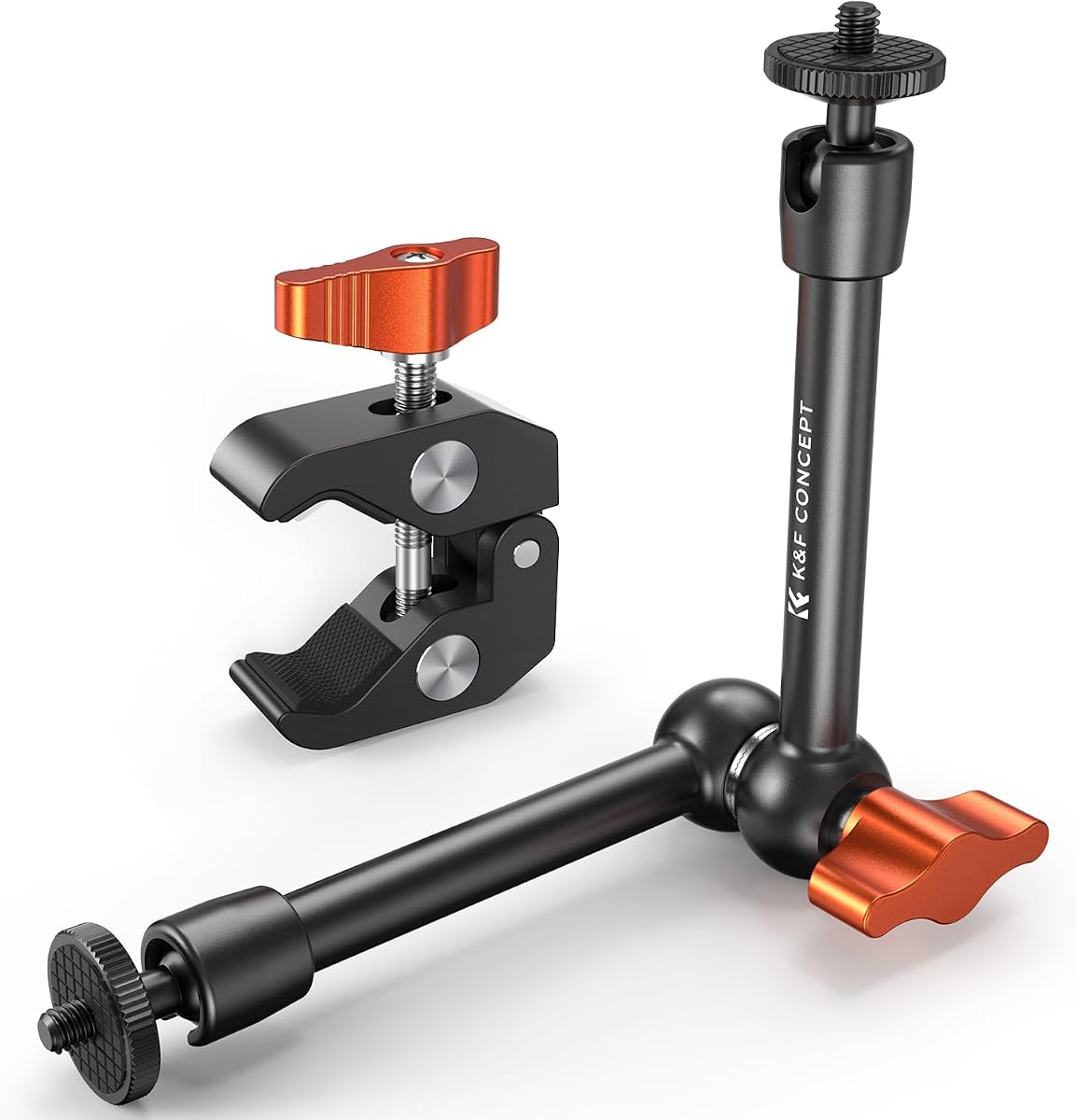
This K&F CONCEPT mount blends durability with flexibility, using an aluminum alloy arm wrapped in silicone for a smooth feel and better grip.
We may earn a commission when you buy through this link, at no additional cost to you.
The upgraded desk clamp grips surfaces up to 45mm thick without slipping, and the S-shape configuration adds extra stability for prolonged use.
With standard 1/4 and 3/8 threads, you can expand the setup with lights or microphones, making it versatile for home studio builds.
If you prefer a metal gooseneck over plastic for long-term reliability, this model offers a solid middle ground between cost and performance.
Soft rubber pads on the clamp prevent scratches on your desk, keeping your workspace looking tidy even after repeated adjustments.
Multiple thread sizes allow easy expansion with other camera accessories to build a more complex shooting rig.
We may earn a commission when you buy through this link, at no additional cost to you.
For tighter spaces, this shorter magic arm provides serious strength with a 2 kilogram load capacity, ideal for mounting microphones or light weights securely.
We may earn a commission when you buy through this link, at no additional cost to you.
The tension knob lets you fine-tune how stiff the joints feel, giving you control over movement without needing extra tools.
While its reach is limited compared to longer arms, it fits perfectly on crowded desks or small rigs where every inch of space matters.
Choose this if you need a sturdy, compact connector for static setups and don't require long overhead positioning.
Despite its small size, the all-metal design supports up to 2 kilograms, making it surprisingly robust for its dimensions.
Dual ball heads enable full rotation so you can orient your device in any direction you need.
We may earn a commission when you buy through this link, at no additional cost to you.
This NEEWER model strikes a balance with a full 22 inch arm that offers plenty of reach for overhead streaming or product filming without breaking the budget.
We may earn a commission when you buy through this link, at no additional cost to you.
Three ball heads provide multiple pivot points for flexible positioning, and the anti-twist pins help keep your angle steady during use.
While the 500 gram limit suits webcams and phones, you should avoid attaching heavy lights or cameras that might cause sagging.
For streamers looking for a reliable mid-range arm that handles typical gear well, this is a strong candidate to consider.
Multiple ball heads allow you to create complex shapes to fit your specific workspace layout.
Nonslip pads protect your device from scratches and prevent unwanted wobbling during recording.
We may earn a commission when you buy through this link, at no additional cost to you.
The Smatree jaw mount excels in flexibility with a gooseneck that can be bent easily to fit tight spaces or awkward angles.
We may earn a commission when you buy through this link, at no additional cost to you.
Its 11.6 inch extension is perfect for mounting action cameras or small webcams where you need quick positioning without rigid structure.
However, the load limit is relatively low, so it works best with lightweight devices like DJI OSMO 360 or small webcams.
If you prioritize flexibility and portability over raw strength, this small mount is a handy tool for mobile creators.
The jaws open to 1.8 inches wide, allowing easy installation around tubes or edges without tools.
A mini tripod head lets you rotate the camera fully to find the best viewing angle.
We may earn a commission when you buy through this link, at no additional cost to you.
This hybrid stand combines a desktop base with an overhead arm to offer vertical reach and overhead angles in a single package.
We may earn a commission when you buy through this link, at no additional cost to you.
The 13 inch arm and included phone holder make it ideal for tutorials, cooking demos, or streaming where you need both device and hand views.
Assembly requires connecting several pieces, but the steel and ABS construction provides enough stability for light use.
If you want an all-in-one solution for varied content without buying separate mounts, this hybrid system offers good versatility.
Includes a phone holder and standard screw mounts so you can switch between devices easily.
The desktop stand height adjusts from 32.5cm to 55cm to suit different table setups.
We may earn a commission when you buy through this link, at no additional cost to you.
This 11 inch arm delivers serious strength with a 2 kilogram capacity, making it ideal for short-range mounting where stability is critical.
We may earn a commission when you buy through this link, at no additional cost to you.
The tension knob and anti-scratch pads ensure secure locking and protect your gear, reflecting K&F's focus on build quality.
While it lacks long reach, it fits well in compact rigs or on poles where space is limited but strength is needed.
For users who need a short, sturdy connector for heavier accessories, this model is a reliable professional choice.
The clamp opens up to 55mm and includes locating holes for versatile mounting options.
Simultaneous tensioning and loosening allow quick changes without fumbling with multiple screws.
We may earn a commission when you buy through this link, at no additional cost to you.
Selecting the right clamp on webcam arm involves balancing reach, strength, and flexibility to suit your workspace and camera weight.
Always check the maximum load capacity listed by the manufacturer to ensure the arm can support your webcam or phone without drooping.
A higher load capacity gives you more safety margin and prevents stress on the joints over time.
Longer arms like 30 inches offer more flexibility to position your camera at eye level, while shorter ones suit compact setups.
Consider how far your desk edge is from your preferred viewing angle before choosing a length.
Some clamps fit flat desks, while others have round grips for poles or round stands, so match the clamp to your mounting surface.
Soft padding or rubber pads protect your furniture from scratches and prevent slipping during adjustments.
Gooseneck arms bend easily but may lose rigidity, whereas magic arms with ball heads offer more stable positioning for long sessions.
Choose the joint style that matches your need for flexibility versus stability during use.
Ensure the arm has a standard 1/4 inch or 3/8 inch screw hole to fit your webcam or phone adapter properly.
Multiple thread sizes increase the chance your camera or accessories will mount securely.
Metal alloys like aluminum or steel offer durability and weight, while plastic or ABS designs are lighter and cheaper.
Heavier materials tend to hold shape better, but plastic may be enough for light webcams.
Some kits include phone holders, adapters, or extension cables that save you from buying separate components later.
Check what is included to avoid hidden costs and ensure everything fits your gear.
Look for tool-free clamping or simple screw adjustments that let you set up your arm quickly without frustration.
Quick installation is important if you move the mount between locations or desks regularly.
Start by clamping the base firmly to a flat, stable surface like a desk or table, ensuring it does not slide during use.
Bend or adjust the arm gradually to your desired position, using S or Z shapes for gooseneck arms to improve stability.
Periodically check the joints and screws for looseness and wipe down the arm to remove dust that could affect movement.
A gooseneck bends freely like a snake to many angles but may sag over time. A magic arm uses rigid segments with ball heads to hold specific positions more securely and is better for heavier loads.
Yes, most include a 1/4 inch thread or come with a phone adapter that fits standard phone cases. Just check the load capacity to ensure your phone is light enough for the arm.
Most modern clamp arms are tool-free, using a screw knob or lever to tighten onto your desk. Some professional kits may need a small wrench for extra stability.
Typical ranges are from 500 grams to 2 kilograms depending on the model. Always verify the weight of your camera before buying to avoid overloading the arm.
Good clamps include rubber or silicone pads that protect the surface from scratches. Ensure the clamp is not over-tightened to prevent pressure marks on soft wood.
Yes, many models have round clamp grips that can attach to tripods or poles. Check the opening size to ensure it fits your pole diameter.
Absolutely, they are built to keep your camera steady during long sessions. Just choose a model with enough load capacity and stable joints for your specific gear.
Use a soft, dry cloth to wipe off dust and oils from the metal or rubber parts. Avoid harsh chemicals that might degrade the protective coatings on the arm.
The top picks highlight models that balance flexibility, strength, and ease of use for various needs ranging from casual calls to professional streaming.
Prioritize load capacity and clamp stability over sheer length to ensure your camera stays steady without drooping or shaking during recording.
Remember to verify current prices and availability as the market changes, and choose the model that matches your specific desk setup.