
HP Chromebook 14 Laptop
4.4Editor score
Lightweight portable design
Long-lasting battery life
Dual array microphones
Finding a reliable cheap laptop for recording music requires balancing budget constraints with essential performance specs like RAM, storage speed, and port availability for audio interfaces.
We compared ten affordable models based on processor power, memory capacity, and real-world usability for music production tasks to help you find the best value option today.
Each pick highlights key strengths and trade-offs so you can decide quickly. Please note that pricing and availability change frequently, so check current listings before purchasing.
4.4Editor score
4.3Editor score

5.0Editor score
As an Amazon Associate we earn from qualifying purchases.
This side-by-side comparison breaks down the core specifications of all ten affordable laptops to help you quickly identify which model offers the best performance for your music recording workflow.


This budget-friendly laptop stands out for its generous 12GB RAM configuration which is rare at this price point and essential for multitasking while recording audio tracks.
We may earn a commission when you buy through this link, at no additional cost to you.
The Pentium Gold processor provides enough power for basic DAW tasks and the Full HD IPS screen offers clear visuals for mixing and waveform editing without eye strain.
While the 128GB storage is limited you can expand it easily via the M.2 slot and the variety of ports means you can connect audio interfaces and monitors without dongles.
It is an ideal choice for beginners or students who need a reliable machine for learning music production without breaking the bank on expensive hardware.
The 12GB RAM allows you to run your recording software alongside browsers and communication tools without noticeable slowdowns during sessions.
You can upgrade the storage capacity up to 1TB which is crucial for storing large sample libraries and project files efficiently.
We may earn a commission when you buy through this link, at no additional cost to you.
This Chromebook offers exceptional portability and battery life making it suitable for editing demos or managing files on the go rather than heavy studio production.
We may earn a commission when you buy through this link, at no additional cost to you.
The integrated dual array microphones are useful for capturing voice memos or quick vocal sketches without needing external microphones immediately.
However the limited 32GB storage and 4GB RAM mean you will rely heavily on cloud storage and external drives for your music assets and projects.
It works best as a companion device for musicians who already have a main workstation and need a mobile tool for file management and light editing.
With up to thirteen and a half hours of usage you can work through long sessions without needing to find a power outlet nearby.
Chrome OS provides automatic updates and built-in security to keep your device protected while you work online or connect to various peripherals.
We may earn a commission when you buy through this link, at no additional cost to you.
This model combines a generous 12GB RAM with a Full HD IPS screen offering a balanced experience for recording and mixing tasks on a budget.
We may earn a commission when you buy through this link, at no additional cost to you.
The anti-glare coating reduces eye strain during long editing sessions and the privacy slider gives you control over your webcam for secure calls.
Connectivity is strong with USB-C and HDMI ports allowing you to plug in external monitors or audio interfaces directly for a better workflow.
It is a solid choice for students and home users who want a reliable machine that handles basic music production needs without lag.
The anti-glare coating on the screen helps reduce reflections so you can focus on your mixing console and waveform edits clearly.
A physical slider allows you to cover the webcam lens when not in use adding an extra layer of security for your online privacy.
We may earn a commission when you buy through this link, at no additional cost to you.
This thin and portable laptop is designed for mobility with 8GB RAM providing enough power for light music production and file management on the go.
We may earn a commission when you buy through this link, at no additional cost to you.
The 14 inch Full HD IPS display offers good color accuracy and viewing angles which is helpful when visualizing audio tracks and editing waves.
With USB-C charging and Bluetooth 5.2 you can connect wireless headphones and peripherals easily keeping your workspace clean and clutter-free.
It is a great option for musicians who need a secondary device to check mixes or manage files while traveling between gigs or rehearsals.
Advanced Bluetooth support ensures stable connections with wireless headphones and speakers for accurate audio monitoring without cables.
The slim profile and lightweight build make it easy to slip into a backpack for transport without adding significant weight to your gear.
We may earn a commission when you buy through this link, at no additional cost to you.
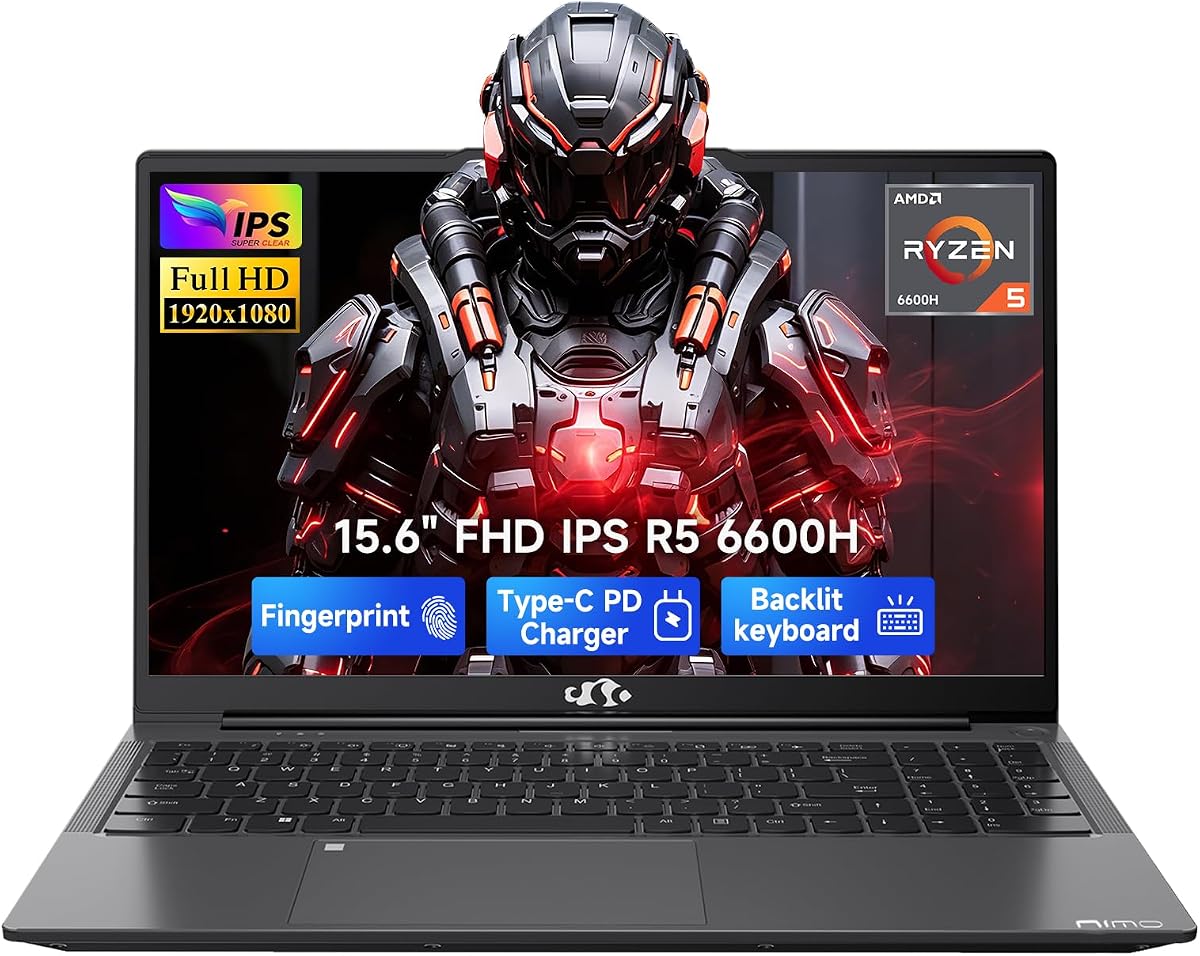
This creator laptop offers significantly higher performance with a six-core AMD Ryzen processor and 16GB DDR5 RAM which handles complex DAW projects smoothly.
We may earn a commission when you buy through this link, at no additional cost to you.
The 512GB PCIe SSD provides ample space for large sample libraries and ensures fast load times for plugins and virtual instruments during sessions.
With dual USB-C ports and HDMI you can set up a multi-monitor workflow essential for mixing tracks and managing routing configurations efficiently.
It is the best choice for serious hobbyists or pros who need a machine that can handle modern recording demands without compromise.
DDR5 RAM offers faster data transfer speeds than older generations improving overall system responsiveness when running multiple plugins.
The backlit keys allow you to type shortcuts and navigate your DAW comfortably even in low-light recording environments at night.
We may earn a commission when you buy through this link, at no additional cost to you.
This model offers a balanced mix of 12GB RAM and 256GB SSD which is enough for storing project files and running music software simultaneously without lag.
We may earn a commission when you buy through this link, at no additional cost to you.
The Full HD IPS display provides clear visuals for editing and the Bluetooth 5.0 ensures you can connect wireless controllers or headphones easily.
With a physical privacy slider and ergonomic keyboard you get comfort and security features that enhance the daily experience of using the laptop.
It is a solid value option for users who need more storage than usual without spending on high-end performance specs.
Double the base storage compared to entry models allows you to keep more projects ready locally without constant external drive management.
The full-size ergonomic keyboard reduces typing fatigue during long sessions of scripting or managing metadata for your audio tracks.
We may earn a commission when you buy through this link, at no additional cost to you.
Designed for quiet operation this laptop ensures your recordings stay clean from fan noise while providing 12GB RAM for smooth multitasking tasks.
We may earn a commission when you buy through this link, at no additional cost to you.
The 256GB SSD gives you room for audio samples and the FHD IPS display with wide viewing angles makes checking levels easier from any angle.
A 170-degree hinge and webcam cover add practical convenience for screen sharing or recording tutorials without needing extra accessories.
It is an excellent choice for home studios where quiet cooling and reliable performance are prioritized over raw power.
The fanless solid-state design ensures silent operation which prevents unwanted noise from interfering with sensitive audio recording sessions.
A 170-degree hinge allows you to position the screen for optimal viewing during mixing sessions without glare or distortion.
We may earn a commission when you buy through this link, at no additional cost to you.
This laptop provides a solid foundation for students with 8GB RAM and 256GB SSD allowing for comfortable editing of recordings and project management.
We may earn a commission when you buy through this link, at no additional cost to you.
The Full HD display supports clear visualization of tracks and the multiple USB ports ensure you can connect MIDI keyboards and interfaces easily.
It is lightweight enough to carry to classes yet powerful enough to handle introductory music production software and basic recording tasks.
Ideal for students starting their music journey who need reliability and storage without breaking the budget.
Multiple USB 3.2 ports allow you to connect external drives and audio interfaces simultaneously without needing a hub.
The full-size ergonomic keyboard enhances typing comfort for entering lyrics or metadata during long creative writing sessions.
We may earn a commission when you buy through this link, at no additional cost to you.
Running Windows 11 this laptop offers a familiar interface for music software and the Type-C PD fast charging keeps you powered up during sessions.
We may earn a commission when you buy through this link, at no additional cost to you.
The 15.6 inch anti-glare display provides clear visuals and the lightweight build makes it easy to take anywhere for recording demos.
While 4GB RAM limits heavy multitasking the expandable storage via TF card lets you store large sample libraries externally for access.
It is a great budget Windows machine for entry-level recording and file management tasks on a tight budget.
Pre-installed with Windows 11 ensures compatibility with modern digital audio workstations and plugins right out of the box.
Fast charging via Type-C means you can quickly top up your battery between meetings or gigs without downtime.
We may earn a commission when you buy through this link, at no additional cost to you.
Weighing just 1.63kg this laptop is incredibly portable making it easy to carry to locations for field recording or remote sessions.
We may earn a commission when you buy through this link, at no additional cost to you.
The expandable storage slot allows you to add up to 512GB which is essential for archiving recordings and expanding project capacity over time.
With three USB 3.0 ports and a Kensington lock slot you can secure the device and connect multiple peripherals without dongles easily.
It is a practical choice for travelers and commuters who need a lightweight device for basic music management and light editing tasks.
At just 1.63kg this machine is easy to carry in any bag making it ideal for portable recording on the go.
TF card support allows quick expansion up to 512GB so you never run out of space for important recordings or samples.
We may earn a commission when you buy through this link, at no additional cost to you.
Selecting the right affordable laptop for music production requires balancing performance needs with budget constraints to ensure smooth recording and editing workflows.
The CPU determines how well your laptop handles real-time audio processing and plugin loads without cracking or latency. Look for at least a modern Intel Core i3 or AMD Ryzen 3 with multiple cores to support multitasking during sessions. Higher clock speeds help reduce buffer sizes for lower latency when monitoring audio through interfaces.
RAM is critical for running your digital audio workstation alongside other apps like web browsers and communication tools. Aim for 8GB minimum but 12GB or 16GB is ideal for larger projects with many tracks and samples. Insufficient memory causes slowdowns and crashes that can interrupt creative flow.
Solid state drives ensure fast boot times and quick loading of samples or projects. Avoid mechanical hard drives as they are slower and prone to failure. At least 256GB is recommended to store your OS and software comfortably. Expandable slots are a bonus for adding space later as your library grows.
You will likely connect audio interfaces MIDI controllers or external drives so check for enough USB ports. USB-C is useful for charging and data while USB-A is needed for older peripherals. HDMI output allows you to connect a second monitor for better workspace organization during mixing.
A Full HD IPS panel provides accurate color representation for waveform viewing and editing. Anti-glare coatings reduce eye strain during long sessions. Screen size impacts how much of the interface you can see at once so larger screens help with complex projects.
Long battery life means you can work away from outlets without interruptions. Look for models offering 8 hours or more of real usage. If you plan to record on the go ensure the battery can sustain performance under load without throttling too quickly.
Windows and macOS have different software availability. Most DAWs run on both but check your preferred software compatibility. Windows laptops are generally cheaper but ensure the OS is genuine and updated. Chrome OS limits you to browser-based tools which may not fit all needs.
Built-in speakers and microphones are generally not sufficient for professional recording. You will rely on external interfaces but decent onboard audio helps for quick checks. Look for models with 3.5mm headphone jacks that support monitoring without extra adapters.
Start by installing your digital audio workstation and essential plugins to ensure you have the core tools ready before beginning your first session.
Keep your system clean by updating drivers and uninstalling unused programs to free up resources for smoother performance during recording.
Protect your device from heat and dust by using it on flat surfaces and cleaning vents periodically to maintain optimal cooling efficiency.
Chromebooks can handle basic editing but rely heavily on browser-based tools. They lack support for many professional desktop DAWs. For serious recording a Windows or Mac laptop is better suited for plugin support.
8GB is the minimum for small projects but 16GB is recommended for complex workflows. More RAM allows you to run more virtual instruments and effects simultaneously. Insufficient RAM leads to crashes and sluggish performance.
Most laptops with USB ports support external interfaces but check driver compatibility. USB-C to USB-A adapters may be needed for older models. Ensure your OS has the right audio drivers installed for low latency performance.
Look for multi-core processors like Intel Core i5 or AMD Ryzen 5 for balanced performance. Higher clock speeds help with real-time audio processing. Avoid older or dual-core models that struggle with modern audio plugins.
Latency depends on drivers and buffer settings more than price. Low-end laptops may struggle with small buffers but can work with increased settings. Investing in audio drivers helps reduce delays during monitoring.
Many budget models offer SD card slots or replaceable SSDs. External USB drives are a simple way to store large libraries. Check your laptop manual before swapping internal components.
Our top picks cover a range of budgets and needs from basic file management to advanced production with the NIMO model standing out for power and the HP Chromebook for portability.
Prioritize RAM and storage speed to ensure smooth performance regardless of your budget choice to avoid lag during critical sessions and future upgrades where possible.
Check current prices and stock availability as these models can change quickly and ensure you buy from authorized sellers to maintain warranty coverage.