
ARCTIC P8 (5 Pack)
4.6Editor score
Static pressure optimized
High quality bearing
Affordable multi-pack
This guide compares the top 80mm case fans for quiet cooling, high airflow, and static pressure to help you choose the right fan for your compact PC build or
Finding the right 80mm case fan is crucial for maintaining optimal temperatures in compact computer builds. These small but powerful fans ensure airflow through tight spaces, preventing overheating in ITX cases, NAS devices, and server racks where space is limited.
We evaluated ten top-rated 80mm fans based on noise levels, airflow performance, bearing technology, and PWM control. Our analysis focuses on real-world usage scenarios including quiet home PCs, mining rigs, and high-density server environments requiring reliable cooling solutions.
Each pick below highlights specific strengths like silent operation, high static pressure, or budget-friendly pricing. Please note that product availability and pricing can change over time, so verify current details before making your final purchase decision for your specific setup needs.
4.6Editor score

4.9Editor score

4.8Editor score
The following table provides a side-by-side comparison of all ten selected 80mm case fans. Review key specifications like speed, noise levels, and connector types to identify which model best fits your specific cooling requirements and budget constraints.


The Noctua NF-A8 PWM stands out as the premier choice for users prioritizing silence and reliability in compact systems. Boasting a near-perfect rating, this fan delivers top-tier acoustic performance while maintaining strong airflow for demanding thermal scenarios.
We may earn a commission when you buy through this link, at no additional cost to you.
Its award-winning design features Flow Acceleration Channels and an Advanced Acoustic Optimisation frame that significantly reduces turbulence and noise. The high-quality bearing ensures over 150,000 hours of lifespan, making it ideal for mission-critical applications like NAS drives or servers.
While the price is higher than budget alternatives, the included accessories like Low-Noise Adaptors and extension cables add value. The only real compromise is the traditional brown color scheme, which may not match sleek all-black builds without modification.
Buyers seeking the absolute quietest performance for ITX cases or workstations should choose this model first. It consistently proves that premium engineering translates to tangible real-world benefits in noise reduction and cooling efficiency.
Advanced frame design minimizes turbulence for whisper-quiet operation even at full speed.
Premium bearing technology ensures decades of trouble-free operation for critical systems.
We may earn a commission when you buy through this link, at no additional cost to you.
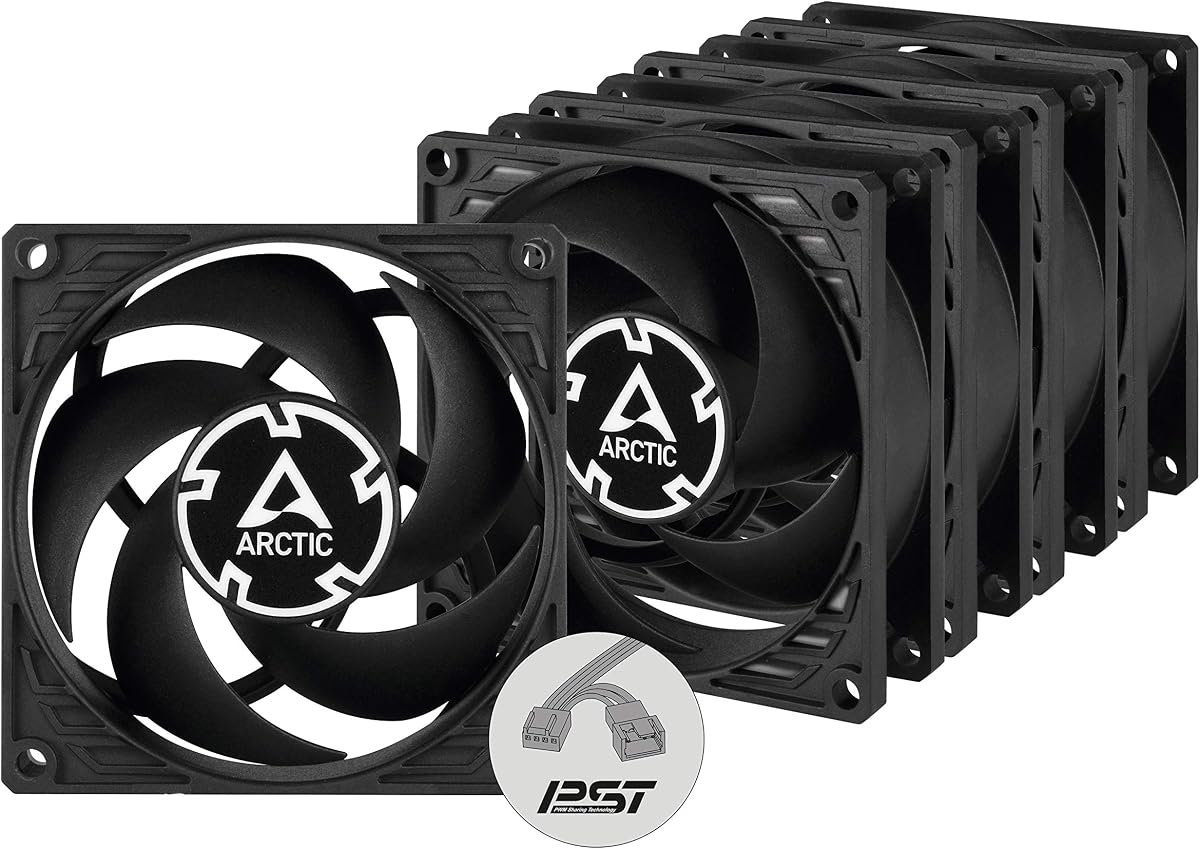
The ARCTIC P8 5-pack offers incredible value for builders needing multiple fans without breaking the bank. With a solid rating and high static pressure focus, these fans excel at pushing air through restrictive filters or heatsinks effectively.
We may earn a commission when you buy through this link, at no additional cost to you.
Its redesigned blades and German-engineered bearing deliver efficient cooling with minimal friction. The fluid dynamic bearing design ensures longevity comparable to sleeve bearings but with reduced noise and increased service life for long-term stability.
However, the lack of PWM means speed is fixed at 3000 RPM which might be too loud for quiet offices. While effective, users must accept that constant high-speed operation may generate more noise than PWM-controlled alternatives.
This pack is perfect for crypto mining rigs or server setups where cost efficiency and cooling power are top priorities. If you need to cool a chassis with limited budget, these provide excellent performance per dollar spent.
Optimized blades push air effectively through high-resistance environments like radiators.
Five fans in one pack save money for multi-fan chassis or redundant cooling needs.
We may earn a commission when you buy through this link, at no additional cost to you.
The ARCTIC P8 PWM PST combines high performance with advanced control features for users seeking better thermal management. Its rating reflects excellent balance between cooling capability and acoustic control in demanding environments.
We may earn a commission when you buy through this link, at no additional cost to you.
PST technology allows synchronized speed control across all five fans from a single header simplifying wiring. The powerful neodymium magnet motor ensures efficiency while keeping vibration low even at maximum RPM settings.
Trade-offs include a slightly higher price than standard P8 models and limited color choices. However, the technical benefits of PWM control and shared signals often outweigh these minor aesthetic constraints for enthusiasts.
Buyers needing both value and smart control for multi-fan setups should prioritize this option. It delivers premium features at a mid-range price, making it a highly versatile choice for various chassis configurations.
PWM Sharing Technology synchronizes fan speeds easily without extra hardware controllers.
Advanced magnets ensure maximum airflow while minimizing power consumption and noise.
We may earn a commission when you buy through this link, at no additional cost to you.
The Noctua NF-R8 redux-1800 brings legendary reliability to a streamlined and more affordable package. Its high rating confirms that cutting corners on features does not mean compromising core performance or acoustic quality.
We may earn a commission when you buy through this link, at no additional cost to you.
Optimized for low noise without sacrificing static pressure, it excels in chassis ventilation or NAS replacement scenarios. The automatic speed control ensures powerful airflow during load and virtual silence during idle periods.
The redux line trades some accessory bundles for a more attractive price point. While it may lack the absolute top performance of the NF-A8, it remains a top contender for general-purpose cooling needs.
Users wanting a trusted brand without the top-tier price tag should consider this model. It offers a perfect compromise for daily desktop use where consistent reliability matters most over extreme specs.
Noctua quality proven by hundreds of awards ensures consistent long-term performance.
PWM compatibility allows automatic speed adjustments based on system temperature needs.
We may earn a commission when you buy through this link, at no additional cost to you.
The Kingwin 80mm Silent Fan is explicitly engineered for high-density environments like mining rigs and GPU farms. Its rating suggests strong performance for users prioritizing maximum airflow and durability in tough conditions.
We may earn a commission when you buy through this link, at no additional cost to you.
The blade design focuses on moving large volumes of air efficiently to reduce heat buildup significantly. Long life bearing technology ensures that even under constant 24/7 operation, the unit maintains consistent cooling performance.
Compared to premium options, it may not offer the same acoustic refinement but excels in raw utility. The universal fit ensures compatibility with standard mounts, making replacement easy across many device types.
This fan is the best choice for miners and server operators needing reliable cooling without premium costs. It effectively balances price with performance for those who need robust airflow in harsh thermal environments.
Specifically built to handle high-performance environments and maintain airflow constantly.
Blade geometry focuses on maximum ventilation to reduce system heat buildup effectively.
We may earn a commission when you buy through this link, at no additional cost to you.
The ARCTIC P8 Silent delivers exceptional quietness making it ideal for HTPC builds or offices where noise is critical. Its high rating confirms that users appreciate the balance of silence and functional cooling performance.
We may earn a commission when you buy through this link, at no additional cost to you.
The motor is designed to reduce friction and noise at low speeds where most fans struggle. Despite being a 3-pin fixed-speed fan, it maintains efficient cooling through high static pressure optimization.
The trade-off is lower maximum speed compared to high-RPM models which limits cooling potential in hot conditions. However for low-power systems or silent setups this limitation is often acceptable given the acoustic benefits.
Choose this model if silence is your absolute top priority for your build. It provides a whisper-quiet experience that rarely rivals other fans in its price bracket for residential or office settings.
Special motor design ensures the noise is barely noticeable even during full operation.
Effective even with high air resistance on heatsinks or radiators due to optimized blades.
We may earn a commission when you buy through this link, at no additional cost to you.
The Noctua NF-A8 PWM chromax.Black.swap offers the same elite performance as the brown version but fits all-black builds seamlessly. Its strong rating highlights that users value both the acoustic performance and the visual appeal.
We may earn a commission when you buy through this link, at no additional cost to you.
Flow Acceleration Channels and acoustic optimization ensure that this fan remains among the quietest 80mm options available. The chromax design swaps the traditional brown for sleek black with included pad colors for customization.
While the price is higher, the aesthetic upgrade is significant for modern PC case designs. The swappable pads allow personalization without modifying the fan frame itself ensuring a clean look.
Buyers wanting premium Noctua quality with a modern dark aesthetic should choose this model. It perfectly bridges the gap between functional excellence and visual style in compact chassis setups.
All-black design matches modern PC builds without clashing with colorful components.
Swappable pads allow users to match fan accents to specific build color schemes easily.
We may earn a commission when you buy through this link, at no additional cost to you.
The ARCTIC P8 Silent 5-pack provides a practical solution for users needing multiple quiet fans at once. While the rating is slightly lower due to lack of speed control, the value proposition is high for silent setups.
We may earn a commission when you buy through this link, at no additional cost to you.
Each unit features the same optimized motor and bearing as the single Silent model ensuring consistent performance. The multi-pack design simplifies procurement for larger cases requiring multiple intake or exhaust points.
Users must accept that fixed 1600 RPM speed may limit maximum airflow compared to PWM options. However, for passive cooling or low-heat builds, this steady operation often suffices without adding cost.
This pack is ideal for office PCs or media centers needing silent, reliable airflow across multiple zones. It balances bulk pricing with acoustic performance effectively for non-gaming applications.
Buying five units together saves money compared to purchasing individual fans separately.
Each fan in the pack maintains low noise levels suitable for office or living spaces.
We may earn a commission when you buy through this link, at no additional cost to you.
The ARCTIC P8 Max stands as the most powerful 80mm fan on the market with speeds reaching 5000 RPM. Its rating reflects strong acceptance among users needing extreme cooling capabilities in tight spaces.
We may earn a commission when you buy through this link, at no additional cost to you.
Designed for high component density, it handles server racks and intense heat loads effectively. The fluid dynamic bearing ensures that even at these high speeds, mechanical reliability remains high over years of use.
The trade-off is noise; at maximum speed, the fan is loud and unsuitable for quiet environments. Users must configure PWM curves carefully to balance cooling needs with acceptable acoustic levels.
Select this fan if raw cooling power is the priority over silence. It is perfect for server racks or mining rigs where maximum airflow ensures thermal stability under heavy load.
5000 RPM capability makes it the most powerful 80mm fan for high-density cooling.
Advanced bearing ensures longevity even when running at maximum speed constantly.
We may earn a commission when you buy through this link, at no additional cost to you.
The Thermalright TL-8015 offers a compact 15mm profile ideal for ultra-thin cases or tight clearances. Its rating shows that despite the slim form factor, it maintains respectable airflow and noise performance.
We may earn a commission when you buy through this link, at no additional cost to you.
It uses S-FDB V2 bearings to reduce noise while providing effective cooling for CPU coolers or thin radiators. PWM control ensures that speed adjusts automatically based on motherboard temperature requirements.
The slim depth means it moves less air than standard 25mm fans so cooling capacity is slightly lower. However, for systems where space is extremely limited, this fan provides necessary airflow without sacrificing compatibility.
Users with strict space constraints should prioritize this model. It delivers balanced performance for cases where standard thickness fans simply cannot fit due to component interference.
15mm thickness allows installation in cases with extremely tight internal clearances.
Provides adequate airflow and quiet operation despite being thinner than standard fans.
We may earn a commission when you buy through this link, at no additional cost to you.
Choosing the right 80mm fan depends on your specific cooling needs, case dimensions, and budget constraints. Understanding key technical factors ensures you select a fan that performs efficiently without unnecessary noise or cost.
RPM determines how fast the fan spins and directly correlates to airflow potential. Higher RPM usually means more air movement but also more noise and power consumption for the system components.
Look for models with wide RPM ranges and automatic control to balance cooling needs with acoustic comfort effectively.
Noise is measured in decibels (dBA) or sones. Lower numbers indicate quieter operation which is critical for offices or quiet home builds needing minimal distraction.
Prioritize fans rated below 20dBA if silence is your primary concern for your specific build environment.
4-pin PWM connectors allow dynamic speed control via motherboard headers for automatic temperature adjustment. 3-pin fans typically run at fixed speeds unless manually modified or slowed by a resistor.
Choose 4-pin PWM models if you want automatic speed adjustments without manual intervention in your system.
Static pressure is crucial for pushing air through restrictive filters or heatsinks. Airflow (CFM) matters more for open cases needing general volume circulation without obstruction.
Select high-static-pressure models for radiators or intake filters; choose high-airflow for open chassis vents.
Bearings determine longevity and noise. Fluid Dynamic Bearings (FDB) offer quiet operation and high life spans. Sleeve bearings are cheaper but may degrade faster over time.
Always check bearing type to ensure the fan lasts as long as your system components without failure.
Standard 80mm fans are usually 25mm thick, but thinner 15mm models exist for compact cases. Verify your case clearance before purchasing to ensure physical fit.
Ensure the fan thickness matches your case or cooler requirements to avoid installation conflicts.
Included anti-vibration mounts and screws reduce noise transfer to the chassis. Extras like extension cables help with cable management in tight builds.
Look for kits that include necessary mounting hardware to save time and additional purchase costs.
Prices vary significantly. Budget packs offer value for multiple fans, while premium models offer better build quality and acoustics. Balance your needs accordingly.
Choose a fan that fits your budget but prioritizes quality to avoid frequent replacements later.
Install fans securely using provided screws or anti-vibration mounts to reduce noise transfer to your chassis. Ensure airflow direction points outward for exhaust or inward for intake depending on your cooling strategy.
Connect the fan headers to your motherboard or fan controller. If using PWM fans, ensure the 4-pin connector is plugged into a PWM header for automatic speed control to work.
Periodically dust the blades using compressed air to maintain airflow efficiency. Dust buildup can cause vibrations and imbalance which increases noise and reduces cooling performance over time.
3-pin fans lack the fourth signal wire for pulse width modulation (PWM). This means they typically run at full speed unless manually throttled. 4-pin fans support automatic speed control via motherboard headers for better efficiency.
Noise depends on speed and bearing quality. High-RPM fans are louder than low-RPM ones. Premium fans like Noctua or Arctic are designed to remain quiet even at higher speeds due to optimized blade designs.
Yes, mounts significantly reduce vibration noise transferred to the case. Most quality fans include rubber mounts. Without them, metal-to-metal contact often creates humming noises at full speed.
Yes, a 4-pin fan works perfectly on a 3-pin header. It will run at full speed unless the BIOS supports voltage control. The extra pin simply allows for smarter speed regulation on compatible headers.
Quality fans with Fluid Dynamic or Ball Bearings last over 150,000 hours. Cheaper sleeve bearings may last 50,000 hours. Always check the MTTF rating before buying for long-term reliability.
High static pressure and high RPM models are best for server racks. Fans like the ARCTIC P8 Max provide the intense airflow needed for high-density server environments with restricted airflow.
The top picks for 80mm case fans balance performance, noise, and price effectively. Whether you choose the premium Noctua NF-A8 PWM for silence or the budget-friendly ARCTIC P8 multi-pack, each model offers distinct strengths.
Prioritize noise levels for home offices and static pressure for dense cooling setups. Always verify dimensions and connector types before purchasing to ensure compatibility with your specific chassis or device.
Remember that product prices and availability fluctuate regularly. Always check current listings to secure the best value for your needs before finalizing your cooling component purchase decision.