
Raywego 49 Inch Curved Ultrawide
4.6Editor score
165Hz Refresh Rate
1500R Curvature
DQHD Resolution
Finding the right display is crucial for serious simulation racing enthusiasts who demand immersion and precision. A 49 inch ultrawide monitor for SIM racing provides a panoramic view that mimics real-world peripheral vision, enhancing both performance and enjoyment on the virtual track.
We evaluated ten leading models based on resolution, refresh rate, curvature, color accuracy, and connectivity options. Our analysis focuses on how each screen handles high-speed motion, dark corner visibility, and multitasking needs for racers who also stream or manage telemetry data.
Each pick highlights key strengths and trade-offs to help you match a monitor to your specific setup and budget. Note that product availability and pricing can change frequently, so verify current details before making your final decision to ensure you get the best value.
4.6Editor score

4.3Editor score

4.4Editor score
As an Amazon Associate we earn from qualifying purchases.
This side-by-side comparison outlines the key specifications and unique features of each monitor to help you quickly identify which model aligns best with your simulation racing requirements and workstation constraints.




The Samsung 49 Inch Odyssey OLED G9 stands out with its QD-OLED technology, offering infinite contrast and instant response times ideal for competitive racing. It delivers a visual fidelity that LCD panels cannot match due to its ability to render true black without light bleed.
We may earn a commission when you buy through this link, at no additional cost to you.
Its 144Hz refresh rate combined with a 0.03ms response time ensures that high-speed turns and braking inputs appear fluid without ghosting. The wide color spectrum makes track environments look realistic, helping drivers gauge conditions and distances more accurately during a race.
While the thermal modulation system and logo detection help prevent burn-in during long sessions, users should still be mindful of static HUD elements. The premium price reflects the cutting-edge panel technology, which may not fit every budget despite the performance benefits.
This monitor is perfect for serious sim racers who prioritize visual fidelity and response speed above all else. If you can invest in top-tier hardware, this model offers an unrivaled immersion that elevates the simulation experience significantly.
The OLED panel delivers true blacks that make night circuits feel genuinely dark, enhancing depth perception and immersion during low-light events.
With a near-instant response time, every steering correction registers immediately, reducing motion blur during aggressive cornering or lane changes.
We may earn a commission when you buy through this link, at no additional cost to you.
The Raywego 49 Inch Curved Ultrawide provides an accessible entry point into ultrawide sim racing with solid specifications like a 165Hz refresh rate and DQHD resolution. It balances cost and performance effectively for those new to the format or on a tight budget.
We may earn a commission when you buy through this link, at no additional cost to you.
Its 1500R curvature wraps around your field of view naturally, helping you spot cars approaching from the side without excessive head movement. The 1ms response time and adaptive sync support reduce stuttering, ensuring smooth motion even when speeds ramp up on straightaways.
While it lacks the deep blacks of premium panels, the 127% sRGB coverage ensures colors remain vibrant enough for most tracks. Some users might notice slight input lag compared to TN panels, but this is generally acceptable for amateur and intermediate sim racing setups.
Choose this if you need a large, immersive screen without breaking the bank. It serves as a reliable replacement for dual monitors, offering a seamless visual experience that supports both gaming and workstation tasks efficiently.
At a lower price point, this monitor makes the 49-inch ultrawide experience achievable for more hobbyists without sacrificing essential gaming features.
The wide aspect ratio allows you to run telemetry apps alongside your racing game, improving your ability to analyze performance data in real-time.
We may earn a commission when you buy through this link, at no additional cost to you.
The 2025 Samsung G9 G91F model refines the ultrawide experience with a 1000R curve that closely matches the human eye for maximum peripheral immersion. Its DisplayHDR 600 certification ensures that bright sunlight or glare effects render accurately during daytime races.
We may earn a commission when you buy through this link, at no additional cost to you.
With a 144Hz refresh rate and 1ms response time, this monitor keeps motion smooth and clear. AMD FreeSync Premium Pro reduces tearing when GPU output fluctuates, maintaining consistent frame pacing which is critical for maintaining timing in braking zones.
Auto Source Switch plus helps you jump straight into your sim without menu navigation when switching between devices. The ergonomic stand allows tilt and height adjustments to align the screen with your driving position, though it requires a substantial desk footprint.
This is the ideal choice for dedicated sim racers who want Samsung's premium curve and reliable performance. It offers a balanced mix of speed, brightness, and immersion that supports serious practice sessions and competitive events alike.
The 1000R curvature ensures the edges of the screen are equally distant from your eyes, reducing strain and increasing perceived immersion.
DisplayHDR 600 provides enough brightness to handle reflections off car bodies or track surfaces without washing out the image details.
We may earn a commission when you buy through this link, at no additional cost to you.
The 2024 Samsung Odyssey G9 pushes speed with a 240Hz refresh rate that outpaces most competitors, delivering ultra-smooth motion for fast-paced racing titles. Its HDR1000 peak brightness allows for exceptional detail in high-contrast scenarios like tunnel transitions or sun glare.
We may earn a commission when you buy through this link, at no additional cost to you.
CoreSync technology projects on-screen colors into the room environment, extending immersion beyond the monitor frame. This can make night races feel more atmospheric and helps reduce eye strain by balancing screen brightness with ambient room lighting.
However, the advanced features require careful configuration to work best, and the monitor is heavy and wide. Users should ensure their GPU can handle high refresh rates at DQHD resolution to fully utilize the hardware without bottlenecks.
This model suits enthusiasts who want the absolute highest refresh rates available. If you compete in leagues where every millisecond counts, this speed advantage combined with vivid visuals makes it a strong contender for top-tier setups.
CoreSync adds lighting behind the monitor that matches game colors, deepening immersion and reducing eye fatigue during extended play.
HDR1000 ensures bright highlights remain visible and detailed, helping you see track markings clearly even under intense lighting conditions.
We may earn a commission when you buy through this link, at no additional cost to you.
The INNOCN 49C1R stands out for its comprehensive connectivity, including a USB-C port that supports 65W power delivery. This makes it easy to connect laptops for telemetry work while charging the device with a single cable, simplifying desk clutter.
We may earn a commission when you buy through this link, at no additional cost to you.
With 99% sRGB coverage and HDR400 support, colors remain consistent and accurate. The 120Hz refresh rate is sufficient for many sim racers, and Adaptive-Sync helps keep visuals smooth during gameplay without tearing or stuttering issues.
Built-in speakers provide a baseline audio option for menu navigation or casual viewing, though serious gamers will likely prefer dedicated headphones. The adjustable stand allows for tilt and height changes to achieve a comfortable viewing angle during long sessions.
If you need a monitor that doubles as a hub for your laptop or console setup, this model offers strong value. Its mix of connectivity and display quality supports both racing and productive work on a single screen.
USB-C power delivery reduces cable mess when using a laptop as your main PC, keeping the workspace cleaner and more organized.
High sRGB coverage ensures that telemetry graphs and color-coded performance metrics display accurately without distortion or washout.
We may earn a commission when you buy through this link, at no additional cost to you.
The CRUA 49 Inch offers a 165Hz refresh rate at a competitive price point, making high-speed visuals accessible to more users. Its 120% sRGB coverage ensures colors look vivid and engaging across various racing environments and weather conditions.
We may earn a commission when you buy through this link, at no additional cost to you.
AMD FreeSync eliminates screen tearing and stuttering on compatible systems. The 1500R curvature expands your field of view, helping you track approaching traffic or AI opponents without excessive head movement during cornering.
Eye-care features like low blue light and flicker-free technology help reduce strain during long sessions. While it lacks built-in speakers, the adjustable stand and wall mount options give you flexibility in how you set up your workspace.
This is a solid mid-range choice for those who prioritize smooth motion over premium HDR features. It delivers reliable performance for racing titles and supports both gaming and productivity with minimal compromise.
The 165Hz refresh rate ensures that fast-paced scenes remain fluid, reducing motion blur during high-speed overtaking or rapid direction changes.
Wider color coverage makes track surfaces and car liveries look more lifelike, enhancing the visual appeal of the simulation environment.
We may earn a commission when you buy through this link, at no additional cost to you.
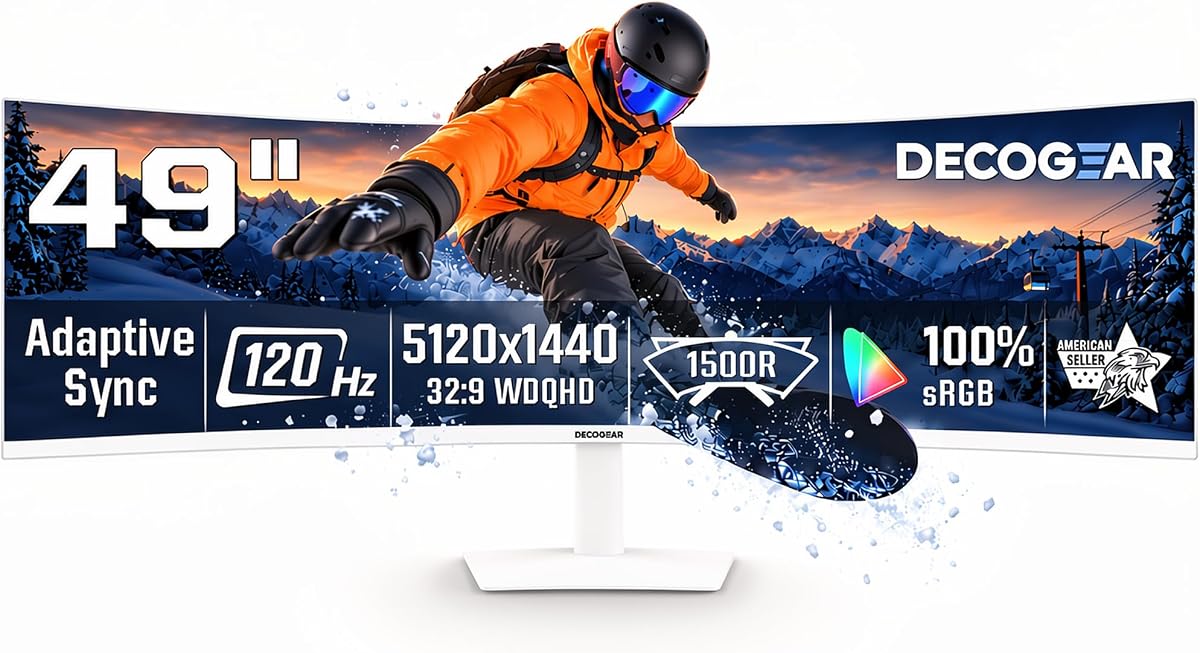
The Deco Gear 49 Inch emphasizes multitasking with KVM support and PIP/PBP modes. You can control two computers with one keyboard and mouse, which is useful for managing different racing rigs or telemetry PCs on a single screen.
We may earn a commission when you buy through this link, at no additional cost to you.
Its 120Hz refresh rate is adequate for casual racing, while HDR compatibility ensures decent contrast. The built-in speakers offer basic audio feedback, though you may prefer external options for immersive sound in high-fidelity simulators.
Adjustment options include tilt, swivel, and height changes to suit different desk setups. While it may not match the raw speed of gaming-focused models, its versatility makes it a strong hybrid tool for gaming and work.
Pick this if you need a screen that serves multiple roles beyond just racing. The ability to split the screen and switch inputs easily streamlines complex workflows without needing additional hardware.
KVM functionality lets you switch control between PCs instantly, streamlining workflows when comparing sim rigs or managing recording setups.
PIP and PBP modes allow you to run a chat app or telemetry data alongside your game without needing a second monitor.
We may earn a commission when you buy through this link, at no additional cost to you.
The ASUS ROG XG49VQ uses a DFHD resolution that is less taxing on older graphics cards, making it a good fit for legacy systems. Despite lower pixel density, the 144Hz refresh rate ensures smooth motion and FreeSync 2 HDR compatibility.
We may earn a commission when you buy through this link, at no additional cost to you.
GameVisual and GamePlus features provide overlays to enhance your view during competition. The ergonomic stand supports tilt and swivel adjustments to find a comfortable position for long racing sessions without fatigue.
Eye Care technology minimizes blue light and flicker to protect your vision. While the resolution isn't as sharp as modern DQHD panels, it balances performance with affordability for those constrained by GPU capabilities.
This monitor works well if you cannot run higher resolutions at high frame rates. It delivers a reliable gaming experience with features designed to reduce strain and improve usability over time.
DFHD resolution reduces GPU load, allowing for consistent high frame rates even on mid-range graphics cards that struggle with DQHD.
GameVisual presets adjust color and contrast automatically to highlight critical game elements like track boundaries or enemy vehicles.
We may earn a commission when you buy through this link, at no additional cost to you.
The Z-Edge 5K 49 Inch pushes performance with a 240Hz refresh rate that rivals high-end models at a more accessible price. Its 1ms response time helps eliminate blur, ensuring crisp visuals during rapid movements on the track.
We may earn a commission when you buy through this link, at no additional cost to you.
With 99% sRGB coverage, colors remain vivid and consistent. USB-C, HDMI 2.1, and DisplayPort connectivity give you flexibility in connecting modern consoles and PCs without needing extra adapters.
PIP and PBP functions allow for multi-source viewing without extra monitors. While the 1800R curve may feel flatter than tighter curves, it still provides enough immersion to make the screen feel larger than standard displays.
If you want high refresh rates without paying a premium price, this model is worth considering. It balances speed and visual accuracy well, making it suitable for both competitive play and content creation.
The 240Hz refresh rate provides ultra-smooth visuals that make fast action look clearer and reduce motion blur during high-speed sequences.
99% sRGB ensures that colors remain true to life, which helps with reading track markings and environmental details clearly.
We may earn a commission when you buy through this link, at no additional cost to you.
The Samsung G9 G93SC combines OLED panel benefits with a 240Hz refresh rate for a potent mix of speed and contrast. True Black 400 delivers infinite contrast, making dark scenes appear naturally dark without pixel light bleed.
We may earn a commission when you buy through this link, at no additional cost to you.
Its 0.03ms response time is among the fastest available, ensuring no delay in image transitions during high-speed cornering. HDMI 2.1 support keeps you ahead of the competition by enabling next-gen console compatibility.
While the design is slim and premium, the risk of burn-in remains a consideration for static HUD usage. Auto Source Switch plus helps you skip menus, reducing wait times between switching devices during gaming sessions.
This model fits those seeking the ultimate visual fidelity with high refresh rates. If you want a premium experience that rivals the best in class, this OLED monitor offers exceptional performance and modern connectivity.
DisplayHDR True Black 400 ensures that shadows and dark areas retain detail, enhancing immersion during night races or tunnel sections.
HDMI 2.1 support means you can connect the latest consoles or high-bandwidth PCs without compromising performance or resolution.
We may earn a commission when you buy through this link, at no additional cost to you.
Selecting the right monitor involves balancing resolution, refresh rate, curvature, and panel type to match your hardware and budget constraints.
Resolution determines how sharp details appear on the screen. Higher resolutions like Dual QHD provide clear text for telemetry and crisp track markings, which helps you read data and environmental cues during a race. If your PC struggles to render high resolutions, consider lower pixel counts that still maintain good immersion.
Look for DQHD 5120×1440 as a balanced starting point for ultrawide monitors to ensure sharpness without overwhelming your graphics card.
Refresh rate defines how many times per second the screen updates, with higher rates reducing motion blur and improving responsiveness. Response time measures how quickly a pixel changes color, influencing how fast moving objects appear on screen. For fast-paced racing, rates above 144Hz and response times near 1ms are ideal to avoid lag or ghosting.
Prioritize models with 144Hz or higher refresh rates and sub-millisecond response times to keep motion fluid during high-speed sequences.
Curvature affects how much the screen wraps around your view. Tighter curves like 1000R increase immersion by keeping edge pixels closer to your eyes, reducing distortion at the sides. Flatter curves such as 1800R may feel less dramatic but often offer better image uniformity from different viewing angles.
Choose a curvature that matches your distance to the screen; 1000R to 1500R usually provides the best balance of immersion and clarity for 49-inch displays.
Panel technology influences contrast, color accuracy, and speed. OLED panels offer perfect blacks and instant response but come with burn-in risks and high costs. VA panels are common in ultrawide monitors, offering good contrast and colors without the premium price. IPS panels have better viewing angles but often lower contrast.
Select VA or OLED based on your budget and tolerance for burn-in, ensuring color coverage like sRGB stays high for realistic track visuals.
Ports determine what devices you can connect easily. HDMI and DisplayPort are standard, but USB-C can simplify setups by carrying video and power over one cable. Check for Adaptive Sync support like FreeSync or G-Sync to prevent screen tearing when frame rates fluctuate during intense gameplay.
Ensure the monitor has enough ports for your PC and peripherals, and prioritize Adaptive Sync features to maintain smooth visuals.
Ergonomic stands help you adjust height, tilt, and swivel to align the screen with your posture. This reduces strain on your neck and eyes during long sessions. If you prefer wall mounting, verify VESA compatibility so you can use third-party arms for flexible positioning.
Choose a stand that offers height adjustment and VESA compatibility to keep the screen at a comfortable viewing level for extended use.
Extra features like HDR, PIP, or ambient lighting can enhance immersion and usability. HDR improves contrast and brightness, while PIP lets you view apps on top of your game. Lighting adds depth to your environment, reducing eye strain by balancing screen brightness with room lighting.
Look for HDR and multi-window modes to improve how you interact with telemetry data and game visuals without switching monitors.
Budget influences which features you can access. Premium models offer OLED and faster refresh rates, while budget options cover essential specs like high refresh and good contrast. Weigh what matters most for your needs, such as speed versus visual fidelity, to find the best value.
Compare models within your price range to ensure you get necessary features like refresh rate and resolution without overspending on extras.
Position the monitor at arm's length to minimize eye strain during long sessions. Center the screen so your head remains still while using the width for peripheral views.
Use adaptive sync settings and enable HDR if your PC supports it. These features prevent tearing and enhance contrast, making the experience smoother and more immersive.
Clean the screen with a microfiber cloth and mild solution to avoid scratches. Keep the area well-ventilated to prevent heat buildup that can shorten the monitor's lifespan.
Yes, most modern simulators like iRacing and Assetto Corsa support 32:9 ultrawide resolutions. You may need to adjust FOV settings in-game to get the widest view without distortion or stretching. Check developer forums for optimal settings.
A refresh rate of 144Hz or higher is generally recommended for smooth motion and reduced blur. Higher rates help track moving objects and improve responsiveness during quick maneuvers on the track.
Driving a 49 inch ultrawide monitor at high resolution and refresh rates requires a capable graphics card. Mid-range GPUs may struggle, so check your system's performance against the monitor's demands.
Ultrawide monitors can serve both gaming and productivity by allowing multiple windows side by side. This makes them useful for running telemetry or chat apps alongside your racing game.
Curves between 1000R and 1500R are ideal for 49-inch monitors. They balance immersion with image uniformity, keeping edge pixels closer to your eyes for consistent clarity.
Enable Adaptive Sync in your graphics card control panel and verify the monitor supports it. This feature syncs the refresh rate with your GPU output, preventing screen tearing during gameplay.
Most 49-inch monitors support standard VESA mounting, allowing you to use wall arms for space-saving setups. Check the monitor's VESA pattern before purchasing a mount.
Yes, OLED panels can suffer from burn-in if static elements like HUDs remain visible for long periods. Modern models include pixel shift and auto-brightness features to reduce this risk during extended use.
The Samsung 49 Inch Odyssey OLED G9, Raywego 49 Inch Curved Ultrawide, and Samsung G9 G91F offer top-tier experiences across different price points. Each brings unique strengths in response speed, immersion, and versatility for serious sim racers.
Prioritize refresh rate and response time if competitive edge matters most, while resolution and color accuracy enhance realism. Balance these against your budget and GPU capabilities to avoid bottlenecks that hinder performance.
Always verify current availability and pricing as these models evolve quickly. The best choice for you depends on how you plan to use the screen beyond racing, such as for streaming or telemetry work.