
INNOCN 49C1G
4.4Editor score
144Hz Refresh Rate
USB Type C Port
32:9 Aspect Ratio
Finding the right display can transform your workflow and gaming experience. Ultrawide curved monitors offer an immersive viewing experience that standard screens cannot match. With a 49 inch size, you get expansive screen real estate ideal for multitasking and entertainment.
We have evaluated ten top-rated models based on performance, features, and user feedback. Our comparison looks closely at resolution, refresh rates, color accuracy, and connectivity options. This ensures you find a monitor that fits your specific needs and budget.
Each pick in this list highlights unique strengths and potential trade-offs. You will see detailed breakdowns of what makes each model stand out in its category. Please note that prices and availability can change frequently so check current listings before buying.
4.4Editor score

4.1Editor score
4.2Editor score
As an Amazon Associate we earn from qualifying purchases.
Below you will find a side-by-side comparison of all ten models included in this guide. We have extracted key specifications to help you quickly identify differences in resolution, refresh rate, and connectivity options.




The Samsung 49 Odyssey G93SC stands out as a premium choice for those seeking the ultimate visual experience. With its QD-OLED panel, it delivers vibrant colors and deep blacks that standard LCD screens simply cannot match. This monitor is rated highly for its gaming capabilities and stunning picture quality.
We may earn a commission when you buy through this link, at no additional cost to you.
Its 240Hz refresh rate and 0.03ms response time ensure that fast-paced games look smooth and responsive. The 1800R curvature wraps around your field of vision, creating an immersive environment that keeps you engaged. HDR True Black 400 certification means you see true blacks without light bleed, perfect for dark room gaming.
While the price is higher than other options, the performance justifies the investment for serious gamers. The only trade-offs are the need for a powerful graphics card to drive the resolution and refresh rate and the potential for burn-in over long periods if static images are used. These are acceptable given the visual rewards.
You should buy this if you want the best gaming monitor available and have the budget for it. It is ideal for enthusiasts who value picture quality and speed above all else. This monitor sets a new standard for ultrawide displays in the current market.
The QD-OLED technology provides a wide color gamut and infinite contrast ratio making every scene look lifelike.
With a 240Hz refresh rate and near instant response time this monitor eliminates motion blur and input lag effectively.
We may earn a commission when you buy through this link, at no additional cost to you.
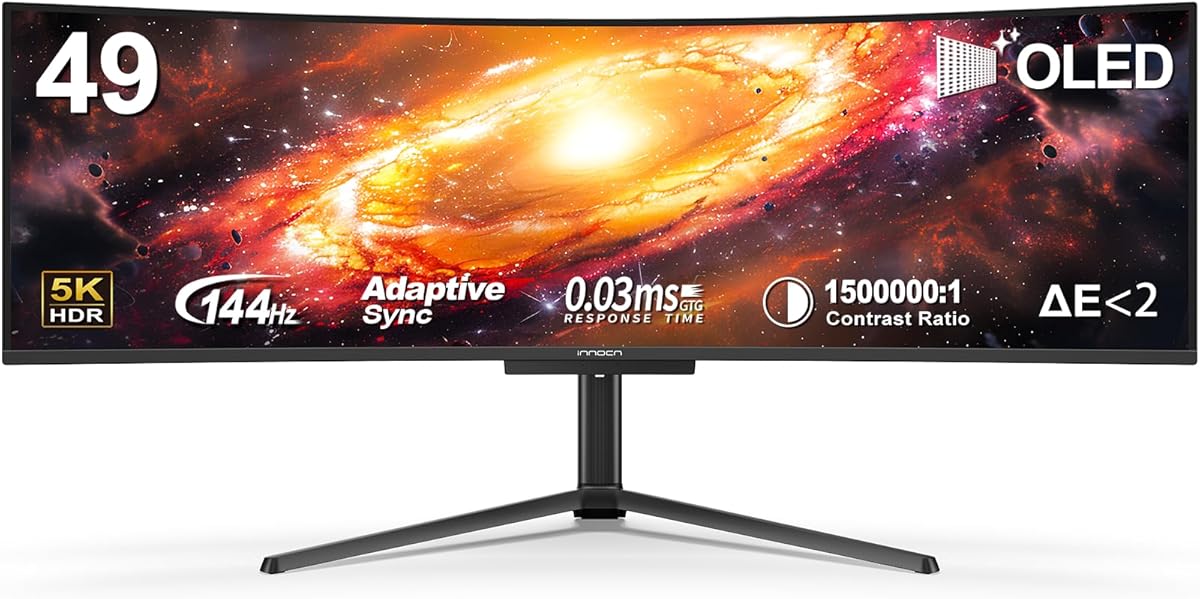
The INNOCN 49C1G offers an exceptional value for those looking to upgrade to a massive screen without breaking the bank. It features a 49-inch display with a 32:9 aspect ratio which provides plenty of space for multitasking. The 144Hz refresh rate ensures smooth visuals for both work and play.
We may earn a commission when you buy through this link, at no additional cost to you.
Its dual FHD resolution means horizontal clarity is maintained while keeping file sizes manageable. The 1800R curve helps reduce eye strain during long sessions. Connectivity is robust with USB Type C allowing you to charge laptops and display video through a single cable.
The main trade-off is the vertical resolution which may appear less sharp on text compared to higher pixel counts. However for gaming and media consumption this is rarely an issue. The built-in speakers add convenience though external audio is still preferred for quality.
This monitor is perfect for users who want a big screen for productivity on a budget. It delivers impressive performance for the price and supports essential features like HDR400 and adaptive sync. If you prioritize size and smoothness over pixel density this is a strong contender.
At a lower price point this monitor offers a massive 49 inch viewing area that few competitors can match.
The inclusion of USB Type C with power delivery simplifies setup for laptop users needing a single cable solution.
We may earn a commission when you buy through this link, at no additional cost to you.
The INNOCN 49Q1R brings premium OLED technology to the ultrawide market at a competitive price. It features a QD-OLED panel which delivers infinite contrast and vibrant colors. The 5K2K resolution ensures sharp text and detailed images making it suitable for creative work and gaming.
We may earn a commission when you buy through this link, at no additional cost to you.
Its 144Hz refresh rate supports smooth motion and adaptive sync prevents screen tearing. The USB Type C port delivers 90W of power allowing you to charge high-performance laptops while using the display. This makes it an excellent dock replacement for portable setups.
The trade-off involves the cost and the inherent risks of OLED technology like potential burn-in if static elements are left on screen for hours. Users should utilize screen savers or pixel shifting features to mitigate this. These risks are manageable for most users seeking top-tier visuals.
Buy this if you want OLED quality in a large format and value high resolution. It balances performance and features well offering a versatile solution for professionals and gamers alike. This monitor is a strong premium option for those willing to invest in quality.
The 5120×1440 resolution on a 49 inch screen provides exceptional sharpness for detailed content and text.
With 90W USB C power you can connect compatible laptops with a single cable for both data and charging.
We may earn a commission when you buy through this link, at no additional cost to you.
The LG 34 Smart Monitor combines a display with smart TV functionality to reduce clutter on your desk. It runs webOS allowing you to access streaming services like Netflix and Disney directly on the screen. This eliminates the need for a separate TV in small spaces.
We may earn a commission when you buy through this link, at no additional cost to you.
The Magic Remote allows voice control and easy navigation through menus. You can connect laptops via HDMI or use AirPlay 2 for wireless streaming from Apple devices. The 34 inch curved design provides a wide view for both media and productivity tasks.
While it has strong media features, it lacks some advanced gaming specs like high refresh rates found in dedicated monitors. The input lag can vary depending on the mode selected. For gaming it is functional but not optimized for competitive titles.
This monitor is ideal for users who want a flexible device for media and casual work. It offers great value for those needing a TV replacement without sacrificing workspace. If smart features are a priority this model delivers a seamless experience.
Access streaming services directly without a computer by using the built-in webOS platform and Magic Remote.
AirPlay 2 support allows you to cast content from iPhones or iPads wirelessly to the screen.
We may earn a commission when you buy through this link, at no additional cost to you.
The INNOCN 49C1R offers a high resolution experience with its 5120×1440 panel. This pixel count provides sharp text and ample space for multiple windows making it perfect for productivity. The 32:9 aspect ratio expands your workspace horizontally without requiring multiple monitors.
We may earn a commission when you buy through this link, at no additional cost to you.
It supports a 120Hz refresh rate which ensures smooth motion for both content and gaming. The USB Type C port delivers 65W of power to charge compatible laptops while displaying video. This reduces cable clutter and simplifies your workstation setup.
The trade-off is the physical size which requires a deep desk to maintain comfortable viewing distances. Additionally the high resolution demands more from your graphics card to render content smoothly. These are minor concerns for those needing maximum screen real estate.
Buy this if you want a single screen that replaces dual monitors for work. It delivers clarity and connectivity that professionals appreciate. The adjustable stand ensures you can position it correctly to reduce neck strain during long work hours.
The 5120×1440 resolution provides crisp text and images ideal for reading and editing detailed files.
Connect your laptop with one USB C cable for video and power to simplify your desk.
We may earn a commission when you buy through this link, at no additional cost to you.
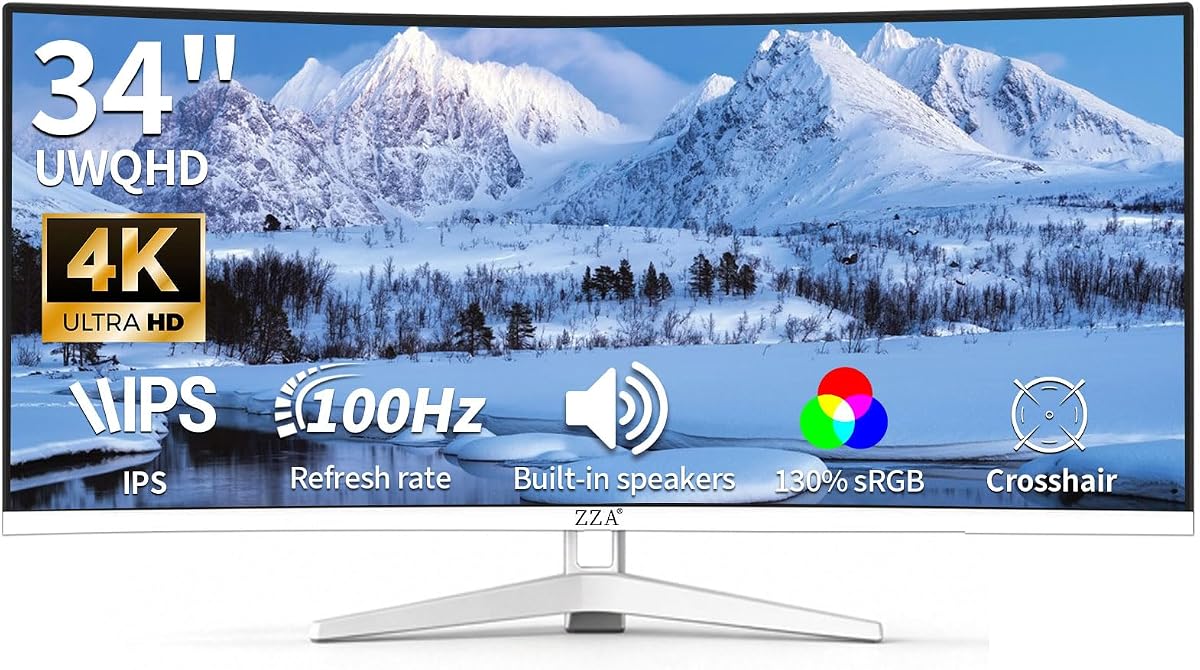
The ZZA 34 Curved focuses on color accuracy with a 130% sRGB coverage. This makes it a strong choice for creative work where true-to-life colors are essential. The 34 inch 21:9 aspect ratio offers a wide view for multitasking and media consumption.
We may earn a commission when you buy through this link, at no additional cost to you.
Its 100Hz refresh rate ensures smooth motion for casual gaming and video playback. The white frameless design adds a modern touch to any desk setup. Built-in speakers eliminate the need for extra hardware making it a compact solution.
While it offers excellent color performance, the 100Hz refresh rate may not satisfy competitive gamers seeking 144Hz or higher. The stand lacks height adjustment which might require a separate VESA mount for ergonomics. These trade-offs are acceptable for its price point.
You should consider this if you need accurate colors and a stylish monitor on a budget. It provides a solid experience for general use and creative tasks. The VESA compatibility ensures flexibility if you need to mount it on a different arm.
With 130% sRGB coverage this monitor produces rich and accurate colors for photos and design work.
The white frameless design looks sleek while VESA compatibility allows for custom mounting solutions.
We may earn a commission when you buy through this link, at no additional cost to you.
The Sceptre 34 Prime is built for speed with a 240Hz refresh rate and 1ms response time. This combination ensures minimal lag and smooth visuals in competitive gaming titles. The 34 inch 21:9 curved display offers an immersive experience for both games and work.
We may earn a commission when you buy through this link, at no additional cost to you.
Blue-light shift technology helps reduce eye strain during long sessions. It features multiple HDMI and DisplayPort inputs for connecting several devices easily. The built-in speakers provide convenient audio without extra cables.
The main limitation is the stand which offers tilt adjustment but no height control. This might require an external stand for optimal ergonomic positioning. However for gamers focused on performance the visual speed outweighs this ergonomic drawback.
This monitor is perfect for competitive gamers who need high refresh rates at a reasonable price. It delivers fast performance and essential features without unnecessary extras. If speed is your priority this model is a strong choice.
The 240Hz refresh rate ensures fast moving images are smooth and responsive for competitive play.
Blue-light shift technology reduces harmful emissions to help you work longer without eye fatigue.
We may earn a commission when you buy through this link, at no additional cost to you.
The LG 34WR55QK-B is a highly rated option that balances performance and usability. Its full ergonomic stand allows tilt and height adjustments to fit your viewing comfort. The 100Hz refresh rate provides smooth visuals for general use and casual gaming.
We may earn a commission when you buy through this link, at no additional cost to you.
USB Type C connectivity delivers 65W power which is enough for most laptops. OnScreen Control software lets you manage screen layouts with simple mouse clicks. Reader Mode reduces blue light for comfortable reading over long periods.
While it does not have the highest refresh rate, it excels in user-friendly features and build quality. The HDR10 support improves contrast but is not as impactful as dedicated gaming monitors. This makes it a reliable choice for mixed use.
You should buy this if you want a dependable monitor with solid connectivity and ergonomics. It suits office environments and home setups where comfort and ease of use are key. Its high rating reflects consistent user satisfaction.
The adjustable stand lets you set the screen height and tilt to reduce strain during daily use.
OnScreen Control simplifies window management so you can organize your tasks efficiently without extra tools.
We may earn a commission when you buy through this link, at no additional cost to you.
The LG 34U60ZB-B offers a smooth 120Hz refresh rate that exceeds many standard 100Hz panels. This ensures fluid motion for scrolling and gaming. The 1800R curve follows your natural line of sight for comfortable viewing sessions. LG Switch lets you control image settings directly from your desktop.
We may earn a commission when you buy through this link, at no additional cost to you.
Reader Mode and Black Stabilizer enhance comfort and visibility in dark scenes. The slim stand saves desk space while maintaining stability. HDR10 support provides balanced tonal transitions for media content.
The main trade-off is the lack of USB Type C which limits single-cable charging. You must use HDMI or DisplayPort for video and a separate cable for power. This makes it less ideal for portable laptop setups.
Buy this if you want a smooth display for mixed use and value software control. It suits users who prefer standard connectivity over USB-C convenience. The motion handling makes it a strong choice for dynamic content.
With a 120Hz refresh rate moving content and games appear fluid and reduce motion blur.
LG Switch software allows you to adjust brightness and settings instantly from your desktop without physical buttons.
We may earn a commission when you buy through this link, at no additional cost to you.
The Samsung 34 ViewFinity S5 focuses on reducing eye strain with its TUV certified Eye Saver Mode. This technology minimizes blue light and flickering making it comfortable for long reading sessions. The 120Hz refresh rate keeps motion smooth and reduces lag.
We may earn a commission when you buy through this link, at no additional cost to you.
HDR10 optimizes contrast for vivid visuals and over a billion colors. It includes HDMI and DP ports for standard connectivity. The curved design wraps around your view to create a focused workspace.
The stand lacks height adjustment which may limit ergonomic customization. Connectivity is basic compared to models with USB hubs. However for eye health and smooth performance it delivers strong value.
You should buy this if you spend long hours reading or coding and want comfort. It is a solid choice for professionals needing reliable performance and eye care features. The certification ensures you are buying a product that prioritizes your health.
Eye Saver Mode reduces blue light and flicker to help prevent strain during long work sessions.
AMD FreeSync Premium synchronizes your GPU with the monitor to reduce screen tearing and stuttering.
We may earn a commission when you buy through this link, at no additional cost to you.
Choosing the right ultrawide monitor depends on several key factors that affect your experience. We have compiled essential criteria to help you make an informed decision.
Panel technology determines color accuracy and contrast. IPS panels offer wide viewing angles while VA panels provide better contrast. OLED panels deliver perfect blacks but come at a higher price.
Choose a panel that matches your priorities whether it is color accuracy for work or contrast for movies.
Resolution defines how sharp text and images appear. Higher resolutions like 5120×1440 provide more detail but require a powerful GPU. Lower resolutions may look softer on a large screen.
Ensure your graphics card can drive the resolution you choose to avoid performance issues.
Refresh rate affects motion smoothness while response time impacts blur. Gamers should aim for 144Hz or higher and low response times. General users may find 60Hz to 100Hz sufficient.
Prioritize higher refresh rates if you play fast-paced games or watch high-frame-rate video.
Ports determine how you connect devices. USB Type C with power delivery simplifies laptop setups. HDMI and DisplayPort are standard for consoles and PCs. Ensure you have enough ports for your needs.
Look for a monitor that supports your primary devices to reduce cable clutter.
Adjustable stands help reduce neck strain during long sessions. Height tilt and swivel adjustments are ideal for comfort. Fixed stands may require VESA mounting for flexibility.
Choose a monitor with ergonomics that fit your posture to prevent fatigue.
Curvature affects how immersive the display feels. R1800R curves wrap around your view while flatter screens may feel less engaging. Ensure your desk depth allows for proper viewing distance.
Match the curve radius to your desk size to maximize immersion without distortion.
HDR support enhances brightness and contrast for vivid images. Color gamut coverage like sRGB ensures accurate colors. High gamut is vital for creative work while HDR improves media.
Look for HDR10 or higher and wide gamut coverage if you create content or watch movies.
Some monitors include smart TV features or software tools. These can reduce the need for extra devices or apps. However they may add complexity or cost to your setup.
Decide if you need built-in apps or if your computer can handle those tasks.
To set up your monitor, place it on a stable surface with enough depth to accommodate its size. Connect your devices using the appropriate cables like HDMI or USB-C for best performance. Use the built-in menus to adjust brightness and color settings to your preference.
Keep the screen clean by using a microfiber cloth to wipe off dust and smudges. Avoid using harsh chemicals or abrasive materials that could damage the coating. Regular cleaning ensures the display remains clear and vibrant over time.
Adjust the stand or mount to ensure the screen is at eye level to reduce neck strain. Use software tools like Picture-by-Picture to manage multiple inputs efficiently. Monitor usage habits such as using screen savers to prevent static image retention.
Yes if you need a massive screen for multitasking or immersive entertainment. They replace dual monitor setups and provide a seamless viewing experience. Ensure your GPU can drive the resolution and your desk has enough depth.
Many models support gaming with high refresh rates and adaptive sync. Ensure you have a powerful GPU to handle ultrawide resolutions. Check for HDR and response times to match your gaming preferences.
21:9 is common for productivity and media while 32:9 offers double the horizontal space. 32:9 acts like two screens side-by-side ideal for work. Choose based on how much real estate you need.
Many models support USB-C with power delivery for single-cable setups. Check the wattage to ensure it supports your laptop. This simplifies your desk and reduces cable clutter significantly.
High resolution models require a powerful GPU to drive the pixel count effectively. Check minimum GPU requirements before purchasing to ensure smooth performance. Older cards may struggle with high refresh rates at ultrawide resolutions.
OLED offers perfect blacks and vibrant colors ideal for media and gaming. It comes at a premium price and carries burn-in risks. If picture quality is top priority it is a great investment.
We reviewed ten models ranging from budget-friendly options to premium OLED displays. Each offers unique strengths for gaming productivity or media consumption. The Samsung G93SC stands out for picture quality while the INNOCN 49C1G offers value.
Prioritize resolution refresh rate and connectivity based on your primary use case. Ensure your setup supports the monitor specs to avoid bottlenecks. Ergonomics also play a key role in long-term comfort and productivity.
Always check current prices and availability as deals change frequently. Visit the links provided to see the latest offers and user reviews. This guide aims to help you find the perfect display for your needs.