
Asustor Drivestor 4 Gen 2
4.0Editor score
Quad-core performance
2.5GbE network port
Btrfs snapshot support
Discover the top 4 Bay NAS options for 2026. This guide compares performance, storage, and features to help you choose the best network attached storage for
Finding the right network attached storage device is crucial for modern data management. A 4 Bay NAS offers flexible storage expansion and robust redundancy for homes and small businesses seeking reliable file access.
We evaluated ten leading models based on processor power, network speed, software ecosystem, and overall value. Our analysis highlights which units deliver the best balance of performance and ease of use for diverse workflows.
Each pick below showcases key strengths and ideal user scenarios. Note that availability and pricing fluctuate regularly, so verify current details before purchasing to ensure you get the best deal available today.
4.0Editor score

4.6Editor score

4.4Editor score
This table provides a side-by-side look at the technical specifications and core capabilities of each selected model. Use it to quickly identify which device matches your specific performance and budget requirements.






The Synology DS425+ stands out as a top contender for users prioritizing software reliability and team collaboration. With a 4.6 rating, it delivers consistent performance for media streaming and file sharing across networks.
We may earn a commission when you buy through this link, at no additional cost to you.
Its ability to support concurrent access from ten users with speeds reaching 278 MB/s makes it ideal for small offices. The centralized repository feature ensures documents and media assets are organized with granular access controls.
Data protection is robust thanks to snapshot technology that prevents loss from accidental deletion or ransomware. While the price is higher than entry-level units, the included three-year warranty and dedicated account management justify the investment.
Buy this unit if you need a stable private cloud with enterprise-grade security and minimal maintenance. It remains the best choice for businesses requiring dependable access control and rapid file retrieval.
Team productivity features allow seamless sharing and access management within office environments.
Multi-layered protection combining RAID and snapshots ensures critical files remain safe from various threats.
We may earn a commission when you buy through this link, at no additional cost to you.
The UGREEN DXP4800 Pro targets power users needing significant compute power within a storage enclosure. Boasting a 4.4 rating, it excels at running virtual machines and heavy Docker workloads without performance bottlenecks.
We may earn a commission when you buy through this link, at no additional cost to you.
Its Intel Core i3-1315U processor paired with 10GbE and 2.5GbE ports enables blazing-fast transfers ideal for video editors. Local AI processing for photos ensures privacy while organizing massive libraries efficiently.
While expensive, the flexibility to run diverse development environments and smart home hubs makes it versatile. The inclusion of granular permissions and certified privacy standards adds value for IT professionals managing sensitive data.
Choose this model if you demand workstation-level performance from your NAS. It is the ultimate solution for developers and teams requiring virtualization and maximum network throughput.
Powerful CPU and DDR5 RAM ensure smooth multitasking for virtualization and heavy applications.
On-device processing organizes photos without sending data to external servers.
We may earn a commission when you buy through this link, at no additional cost to you.
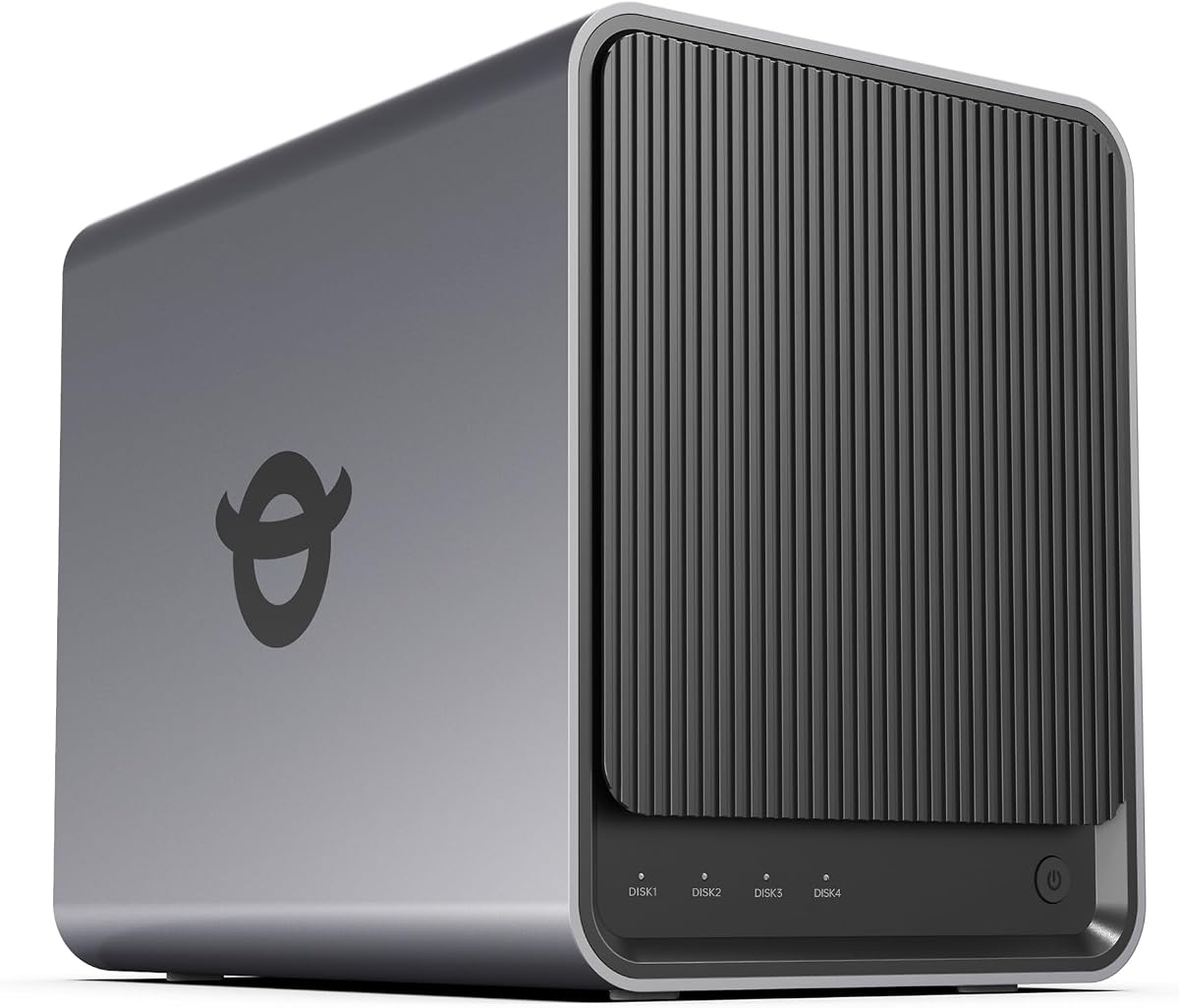
The Asustor Drivestor 4 Gen 2 offers exceptional value for entry-level users seeking reliable home storage. With a 4.0 rating, it balances cost-effective design with essential high-speed networking features.
We may earn a commission when you buy through this link, at no additional cost to you.
Upgraded 2.5GbE ports significantly improve file transfer speeds compared to standard gigabit systems. Support for Btrfs snapshots provides enterprise-grade protection against accidental deletion at an accessible price.
While the RAM is modest, the quad-core processor handles daily backups and media streaming effectively. It is a solid choice for those prioritizing storage safety without a high monthly subscription cost.
Select this unit if you need a budget-friendly private cloud with robust hardware redundancy. It delivers great value for small offices and families starting their journey into self-hosted storage.
2.5GbE Ethernet provides faster transfers without requiring expensive enterprise gear.
WORM technology ensures critical files remain untouched during ransomware attacks.
We may earn a commission when you buy through this link, at no additional cost to you.
The UGREEN DXP4800 GT is a powerhouse designed for creators needing fast direct storage access. Its 4.6 rating reflects robust multitasking capabilities enabled by its AMD processor and dual 10GbE ports.
We may earn a commission when you buy through this link, at no additional cost to you.
Features like the built-in SD card slot and USB 10Gbps allow quick media transfers without a computer. Surveillance Center integration supports local IP camera recording without external cloud subscriptions.
The UGOS Pro operating system simplifies management with guided setup and Docker support. While ECC RAM upgrades are separate purchases, the hardware foundation is strong for virtualization tasks.
Buy this for creative workflows demanding high bandwidth and quick local file handling. It is ideal for teams needing a centralized hub for both storage and security management.
Dual 10GbE networking supports smooth 4K and 8K editing from the NAS.
Built-in software manages IP cameras directly on the storage device.
We may earn a commission when you buy through this link, at no additional cost to you.
The TERRAMASTER F4-425 offers a quiet and efficient solution for home media centers. Rated 4.0, it prioritizes silent operation and ease of use for typical home multitasking needs.
We may earn a commission when you buy through this link, at no additional cost to you.
Supporting hardware-level 4K decoding ensures smooth playback on TV devices without taxing the network. The tool-free Push-Lock design allows quick drive installation in seconds.
TRAID arrays provide redundancy while maximizing usable storage space compared to traditional RAID. While the OS is simpler than Synology, it covers essential backups and photo management well.
Choose this if you need a discreet, affordable NAS for a bedroom or living room. It serves well for users focusing on media streaming and basic photo backups.
21dB operation ensures the device remains unnoticeable in quiet environments.
Compatible with Plex and Emby for direct hardware video decoding.
We may earn a commission when you buy through this link, at no additional cost to you.
The UGREEN DXP4800 Plus balances performance and usability for small families and teams. With a 4.6 rating, it provides centralized storage that simplifies data sharing across devices.
We may earn a commission when you buy through this link, at no additional cost to you.
Its AI photo album automatically organizes memories by faces and locations, saving time manually sorting files. The 10GbE network port ensures rapid backup capabilities for large media collections.
While lacking Wi-Fi, the wired connection offers stability for consistent performance. The app ecosystem supports easy file sharing across various operating systems seamlessly.
Pick this unit for secure personal data ownership without relying on cloud fees. It is ideal for families wanting to manage photos and documents safely at home.
AI recognition groups photos by faces, scenes, and objects automatically.
100% data ownership ensures privacy with advanced encryption.
We may earn a commission when you buy through this link, at no additional cost to you.
The Synology DS925+ provides a robust platform for users planning future expansion. Rated 4.2, it delivers high sequential read/write speeds suitable for demanding file transfers.
We may earn a commission when you buy through this link, at no additional cost to you.
Dual 2.5GbE ports allow network redundancy and faster throughput when aggregated. The built-in virtualization support enables running lightweight services directly on the NAS.
Synology's mature software ecosystem ensures long-term reliability and security updates. While costs are higher, the scalability and stability make it a strong long-term investment.
Select this for growing teams needing reliable infrastructure with room to upgrade. It remains a solid choice for professional environments prioritizing uptime.
Dual ports provide backup connections to maintain uptime during failures.
Supports lightweight virtual machines for additional service hosting.
We may earn a commission when you buy through this link, at no additional cost to you.
The Yxk Zero1 Pro is an excellent canvas for those who enjoy customizing their storage environment. Rated 4.4, it supports third-party operating systems like TrueNAS or Unraid out of the box.
We may earn a commission when you buy through this link, at no additional cost to you.
Its Intel N100 processor handles media playback and downloads efficiently. The aluminum housing and dual-fan cooling system ensure the device stays cool during long backup sessions.
HDMI output allows direct connection to TVs for media playback without external PCs. Flexibility for Docker apps makes it suitable for home automation projects.
Choose this if you prefer control over your operating system and services. It offers great hardware value for technical users who want to build a custom server.
Support for third-party OS allows tailored setups for specific needs.
HDMI port enables direct TV connection for home theater setups.
We may earn a commission when you buy through this link, at no additional cost to you.
The UGREEN DH4300 Plus simplifies home storage for beginners transitioning from cloud services. Rated 4.2, it focuses on user-friendly features like NFC setup and automatic backups.
We may earn a commission when you buy through this link, at no additional cost to you.
AI photo albums help organize memories automatically. Its efficient design saves significant money compared to long-term cloud subscription costs.
Advanced encryption ensures data security without complex configurations. While virtual machines are not supported, it handles media and file sharing well.
Buy this if you want a private cloud that is easy to manage. It is perfect for families looking to secure family photos and documents.
NFC and simple app setup remove technical barriers for new users.
One-time purchase saves money compared to recurring cloud fees.
We may earn a commission when you buy through this link, at no additional cost to you.
The Synology DS423 offers excellent value for home security and file management. With a 4.4 rating, it balances surveillance capabilities with efficient data protection.
We may earn a commission when you buy through this link, at no additional cost to you.
Surveillance Station supports up to thirty IP cameras with easy archiving tools. Ransomware-resistant backups protect data integrity against modern cyber threats.
While license costs are extra, the local control ensures privacy and reliability. It serves well for families needing both storage and security solutions.
Select this unit to secure your home with a unified private cloud system. It is ideal for users prioritizing safety and controlled access.
Surveillance Station turns the NAS into a dedicated security recorder.
Immutable snapshots ensure backup files cannot be altered by malware.
We may earn a commission when you buy through this link, at no additional cost to you.
Selecting the right network attached storage requires understanding your performance needs and software requirements. This guide highlights key factors to consider before purchasing a device.
The central processing unit determines how well a NAS handles multitasking, video transcoding, and virtual machine operations. High-end models with quad-core or Intel Core processors deliver faster speeds for demanding workloads.
Choose a CPU that matches your usage. For basic file storage, entry-level chips are sufficient, but content creators should opt for powerful processors.
RAM affects system responsiveness and the ability to run multiple apps simultaneously. Most devices ship with 4GB to 8GB, though some support expansion up to 96GB.
Higher memory enables smoother multitasking. If you plan to run virtual machines or complex Docker containers, ensure the system supports RAM upgrades.
Network ports dictate transfer speeds across your local area network. While Gigabit Ethernet is standard, 2.5GbE and 10GbE ports are becoming common for faster data movement.
Prioritize models with at least one 2.5GbE port if you have large media files. Multiple ports allow link aggregation for increased bandwidth and redundancy.
The built-in software determines ease of use and available features. Synology offers the most polished experience, while others provide flexible open systems or specialized tools.
Look for an interface that supports your devices. Check for mobile app quality and remote access capabilities before buying.
Consider future needs for adding drives or M.2 SSD slots for caching. Some units support NVMe drives for significantly higher read/write speeds.
Ensure the chassis fits your planned drive capacity. Check compatibility lists to avoid issues with specific hard drive brands.
Protecting data involves more than hardware. Features like snapshots, encryption, and two-factor authentication help prevent accidental deletion and cyberattacks.
Select units that support immutable backups if ransomware is a concern. Encryption ensures privacy even if drives are stolen.
Cost varies significantly between entry-level budget units and premium workstation models. Balance initial price against long-term reliability and software costs.
Invest in a slightly more expensive model if it offers better warranty coverage and software updates that keep the system secure.
If streaming video is a priority, look for hardware transcoding support. Devices with HDMI outputs or specific codecs handle 4K playback efficiently.
Ensure compatibility with apps like Plex or Emby if you use them. Dedicated media features save system resources and improve playback smoothness.
Start by installing your hard drives and connecting the NAS to your router via Ethernet. Download the manufacturer's mobile app or desktop client to initialize the system and update firmware.
Create user accounts with strong passwords and configure RAID settings based on your priority for speed or data safety. Regularly schedule automatic backups to external drives or cloud services.
Keep the unit in a well-ventilated area to prevent overheating. Check logs periodically for drive errors and replace any failing disks promptly to maintain array integrity.
Most 4 Bay NAS units are sold as diskless hardware, meaning you must purchase hard drives separately. This allows you to choose specific drive capacities and types that best fit your budget and performance needs.
While technically possible, mixing drive sizes can lead to inefficiencies in storage arrays. It is generally recommended to use identical drives to ensure optimal performance and simplify the rebuild process if a drive fails.
Remote access is safe when you use secure methods like Virtual Private Networks or official encrypted portals. Always keep your password strong and enable two-factor authentication to protect your data from unauthorized access.
RAID 1 mirrors data across two drives for maximum safety but halves capacity, while RAID 5 stripes data across multiple drives to balance speed and redundancy. RAID 5 is preferred for larger storage pools where space efficiency is important.
Yes, a NAS functions as a local server accessible over your home network without internet. However, remote access outside your house requires an active internet connection and proper router configuration.
NAS-rated hard drives are designed for twenty-four seven operation and usually last three to five years. Regular health monitoring helps predict failures, allowing you to replace drives before data loss occurs.
We recommend the Synology DS425+ for its superior software and reliability, while the UGREEN DXP4800 Pro leads for power users needing virtualization. Budget seekers will find the Asustor Drivestor 4 Gen 2 offers excellent value for basic tasks.
Prioritize network speed and future expansion options when making your decision. Investing in high-quality hardware now can save costs later as your storage needs grow over time.
Prices and stock fluctuate frequently, so verify current offers before finalizing your purchase. Checking the latest specifications ensures your new system meets your specific workflow requirements.