
ASRock Z170 Extreme4
4.2Editor score
High Speed DDR4
Premium Audio Codec
Flexible PCIe Slots
This guide compares the top 1151 Z170 Skylake gaming motherboards for performance, features, and value to help gamers choose the right platform.
Choosing the right motherboard is crucial for any gaming PC build. The 1151 Z170 Skylake platform offers robust features for modern games and overclocking.
We compared ten top-rated boards based on connectivity, audio, power delivery, and user feedback. Our analysis highlights the best options for various budgets.
Each pick shows unique strengths in speed, durability, and expansion. Prices may change, so verify current availability before making your final purchase decision.
4.2Editor score

4.3Editor score

4.2Editor score
The following table provides a side-by-side comparison of key specifications and features for all ten reviewed motherboards.

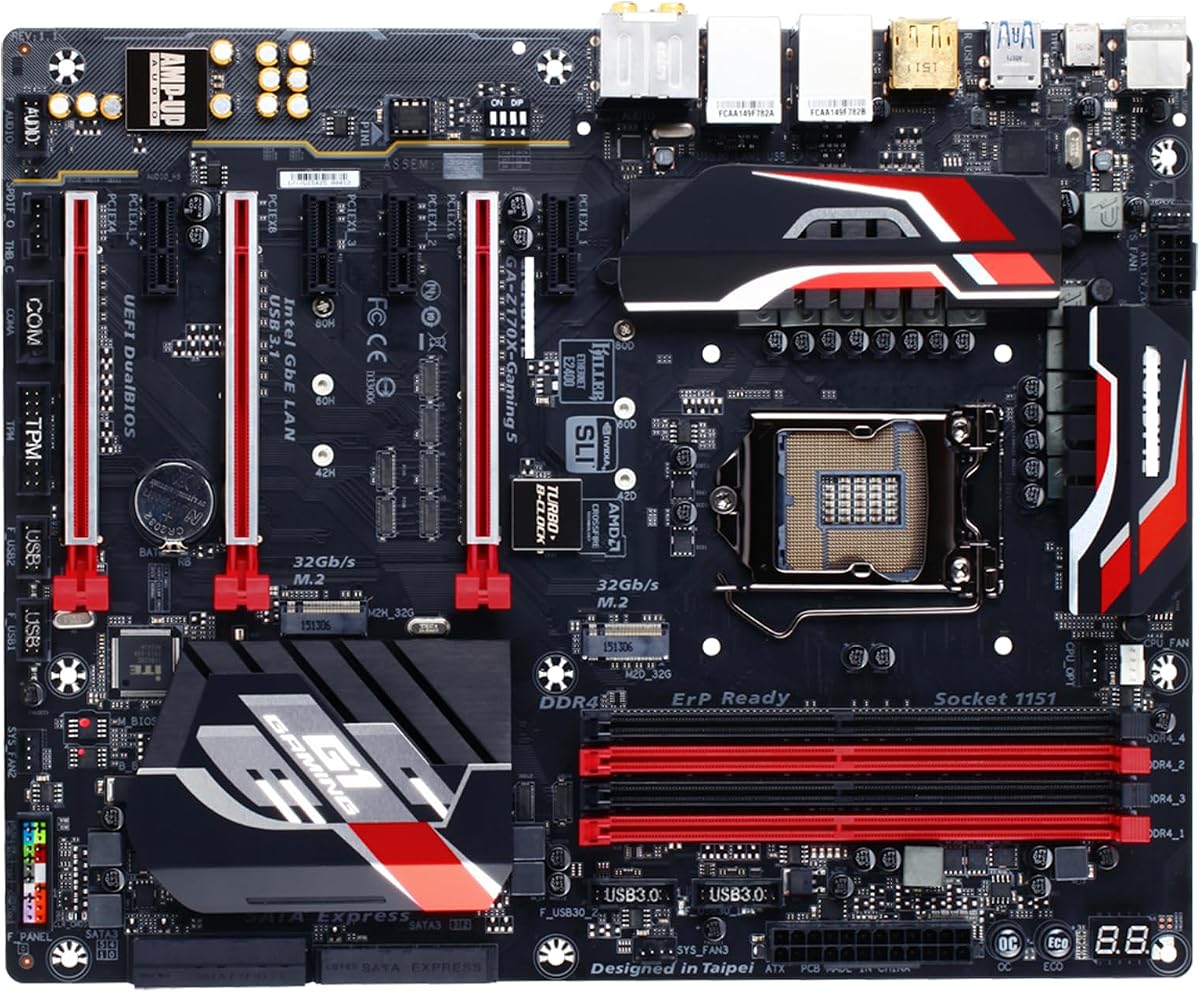


The Asus Z170-A stands out as a top choice for builders seeking balance. It holds a 4.3 rating and offers Dual Intelligent Processors 5 for smart tuning.
We may earn a commission when you buy through this link, at no additional cost to you.
Its standout quality is the 5-Way Optimization which adjusts CPU and fan speeds automatically. USB 3.1 Boost ensures rapid file transfers for modern storage.
While it lacks extra M.2 slots compared to newer boards, the single M.2 plus SATA Express support covers most needs. The 5X Protection II adds durability against power spikes.
Gamers and content creators looking for reliability should buy this board. It provides a solid foundation for 6th Gen Intel Core processors without unnecessary complexity.
5-Way Optimization ensures your system runs efficiently by adapting to your workload in real time.
USB 3.1 Boost delivers faster data transfer rates that keep up with demanding gaming and file operations.
We may earn a commission when you buy through this link, at no additional cost to you.
This board targets enthusiasts who demand premium features. The 4.2 rating reflects its strong performance in audio and stability for demanding applications.
We may earn a commission when you buy through this link, at no additional cost to you.
SupremeFX 2015 audio is a key strength with Sonic Sense Amp for headphone clarity. Extreme Engine DIGI+ ensures power to CPU during intense gaming sessions.
Onboard USB 3.1 Type C is rare for this era but useful for fast peripherals. Some may find the price high compared to standard Z170 options.
Enthusiasts building a high-end audio PC should choose this board. It offers unmatched sound quality and reliable power for Intel 6th Gen chips.
SupremeFX 2015 delivers immersive sound that enhances the gaming experience significantly.
Extreme Engine DIGI+ provides stable power delivery essential for stable overclocking performance.
We may earn a commission when you buy through this link, at no additional cost to you.
For builders on a strict budget, this board offers impressive value. Its 4.2 rating indicates satisfaction among users seeking performance without breaking the bank.
We may earn a commission when you buy through this link, at no additional cost to you.
Support for DDR4-3200 speeds allows for high memory performance. Three flexible PCIe slots enable multi GPU setups or multiple storage cards.
The lack of USB 3.1 Type C means you rely on legacy ports. Realtek ALC1150 audio is standard and good for most but not audiophiles.
Gamers who prioritize GPU upgrades over extras should buy this model. It delivers core performance well and leaves room for other component upgrades.
Support for DDR4-3200 ensures your system handles multitasking and gaming loads with speed.
Multiple PCIe slots allow for versatile customization to fit specific storage or graphics needs.
We may earn a commission when you buy through this link, at no additional cost to you.
This board caters to serious gamers needing multi GPU power. A 4.2 rating suggests it handles heavy workloads with stability over time.
We may earn a commission when you buy through this link, at no additional cost to you.
Support for 2-Way NVIDIA SLI allows doubling graphics performance. Seven USB 3.0 ports provide ample connectivity for peripherals.
It lacks the latest USB 3.1 Type C which may deter modern peripheral users. However, the power design ensures CPUs stay stable under load.
Multi GPU builders should buy this board. It offers the necessary lanes and power for SLI configurations at a reasonable tier.
Support for 2-Way NVIDIA SLI enables higher frame rates for demanding games.
Seven USB 3.0 ports ensure you can connect all your devices without dongles.
We may earn a commission when you buy through this link, at no additional cost to you.
A mid range contender for those needing AMD Crossfire support. Its 3.7 rating reflects mixed feedback but functional reliability for standard tasks.
We may earn a commission when you buy through this link, at no additional cost to you.
It supports 3-Way AMD Crossfire which is great for dual GPU setups. Six SATA ports offer extensive storage options for multiple drives.
Limited USB 3.1 presence is a tradeoff for the Crossfire focus. However, it fits standard cases and supports 6th Gen processors efficiently.
Budget AMD multi GPU users should consider this. It balances performance and features well for a mid range build.
3-Way Crossfire support provides powerful graphics scaling for AMD GPU enthusiasts.
Six SATA ports allow for extensive storage expansion without adding extra controllers.
We may earn a commission when you buy through this link, at no additional cost to you.
This board delivers strong reliability for daily use. A 4.1 rating points to user satisfaction with its stability and connectivity options.
We may earn a commission when you buy through this link, at no additional cost to you.
LANGuard Ethernet ensures stable network connections during online play. USB 3.1 Type C and M.2 add modern storage convenience.
VRM cooling could be better for extreme overclocking. However, for general gaming and work it performs consistently well.
Casual gamers and office users should buy this. It offers modern features without unnecessary cost or complexity.
LANGuard Ethernet delivers stable online connectivity essential for competitive gaming.
USB 3.1 Type C and M.2 ensure your system supports current fast storage standards.
We may earn a commission when you buy through this link, at no additional cost to you.
MSI brings durable hardware to this board. A 3.9 rating reflects its solid physical build but average feature set.
We may earn a commission when you buy through this link, at no additional cost to you.
MSI Steel Armor protects PCIe slots from damage during heavy GPU use. Audio Boost 3 provides better sound clarity than stock audio.
Limited USB ports may be inconvenient for users with many devices. DDR4 Boost helps memory stability for better system speed.
Users prioritizing hardware durability should buy this. It protects your investment against physical wear and tear effectively.
MSI Steel Armor reinforces PCIe slots against physical stress from heavy components.
Audio Boost 3 improves sound quality for a more immersive gaming experience.
We may earn a commission when you buy through this link, at no additional cost to you.
This option is suitable for replacing a damaged original unit. It is a compatible alternative for users needing a direct swap.
We may earn a commission when you buy through this link, at no additional cost to you.
It supports up to 64GB RAM which is excellent for high capacity needs. The upgraded power design ensures stability for demanding apps.
Lack of official support may worry cautious users. Verify BIOS compatibility before buying to ensure smooth installation.
Users needing a direct replacement should consider this. It offers essential features at a lower cost than original units.
Support for 64GB RAM ensures your system handles heavy multitasking with ease.
Upgraded power design ensures consistent performance under continuous usage loads.
We may earn a commission when you buy through this link, at no additional cost to you.
This board is a genuine original sold in industrial packaging. A 5.0 rating suggests users are highly satisfied with the hardware quality.
We may earn a commission when you buy through this link, at no additional cost to you.
It offers two M.2 sockets which is rare for Z170. Support for 7th Gen Intel Core processors allows for a quick upgrade path.
Non original packaging may confuse buyers. Ensure you have installation knowledge as no official manual is included.
Advanced users needing dual M.2 should buy this. It provides top tier features at a competitive price point.
Two M.2 sockets enable fast storage options without using SATA ports.
Support for 7th Gen processors offers a future proof platform for upgrades.
We may earn a commission when you buy through this link, at no additional cost to you.
A MicroATX option for compact builds that still need power. A 4.0 rating indicates users find it reliable for small case builds.
We may earn a commission when you buy through this link, at no additional cost to you.
It includes SupremeFX 2015 audio in a tiny footprint. USB 3.1 Type C ensures fast connectivity despite the smaller size.
Certified Refurbished status means it is pre checked but not new. Limited expansion limits future upgrades beyond GPU and RAM.
Small form factor enthusiasts should buy this. It brings ROG quality to compact spaces effectively.
MicroATX design delivers high performance in a smaller case footprint.
USB 3.1 Type C provides fast connectivity essential for modern peripherals.
We may earn a commission when you buy through this link, at no additional cost to you.
Selecting the right Z170 motherboard involves balancing features, performance, and budget for your specific needs.
Ensure the board uses the LGA1151 socket which is required for 6th Gen Skylake and 7th Gen Kaby Lake processors. The Z170 chipset supports overclocking unlocked CPUs and provides high speed memory support.
Always check BIOS compatibility for 7th Gen support since some early boards may need an update to boot newer CPUs.
Look for boards that support at least 4 DDR4 DIMM slots. Check if they support 3200MHz speeds to maximize system performance without bottlenecking.
Choose boards with XMP support to easily enable high speed memory settings via BIOS.
USB 3.1 Type C is becoming standard. If possible pick a board that includes this port for modern peripheral and storage support.
Count the total USB 3.0 ports to ensure you have enough for your devices without hubs.
Audio codecs like SupremeFX or Realtek ALC1150 provide better sound clarity. Check if the board has audio boost features for headphones or speakers.
High quality audio reduces the need for external sound cards.
If you plan to use multiple graphics cards check for SLI or Crossfire support. Some boards only support 2-Way while others support 3-Way setups.
Ensure there are enough PCIe slots and lane bandwidth for your chosen configuration.
Strong power delivery with VRMs ensures stability when overclocking. Look for designs with adequate heatsinks to dissipate heat effectively.
Robust cooling prevents throttling during long gaming sessions.
Standard ATX boards offer the most features and slots. MicroATX boards save space but may reduce expansion options.
Choose based on your case size and future upgrade plans.
Older Z170 boards are often refurbished. Check warranty terms to ensure protection against defects.
Compare total value rather than just price to find the best deal.
Install the board in a well ventilated case to ensure airflow reaches VRM heatsinks. Use standoffs to prevent short circuits.
Update the BIOS immediately using manufacturer tools to ensure CPU compatibility and bug fixes.
Avoid touching gold pins directly to prevent oxidation. Clean dust from fans regularly to maintain optimal cooling.
Yes but you may need a BIOS update. Some boards ship with updated BIOS but older ones require manual updates. Check the motherboard support page for specifics.
Yes Z170 chipsets support overclocking unlocked K series CPUs. You must ensure the VRM design is strong enough for stable performance.
Yes PCIe slots are backward compatible. Modern GPUs will fit but may be limited by PCIe 3.0 bandwidth.
No only select models include USB 3.1 Type C. Others rely on USB 3.0 ports for high speed connections.
Usually no as most Z170 boards were made for 6th Gen. Check if you need updates for 7th Gen compatibility.
Most support up to 64GB DDR4. Check the specific board manual for exact module limits and slot counts.
The Asus Z170-A and ASRock Z170 Extreme4 lead in value and reliability. They offer strong performance for most gaming needs.
Prioritize USB 3.1 Type C and robust power delivery if you plan on high end GPUs or storage.
Prices and stock change quickly so verify specs and current deals before finalizing your build.