
AOC 24" Gaming Monitor FHD 200Hz
4.6Editor score
200Hz refresh rate
1ms MPRT response
Wide color gamut
Choosing the right display is crucial for any setup. AOC monitors offer a wide range of options tailored to different needs. Whether you prioritize speed or clarity, there is a model ready to elevate your experience.
We analyzed ten distinct models to create this comprehensive guide. Each product was evaluated based on performance, build quality, and features. Our goal is to simplify your decision-making process with clear, factual insights.
Every pick highlights key strengths and potential trade-offs. You will see ratings and specifications for each unit. Please note that prices can change frequently so check current listings before buying.
4.6Editor score

4.6Editor score
4.4Editor score
As an Amazon Associate we earn from qualifying purchases.
This table provides a side-by-side look at every model selected. It highlights core specifications to help you quickly identify the right fit for your specific requirements and preferences.


This monitor stands out with its high refresh rate and QHD resolution. It delivers a smooth experience ideal for competitive gaming. The IPS panel ensures wide viewing angles and accurate colors.
We may earn a commission when you buy through this link, at no additional cost to you.
Speed is a major highlight here with a 240Hz refresh rate and 0.3ms response time. This minimizes motion blur and keeps action scenes clear. Adaptive Sync works with both AMD and NVIDIA GPUs.
While excellent for performance, the connectivity is basic with only HDMI and DisplayPort. There is no USB hub for peripherals which limits desk organization. Still, the visual performance compensates well.
It is best for gamers who want a balance of speed and image quality. The frameless design also fits well in multi-monitor setups. This makes it a top choice for dedicated gaming stations.
The high refresh rate ensures fast-paced games remain fluid without tearing or lag.
IPS technology provides deep colors and consistent brightness across the entire screen.
We may earn a commission when you buy through this link, at no additional cost to you.
This model offers exceptional value for budget-conscious gamers. It delivers a 200Hz refresh rate which is rare at this price. The 24 inch size fits easily on smaller desks.
We may earn a commission when you buy through this link, at no additional cost to you.
Colors are vivid thanks to 116% sRGB coverage. Motion remains smooth with a 1ms MPRT response time. It also supports adaptive sync for tear-free visuals across different GPUs.
The main trade-off is the Full HD resolution on a 24 inch screen. Text might look less sharp compared to larger QHD options. However for gaming this resolution is perfectly adequate.
It is perfect for those entering competitive gaming on a budget. Console gamers also benefit from low latency modes. This monitor proves you do not need to spend much for speed.
You get high-end features like high refresh rates without the premium price tag.
Low input lag modes help maximize performance on modern gaming consoles.
We may earn a commission when you buy through this link, at no additional cost to you.
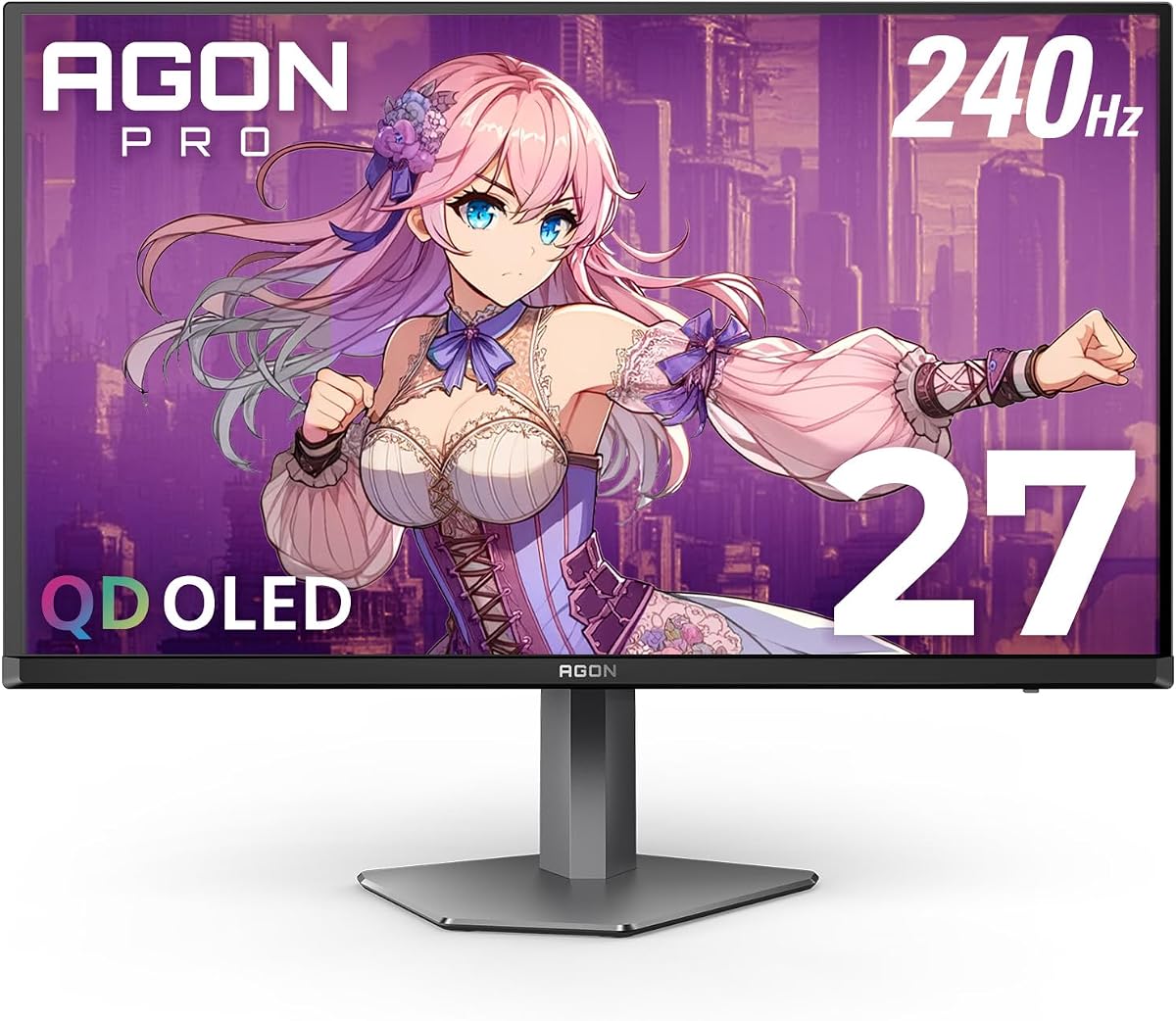
This monitor brings OLED technology to the gaming mainstream. It offers perfect blacks and infinite contrast for immersive visuals. The response time is nearly instant at 0.03ms.
We may earn a commission when you buy through this link, at no additional cost to you.
Speed and clarity are unmatched here. The 240Hz refresh rate ensures fluid motion in fast games. HDR10 support adds depth to scenes with bright highlights and deep shadows.
The price is higher than LCD alternatives. Users should also be mindful of static image burn-in over time. These are acceptable trade-offs for the stunning picture quality it provides.
It is ideal for enthusiasts seeking the best visual fidelity available. The added lighting effects enhance the gaming atmosphere too. This is a top choice for luxury gaming setups.
Self-luminous pixels deliver precise colors and absolute blacks for realism.
Rear illumination syncs with your setup to expand the visual experience.
We may earn a commission when you buy through this link, at no additional cost to you.
This monitor focuses on clarity for work and media. The 4K resolution provides crisp details for text and images. It is a great option for productivity tasks or content creation.
We may earn a commission when you buy through this link, at no additional cost to you.
The IPS panel ensures colors look good from any angle. Built-in speakers save desk space by removing the need for external audio. HDR support enhances video playback quality too.
It lacks the high refresh rates needed for competitive gaming. The stand is basic with limited adjustability. These limitations are fine if you prioritize image sharpness over speed.
It suits professionals who need detailed visuals on a budget. The frameless design also allows for clean multi-monitor arrays. This makes it a strong candidate for office environments.
4K resolution makes text and graphics appear sharp and professional.
Integrated speakers simplify your setup without needing extra peripherals.
We may earn a commission when you buy through this link, at no additional cost to you.
This model combines a large screen with high speed. The 27 inch panel offers more room for gameplay. It reaches up to 260Hz for ultra-smooth motion during intense sessions.
We may earn a commission when you buy through this link, at no additional cost to you.
Response time is fast at 0.5ms which reduces blur significantly. G-Sync compatibility ensures visuals stay synced with your GPU. This prevents tearing even when frame rates fluctuate.
The Full HD resolution might look pixelated up close on 27 inches. Stand adjustability is mostly limited to tilt which affects ergonomics. Still the speed advantage is hard to ignore.
It is best for gamers who prioritize refresh rate over resolution. A larger screen helps immerse you in the action. This is a solid pick for esports enthusiasts on a budget.
Overclocking to 260Hz provides an edge in fast-paced competitive games.
Flicker-free technology helps reduce strain during long gaming marathons.
We may earn a commission when you buy through this link, at no additional cost to you.
This monitor wraps your vision with a 32 inch curved screen. The 1500R curvature creates a natural field of view. It is great for racing or simulation games.
We may earn a commission when you buy through this link, at no additional cost to you.
Color vibrancy is excellent with over 120% sRGB coverage. The VA panel offers deep blacks and high contrast for dark scenes. HDR support adds more depth to compatible content.
Response times are slightly slower than IPS but still good. Viewing angles are narrower compared to IPS panels. These are minor issues considering the immersive size and shape.
It fits best for those wanting a cinema-like experience. The warranty provides extra peace of mind for long term use. This is a strong choice for home entertainment.
The curve wraps around your peripheral vision for deeper focus.
VA technology delivers rich blacks that make colors pop vividly.
We may earn a commission when you buy through this link, at no additional cost to you.
This monitor is designed with speed and size in mind. The 32 inch curve offers a wide view for single player games. It supports high refresh rates for smooth gameplay.
We may earn a commission when you buy through this link, at no additional cost to you.
Low latency ensures your commands register quickly on screen. This is crucial for competitive multiplayer matches. FreeSync Premium keeps the action smooth across various frame rates.
The resolution is Full HD which might look soft up close. Speakers are not included so you will need external audio. These are acceptable compromises for a focused gaming tool.
It is ideal for console gamers or casual PC users. The frameless design keeps the focus on the content. This is a great option for a dedicated media center.
Designed to work seamlessly with next gen gaming consoles.
Fast response times minimize delays between your actions and screen.
We may earn a commission when you buy through this link, at no additional cost to you.
This panel offers the best picture quality in the lineup. OLED tech delivers true blacks and perfect color accuracy. It is a feast for the eyes in any dark room.
We may earn a commission when you buy through this link, at no additional cost to you.
Speed remains a priority with 240Hz and 0.03ms response. This combination is rare in OLED panels today. HDR10 support further enhances visual depth and detail.
Cost is a major consideration for this purchase. OLED panels have limited lifespans compared to traditional LCDs. Still the picture quality justifies the investment for enthusiasts.
It is best for those wanting top tier display performance. The colors and contrast bring games to life like nothing else. This is a premium choice for quality lovers.
Self emitting pixels turn off completely for infinite contrast ratios.
Over 140 percent sRGB ensures vivid and realistic color tones.
We may earn a commission when you buy through this link, at no additional cost to you.
This model combines OLED quality with premium features. It includes a USB hub which adds significant convenience. Height adjustability makes it comfortable for long sessions.
We may earn a commission when you buy through this link, at no additional cost to you.
Performance is top notch with 240Hz and fast response times. FreeSync Premium Pro ensures smooth visuals across supported titles. HDR support adds richness to compatible games.
The high price reflects the added features and quality. Setup may take time due to the various options available. These are minor issues for a high-end workstation monitor.
It suits professionals and gamers seeking versatility. The USB hub reduces cable clutter on your desk. This is a smart pick for those wanting extra utility.
Adjustable height helps maintain a healthy posture during work.
USB hub allows easy connection for keyboards and mice.
We may earn a commission when you buy through this link, at no additional cost to you.
This monitor is perfect for small spaces. It offers solid performance without taking up much room. The renewed option provides great value for money too.
We may earn a commission when you buy through this link, at no additional cost to you.
Eye care features like blue light filters help comfort. VESA mount support allows flexible mounting on arms. This adds versatility for custom setups.
Refresh rate is moderate but enough for casual gaming. The screen size might feel small for some users. Still the compactness makes it ideal for limited desks.
It is best for budget builds or secondary setups. You get essential gaming features without the bulk. This is a smart choice for entry level users.
Compact form factor fits easily on small desks and shelves.
VESA support lets you install on walls or monitor arms.
We may earn a commission when you buy through this link, at no additional cost to you.
Selecting the right monitor depends on your specific use case. This guide covers key factors to consider for your needs.
Screen size affects how immersive your experience feels. Resolution determines how sharp text and images appear. For gaming 27 inches is a popular balance for size and clarity.
Choose QHD or 4K for detailed work and 1080p for pure speed.
Refresh rate dictates how many frames are shown per second. Higher rates mean smoother motion and less blur. Response time measures how quickly pixels change colors.
Aim for 144Hz or higher for competitive gaming to gain an edge.
IPS panels offer better colors and viewing angles. VA panels provide deeper blacks and higher contrast. OLED panels deliver the best contrast but cost more.
Pick the panel based on your priority for color or contrast.
Adaptive sync syncs the monitor with your graphics card. This prevents screen tearing and stuttering during play. Both G-Sync and FreeSync are widely supported options.
Ensure your GPU matches the sync technology you choose.
Check the available ports for your devices. HDMI and DisplayPort are standard for modern systems. USB hubs help reduce cable clutter on your desk.
More ports offer better flexibility for multi-device setups.
Adjustable stands help keep your neck comfortable. Tilt and height features are essential for long sessions. VESA mounts allow wall mounting if needed.
Prioritize ergonomics to avoid strain over time.
Blue light filters reduce eye strain during night use. Flicker-free technology prevents screen flickering issues. These features protect your health during extended use.
Look for built-in eye care modes for comfort.
Set a budget range before you start looking. Higher cost often means better features and build quality. Balance your needs against what you can afford.
Value deals often come from entry-level gaming models.
Connect the monitor using the provided cables for best performance. Ensure your graphics card supports the resolution and refresh rate you select.
Use the on-screen menu to adjust brightness and color settings. Calibrate these values for a comfortable viewing experience.
Clean the screen gently with a soft cloth. Avoid harsh chemicals to protect the display coating.
For competitive gaming look for high refresh rates above 144Hz and fast response times. The AOC 27" QHD 260Hz model offers excellent speed and clarity for esports.
Yes many AOC models offer crisp resolution and color accuracy. The 4K UHD model is particularly suitable for professional design and productivity tasks.
Most models in this selection support Adaptive Sync or FreeSync. This ensures smooth visuals when using AMD graphics cards during gameplay.
Models with OLED or high sRGB coverage deliver the best color quality. The Agon Pro OLED series offers unmatched vibrancy and contrast levels.
Yes AOC monitors come with warranties for protection. Many models offer a three-year warranty that covers defects and bright dot issues.
Many models support VESA mounting for flexible installation. Check the specs to confirm the VESA pattern size before buying.
If you prioritize image quality OLED is worth the investment. It provides deep blacks and vibrant colors that LCD cannot match.
A 24 inch or 27 inch monitor works well for smaller spaces. Consider a compact design to save valuable desk real estate.
We explored ten top models ranging from budget to premium. Each offers unique strengths for speed clarity or cost effectiveness.
Prioritize refresh rate for gaming and resolution for work. Finding the right balance ensures satisfaction with your purchase.
Prices change often so check current listings before buying. This guide helps you make an informed decision quickly.