
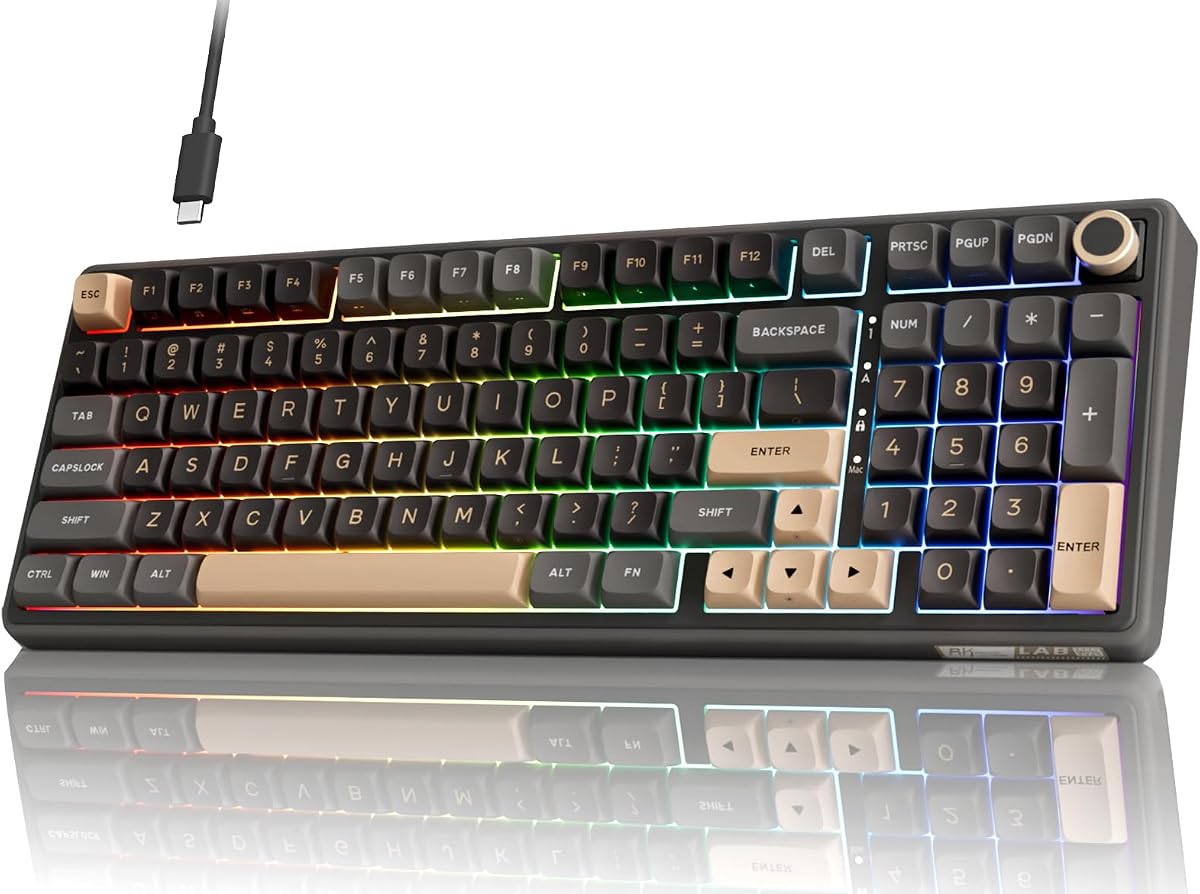
RisoPhy Mechanical Gaming Keyboard
4.5Editor score
Blue switches for loud clicks
RGB backlit with nine modes
Full size with number pad
Discover the 10 best loud mechanical keyboards for typing and gaming. Our guide compares features, switch types, and build quality to find your perfect match.
Finding a loud mechanical keyboard can transform your typing experience. These devices offer tactile feedback and audible clicks that many users crave. Whether you game or type, the right switch makes a difference.
We compared ten top-rated models based on build quality, switch type, and user ratings. Each product was selected for its ability to deliver satisfying sound and reliable performance. Our goal is to help you choose confidently.
Each pick shows unique features like RGB lighting, hot-swap capability, or wireless options. Prices may change over time so verify details before buying. Read on to find the keyboard that fits your needs best.
4.5Editor score
4.5Editor score

4.6Editor score
This side-by-side comparison highlights key specifications across all ten models. Look at switch types, backlight options, and special features to narrow down your choice quickly and effectively.





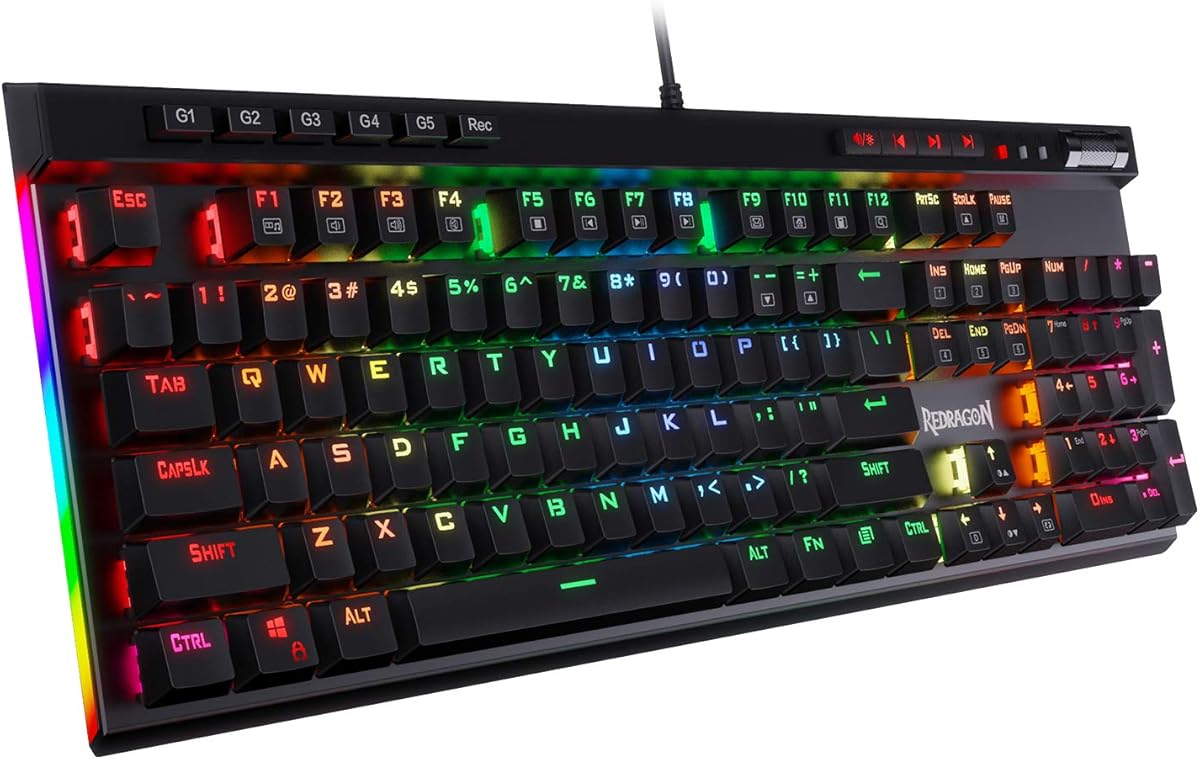
The Redragon K671 offers a budget friendly entry into mechanical keyboards. It features hot swappable switches and a solid build. While the red switches are smooth they may not satisfy those seeking loud clicks.
We may earn a commission when you buy through this link, at no additional cost to you.
Its standout feature is the customization potential. You can swap switches easily and the software allows macro editing. The backlighting is vibrant with multiple modes to choose from for any setup.
However the red switches are linear and quiet. This might disappoint users wanting loud tactile feedback. The software is also basic compared to premium options which limits deep customization.
This keyboard suits gamers on a budget who want flexibility. If you plan to swap to clicky switches later this is an excellent choice. It balances cost and features well.
The hot swappable sockets let you change switches without tools. This means you can upgrade to louder switches later for a different feel.
With eleven backlight modes you can adjust speed and brightness. This helps create the perfect ambiance for gaming or work environments.
We may earn a commission when you buy through this link, at no additional cost to you.
This keyboard delivers satisfying tactile feedback with blue switches. It is built for durability with spill resistance. The slim design saves space while the backlight adds visual appeal.
We may earn a commission when you buy through this link, at no additional cost to you.
Blue switches provide a distinct click sound. This makes typing engaging and provides clear auditory confirmation. The anti ghosting ensures all keys register during intense gaming sessions.
The ABS keycaps may show wear over time. Also software customization is minimal compared to high end models. Yet for the price it offers great value.
Ideal for budget conscious buyers wanting loud keys. It handles gaming and typing well. If you need a reliable loud keyboard without breaking the bank this fits.
Blue switches are known for their audible click. This provides a traditional mechanical feel that many typists enjoy.
Spill resistance and ergonomic keycaps enhance daily use. These features protect the keyboard and improve comfort during long sessions.
We may earn a commission when you buy through this link, at no additional cost to you.
The SteelSeries Apex 5 blends membrane smoothness with mechanical tactility. The OLED display adds functionality and style. It is a premium choice for gamers seeking features.
We may earn a commission when you buy through this link, at no additional cost to you.
Hybrid blue switches offer a click without full mechanical travel. The OLED shows game info or messages easily. The aluminum frame ensures durability and a solid feel.
The price is higher than standard models. Some may prefer traditional mechanical switches. However the features justify the cost for many users.
Choose this for a feature rich experience. It stands out with the OLED and build quality. It is a top pick for those wanting more than just keys.
The OLED screen lets you customize gifs or info. This adds a unique interactive element to your setup.
Aircraft grade aluminum makes the board sturdy. It resists flex and feels premium on any desk.
We may earn a commission when you buy through this link, at no additional cost to you.
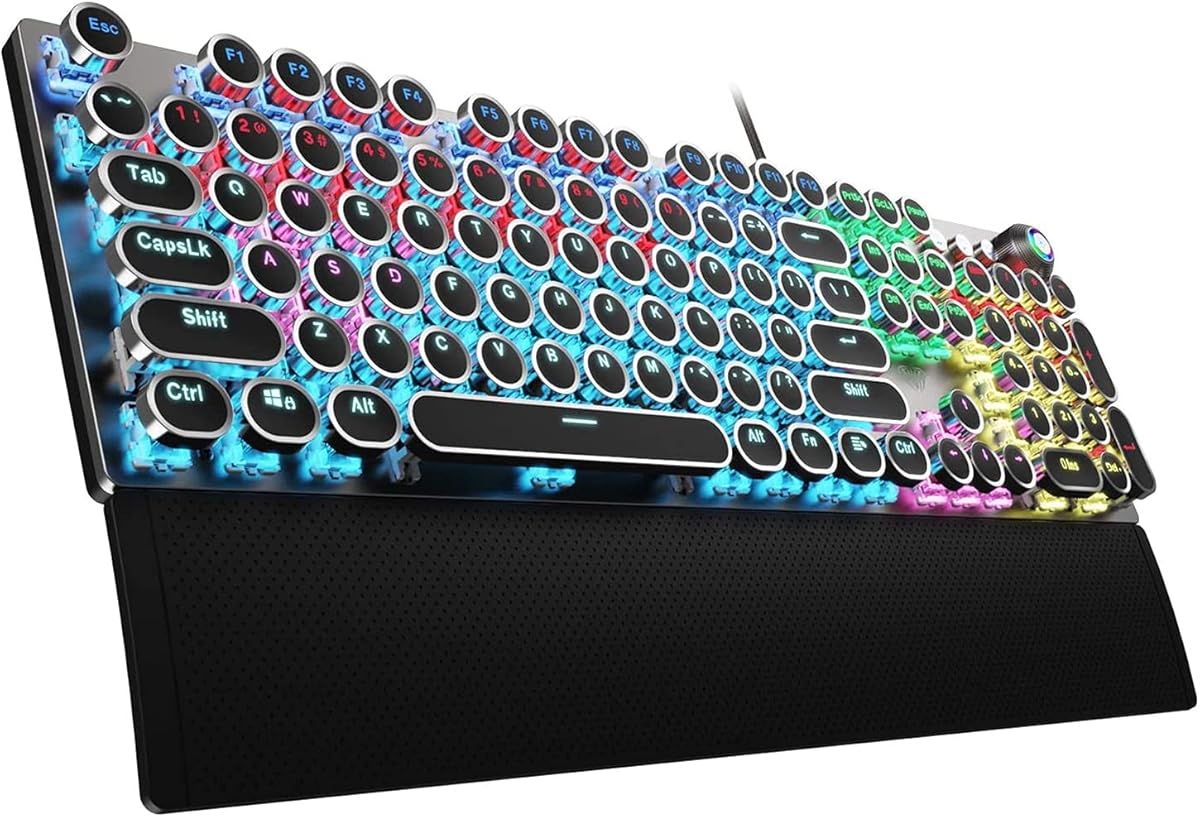
This keyboard brings a vintage typewriter aesthetic. The round keycaps and clicky switches deliver a nostalgic experience. It stands out visually while performing well.
We may earn a commission when you buy through this link, at no additional cost to you.
Blue switches provide loud tactile feedback. The metal panel adds durability. Software allows lighting customization on Windows systems.
Mac users may find software limited. The backlight is yellow which differs from RGB. Yet the design is distinct and functional.
Best for style focused users. It suits office or home setups needing a loud keyboard. The retro look is a major selling point.
Round keycaps mimic classic typewriters. This design adds charm to any workspace or desk.
The detachable wrist rest reduces strain. It supports long typing sessions with comfort.
We may earn a commission when you buy through this link, at no additional cost to you.
The K668 focuses on customization potential. Hot swap sockets let you change switches easily. It includes extra hotkeys for productivity.
We may earn a commission when you buy through this link, at no additional cost to you.
Vibrant RGB lighting enhances visuals. The two keycap sets offer style options. Feet adjust for ergonomic comfort.
Stock switches are quiet linear ones. To get loud sound you must swap them. The software offers macro control.
Ideal for custom enthusiasts. It provides a base to build a loud setup. Great for those wanting flexibility and control.
Swap switches without soldering to customize sound. This allows you to experiment with different switch types.
Dedicated hotkeys add functional shortcuts. These help streamline tasks and save time.
We may earn a commission when you buy through this link, at no additional cost to you.
The R98 Pro features a gasket mount for enhanced sound. This design reduces vibration for a deeper thock. It is ideal for customizing sound profiles.
We may earn a commission when you buy through this link, at no additional cost to you.
Hot swap allows switch changes easily. The volume knob adds convenience. PBT caps ensure durability and comfort.
Stock switches are smooth linear ones. To get loud sound swap to clicky switches. The driver supports RGB customization.
Suits sound enthusiasts. It offers a base for custom sound. Perfect for those prioritizing typing experience and quality.
Gasket mount isolates the plate for better sound. It creates a solid and pleasing acoustic feel.
The 96 percent layout saves space. It retains essential keys for work and gaming.
We may earn a commission when you buy through this link, at no additional cost to you.
The G413 SE offers tactile switches for gaming. It uses PBT keycaps for wear resistance. The aluminum case provides a premium feel.
We may earn a commission when you buy through this link, at no additional cost to you.
White backlight is simple but effective. Media controls are accessible. The build is robust for daily use.
No RGB lighting limits customization. Keycaps are not hot swap. Yet it is durable and functional.
Choose for reliable gaming performance. It suits users who prefer minimalism. Good for those valuing build over light.
Tactile switches provide a distinct bump. This helps gamers feel when a key actuates.
Function keys control media easily. This streamlines access to volume and playback.
We may earn a commission when you buy through this link, at no additional cost to you.
This model combines retro style with loud switches. The multimedia knob adds control. Blue switches deliver distinct clicks.
We may earn a commission when you buy through this link, at no additional cost to you.
Lighting effects are customizable. The metal panel is durable. It offers a unique look.
Software support is limited. Mac compatibility is minimal. Yet typing is satisfying.
Suits style conscious users. It fits a vintage setup. Good for those wanting a loud look.
Round caps provide a classic feel. This style stands out on any desk.
The knob adjusts volume and lighting. It adds functional convenience.
We may earn a commission when you buy through this link, at no additional cost to you.
The F99 supports multiple wireless modes. Hot swap lets you upgrade switches. It offers wireless freedom.
We may earn a commission when you buy through this link, at no additional cost to you.
RGB adds style. The battery lasts long. Gasket structure enhances feel.
Stock switches are smooth. Swap to clicky for loud sound. Setup is straightforward.
Ideal for wireless needs. It suits those wanting loud options. Good for portable setups.
Tri mode support allows flexible connections. Switch between devices easily.
Hot swap lets you install louder switches. This adapts the board to your needs.
We may earn a commission when you buy through this link, at no additional cost to you.
This keyboard features dedicated macro keys. Blue switches offer loud feedback. Media wheel adds control.
We may earn a commission when you buy through this link, at no additional cost to you.
Hot swap allows customization. RGB is vibrant. Double shot caps last long.
Software is optional for macros. Some may prefer full drivers. Yet functionality is solid.
Choose for productivity. It suits those needing quick combos. Good for efficient typing.
Five macro keys save combos. This speeds up complex tasks.
The wheel controls media quickly. It adds convenience for everyday use.
We may earn a commission when you buy through this link, at no additional cost to you.
Choosing a loud mechanical keyboard involves understanding switches, build quality, and features.
Switch type dictates sound. Blue switches click loudly while red are smooth. Choose based on preference.
Blue switches provide loud tactile feedback.
Materials affect durability and sound. Metal frames reduce flex and vibrate less. This enhances stability.
Look for aluminum or metal panels.
Backlighting helps visibility. RGB offers color options while white is simple. Decide based on style.
RGB adds visual customization to your setup.
Hot swap lets you change switches easily. This means you can upgrade to louder switches later. It offers flexibility.
Hot swap sockets enable customization without soldering.
Layout affects desk space. Full size includes a number pad. TKL saves space but lacks numpad.
Choose full size for productivity or TKL for space.
Wireless offers freedom while wired ensures no lag. Decide on connection type based on use.
Wireless is great for clean setups.
Software allows macro customization and lighting control. Some keyboards work without software but drivers add value.
Check OS compatibility before buying.
Comfort is key for long sessions. Wrist rests reduce strain. Detachable ones allow cleaning.
Look for ergonomic support features.
Regular cleaning prevents dust buildup. Use a keycap puller to remove caps and clean underneath.
Keep liquids away to avoid damage. Spill resistant models help but caution is key.
Update firmware or drivers for best performance. This ensures compatibility and access to features.
Yes mechanical keyboards often produce more sound due to physical switches. Clicky switches are specifically designed for audible feedback. This distinguishes them from quiet membrane alternatives.
Blue switches are the most common loud option. They provide a distinct click and tactile bump. Other options include clicky variants of other switch types.
Use O-rings or dampeners to reduce sound. Select quieter switches like reds. Adjust typing force to minimize impact.
They can be satisfying for gaming feedback. However some gamers prefer silent switches for focus. It depends on personal preference and environment.
Clicky switches can be distracting in shared spaces. Consider noise policies or quiet switches if working with others. This ensures harmony.
Mechanical switches last millions of keystrokes. Blue switches are durable and retain click sound. Proper maintenance extends lifespan significantly.
We covered ten keyboards offering loud typing experiences. The RisoPhy and Apex 5 lead in value and features.
Prioritize switch type and build quality when deciding. These factors define the sound and durability you will get.
Always verify current prices and availability. Models change frequently and specs may vary by region.