
NVD RTX PRO 6000 Blackwell Professional Workstation Edition
4.3Editor score
96GB DDR7 ECC Memory
5th Gen Tensor Cores
PCIe Gen 5 Support
This comprehensive guide compares the top ten GPUs for Davinci Resolve in October 2026, analyzing performance, VRAM, and features to help you choose the right
Choosing the right graphics card is critical for smooth video editing and color grading in Davinci Resolve. A powerful GPU ensures faster rendering, real-time playback, and efficient handling of high-resolution projects without frustrating lag or dropped frames.
We evaluated ten leading GPUs based on architecture, memory capacity, and professional performance metrics. Our analysis covers the latest Blackwell and RDNA architectures, ensuring you get a card that balances speed, stability, and value for your specific creative needs.
Each pick includes detailed specs and real-world performance insights to guide your decision. While we highlight key strengths, remember that prices fluctuate frequently, so verify current availability and costs before making your final purchase decision for your workstation.
4.3Editor score
4.9Editor score

4.7Editor score
Below is a detailed side-by-side comparison of all ten GPUs ranked in this guide. We highlight key specifications to help you quickly identify which card fits your resolution needs and budget constraints.





The NVIDIA RTX PRO 6000 Blackwell stands out as the ultimate choice for high-end professionals needing immense memory bandwidth and capacity. With a staggering 96GB of DDR7 ECC memory and support for PCIe Gen 5, it handles massive datasets and complex rendering tasks without stuttering. Its advanced cooling and enterprise features ensure stability even under heavy 24/7 loads.
We may earn a commission when you buy through this link, at no additional cost to you.
This card excels in AI acceleration and high-resolution video workflows due to its 5th Gen Tensor Cores and 4th Gen Ray Tracing Cores. The double-flow-through cooling design optimizes airflow to sustain peak performance under 600W power loads, making it ideal for demanding workstation environments where reliability is paramount over cost savings.
While the performance is unparalleled, the price point is significantly higher than consumer alternatives. Additionally, strict export regulations may limit availability depending on your location. For most standard editing tasks, the extra cost may not be justified, but for enterprise-level AI and simulation work, it is unmatched.
This GPU is recommended for studios and professionals working with 8K footage, complex 3D simulations, or large-scale AI models locally. If budget is secondary to raw performance and reliability, this card delivers professional-grade power that justifies its top-tier positioning in the market today.
With 1.8 TB/s bandwidth and 96GB memory, it handles massive projects that other cards cannot manage efficiently.
Double-flow-through design ensures peak performance under sustained 600W loads without thermal throttling issues.
We may earn a commission when you buy through this link, at no additional cost to you.
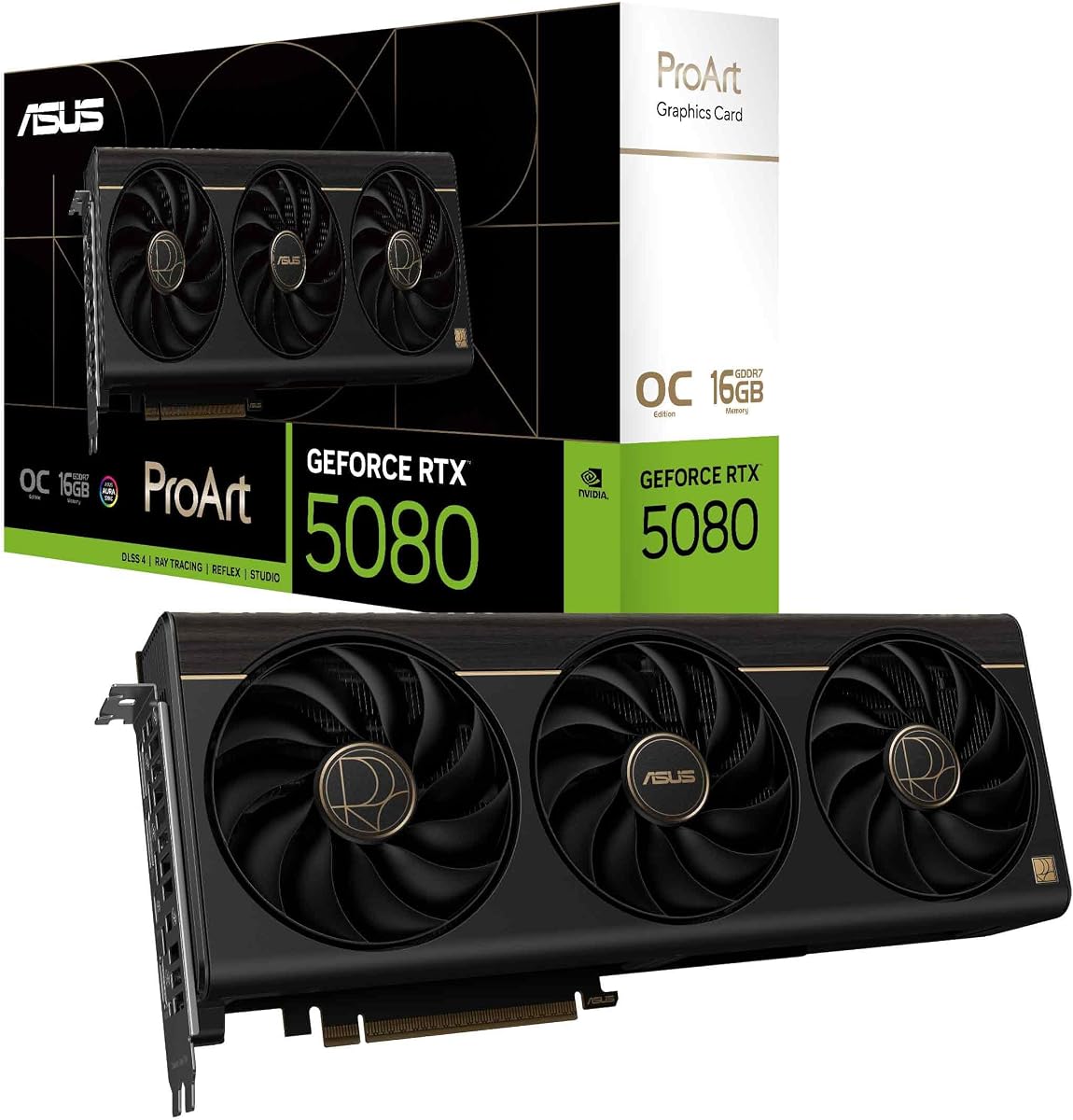
The ASUS ProArt RTX 5080 combines top-tier performance with a design tailored for creators. Featuring 1858 AI TOPS and NVIDIA Blackwell architecture, it delivers exceptional speed for rendering and AI-enhanced editing tasks. The inclusion of a USB Type-C port adds versatility for modern content creation workflows without needing adapters.
We may earn a commission when you buy through this link, at no additional cost to you.
Its thermal design is robust, utilizing a MaxContact heatsink with a vapor chamber and phase-change thermal pads to ensure optimal GPU temperatures. This setup maintains high performance during long rendering sessions without noise or overheating. The minimalist aesthetic and wood-patterned trim also suit professional studio setups perfectly.
Despite its high rating, the card requires a powerful power supply to function correctly. The OC mode boost clocks demand stable power delivery which may require upgrades to older systems. While expensive, the reliability and performance balance make it a standout choice for serious video editors.
For creators who prioritize speed and stability alongside aesthetics, this card is the perfect partner. It balances raw power with professional features, ensuring your workflow remains uninterrupted even during the most demanding projects like 8K editing or complex color grading.
Vapor chamber and phase-change pads keep temperatures low even under sustained heavy loads for reliability.
Integrated USB Type-C port simplifies connections for modern peripherals and external storage devices.
We may earn a commission when you buy through this link, at no additional cost to you.
The GIGABYTE Radeon RX 9070 XT offers impressive performance for its price, making it a top budget pick. With 16GB of GDDR6 memory and PCIe 5.0 support, it handles high-resolution editing and playback smoothly. The WINDFORCE cooling system ensures the card runs quietly and efficiently even during extended sessions.
We may earn a commission when you buy through this link, at no additional cost to you.
Its server-grade thermal conductive gel helps maintain stability and longevity under load. While not a dedicated professional card, it provides enough raw power for serious editing tasks without breaking the bank. The Hawk Fan design directs airflow precisely to keep core temperatures low during critical operations.
While it lacks some specific professional optimizations found in Quadro or workstation cards, it is excellent for creators on a budget. The only downside is potential driver variance compared to professional GPUs. However, for general editing and rendering, it delivers value that few others can match at this price point.
This card is perfect for freelancers or small studios needing reliable performance without enterprise costs. It balances cost and capability effectively, ensuring you get high-end features like ample VRAM and fast memory speeds that are essential for smooth 4K or 8K editing.
WINDFORCE system and server-grade gel keep thermal levels low even during heavy rendering workloads.
16GB VRAM allows for handling larger timelines and effects without running into memory bottlenecks.
We may earn a commission when you buy through this link, at no additional cost to you.
The GIGABYTE GeForce RTX 5080 delivers powerful performance suitable for high-end editing tasks. Powered by the Blackwell architecture and DLSS 4, it provides smooth playback and rapid rendering. The integration of 16GB GDDR7 memory ensures fast data transfer rates essential for complex effects and color grading.
We may earn a commission when you buy through this link, at no additional cost to you.
Its WINDFORCE cooling system works efficiently to dissipate heat, though high loads may require good case ventilation. The card supports PCIe 5.0 which future-proofs your setup for upcoming hardware standards. Overall, it offers a solid balance of speed and reliability for demanding workloads.
Power consumption can be high requiring a robust power supply for stable operation. While slightly less premium than other models, it remains a strong contender for raw performance. Users should ensure their system meets the power requirements before installation to avoid potential issues.
Ideal for professionals needing high performance without the workstation price tag. This card handles large projects well and offers excellent value for those who want the latest architecture without overspending on brand-specific professional features.
New architecture provides better power efficiency and speed for rendering tasks compared to previous generations.
Advanced upscaling technology ensures smooth playback even with high-resolution timelines and heavy effects.
We may earn a commission when you buy through this link, at no additional cost to you.
The ASUS TUF Gaming RTX 5080 is built for durability and sustained performance. Military-grade components ensure longevity while the phase-change thermal pad helps maintain optimal temperatures. Axial-tech fans deliver robust airflow without excessive noise making it suitable for long editing sessions.
We may earn a commission when you buy through this link, at no additional cost to you.
Auto-Extreme manufacturing provides consistent quality and reliability out of the box. Its 3.6-slot design offers massive airflow but requires a large case. For users needing stability under heavy loads this card delivers consistent performance without significant thermal throttling issues.
The physical size is large so case clearance must be verified before purchase. While it costs more than standard options, the build quality justifies the investment. Users with compatible cases will appreciate the reliability and consistent thermal behavior during intensive tasks.
Recommended for users who prioritize build quality and longevity. It is an excellent choice for workstations where stability is key ensuring your editing workflow remains uninterrupted by hardware failures or thermal issues over time.
Enhanced durability ensures consistent performance even under demanding daily workloads in production environments.
Phase-change pads and optimized airflow keep thermal levels stable during extended rendering and color grading.
We may earn a commission when you buy through this link, at no additional cost to you.
The ASRock Radeon AI PRO R9700 Creator is a powerful workstation card designed for content creation. Its 32GB of GDDR6 memory allows for large projects and complex rendering tasks. The RDNA 4 architecture brings advanced AI acceleration and modern display connectivity to professional workflows.
We may earn a commission when you buy through this link, at no additional cost to you.
It features a professional blower cooling design ideal for multi-GPU workstations. Vapor chamber heatsink and thermal interface material ensure reliable cooling under sustained loads. DisplayPort 2.1a outputs support multiple high-resolution displays making it versatile for multi-monitor setups.
The card is optimized for enterprise environments but software compatibility must be verified. While performance is high the price reflects its professional positioning. Users with specific AMD needs will find its memory capacity and speed highly beneficial for creative work.
Recommended for those needing massive VRAM and reliable workstation features. It offers a solid alternative to NVIDIA cards with high capacity and modern connectivity suitable for demanding video editing and design tasks.
32GB memory allows for handling massive 8K timelines without running out of VRAM during editing.
DisplayPort 2.1a supports multiple high-resolution displays for expansive creative and multi-monitor workflows.
We may earn a commission when you buy through this link, at no additional cost to you.
The NVIDIA Titan RTX remains a strong option for creators needing high-end performance. With 4609 CUDA cores and 577 Tensor cores, it handles AI tasks and rendering efficiently. The Turing architecture supports real-time ray tracing making it versatile for modern editing workflows.
We may earn a commission when you buy through this link, at no additional cost to you.
It is compatible with both Windows and Linux systems offering flexibility for different environments. Its design targets professionals who need raw power without workstation-specific software locks. Users benefit from its proven track record of reliability in creative applications.
As an older card it may consume more power than newer efficient models. While still capable, it lacks the latest architectural improvements found in Blackwell or RDNA. It is best suited for those seeking high power at a potentially lower price point than current high-end cards.
Recommended for users who need strong legacy performance and flexibility. It offers excellent value for high-end editing where cost efficiency matters more than having the absolute latest technology features.
4609 CUDA cores ensure smooth handling of complex effects and rendering tasks without slowdowns.
Compatible with Windows and Linux providing flexibility for diverse workstation environments.
We may earn a commission when you buy through this link, at no additional cost to you.
The PNY NVIDIA Quadro RTX 4000 is designed for professional application performance. Its Turing architecture and RTX technology enable real-time rendering making it ideal for VR and immersive workflows. With 36 RT cores it accelerates photorealistic rendering tasks efficiently.
We may earn a commission when you buy through this link, at no additional cost to you.
It delivers fast interactive performance in professional applications. The design focuses on shading and rendering features that benefit creators. While older it remains a solid choice for specific professional use cases requiring certified drivers and stable performance.
Modern features may be limited compared to newer cards so users should verify current software compatibility. It is best suited for legacy workflows or budget-conscious professionals needing specific Quadro optimizations. Its performance is stable for standard editing tasks without needing the latest architecture.
Ideal for users prioritizing stability and professional driver support. It remains a reliable option for those needing certified performance in older systems or specific creative environments.
Certified drivers ensure smooth performance in professional creative applications without unexpected crashes or glitches.
RTX technology enables real-time rendering for interactive workflows and immersive VR experiences.
We may earn a commission when you buy through this link, at no additional cost to you.
The ASRock Intel Arc Pro B60 Creator offers innovative features for workstation environments. With 24GB GDDR6 memory and Xe2-HPG architecture it supports AI and 3D rendering tasks. Twin media transcoders enable fast AV1 H.264 and HEVC encoding making exports quick and efficient.
We may earn a commission when you buy through this link, at no additional cost to you.
It supports multi-GPU setups allowing scalability for larger projects. The blower-style cooling is efficient for multi-card configurations. DisplayPort 2.1 outputs support multiple high-resolution displays which is useful for expansive creative setups.
While the specs are impressive the user rating reflects some early-stage challenges. Driver support is improving but users should verify compatibility before purchase. It is a promising option for those looking to integrate new tech into their workflow.
Recommended for users willing to adopt new architecture with potential for growth. It offers strong memory and encoding capabilities suitable for diverse creative workloads and future-proofed setups.
Dual-encode engines support AV1 and HEVC enabling fast export times for high-resolution video files.
Multi-GPU support allows scaling performance across multiple cards for complex AI and rendering tasks.
We may earn a commission when you buy through this link, at no additional cost to you.
The ASUS Dual GeForce RTX 5060 Ti is a compact card designed for smaller workstations. Its 16GB GDDR7 memory supports modern editing tasks efficiently. Axial-tech fans provide excellent airflow while the 0dB technology ensures silent operation when the system is idle or lightly loaded.
We may earn a commission when you buy through this link, at no additional cost to you.
Dual BIOS profiles allow users to toggle between performance and quiet modes. The compact design maximizes compatibility with smaller cases while still delivering strong performance. It is an excellent choice for users needing power without the bulk of larger cards.
Thermal headroom is limited compared to larger models but sufficient for standard editing tasks. While ideal for single GPU setups it may not support high multi-GPU configurations well. Users should ensure their case meets the clearance requirements for optimal airflow.
Recommended for small workstations needing high performance in a small footprint. It balances speed and size effectively ensuring smooth editing without taking up too much physical space in the build.
0dB technology ensures fans stop during light loads reducing noise for quiet editing environments.
2.5-slot design fits smaller cases while still offering strong performance for modern editing tasks.
We may earn a commission when you buy through this link, at no additional cost to you.
Selecting the right graphics card requires balancing performance needs with budget constraints and system compatibility. This guide breaks down the essential factors to consider.
Memory capacity is crucial for handling high-resolution footage and complex effects. Davinci Resolve uses VRAM heavily so having enough memory ensures smooth playback without stuttering. Aim for at least 16GB for 4K and more for 8K workflows.
Prioritize larger memory options to prevent bottlenecks in demanding projects.
Newer architectures like Blackwell or RDNA provide better performance and efficiency. They include advanced features for rendering and AI that speed up editing tasks. Older cards may struggle with modern codecs and effects.
Choose the latest architecture available within your budget for better future-proofing.
Professional cards offer certified drivers and stability essential for studios. Consumer cards provide raw speed at lower prices. Consider your workflow needs and budget before deciding on the card type.
Use professional cards for critical workstations where stability is paramount.
Good cooling ensures sustained performance without thermal throttling. Look for cards with efficient heatsinks and quality fans. High-power cards need robust cooling to maintain speeds.
Ensure your case has adequate airflow for the chosen graphics card.
High-performance cards demand sufficient power from your PSU. Check the wattage and connector requirements before purchase. Insufficient power leads to system instability or crashes.
Upgrade your power supply if it does not meet the card's requirements.
Multiple monitors are common in editing setups. Ensure the card supports the required resolution and port types. Modern cards offer multiple DisplayPort or HDMI options.
Verify output compatibility with your monitor setup before buying.
Hardware decoding for formats like AV1 and HEVC speeds up editing. Newer cards provide better support for modern codecs. Check which formats your workflow relies on for smooth editing.
Select a card with strong codec support for your specific media types.
Consider how long you plan to keep the card. PCIe 5.0 support and ample memory help extend the lifespan. Buying slightly above current needs avoids early upgrades.
Invest in features that will remain relevant for several years.
Install the GPU carefully ensuring it is fully seated in the PCIe slot. Connect all required power cables to prevent instability. Update drivers to the latest version for optimal performance.
Use Davinci Resolve to configure GPU acceleration settings. Select your card in the preferences to utilize hardware decoding and rendering. Monitor temperatures to ensure cooling is effective during long sessions.
Regularly clean dust from fans and heatsinks to maintain cooling efficiency. Keep your drivers updated to avoid conflicts and improve performance. Monitor system logs for any errors related to graphics processing.
For smooth 4K editing in Davinci Resolve, 16GB of VRAM is recommended. This capacity ensures you can handle complex timelines and effects without playback lag or stuttering during playback.
Professional GPUs provide certified drivers and better stability for critical work. They support enterprise features and multi-GPU setups which can be essential for large studios and complex pipelines.
Yes, gaming GPUs work well for many Resolve workflows. They offer strong raw performance and codec support. However, they may lack some professional driver optimizations.
Power supply wattage must meet or exceed the GPU's requirements to avoid crashes. High-performance cards draw significant power so ensure your PSU is adequate and has necessary connectors.
Newer GPUs support hardware decoding for modern codecs like AV1. This capability speeds up playback and rendering significantly for those specific formats compared to older cards.
Cooling depends on the heatsink design airflow and case ventilation. Cards with multiple fans and robust heatsinks maintain better temperatures under heavy loads ensuring consistent performance.
Choosing the right GPU ensures smooth editing and reliable performance. Our top picks cover various needs from budget-friendly options to enterprise-level power.
Prioritize memory capacity and architecture to match your resolution and workflow complexity. The right card can transform your editing experience and speed up project delivery.
Always check current prices and availability before purchasing. Technology changes quickly so verify that the card fits your current system specs.