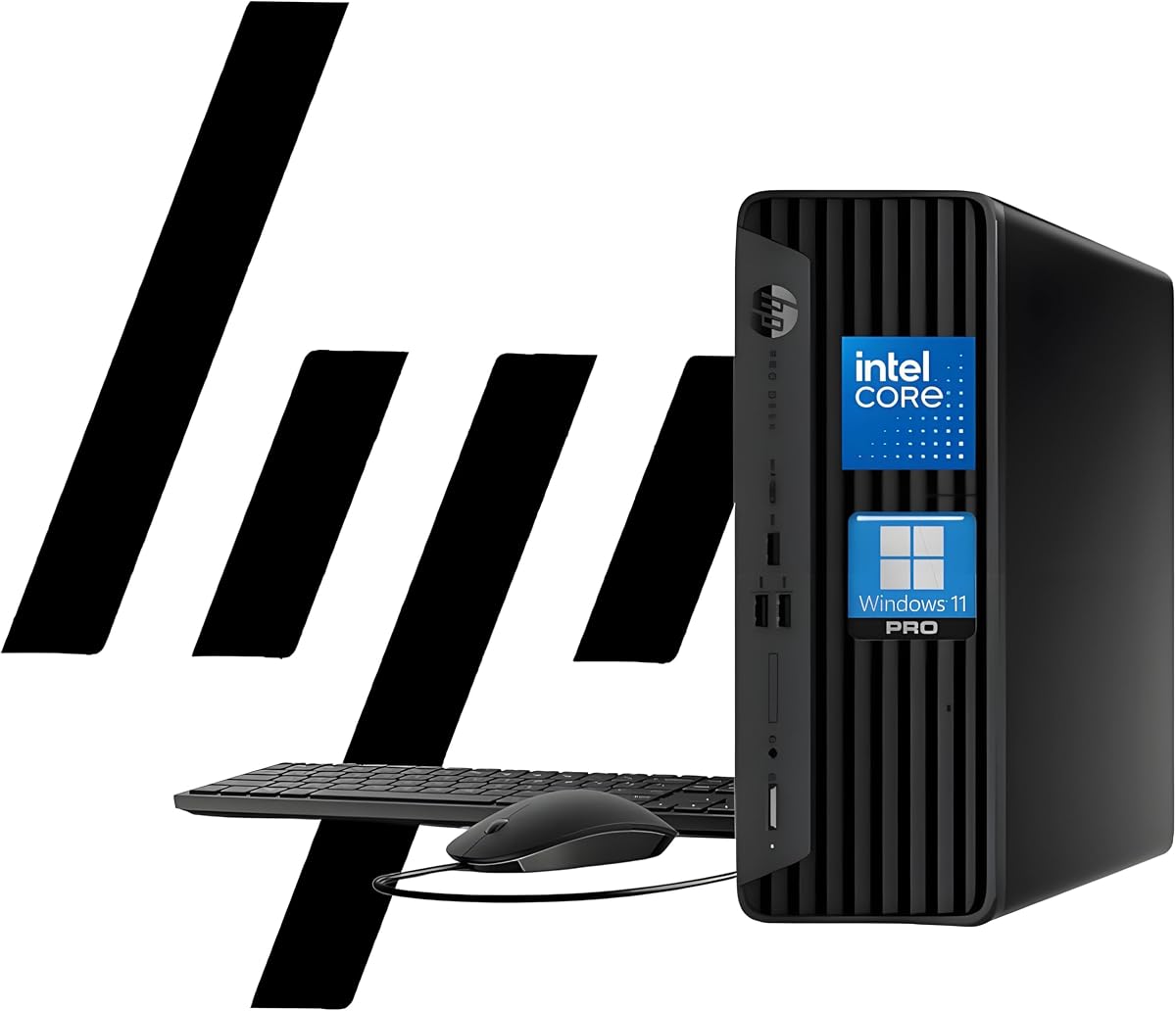
HP ProDesk 400 G9 SFF Business Desktop Computer
4.4Editor score
Compact and space-saving design
Supports dual 4K displays
Includes Windows 11 Pro
This expert guide compares the top 10 Desktop PC with 32GB RAM models for October 2026 to help you choose the right system for your computing needs.
Finding a reliable Desktop PC with 32GB RAM is essential for modern computing tasks ranging from professional video editing to intensive multitasking. This guide evaluates top models based on performance, connectivity, and overall value.
We compared ten distinct desktop systems using real-world specifications and user feedback to identify the most capable machines. Our analysis focuses on processor speed, memory type, storage capacity, and build quality.
Each selection below highlights specific strengths and ideal use cases for different users. Please note that product availability and specifications may change over time so verify details before purchasing.
4.4Editor score

5.0Editor score

4.5Editor score
The following comparison table details the core specifications of each reviewed system to help you make an informed decision based on your specific performance requirements.





The HP OmniDesk Next Gen AI PC stands out as a leading option for business users seeking advanced artificial intelligence integration directly into their desktop experience. This system offers a perfect balance of speed and efficiency.
We may earn a commission when you buy through this link, at no additional cost to you.
Its standout quality lies in the Intel Core Ultra 7 265 processor which is designed to handle complex workflows with ease. The inclusion of Microsoft Copilot provides an intuitive way to automate tasks and generate content.
While the integrated graphics are sufficient for office tasks, they may not satisfy gamers. This trade-off is acceptable for professionals who prioritize productivity and reliability over high-end gaming performance.
This desktop is ideal for business professionals and knowledge workers who need a reliable machine for multitasking and content creation. We recommend it for users who want the latest AI features.
Microsoft Copilot integration allows you to access intelligent assistance with a single press of a button directly on your keyboard for streamlined workflows.
The 32GB of DDR5 RAM ensures that you can juggle multiple applications and browser tabs simultaneously without experiencing any lag or slowdowns.
We may earn a commission when you buy through this link, at no additional cost to you.
The KOTIN Gaming PC Desktop is a powerhouse designed for enthusiasts who demand high frame rates and smooth visuals in modern games. It combines strong CPU and GPU capabilities for top-tier performance.
We may earn a commission when you buy through this link, at no additional cost to you.
The standout quality is the RTX 5060 Ti which supports ray tracing and DLSS 4 for immersive gaming experiences. The AMD Ryzen 7 8700F processor ensures that game logic and physics calculations run smoothly.
The only downside is the higher power consumption which may require a robust power supply and good case airflow. However, the included cooling system is well-designed to manage thermal loads effectively.
This system is best suited for gamers and content creators who need a machine capable of handling demanding titles and rendering tasks. We highly recommend it for serious users.
The RTX 5060 Ti graphics card delivers stunning visuals with ray tracing support and DLSS 4 for smoother frame rates in AAA titles.
A CPU air cooler with six copper heat pipes and five ARGB fans work together to maintain stable temperatures during extended gaming sessions.
We may earn a commission when you buy through this link, at no additional cost to you.
The HP ProDesk 400 G9 SFF is an excellent choice for businesses and users who need a reliable desktop without taking up much desk space. It offers a complete professional setup out of the box.
We may earn a commission when you buy through this link, at no additional cost to you.
Its standout quality is the versatility of connectivity which includes support for dual 4K displays allowing for an expansive workspace. The inclusion of Windows 11 Pro adds enterprise features like better security and remote management.
While the processor is entry-level, the generous 32GB of RAM ensures smooth performance for multitasking and general business applications. The trade-off is acceptable for office work where raw speed is less critical than reliability.
This desktop is ideal for small businesses, administrative roles, and users who need a secondary workstation. We recommend it for anyone prioritizing form factor and professional features over gaming.
Weighing under nine pounds the small form factor saves space while still delivering enterprise-grade performance for daily computing tasks.
TPM 2.0 and HP Wolf Security provide complete protection for your data ensuring your business information remains secure from threats.
We may earn a commission when you buy through this link, at no additional cost to you.
The HP Pavilion Desktop Tower Computer delivers solid performance for home offices and families needing a versatile machine. It balances processing power with ample storage for everyday tasks.
We may earn a commission when you buy through this link, at no additional cost to you.
Its standout quality is the seamless multitasking capability provided by the 32GB of DDR4 RAM and the Intel i7 processor. This combination allows users to run video conferencing software while working on multiple applications without slowdowns.
The graphics card is basic which limits heavy gaming but is sufficient for streaming and casual use. This is acceptable because the focus is on productivity and reliability for home users.
This desktop is perfect for students remote workers and small business owners. We recommend it for anyone seeking a dependable system that handles daily computing needs efficiently.
With 32GB of DDR4 RAM you can handle video conferencing data analysis and multiple programs simultaneously without experiencing any performance drops.
The 1TB PCIe SSD provides ultra-fast boot times and instant file access ensuring your computer is ready to work in seconds not minutes.
We may earn a commission when you buy through this link, at no additional cost to you.
The HP OmniDesk Desktop Computer PC is a compelling choice for users who want strong graphics performance without a dedicated card. It leverages AMD Ryzen AI for enhanced processing efficiency.
We may earn a commission when you buy through this link, at no additional cost to you.
Its standout quality is the Radeon 780M graphics which offer impressive capabilities for casual gaming and creative work compared to standard integrated solutions. The DDR5 memory ensures that data transfer rates remain high.
While a discrete GPU would be better for heavy 3D rendering the integrated solution keeps the system compact and efficient. This trade-off is acceptable for users who need a clean and streamlined desk setup.
This desktop is ideal for creative professionals and casual gamers. We recommend it for anyone looking for a balance between processing power and graphics capability in a single package.
AMD Ryzen AI with 16 NPU TOPS unlocks new levels of productivity and creativity by accelerating specific workloads efficiently.
The 32GB DDR5-5200 memory provides faster data throughput allowing for smoother operation across demanding multitasking scenarios.
We may earn a commission when you buy through this link, at no additional cost to you.
The Dell Tower Desktop is designed for professionals who need expansive visual real estate for their work. It supports multiple high-resolution displays to enhance productivity significantly.
We may earn a commission when you buy through this link, at no additional cost to you.
Its standout quality is the ability to connect up to four FHD monitors or two 4K displays which is rare at this price point. The Intel Core Ultra processor ensures that driving these screens does not bog down the system.
While the OS version is Home not Pro the hardware is ready for business use with TPM security. This is acceptable for users who prioritize display flexibility over enterprise features.
This desktop is perfect for traders analysts and designers. We recommend it for anyone who needs a workstation that supports a multi-monitor workflow out of the box.
The tool-less entry and removable side panel let you quickly access internal components making upgrades convenient and stress-free for IT admins.
This desktop is crafted from recycled materials with refined corners combining elegance with sustainability for a stylish addition to any office.
We may earn a commission when you buy through this link, at no additional cost to you.
The ASUS Tower Desktop Computer is a sleek machine that fits seamlessly into any home office environment without sacrificing performance. It offers a modern aesthetic and reliable specs.
We may earn a commission when you buy through this link, at no additional cost to you.
Its standout quality is the powerful 13th Generation Intel Core i7 processor paired with DDR5 RAM. This ensures quick system responsiveness and ample space for your files with a fast NVMe SSD.
While the design is compact it may offer fewer ports than larger towers. This trade-off is acceptable for users who prioritize desk space and a clean look over expandability.
This desktop is perfect for students and home users. We recommend it for anyone who wants a powerful and stylish system that is ready to use out of the box.
The 13th Generation Intel Core i7 features 10 cores and 16 threads to effortlessly handle your daily work streaming and browsing all at once.
Stay connected with the latest Wi-Fi 6 for faster wireless speeds and Bluetooth 5.4 for seamless pairing with headphones and speakers.
We may earn a commission when you buy through this link, at no additional cost to you.
The HP Desktop Computer Tower PC is a practical choice for professionals who need smooth multitasking without breaking the bank. It balances cost and performance well.
We may earn a commission when you buy through this link, at no additional cost to you.
Its standout quality is the Intel Core i5-12500T processor which delivers smooth multitasking for handling video calls spreadsheets and multiple browser tabs. The generous 32GB of RAM ensures no slowdowns during heavy use.
While the CPU is designed for efficiency it might not excel at heavy compute tasks. This is acceptable because it focuses on productivity and long-term value for general business users.
This desktop is perfect for office environments and home workers. We recommend it for anyone seeking a dependable machine that handles everyday computing needs efficiently.
The Intel Core i5-12500T processor with 32GB DDR4 RAM delivers smooth multitasking for professionals who need to handle many tasks simultaneously.
Modern 12th generation Intel architecture ensures compatibility with current and future software updates making this a wise investment for years.
We may earn a commission when you buy through this link, at no additional cost to you.
The Dell Optiplex 7050 SFF is a great option for users looking for a reliable workstation at a lower price point. It has been professionally renewed to ensure good condition.
We may earn a commission when you buy through this link, at no additional cost to you.
Its standout quality is the inclusion of Windows 11 Pro which is often reserved for newer business systems. The 32GB of RAM provides ample headroom for multitasking on the older i7 processor.
While the processor is older it still handles many daily tasks well. This trade-off is acceptable for budget-conscious users who need professional features without the premium cost.
This desktop is ideal for basic office work and light business tasks. We recommend it for those who want to save money without sacrificing RAM and storage capacity.
This unit is professionally renewed tested and certified to ensure it comes in excellent condition with a 90 days warranty from the seller.
Supporting dual monitors and featuring multiple USB ports ensures you can connect all your necessary peripherals and displays easily.
We may earn a commission when you buy through this link, at no additional cost to you.
The DELL Optiplex 7060 SFF is a powerful small form factor desktop suitable for both home and business computing. It offers a solid foundation for efficient multitasking.
We may earn a commission when you buy through this link, at no additional cost to you.
Its standout quality is the 6-core 8th Generation i7 processor paired with a blazing-fast 512GB NVMe SSD for faster boot speeds and higher data transfer rates. The 32GB RAM ensures smooth operation.
The SSD size is smaller but sufficient for system and apps. This trade-off is acceptable because the NVMe drive ensures that the system remains responsive and efficient.
This desktop is ideal for general office use and as a reliable workstation. We recommend it for users who need a refurbished unit with strong performance and wireless connectivity.
Powered by an Intel 6-core 8th Generation i7-8700 processor this desktop reaches up to 4.60 Ghz enabling efficient multitasking for daily work.
Includes a wireless keyboard and mouse along with built-in WiFi and Bluetooth for a clutter-free desk and seamless connectivity.
We may earn a commission when you buy through this link, at no additional cost to you.
Selecting the right desktop requires understanding how each component impacts your specific workflow and goals.
The CPU is the heart of your computer and determines how quickly it can process data. Look for modern processors like Intel Core Ultra or AMD Ryzen 7 which offer high clock speeds and multiple cores for better performance in multitasking environments.
Choose a processor with enough cores to handle your typical workload without bottlenecks.
32GB RAM is becoming standard for professional work allowing you to run multiple heavy applications simultaneously. DDR5 memory is newer and faster than DDR4 providing quicker data access for demanding tasks.
Ensure your system has at least 32GB of RAM for future-proofing and smooth performance.
Solid State Drives are much faster than traditional hard drives leading to instant boot times and quicker file access. NVMe SSDs offer even faster speeds than SATA SSDs improving overall system responsiveness significantly.
Prioritize an NVMe SSD for the best performance and responsiveness.
For general office work integrated graphics are sufficient and help keep costs down. However if you need to edit video or play modern games a dedicated GPU is necessary to handle the graphical load.
Decide if you need a dedicated graphics card based on your creative or gaming needs.
A good desktop should have enough USB ports HDMI or DisplayPort connections and wireless support like Wi-Fi 6. Ensure the system supports your monitors and peripherals without needing too many adapters.
Check that the system has the necessary ports for your peripherals and displays.
Windows 11 Pro offers enterprise features like BitLocker encryption and Remote Desktop which are useful for business users. Windows Home is sufficient for general consumers but lacks some advanced management tools.
Select Pro for business features or Home for general consumer needs.
Small Form Factor cases save space but may have limited internal expansion options. Full Tower cases offer better airflow and room for upgrades but take up more desk space.
Choose the size that fits your workspace and upgrade requirements.
Reliable warranty coverage ensures you can get repairs or replacements if hardware issues arise. Look for on-site service options that can save you time and shipping costs.
Prioritize units with strong warranty and on-site service support.
Start by connecting your monitor keyboard and mouse to the correct ports ensuring secure connections for stability. Boot up the system and allow it to install the latest updates and drivers for optimal performance.
Organize your files using built-in storage solutions to maintain a clean workspace. Utilize the large RAM capacity to keep multiple applications open simultaneously without needing to close and reopen them.
Regularly clean dust from vents to prevent overheating and extend the life of your components. Keep your operating system updated and use reliable security software to protect against potential threats.
Yes 32GB of RAM is generally considered the sweet spot for professional workloads such as video editing 3D modeling and heavy multitasking. It allows you to run multiple resource-intensive applications simultaneously without significant slowdowns.
DDR5 RAM offers faster data transfer speeds and higher bandwidth compared to DDR4. It also supports larger capacities and is more power-efficient allowing for better performance in modern applications and games.
For standard business tasks like office productivity and web browsing integrated graphics are sufficient. A dedicated GPU is only necessary if you plan on doing video editing or gaming or 3D rendering tasks.
Most tower desktops allow for easy upgrades to RAM and storage but Small Form Factor models may have limited slots. Always check the specific upgrade path of a model before purchasing to ensure future flexibility.
Yes professionally renewed desktops are tested and certified to function like new units. They often come with warranties and offer significant savings compared to buying brand new systems for budget-conscious buyers.
Windows 11 Pro includes features like BitLocker encryption Remote Desktop and Group Policy Management which are essential for businesses. Home is sufficient for consumers but lacks these enterprise-level security and management tools.
NVMe SSDs connect directly to the motherboard providing significantly faster read and write speeds than SATA SSDs. This results in almost instant boot times and faster loading of applications and large files.
A proper cooling system is crucial for maintaining performance and extending component lifespan. Better cooling prevents thermal throttling allowing your CPU and GPU to run at peak speeds during long sessions.
Our review highlights the HP OmniDesk Next Gen AI PC the KOTIN Gaming PC and the HP ProDesk as top choices for different user needs. Each system offers unique strengths in performance and features.
Prioritize what matters most to you such as gaming capability or business features when making your decision. Consider the form factor and connectivity options to ensure the system fits your workspace.
Remember to check current pricing and availability as these details can change frequently. Verify specifications match your requirements before finalizing your purchase for the best experience.