
NOYAFA NF-488 POE Cable Tester
4.5Editor score
Multifunctional network testing
Clear LCD backlit screen
Independent backlighting timers
This guide compares the top ten Inline POE Tester models for network professionals, detailing their features, accuracy, and suitability for various installation
Inline POE testers are essential tools for network technicians who need to verify power delivery over Ethernet cables. These devices help ensure that switches and injectors provide the correct voltage and wattage to connected devices like cameras and phones.
We compared ten leading models based on their testing modes, display clarity, and ability to handle different POE standards. Our analysis focuses on accuracy, ease of use, and durability for field work environments.
Each pick highlights specific strengths such as battery-free operation or OLED screens. Please note that prices and availability can change rapidly, so verify current listings before making a purchase decision.
4.5Editor score

4.1Editor score

4.1Editor score
The following table provides a side-by-side comparison of all ten Inline POE Tester models. It highlights key specifications to help you quickly identify which tool fits your specific networking requirements.
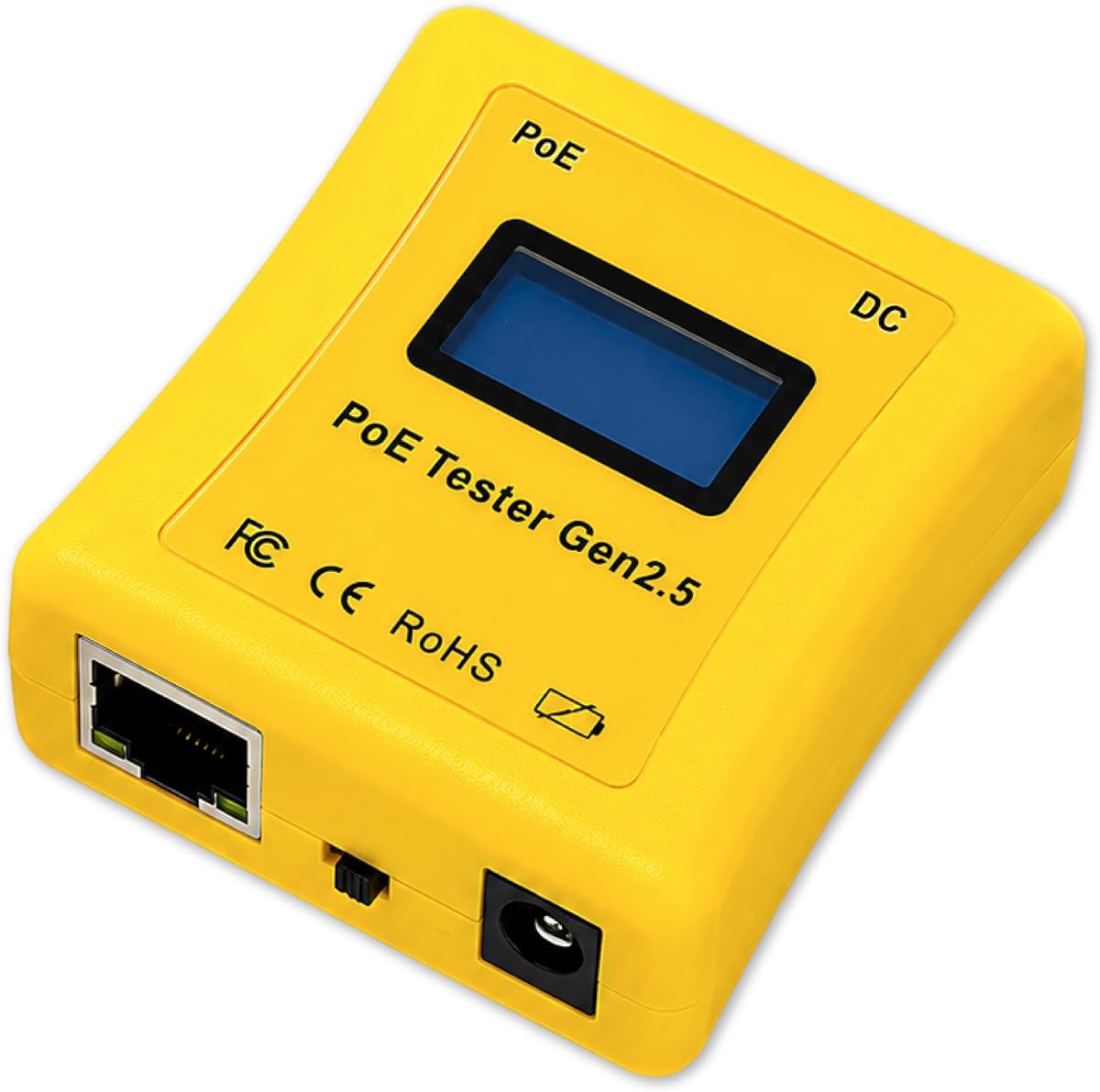


The TRENDnet TC-NTP1 is a reliable Inline POE Tester designed for professional installation and maintenance tasks. It supports up to 100W and is compliant with NDAA standards for government projects.
We may earn a commission when you buy through this link, at no additional cost to you.
Its key strengths include battery-free operation which ensures it is always ready for use. The step button allows you to lock displays for real-time monitoring of voltage and wattage.
While it lacks advanced data logging, the straightforward interface makes it easy to use without training. This trade-off is acceptable for quick field checks where simplicity is valued.
IT professionals working on government contracts or high power systems should choose this model. It provides essential testing modes with solid manufacturer protection support.
The NDAA compliant feature ensures this tester meets strict government requirements for federal and state installations.
Supporting up to 100W allows it to test the latest high-wattage PoE devices and switches effectively.
We may earn a commission when you buy through this link, at no additional cost to you.
The PoE-T100 features a bright OLED display that shows real-time power data clearly. It supports a wide range of DC voltages and is self-powered by the line it tests.
We may earn a commission when you buy through this link, at no additional cost to you.
Its key strengths lie in the clarity of its display and the ability to simulate devices. This helps installers test switches without needing a full powered device attached.
The higher cost may not be justified for simple home networks. However, for field engineers needing precision and visibility in bright conditions, the value is clear.
Network engineers looking for premium visibility and flexible testing modes should buy this tool. It reduces troubleshooting time with accurate and immediate feedback.
The OLED screen ensures high contrast and readability even in direct sunlight or dark wiring closets.
Support for DC inputs alongside standard PoE makes it versatile for hybrid power setups.
We may earn a commission when you buy through this link, at no additional cost to you.
The NOYAFA NF-488 is an affordable option that combines PoE testing with cable continuity checks. It features a large backlit LCD screen and an anti-slip casing for grip.
We may earn a commission when you buy through this link, at no additional cost to you.
Its main strengths are its versatility and low cost. It detects standard PoE and checks for wiring faults simultaneously which is useful for general cabling tasks.
The plastic casing is durable but not as robust as industrial tools. This is acceptable for users who need a budget-friendly tool for occasional use.
Budget-conscious technicians or those needing a dual-purpose tool should consider this tester. It offers essential features without a high financial barrier.
This device helps identify open circuits and short circuits which speeds up cabling troubleshooting.
It accurately identifies PoE standards so you can confirm power sources before connecting devices.
We may earn a commission when you buy through this link, at no additional cost to you.
The PoE Texas tester is designed for comfort with an ergonomic body that is smaller than previous models. It requires no batteries and supports a wide voltage range up to 280 watts.
We may earn a commission when you buy through this link, at no additional cost to you.
Its standout feature is the ability to simulate a PoE device for testing switches. This is crucial for verifying switch port activation without a target device.
The screen does not have a lock feature which can be inconvenient for long monitoring. This is a minor trade-off given its portability and performance.
Installers who prioritize comfort and switch testing features should choose this device. It fits easily in a pocket and provides reliable readings quickly.
The simulate mode helps determine if a switch port is active before installing expensive equipment.
Being 25 percent smaller than older models makes it easier to carry on daily jobs.
We may earn a commission when you buy through this link, at no additional cost to you.
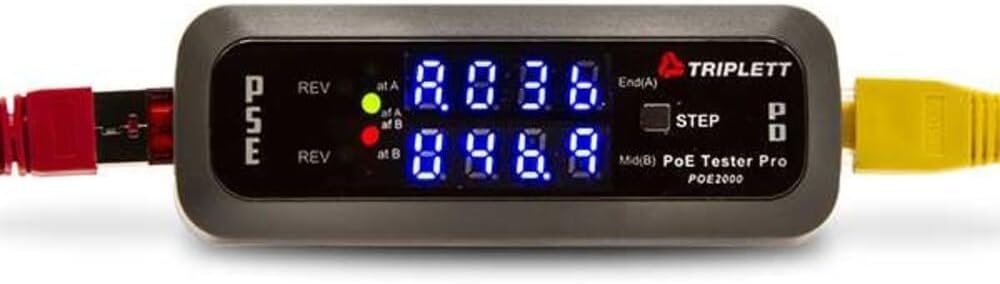
The Triplett POE2000 uses dual 7-digit LEDs to indicate power sources and polarity clearly. It is designed for quick checks where visual cues are preferred over screens.
We may earn a commission when you buy through this link, at no additional cost to you.
Its strengths include robust indicator lights that show end span or mid span connections. This helps identify wiring issues without complex menus or digital readouts.
Lacking a numeric screen can be limiting for precise voltage monitoring. This is acceptable for technicians who only need pass or fail data.
Technicians who prefer analog visual feedback should consider this model. It provides essential PoE details in a rugged and simple format.
The LED indicators allow for instant recognition of power types and polarity issues.
Simple navigation ensures that users can get data quickly without fumbling with menus.
We may earn a commission when you buy through this link, at no additional cost to you.
The Triplett POE3000 is a visual-focused tool that uses LEDs to show IEEE standards and power types. It is simple to use and accurate for standard PoE checks.
We may earn a commission when you buy through this link, at no additional cost to you.
Its key strengths are its simplicity and accuracy. The indicators make it easy to confirm connections without staring at a small screen.
Without a numeric display it is harder to see exact voltages. This is acceptable if you only need to verify that power is within spec.
Users who want a simple and reliable visual check should choose this device. It is perfect for quick validation during installations.
The LEDs clearly distinguish between af and at or bt standards for quick identification.
Inline monitoring ensures that the power level is sufficient for the connected device.
We may earn a commission when you buy through this link, at no additional cost to you.
The Jonard Tools POE-1 is a portable tool that combines PoE testing with resistance checks. It includes a belt clip and can be used without batteries for PoE tasks.
We may earn a commission when you buy through this link, at no additional cost to you.
Its main strengths are its comprehensive testing range and portability. The resistance verification helps ensure cable integrity which is vital for data transmission.
Relying on AA batteries for continuity can be a minor inconvenience. This is acceptable because the device is still lightweight and easy to carry.
Technicians who need a portable tool for continuity and power should consider this. It comes with a complete kit for immediate use.
Verifying resistance helps ensure that cables are free from shorts or opens.
The belt clip ensures that the device stays secure on your belt while working.
We may earn a commission when you buy through this link, at no additional cost to you.
This PoE Cable Tester features cable length measurement which is rare in standard POE testers. It includes a rechargeable battery and port flash detection for quick active port location.
We may earn a commission when you buy through this link, at no additional cost to you.
Its key strengths are the added measurement features and high user rating. The rechargeable battery ensures you do not need to buy disposable cells.
The battery life may be shorter than non-rechargeable options. This is acceptable given the convenience of not buying batteries frequently.
Installers who need to check cable lengths alongside power should choose this model. It offers a comprehensive set of features for network verification.
Measuring cable length helps avoid issues with runs that exceed distance limits.
Port flash detection allows you to find active ports without tracing cables manually.
We may earn a commission when you buy through this link, at no additional cost to you.
The Inline Cat5/6 Dvm offers a unique design with a DVM power panel for voltage checks. It supports CAT5 and CAT6 cables and includes basic network POE test functions.
We may earn a commission when you buy through this link, at no additional cost to you.
Its main strengths are its specific panel design which is useful for dedicated power setups. This can be helpful in fixed installations requiring constant monitoring.
Limited detailed information makes it hard to recommend for general use. This is acceptable if you need a specific panel type for a custom setup.
Users with specific DVM requirements or older systems should consider this device. It provides essential voltage checks for network power systems.
The DVM panel allows for constant voltage monitoring in fixed network setups.
Support for CAT6 ensures it works with modern high-speed cabling systems.
We may earn a commission when you buy through this link, at no additional cost to you.
This NF-488 model features a loop-back test function that helps diagnose switch loop problems. It includes an LED lamp and a wide power detection range up to 180 watts.
We may earn a commission when you buy through this link, at no additional cost to you.
Its main strengths are the loop-back diagnostics and the included illumination for dark closets. This combination makes it versatile for complex network environments.
Some users report build quality inconsistencies. This is acceptable given the advanced features and the lifetime service promise from the seller.
Technicians who need loop diagnostics should consider this tester. It provides a range of tools in one compact device.
The loop-back test helps identify when a switch is receiving a loop signal.
The built-in LED lamp ensures you can work in dark wiring closets easily.
We may earn a commission when you buy through this link, at no additional cost to you.
Choosing the right Inline POE Tester depends on your specific technical requirements and environment.
Ensure the tester supports the power range of your devices. Many modern switches support up to 100W or 90W so look for tools that handle 802.3bt standards.
Choose a tester that covers all required standards to avoid compatibility issues.
A clear display is essential for field work where lighting conditions vary. OLED or backlit LCD screens ensure you can read voltage and current numbers easily.
Prioritize displays that show data clearly in bright sunlight or dark cabinets.
Most professional testers draw power from the line to remain operational without batteries. This feature ensures you do not get stuck during a job with dead cells.
Always look for self-powered options to guarantee availability during critical installation times.
Advanced testers offer modes that simulate devices or detect loop-backs. These features help you verify switch ports without needing actual end devices.
Select a model with modes that match your typical troubleshooting scenarios.
Field tools should be durable enough to withstand drops and rough handling. Look for anti-slip casings and compact designs that fit easily in a utility pouch.
Robust build quality ensures the tool lasts longer in demanding environments.
Some tools combine POE testing with continuity or length checks. This dual functionality reduces the need to carry separate testers for data wiring.
A combined device is more efficient for general network maintenance tasks.
For government projects ensure the device meets NDAA standards. This compliance is a strict requirement for many public sector contracts in the US.
Verify compliance before purchasing if you work in regulated industries.
Reliable customer support can save time when issues arise. Look for brands that offer protection periods and accessible technical advice.
Good support adds value to the initial purchase of professional tools.
To begin use connect the tester between the source and the device. Ensure all connections are secure and the device is powered on.
Observe the display for real-time readings. Use the step button to cycle through voltage and wattage data as needed.
Store the device in a dry place to prevent moisture damage. Clean the ports regularly to ensure accurate connectivity.
Yes many modern Inline POE Testers support up to 100W which covers PoE BT requirements. Always check the specs to confirm the maximum wattage limit of the device.
Most models do not require charging because they draw power from the network line. Some may have batteries for additional features but they are not needed for basic POE testing.
Accuracy is usually specified in the manufacturer documentation. Choose models from reputable brands that publish calibration standards and user reviews.
Yes many testers support passive POE detection alongside standard IEEE modes. Check the product description to confirm the supported voltage ranges for passive devices.
With proper care these tools can last several years. Regular cleaning and avoiding physical damage are key to maintaining functionality and accuracy.
Many products include manufacturer protection or warranty periods. Review the product details to confirm the duration and coverage of any included warranty.
They generally work with standard Cat5e and Cat6 cables. Ensure the ports are compatible with the connectors you use in your network setup.
These testers are designed for low-voltage Ethernet cables which pose minimal risk. Always follow standard safety practices when working with electrical equipment.
We have reviewed ten top models offering various features from OLED screens to compliance standards. The TRENDnet and PoE-T100 lead in performance and clarity.
Prioritize display quality and power range when selecting a tool. These factors ensure you can test any device without needing to upgrade equipment soon.
Remember to check current prices and availability before buying. The market changes frequently and the best deal may vary from day to day.