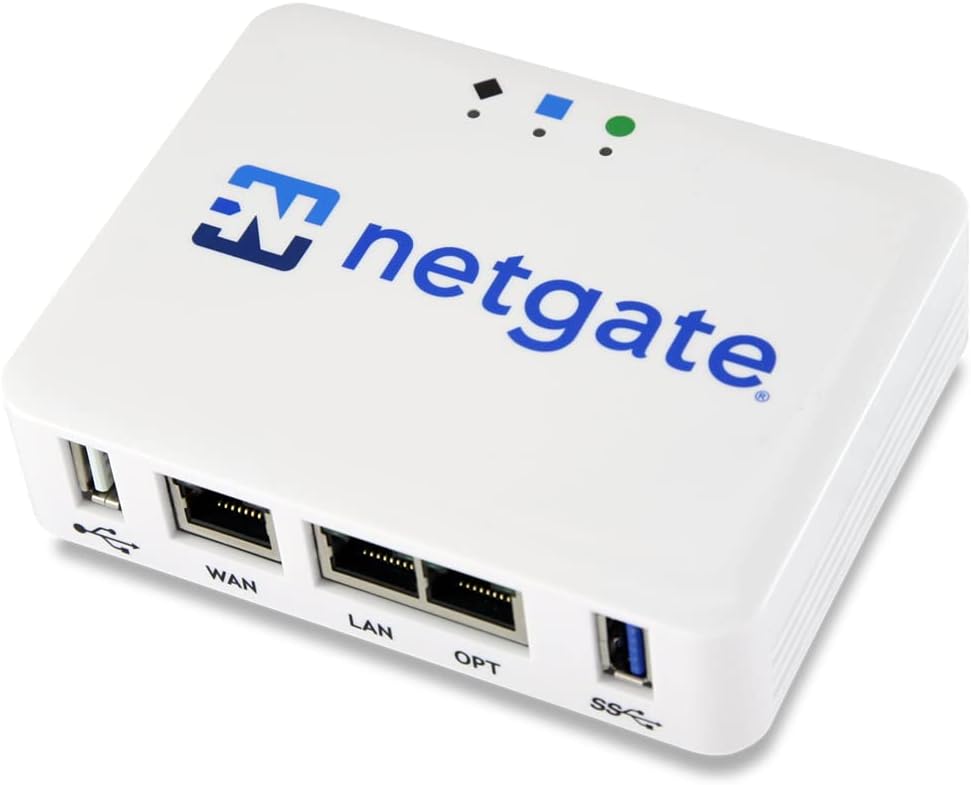
Netgate 1100 pfSense+ Security Gateway
4.1Editor score
Pre-loaded pfSense+ software
Dual core ARM processor
Compact low power design
Lifetime software updates
Discover the top ten hardware firewalls for enterprise and small business security. This guide compares features, performance, and protection to help you
Hardware firewalls are essential devices that protect your network from external threats by filtering traffic before it reaches your internal systems. They provide a dedicated layer of security that software alone cannot match. Choosing the right appliance ensures your data remains safe from malicious actors and unauthorized access attempts.
We evaluated ten leading hardware firewall models based on their throughput, security features, ease of management, and overall reliability. Our analysis focuses on real-world performance metrics and the specific capabilities each device offers to defend against modern cyber threats. This list helps you identify the best fit for your unique network requirements.
Each selection highlights key strengths and ideal use cases to guide your purchasing decision. Note that product availability and specific configurations may vary over time. Always check the latest details and current offers before finalizing your order to ensure you get the most up to-date protection available.
4.1Editor score
4.2Editor score

This table provides a side-by-side overview of the top hardware firewall options available. Compare their core specifications, port configurations, and performance capabilities to find the device that best aligns with your security needs.


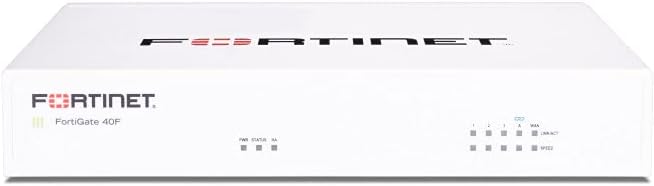
The FortiGate 40F is a compact appliance designed specifically for small to mid-sized businesses and enterprise branch offices. It delivers robust security with a high-performance throughput that handles modern traffic demands efficiently.
We may earn a commission when you buy through this link, at no additional cost to you.
Its standout feature is the integration with Fortinet's AI-powered FortiGuard Labs which identifies both known and unknown threats. The device includes five Gigabit Ethernet ports providing flexible connectivity for various network configurations.
While it requires a separate subscription for full service updates, the hardware itself is built to last and operate quietly. The fanless design minimizes space usage and makes it ideal for office environments where noise is a concern.
For small businesses seeking enterprise-grade security without a large footprint, this appliance offers a reliable foundation. It is highly recommended for those needing immediate protection with scalable management options.
The fanless desktop form factor ensures quiet operation and minimizes space usage in tight office environments.
It offers up to 1 Gbps IPS throughput using purpose-built security processor technology for industry leading protection.
We may earn a commission when you buy through this link, at no additional cost to you.
The Netgate 1100 comes pre-loaded with pfSense+ software allowing for a quick start to secure edge networking. It is ideal for those who value open source flexibility with enterprise ready support included.
We may earn a commission when you buy through this link, at no additional cost to you.
Its dual core ARM processor delivers near gigabit routing capabilities which is impressive for its size and power consumption. The hardware includes a one year warranty and lifetime software updates for the product life.
Although it requires an adult signature upon delivery, the device is compact and runs unnoticed on a desktop or wall. The expert technical assistance center provides help with setup to ensure smooth integration.
This model is a top choice for budget conscious professionals who need a powerful gateway without high recurring costs. It balances performance and cost effectively for home offices or small businesses.
pfSense+ software updates are included for the product lifetime along with TAC Lite technical support.
The dual core ARM Cortex A53 1.2 GHz delivers near gigabit routing of common traffic.
We may earn a commission when you buy through this link, at no additional cost to you.
The Zyxel USGFLEX100H is a versatile firewall designed to support up to 50 users with high throughput capabilities. It features a unique offline capable setup and update process that keeps the web interface accessible.
We may earn a commission when you buy through this link, at no additional cost to you.
With its compact fanless design and robust throughput, it handles significant traffic loads while maintaining energy efficiency. The device supports flexible software-defined ports for various network configurations and VLAN setups.
While it supports up to 50 users the base pack may have limitations compared to higher licenses. However, the centralized management via Nebula ensures easy policy synchronization and configuration.
This appliance is an excellent choice for businesses needing a reliable firewall that can function even when internet connectivity is restricted for updates.
Configure via Nebula portal wizard and update firmware offline via FTP on the local network.
Eight 1G RJ45 ports are assignable as WAN or LAN for flexible configuration and link aggregation.
We may earn a commission when you buy through this link, at no additional cost to you.
The SonicWall TZ280 offers up to 2.5 Gbps firewall inspection driven by its patented Reassembly-Free Deep Packet Inspection engine. It is designed to secure SD-WAN and distributed sites efficiently.
We may earn a commission when you buy through this link, at no additional cost to you.
Its connectivity options include eight Gigabit Ethernet ports and two SFP ports providing robust local network capabilities. The device supports Zero-Trust Network Access through Cloud Secure Edge for remote workers.
While the hardware is sold without a service subscription, the performance is high and the deployment is zero-touch. This allows for quick setup either on-box or via cloud Network Security Manager.
For small businesses needing high speed inspection and SD-WAN features, this appliance is a strong contender. It balances cost and performance well for branch office scenarios.
Up to 2.5 Gbps firewall inspection and 1 Gbps threat prevention driven by Reassembly-Free Deep Packet Inspection.
Eight 1GbE and two 1G SFP ports in a desktop form factor for flexible zero-touch deployment.
We may earn a commission when you buy through this link, at no additional cost to you.
The FortiGate-70G is a next-generation firewall designed for small offices and branches with high-speed needs. It includes NGFW, IPS, and web filtering built-in for comprehensive protection.
We may earn a commission when you buy through this link, at no additional cost to you.
Its ten 10 Gigabit Ethernet RJ45 ports make it ideal for environments where speed is a priority. Secure SD-WAN capabilities improve cloud and SaaS performance while maintaining consistent security policies.
The device offers deep visibility with SSL inspection and application control to govern encrypted traffic effectively. Centralized management is easy via FortiGate Cloud or FortiManager.
For businesses needing high throughput and robust security in one unit, this appliance is an excellent investment. It integrates seamlessly with FortiSwitch and FortiAP for a unified network.
Includes NGFW, IPS, and web filtering built-in for comprehensive protection in small offices.
SSL inspection and application control help identify and govern encrypted traffic efficiently.
We may earn a commission when you buy through this link, at no additional cost to you.
The Sophos XGS 128 provides up to 19.1 Gbps firewall throughput making it suitable for larger offices. It features nine 2.5 GE copper ports and one SFP fiber port for robust connectivity.
We may earn a commission when you buy through this link, at no additional cost to you.
This next-generation appliance is purpose built for high performance and reliable operation in business networks. SD-WAN optimization provides resilient connectivity and intelligent traffic routing across multiple WAN links.
The VPN ready architecture supports secure site to site networking and encrypted remote employee access. It requires a subscription to enable all advanced features but the hardware is powerful.
For large organizations needing high-speed enterprise security, this device offers the scalability required. It ensures visibility and protection for growing networks effectively.
Purpose built next generation firewall hardware engineered for high performance and reliable operation.
Provides resilient connectivity and intelligent traffic routing across multiple WAN connections.
We may earn a commission when you buy through this link, at no additional cost to you.
The Zyxel USGFLEX700 is a business class firewall recommended for mid-size to large offices with high-speed internet. It includes a complete security bundle with anti-malware and web filtering for one year.
We may earn a commission when you buy through this link, at no additional cost to you.
With a max throughput of 5400 Mbps SPI Firewall, it handles heavy loads efficiently. The device offers 12 configurable Gigabit ports and 2 SFP fiber ports for flexible connectivity.
Nebula Cloud Management allows for easy management and configuration of network security. It is designed to support up to 500 users providing scalable protection.
For organizations needing a complete security solution with high throughput, this model is highly effective. The included year of services makes it a strong start.
Includes 1 year anti-malware ransomware blocking web filtering and application control.
Max throughput is 5400 Mbps SPI Firewall supporting internet speeds up to 900 Mbps.
We may earn a commission when you buy through this link, at no additional cost to you.
The SonicWall TZ680 delivers up to 5 Gbps firewall inspection making it a high-end option for SMBs. It features robust connectivity with multiple high-speed ports for modern networks.
We may earn a commission when you buy through this link, at no additional cost to you.
Its desktop form factor allows for flexible placement while offering advanced threat protection. The device includes Zero-Trust Network Access through Cloud Secure Edge to keep remote workers protected.
With up to 5 Gbps firewall inspection and 2.5 Gbps threat prevention it handles large traffic volumes. The patented Reassembly-Free Deep Packet Inspection engine drives these capabilities.
For distributed sites needing high-end security, this appliance provides the required performance. It balances speed with comprehensive protection features.
Up to 5 Gbps firewall inspection and 2.5 Gbps threat prevention.
Eight 1GbE and two 5G SFP+ ports in a desktop form factor.
We may earn a commission when you buy through this link, at no additional cost to you.
The FortiGate 60F appliance comes bundled with three years of FortiCare Premium and FortiGuard Unified Threat Protection. It secures against advanced threats with comprehensive filtering.
We may earn a commission when you buy through this link, at no additional cost to you.
This model is optimized for medium-sized businesses needing robust security without large enterprise infrastructure. It employs advanced filtering technologies to safeguard against sophisticated threats.
Reliable customer support ensures high-quality service continuity for your network. The bundle provides immediate value and protection out of the box.
For businesses seeking a ready-to-use solution with long-term protection, this appliance is a smart choice. It balances hardware and services effectively.
Bundled with 3 years of FortiCare Premium and FortiGuard Unified Threat Protection.
Employs advanced filtering technologies to safeguard against sophisticated threats.
We may earn a commission when you buy through this link, at no additional cost to you.
The Cisco ASA5525-X is a classic enterprise security appliance designed for scalability and robust protection. It features eight ports of Gigabit Ethernet for standard network connections.
We may earn a commission when you buy through this link, at no additional cost to you.
As a renewed appliance, it offers a cost-effective way to access enterprise-grade security. It is suitable for businesses needing a reliable and scalable solution.
The device supports high throughput and is part of a trusted security ecosystem. It ensures your network remains protected with proven technology.
For those seeking enterprise security on a budget, this renewed option provides excellent value. It is highly recommended for large-scale deployments.
Cisco ASA 5525-x firewall edition with 8 port gigabit Ethernet.
Enterprise security appliance designed to scale with your growing business needs.
We may earn a commission when you buy through this link, at no additional cost to you.
Selecting the right hardware firewall requires evaluating several critical factors to ensure your network remains secure.
Throughput refers to the amount of data a firewall can process without introducing significant latency. For high-speed internet connections, choose a model that supports your bandwidth needs.
Ensure the firewall can handle your traffic volume to prevent bottlenecks.
The number and type of ports determine how devices connect to your network. Look for Gigabit Ethernet or SFP ports depending on your speed requirements.
More ports provide flexibility for connecting multiple networks and devices.
Advanced security features like IPS, anti-malware, and web filtering are essential for comprehensive protection. Some models offer sandboxing and threat intelligence feeds.
Verify the included security services match your specific needs.
User-friendly management consoles simplify setup and ongoing monitoring. Cloud management options allow remote control and policy synchronization.
Choose a device with intuitive tools to save time on administration.
Your network may grow over time so scalability is important. Select a firewall that supports additional users or bandwidth expansion.
Invest in a device that grows with your business needs.
Some appliances require annual subscriptions for updates and security services. Factor in these recurring costs when calculating the total investment.
Compare bundled options to find the best long-term value.
Reliable technical support ensures issues are resolved quickly. Look for warranties and access to expert assistance for installation.
Prioritize brands known for excellent customer service.
Hardware firewalls come in various sizes and designs. Desktop models suit small offices while rackmount options fit server rooms.
Choose a design that fits your physical space constraints.
Begin by placing your firewall between your modem and internal network devices. Connect the WAN port to your modem and LAN ports to your switches or computers.
Access the web interface or mobile app to configure security policies. Ensure you enable all relevant protection features such as IPS and web filtering.
Regularly update your firmware to patch vulnerabilities and improve performance. Schedule periodic reviews of your traffic logs to detect suspicious activity.
A hardware firewall is a physical device designed to protect your network from unauthorized access and threats. It filters incoming and outgoing traffic based on security rules. This dedicated layer of protection complements software solutions.
Hardware firewalls provide robust security independent of individual computers. They protect all connected devices and offer higher performance than software-based tools. This is vital for businesses handling sensitive data.
Connect the firewall between your modem and network devices using Ethernet cables. Access the management console to configure settings like firewall rules and logging. Follow the manufacturer's guide for initial setup.
Yes, regular updates ensure protection against new threats. Firmware updates fix bugs and add new features. Some models allow automatic updates via cloud services.
While hardware firewalls protect against network-level threats they do not replace antivirus software. Antivirus scans internal files for malware. Both layers are recommended for comprehensive security.
Next-Gen Firewalls offer advanced features like application control and deep packet inspection. They provide better visibility into traffic patterns. These features help mitigate sophisticated cyber threats.
Costs vary based on performance and features. Entry-level models start at a lower price while enterprise units cost more. Consider total cost of ownership including subscriptions.
Yes, many hardware firewalls are suitable for home use. They protect personal devices and smart home appliances. Look for models designed for small offices or SOHO.
We have explored ten top hardware firewalls offering diverse features for different security needs. From compact models for small businesses to powerful appliances for enterprises there is a fit for everyone.
Prioritize models that match your network size and security requirements. Consider throughput and ease of management when making your decision.
Always check current availability and details before purchasing to ensure you get the right device.