
ID-COOLING IS-40-XT Black
4.6Editor score
Ultra compact forty seven millimeter height
Four heat pipes for efficient transfer
Quiet nine two millimeter PWM fan
This guide compares the top ten Htpc CPU Cooler models for quiet performance and low profile designs in October 2026 to help you choose the right cooling
Finding the right cooling solution for your home theater PC requires balancing performance with size and noise levels. A good Htpc CPU Cooler keeps your system running quietly while fitting inside compact cases without blocking essential components like RAM or PCIe slots.
We evaluated ten leading models based on their thermal efficiency, acoustic performance, build quality, and compatibility with modern sockets. Our analysis focuses on low-profile designs that excel in small form factor builds while maintaining reliable heat dissipation for various CPU types.
Each selection below highlights specific strengths such as budget value, premium silence, or maximum cooling power. Please note that availability and pricing can change frequently so verify current details before making your final purchase decision today.
4.6Editor score

4.7Editor score

4.7Editor score
The following table provides a side by side comparison of all ten selected models highlighting their key specifications and core strengths for your review.

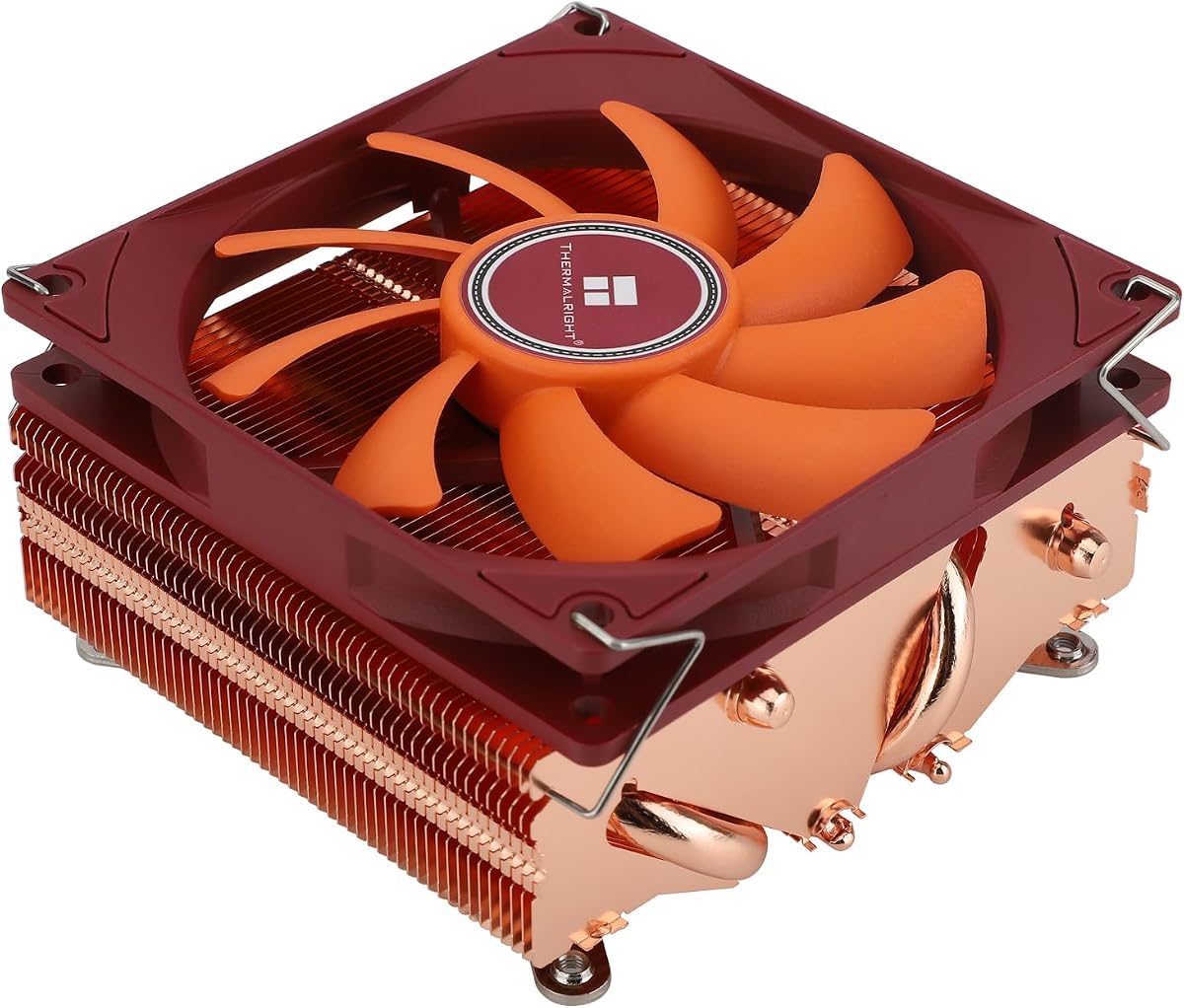

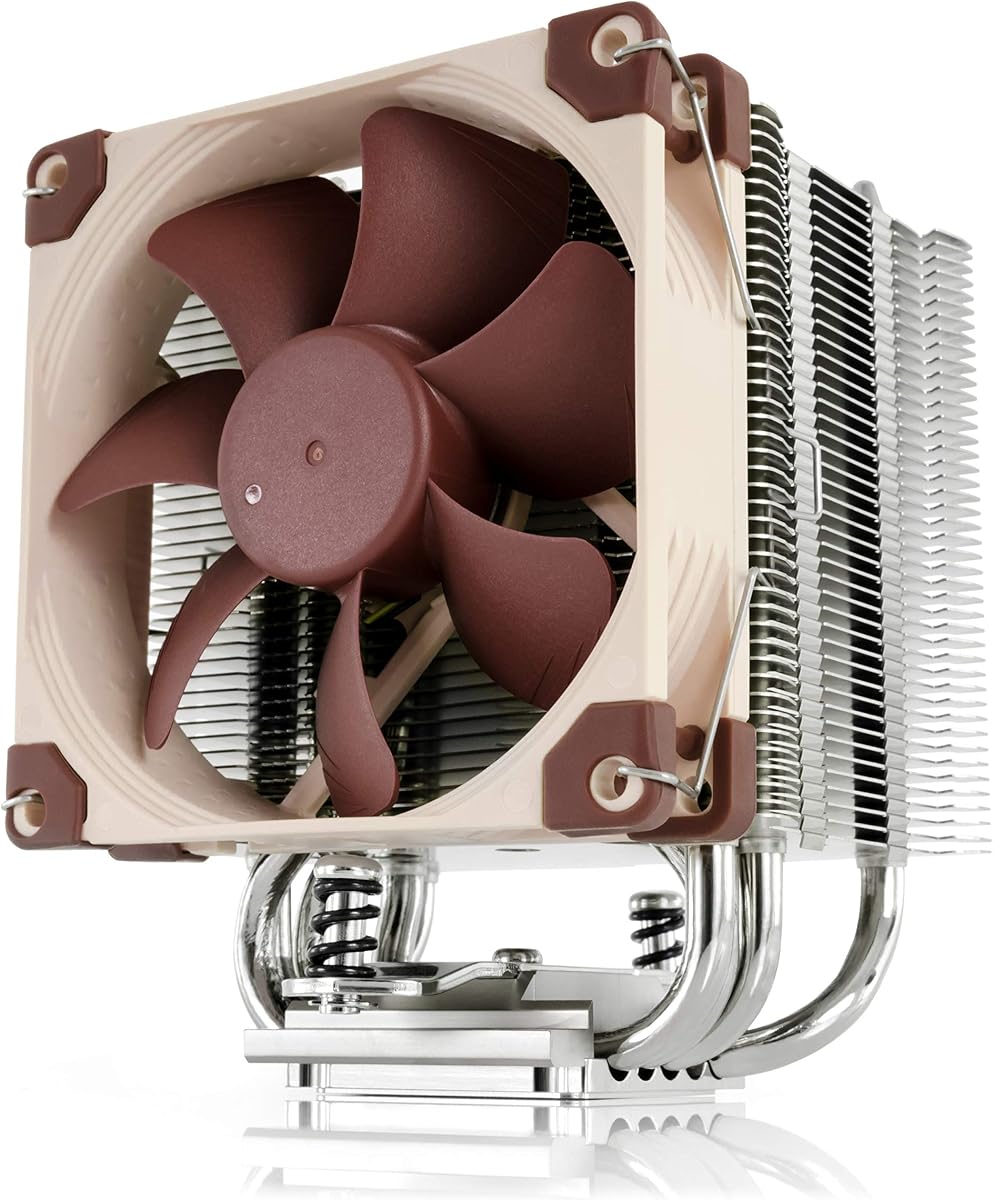


This model offers a strong balance of cooling power and compact design for home theater PCs. With a solid rating from users it stands out for its ability to manage heat efficiently without taking up excessive space inside tight enclosures.
We may earn a commission when you buy through this link, at no additional cost to you.
The six heat pipes connected to a copper base ensure that heat moves away from the processor quickly. The included twelve zero millimeter PWM fan adjusts speed automatically so you get quiet operation during media playback and extra cooling during heavier tasks.
While the cooler performs well some users note that mounting it requires patience due to the backplate design. Additionally the fan might reach higher speeds when temperatures rise but this is a reasonable trade-off for maintaining safe CPU limits.
If you need a reliable cooler that fits standard ITX boards and keeps noise low this is a top recommendation. It suits builders who want solid thermal performance without needing liquid cooling systems in their HTPC setup.
The six heat pipes maximize surface contact with the copper base for rapid heat movement away from the CPU core.
PWM support allows the fan to adjust speeds based on real time temperature readings for optimal silence and cooling.
We may earn a commission when you buy through this link, at no additional cost to you.
Noctua is renowned for quiet performance and this model delivers that reputation in a compact low profile package. It earns a high rating from users who prioritize silence above all else in their media center builds.
We may earn a commission when you buy through this link, at no additional cost to you.
The optimized nine two millimeter fan uses advanced blades and PWM support to keep noise minimal. Its six five millimeter height ensures it clears most RAM modules and PCIe slots on modern motherboards without issues.
The main downside is the cost which is higher than many competitors. Also it is recommended for CPUs with moderate heat needs so heavy gaming processors may not benefit fully from its capacity.
Choose this cooler if absolute silence is your priority and you have a processor that fits its thermal design power limits. The included thermal paste and secure mounting system make installation straightforward for most users.
The NF-A9x14 fan features aerodynamic design that reduces turbulence and noise while maintaining effective airflow.
High-end NT-H1 paste ensures excellent conductivity out of the box so you do not need to buy extra.
We may earn a commission when you buy through this link, at no additional cost to you.
This cooler stands out as a top budget choice for builders working with tight spaces and limited funds. It receives strong ratings for offering solid performance at a very low cost compared to similar sized options.
We may earn a commission when you buy through this link, at no additional cost to you.
At only forty seven millimeters tall it clears most memory modules on Mini-ITX boards. The four heat pipes help move heat away from the CPU while the black design looks sleek inside visible cases.
Some users report that the fan can become noticeable when pushed to full speed. Also it is best for lower power CPUs since it lacks the capacity of larger coolers for demanding tasks.
Ideal for entry level HTPC builds where silence and cost matter more than peak thermal performance. It provides reliable cooling for everyday media tasks without breaking the bank.
Its forty seven millimeter height allows installation in cases that cannot accept taller cooling solutions.
Delivers efficient cooling for the price making it accessible for budget conscious system builders.
We may earn a commission when you buy through this link, at no additional cost to you.
This model uses pure copper to maximize thermal conductivity for better heat dissipation in small cases. It earns a strong rating from users who want durable materials and reliable cooling in a low profile design.
We may earn a commission when you buy through this link, at no additional cost to you.
The AGHP technology ensures heat pipes work efficiently regardless of orientation which is crucial for HTPCs that might be placed vertically. The fifty three millimeter height fits comfortably in most compact chassis without blocking slots.
The copper build adds weight which could strain lightweight cases. Also the fan can be heard at full speed though it runs quietly at lower loads for standard media use.
Recommended for builders who prefer pure copper radiators and need flexibility in mounting orientation. It offers solid performance for mid-range processors at a competitive price point.
Advanced Gravity Heat Pipe technology allows efficient cooling even when the system is mounted vertically.
Full copper construction provides superior heat transfer compared to aluminum alternatives in this category.
We may earn a commission when you buy through this link, at no additional cost to you.
This cooler delivers tower level cooling in a compact dual tower design that appeals to performance focused users. It receives high ratings for its ability to handle high TDP CPUs in small form factor systems where possible.
We may earn a commission when you buy through this link, at no additional cost to you.
Two twelve zero millimeter PWM fans push significant air through the fins while six heat pipes transfer heat effectively. The AGHP feature ensures efficiency regardless of how your case is oriented inside your media cabinet.
At one hundred fifty five millimeters tall it will not fit most low profile HTPC cases. You need ample vertical clearance and room for tall memory modules before choosing this model for your build.
Select this if you prioritize maximum cooling and have a case that can accommodate its dimensions. It is ideal for performance enthusiasts who need strong thermal headroom for demanding workloads.
Two standard sized fans working together provide ample airflow for intense thermal loads.
Heat pipes work effectively in any orientation to maintain consistent cooling performance in various setups.
We may earn a commission when you buy through this link, at no additional cost to you.
Noctua single tower design brings reliable performance without sacrificing space in compact builds. It earns top marks from users for its quiet operation and secure mounting system that works across many platforms.
We may earn a commission when you buy through this link, at no additional cost to you.
The ninety two millimeter fan provides sufficient airflow for most CPUs while keeping noise low. At one hundred twenty five millimeters tall it clears most RAM modules on modern motherboards without blocking access.
Premium materials and six year warranty justify the higher cost for long term reliability. However the fan can be audible under heavy load which may not suit noise sensitive home theater setups.
Choose this if you value brand reputation and durability over strict budget constraints. It offers robust cooling for a wide range of CPUs in small cases.
SecuFirm2 mounts ensure the cooler stays firmly attached for long term use without loosening.
Optimized fan blades reduce noise while maintaining effective airflow for daily tasks.
We may earn a commission when you buy through this link, at no additional cost to you.
This model targets AMD AM4 users who need a compact cooling solution with minimal height. It gets strong ratings for maintaining low noise while keeping moderate TDP CPUs cool in tight spaces.
We may earn a commission when you buy through this link, at no additional cost to you.
At just thirty seven millimeters tall it clears most RAM sticks on Mini-ITX boards. The optimized fan provides steady cooling while maintaining quiet operation during media playback.
Its socket specificity limits future upgrade paths to AM5 or Intel systems. Also the price is higher than standard budget models for similar low profile cooling performance.
Ideal for existing AM4 builds where height is the main constraint. It provides reliable quiet cooling for APU and Ryzen CPUs in compact cases.
Thirty seven millimeter total height enables installation in slim cases that reject standard coolers.
NF-A9x14 fan ensures minimal noise for peaceful home theater viewing experiences.
We may earn a commission when you buy through this link, at no additional cost to you.
This model combines premium materials with low profile design to offer quiet efficiency for small cases. It earns strong ratings for its twelve zero millimeter fan which moves air efficiently at low noise levels.
We may earn a commission when you buy through this link, at no additional cost to you.
At seventy millimeters tall it fits many small form factor cases while providing better airflow than smaller fans. The optimized fan delivers reliable cooling for moderate TDP CPUs with minimal audible noise.
The cost is higher than budget models which may be a barrier for some. Also it works best with moderate heat output processors so heavy gaming CPUs might exceed its thermal limits.
Best for users who want premium build quality and quiet performance in a low profile format. It suits modern ITX builds needing reliable cooling without excessive height.
NF-A12x15 fan design maximizes airflow and minimizes noise for quiet cooling performance.
High quality materials ensure long term durability and reliable operation in compact cases.
We may earn a commission when you buy through this link, at no additional cost to you.
This tower cooler delivers strong performance for standard cases with ample height clearance. It earns high marks for its balanced design that combines efficient cooling with affordable pricing for budget builders.
We may earn a commission when you buy through this link, at no additional cost to you.
Four heat pipes transfer heat effectively while the twelve zero millimeter PWM fan provides steady airflow. The AGHP technology ensures pipes work efficiently regardless of your case orientation inside media cabinets.
At one hundred forty eight millimeters tall it will not fit low profile HTPC builds. Also the fan can be heard at high speeds which may affect quiet media playback in some setups.
Choose this for standard small form factor cases needing reliable performance without high cost. It works well for moderate to high TDP processors in medium sized enclosures.
Heat pipes function effectively regardless of orientation to maintain consistent thermal performance.
Offers strong cooling capacity at a price point accessible for budget conscious builders.
We may earn a commission when you buy through this link, at no additional cost to you.
This cooler stands out for its ultra low profile design that fits the tightest enclosures. It earns solid ratings for providing reliable cooling for low power CPUs without taking up much vertical space.
We may earn a commission when you buy through this link, at no additional cost to you.
At only thirty six millimeters tall it clears almost all memory modules on ITX boards. The AGHP technology ensures heat pipes work efficiently even if the case is mounted vertically.
Performance is limited to low TDP CPUs so it may not suit powerful processors. Also the fan can be heard when running at full speed which may affect media playback in quiet rooms.
Ideal for compact builds with strict height limits and moderate thermal needs. It offers reliable cooling for APU or low power CPUs in small cases.
Thirty six millimeter height enables installation in the slimmest cases on the market.
Provides accessible cooling for tight spaces without high cost compared to premium models.
We may earn a commission when you buy through this link, at no additional cost to you.
Selecting the right cooler requires evaluating several critical factors to ensure compatibility and performance in your specific build environment.
The most crucial factor for HTPC cases is the total height of the cooler. Most compact cases limit clearance to between thirty six and sixty seven millimeters so you must verify your case specifications before choosing. A cooler that is too tall will not fit or may force you to remove necessary components like GPU or RAM.
Always check your case manual for maximum CPU cooler height and compare it with the product dimensions. Leave a small margin for error to avoid installation issues.
Modern motherboards use various sockets such as Intel LGA1700 or AMD AM5 which require specific mounting hardware. Ensure the cooler supports your processor socket or comes with included brackets for it. Some models are specialized for only one platform so confirm compatibility before purchase.
Verify mounting kits are included for your socket type to avoid additional costs or installation hurdles later.
Match the cooler's thermal capacity to your CPU's TDP to maintain safe operating temperatures. Low profile coolers generally handle moderate TDPs better than high heat outputs. Overloading a small cooler can lead to thermal throttling and louder fan noise during operation.
Check the manufacturer's TDP recommendations and compare them with your CPU's heat output specs for optimal safety.
Noise is a major concern in home theater PCs where quiet operation is preferred. Look for models with PWM fans and noise ratings below thirty decibels at typical operating speeds. Larger fans often move more air at lower speeds which can result in quieter performance overall.
Prioritize units with low-noise adapters or optimized blades if you want a silent media environment.
Some coolers overhang RAM slots or PCIe connectors which can block installation or cause conflicts. Low profile designs usually avoid this by keeping heat pipes close to the CPU core. Ensure the cooler fits your motherboard layout without interfering with other components.
Check if the cooler design leaves clearance for tall heat spreaders or M.2 heatsinks on your board.
Copper provides better thermal conductivity than aluminum but is often heavier and more expensive. High-end coolers may use pure copper bases with aluminum fins for balanced performance and weight. Durability depends on build quality and finish to prevent corrosion over time.
Consider the trade-off between weight and conductivity based on your case mounting strength requirements.
Simple mounting systems save time and reduce risk of motherboard damage during installation. SecuFirm2 and similar designs allow secure fastening without excessive torque. Models that include clear instructions and all necessary hardware make the process smoother for beginners.
Check reviews for feedback on installation difficulty to avoid frustration during your build.
A long warranty indicates manufacturer confidence in product durability and reduces risk of failure. Some premium brands offer six year coverage while budget options may have shorter terms. Reliable customer support helps resolve any compatibility or defect issues quickly after purchase.
Prioritize brands with strong warranty terms to protect your investment over time.
Install the cooler with the CPU fan fully seated and secured to avoid contact damage. Always apply thermal paste sparingly to the processor die to ensure proper conductivity without residue.
Connect the fan cable to the CPU fan header on your motherboard so it can adjust speeds via PWM signals. Proper connections ensure automatic speed control based on real time temperature readings.
Clean dust from the fins and fan blades regularly using compressed air to maintain airflow and prevent overheating. Periodic maintenance keeps the unit running quietly and extends its operational lifespan significantly.
Most compact HTPC cases limit CPU cooler height to between thirty six and sixty seven millimeters. Check your case manual for specific clearances and measure your motherboard height before buying.
PWM allows the fan to adjust speed automatically based on CPU temperature so it runs quietly during media playback and speeds up under load. This reduces noise while maintaining safe thermal levels.
Most standard coolers exceed height limits for compact cases and will not fit. You must choose a low profile model designed specifically for small form factor builds.
Each CPU socket requires specific mounting hardware to secure the cooler properly. Using an incompatible cooler can lead to poor contact or installation issues on your motherboard.
Copper has higher thermal conductivity than aluminum so it moves heat faster. However pure copper is heavier and often more expensive than aluminum alternatives for budget builds.
If the cooler exceeds your case limits you must select a lower profile model or choose a different case with more clearance. There are few modifications to reduce cooler height effectively.
We reviewed ten top models ranging from ultra low profile budget picks to premium silent solutions. Each offers unique strengths depending on your case size thermal needs and budget constraints.
Prioritize height clearance and compatibility above all else to ensure a successful installation. Consider noise levels and build quality to maintain a quiet and reliable media environment over time.
Prices and availability change frequently so verify current pricing and stock before finalizing your choice. This guide remains a solid reference for finding the right cooling solution for your setup.