
sata Power Splitter Cable 6 Way
4.7Editor score
Splits one connector into six outputs
Compatible with HDD SSD and optical drives
Durable construction for long-term use
This guide compares the top hard drive power cables for 2026, reviewing splitter, extension, and adapter options for reliable SATA and Molex connectivity.
Finding reliable hard drive power cables is essential for building or upgrading a PC. Proper connectivity ensures stable power delivery to your storage devices, preventing data loss or hardware failure during operation.
We evaluated ten top-rated products based on durability, compatibility, and design. Our analysis covers splitters, extensions, and legacy adapters to help you choose the right solution for your specific system needs.
Each pick highlights key strengths and ideal use cases for your build. Prices and availability change frequently so please verify current details before purchasing to ensure you get the best value for your setup.
4.7Editor score

4.8Editor score

4.7Editor score
The following table provides a side-by-side comparison of the ten best hard drive power cables available this year. Review each item's specifications to determine which adapter or extension fits your power supply and drive configuration.



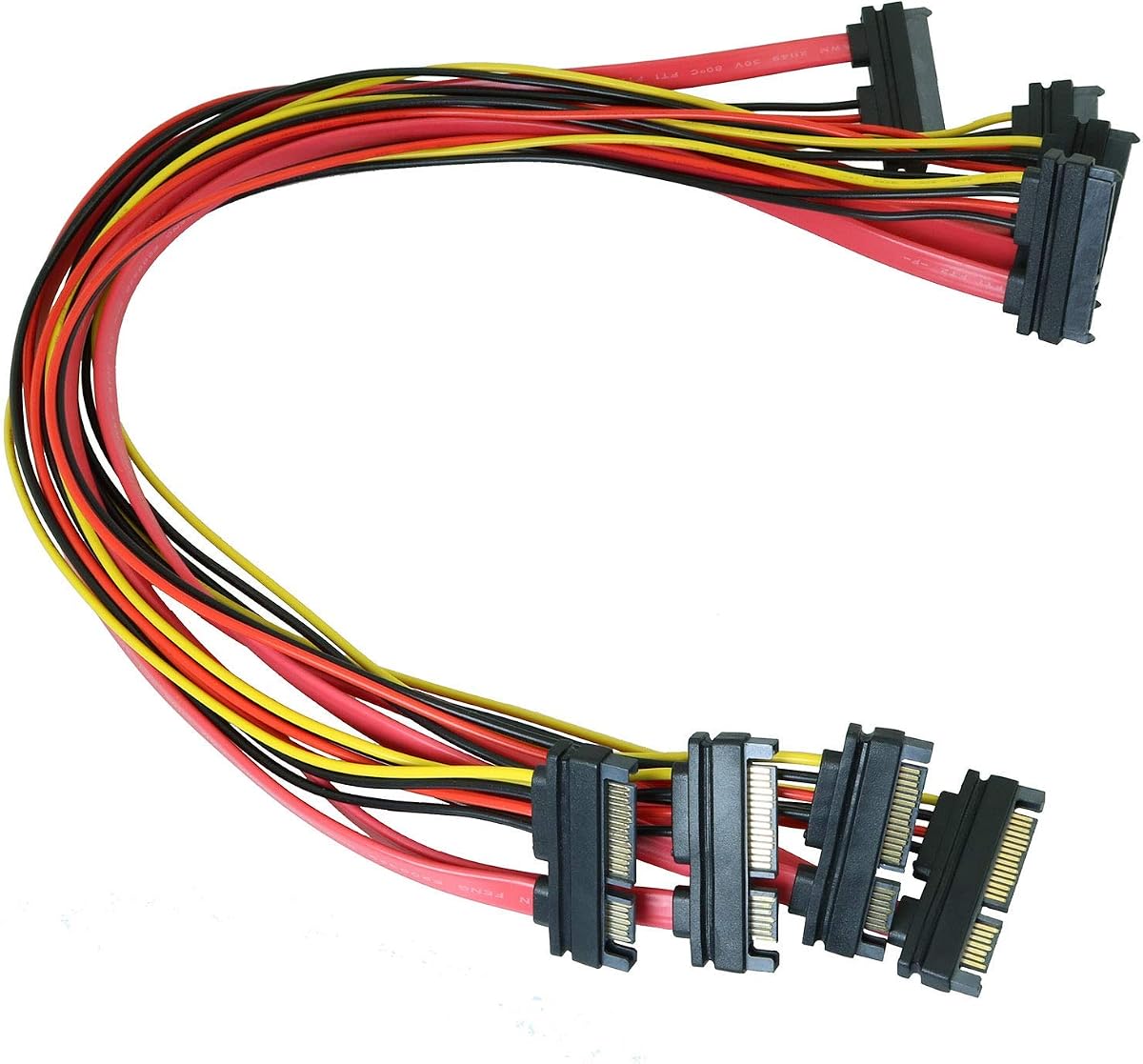


This high-quality cable is designed to split one 15 Pin SATA connector into six separate SATA power connectors allowing you to easily connect multiple HDD SSD and Optical Drives to your system. It is an excellent choice for users needing to expand storage without new power supply units.
We may earn a commission when you buy through this link, at no additional cost to you.
The reliable performance ensures stable power transmission preventing any interruption in the performance of your connected devices. It effectively delivers power to each individual device ensuring optimal functionality across all attached drives.
While the cable is durable the material is basic which might not appeal to enthusiasts seeking premium finishes. However this trade-off is acceptable given the significant cost savings and practical utility for standard builds.
Anyone needing to power up to six devices simultaneously will find this solution invaluable. It provides a practical and affordable way to maximize your system storage capacity using existing power resources.
Connect multiple storage devices to a single power port efficiently.
Simply connect the 15 Pin SATA end to your power supply and plug in the six connectors.
We may earn a commission when you buy through this link, at no additional cost to you.
This kit offers premium copper wire and wide compatibility ensuring stable signal transmission for all connected devices. It is fully compatible with SATA I/II/III working for HDD SSD DVD and Blu-ray optical drives with ease.
We may earn a commission when you buy through this link, at no additional cost to you.
The dual power splitter adapters included allow you to fit legacy and new PC power supplies efficiently. Two power splitters 4-pin LP4 Molex to dual 15-pin SATA splitter and 15-pin SATA to dual SATA extension splitter provide versatility for various builds.
Although it includes data cables which are not the focus of power-only needs the completeness of the package is a significant advantage for new builders. This eliminates the need to source multiple separate items.
This product is perfect for PC upgrade and new computer storage expansion builds. If you need a comprehensive solution that covers both data and power needs this kit offers great value and convenience.
Includes straight and right-angle data cables plus power splitters for full setup.
Pure copper conductors deliver stable signal transmission and eco-friendly durability.
We may earn a commission when you buy through this link, at no additional cost to you.
This flexible SATA power cable connects modern Serial ATA HDDs and optical drives to a legacy power supply with 4 pin Molex LP4 ports. It is a reliable solution for upgrading older PC systems while maintaining stable power delivery.
We may earn a commission when you buy through this link, at no additional cost to you.
The 6 inch design provides the ideal length for internal routing reducing clutter inside PC cases while ensuring efficient connection between SATA devices and Molex-based power supply units. This compact size is perfect for tight spaces.
While short for some chassis the length is sufficient for standard layouts. The inclusion of three cables ensures you have spare or replacement options for system builds and repairs making it cost-effective.
DIY builders IT technicians and multi-drive computer installations will appreciate this adapter. It allows you to reuse older PSUs with Molex outputs as a SATA power supply for modern HDDs SSDs and optical drives.
Reuse older power supplies by converting Molex ports to modern SATA connectors.
Compact 6 inch cable design reduces clutter inside PC cases efficiently.
We may earn a commission when you buy through this link, at no additional cost to you.
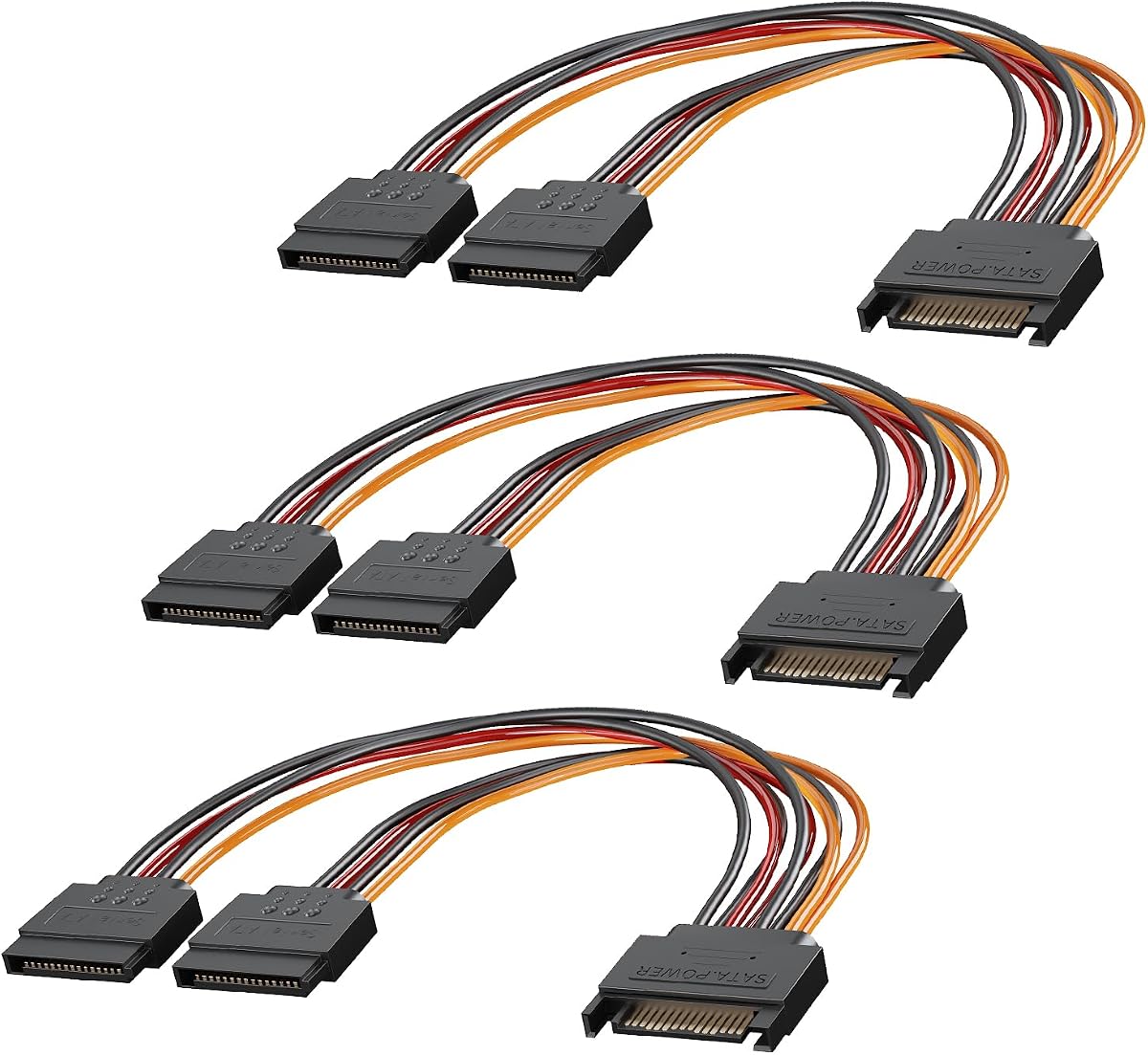
This high-quality cable is designed to split one 15 Pin SATA connector into two separate SATA power connectors allowing you to easily connect multiple HDD SSD and Optical Drives to your system. It is a practical solution for expanding drive capacity.
We may earn a commission when you buy through this link, at no additional cost to you.
The reliable performance ensures stable power transmission preventing any interruption in the performance of your connected devices. It effectively delivers power to each individual device ensuring optimal functionality across your storage array.
While it only splits into two outputs this is sufficient for most standard setups. The durable construction ensures long-lasting durability making it a reliable choice for your power supply needs without overpaying.
Those needing multiple splitters for several drives will find this 3-pack economical. It allows you to power multiple devices simultaneously using fewer power supply ports efficiently.
Connect two devices to one power port for optimal system utilization.
Made with high-quality materials built to last in demanding environments.
We may earn a commission when you buy through this link, at no additional cost to you.
This 15 pin SATA power y-splitter provides one male SATA connector to two female outputs allowing you to power two HDDs SSDs or optical drives from a single SATA power port on your PSU. It is perfect for SATA cable splitter 1 to 2 solutions.
We may earn a commission when you buy through this link, at no additional cost to you.
Snug-fitting connectors with channel guides ensure a safe connection that won't accidentally disconnect. This ensures reliable performance for all SATA-powered components making it ideal for critical storage setups where stability is paramount.
The flexible 8-inch Y cable keeps internal cabling neat and reduces clutter while providing sufficient reach for most PC tower configurations. While the Y-shape takes up some space it is manageable in most cases.
DIY and IT professionals will appreciate the cost-effective 3 pack for upgrades and repairs. It saves the expense of upgrading a PSU while adding spare cables for future builds efficiently.
Snug-fitting connectors with channel guides ensure safe stable connections.
Flexible 8-inch Y cable keeps internal cabling neat and reduces clutter.
We may earn a commission when you buy through this link, at no additional cost to you.
This adapter features 1x SATA Power Plug to 4x SATA Power Receptacle allowing you to expand power capacity significantly. It is a durable construction designed for professional environments where reliability is critical.
We may earn a commission when you buy through this link, at no additional cost to you.
The high-quality materials ensure consistent performance under load making it suitable for server racks or workstations. Its clear branding and professional standards provide confidence in the product quality and safety.
While the price is higher than generic options the durability justifies the investment for critical builds. The length is sufficient for most cases but may be excessive for small form factor setups.
Enterprise users and system integrators will find this cable reliable for multi-drive setups. It provides a robust solution for managing power to multiple drives from a single port.
Provides four SATA power receptacles from a single power plug for scalability.
Constructed with durable materials ensuring long-term reliability in demanding environments.
We may earn a commission when you buy through this link, at no additional cost to you.
This extension extends your existing PSU connection providing a reliable link between the power supply and SATA HDDs SSDs optical drives and other SATA devices. It is designed as a power extender to help reduce strain on tight motherboard and PSU connections.
We may earn a commission when you buy through this link, at no additional cost to you.
Each extension offers an ideal balance between flexibility and space-saving design making it suitable for PC towers upgrades and replacement builds requiring a clean internal layout. The durable conductors support 3.3V / 5V / 12V power transmission.
While it does not split power it is essential for cases where the PSU ports are too short. The 12-inch length provides enough slack to route cables without kinking or pulling on connectors.
System builders and IT technicians will find this pack valuable for maintaining cable management. It ensures stable performance for all devices without power loss or degradation over time.
Designed to reduce strain on tight motherboard and PSU connections effectively.
12-inch length offers ideal balance between flexibility and space-saving design.
We may earn a commission when you buy through this link, at no additional cost to you.
This cable combines SATA data and power lines into one unit for convenient connection. The interface type is SATA series using copper material ensuring conductivity and durability for long-term use.
We may earn a commission when you buy through this link, at no additional cost to you.
The thin cable design helps reduce clutter and increase airflow in the computer or server chassis for optimal system performance. It is ideal for users seeking streamlined internal layouts with fewer cables.
While combo cables are specific to certain devices they offer a unique solution for managing connections. The 50cm length provides decent reach without excessive slack.
Anyone looking to minimize internal cabling will appreciate this combo extension. It simplifies connections for compatible devices while maintaining optimal system airflow and performance.
Combines data and power into one cable to simplify internal connections.
Thin design helps reduce clutter and increase airflow for better performance.
We may earn a commission when you buy through this link, at no additional cost to you.
This cable is designed for specific Be Quiet power supply units providing a reliable link for SATA devices. It represents a high-quality option for users maintaining brand consistency in their system builds.
We may earn a commission when you buy through this link, at no additional cost to you.
Professional grade construction ensures safe and consistent power transmission. The specific model number provides compatibility verification for targeted upgrades or replacements in existing Be Quiet setups.
While it serves a specific audience it offers peace of mind for those invested in that ecosystem. It avoids the guesswork of compatibility that comes with universal adapters.
Users with Be Quiet power supplies looking for exact replacements will find this cable ideal. It ensures that your storage devices receive consistent and safe power according to manufacturer standards.
Ensures compatibility with Be Quiet power supplies for seamless integration.
High-quality build ensures safe and consistent power transmission for drives.
We may earn a commission when you buy through this link, at no additional cost to you.
Buy with confidence with Monoprice's Lifetime Warranty on all Cables providing peace of mind for your purchase. This adapter plugs into a 4-pin Molex power plug and provides four 15-pin SATA power connectors for legacy systems.
We may earn a commission when you buy through this link, at no additional cost to you.
The rugged design and rigid quality control standards deliver high quality products at fair prices. The net jacket helps protect the conductors ensuring durability over time.
While the standard length limits long reach it is sufficient for most internal configurations. The warranty adds significant value as it covers replacements for any defects or damage.
Users prioritizing long-term reliability will appreciate the lifetime warranty. It ensures that you can maintain your legacy power connections with confidence and support.
Includes lifetime warranty on all cables for guaranteed customer support.
Net jacket protection ensures durability and protects internal conductors effectively.
We may earn a commission when you buy through this link, at no additional cost to you.
Selecting the right power cable depends on your specific hardware needs and power supply configuration. This guide outlines key factors to ensure safe and efficient power delivery for your storage devices.
Ensure the cable connectors match your drive inputs and power supply outputs. Most modern drives require 15-pin SATA connectors while older units may need legacy Molex inputs for adapters.
Always verify your PSU and drive specs before purchasing to avoid compatibility issues.
Check the total power draw of your drives to ensure your PSU and cable can handle the load. Splitting multiple drives off one port can strain the connection if the PSU is insufficient.
Use cables designed for high current to prevent voltage drops or overheating.
Measure the distance from your PSU to your drive bays to determine the required cable length. Too short cables force tight bends while too long ones create clutter and airflow restrictions.
Choose lengths that fit your case layout cleanly without excess slack.
Look for cables made with durable conductors such as copper for reliable transmission. High-quality insulation prevents short circuits and ensures the cable lasts longer under thermal stress.
Durable materials are essential for preventing degradation over years of use.
Connectors with latches or snug fitting designs prevent accidental disconnection during transport or vibration. Secure links ensure your drives do not lose power unexpectedly during operation.
Prioritize designs with locking mechanisms for critical storage setups.
Sleek or flat cables can help reduce clutter inside your chassis improving airflow and cooling. Some kits include multiple connectors in one to simplify routing and reduce internal obstruction.
Clean internal routing improves cooling efficiency and system aesthetics.
Decide how many drives you need to power from a single port. Splitters range from two-way to four-way or more depending on your expansion needs.
Choose a splitter count that matches your drive plan without overloading the port.
Consider brands that offer warranties to protect your investment against defects. A good warranty indicates confidence in the product quality and long-term durability.
Select vendors with clear support policies for peace of mind.
Before installation, ensure your computer is powered down and unplugged from the wall outlet. Check that all cables match your specific drive and power supply requirements to avoid electrical issues.
Insert the connectors fully until they click or feel secure to ensure stable power delivery. Avoid bending the cables sharply near the connector ends as this can damage internal wiring.
Periodically inspect cables for any signs of wear such as frayed insulation or bent pins. If a connector becomes loose or hot during operation, replace it immediately to prevent potential hazards.
Yes, you can use a power splitter to connect multiple drives to one PSU port. However, ensure your power supply can handle the combined wattage of all drives to avoid overload or system instability.
SATA connectors are smaller and used for modern drives like SSDs and HDDs. Molex connectors are larger and older, typically found on legacy power supplies that need adapters for modern hardware.
Proper power delivery ensures stability but does not directly increase data speed. Poor quality cables may cause intermittent failures or boot issues but not change transfer rates significantly.
Choose splitters from reputable brands with solid construction. Check your PSU's total wattage to ensure it can support the combined load of all connected drives before splitting power.
A dedicated cable is safer for stability, but splitters are convenient for limited ports. Use dedicated cables for high power drives like 7200 RPM HDDs and splitters for lower power devices.
Yes, a splitter can safely power low power devices like SSDs and optical drives together. Just ensure your PSU is rated for the total load and the splitter is high quality.
Combo cables combine data and power to reduce internal clutter and simplify installation. They are useful in cases where space is tight but only work with compatible storage devices.
Choose a length that reaches your drive bays without slack. Eight to twelve inches is standard for most PC towers, but measure your specific case to ensure a perfect fit.
Our top picks cover a range of needs from budget splitters to premium adapters. Whether you need to expand storage or manage legacy connections there is a reliable option for your setup.
Prioritize safety and build quality when selecting cables to ensure stable power delivery. Check your power supply capacity and connector types before purchasing to avoid unnecessary returns.
Always verify current product details and availability before finalizing your purchase. Prices and specs may change so confirming the latest information ensures you get the best value for your build.