
Amazon Basics HDMI Cable
4.7Editor score
Supports 4K at 60Hz
Includes Ethernet channel
Compatible with most devices
This guide compares the top HDMI Cable for Vsee Box options to help you choose the right high-speed connection for your streaming setup.
Finding the right HDMI cable for your Vsee Box ensures smooth streaming and crisp visuals without interruptions or signal loss issues.
We analyzed ten top-rated cables based on speed certifications durability and compatibility to help you find the perfect match for your device.
Each pick highlights key features and real-world performance notes so you can decide quickly while keeping in mind that prices may change.
4.7Editor score

4.8Editor score

4.7Editor score
Here is a side-by-side look at all ten cables to help you compare specs and features quickly before making your final decision.



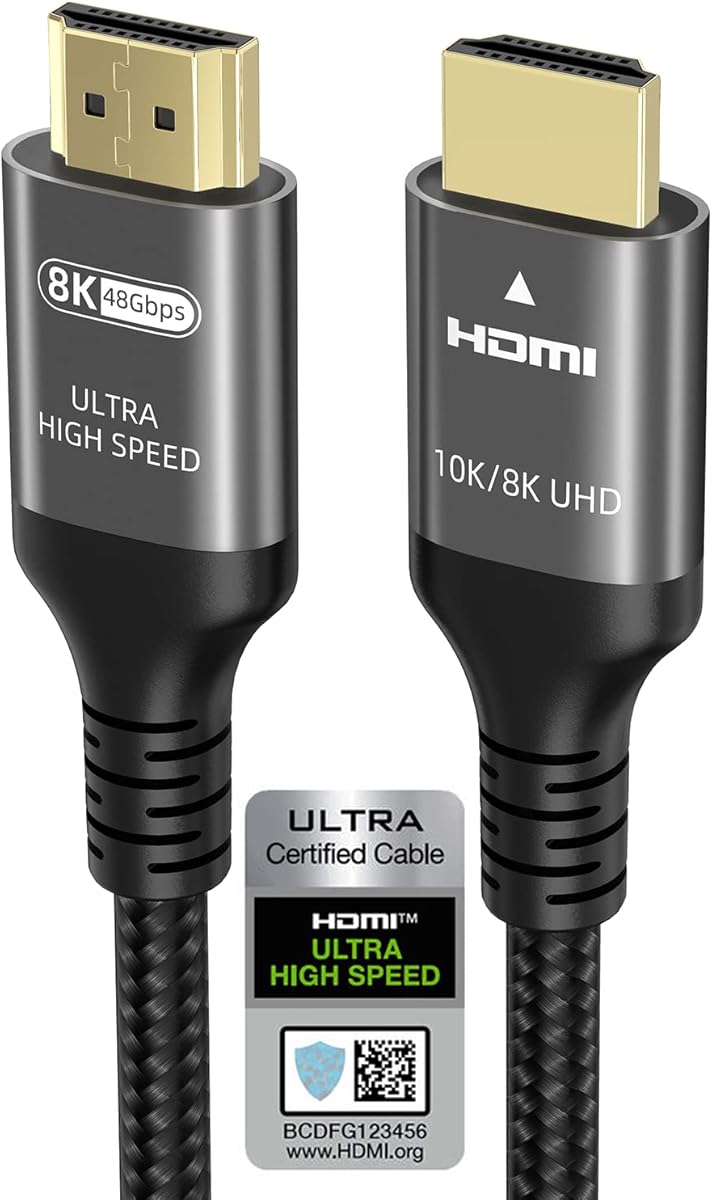

The Highwings 8K HDMI Cable stands out as a top choice for Vsee Box users wanting high-speed performance. It carries a strong rating and is certified for Ultra High Speed transfers. Its ability to handle 8K signals ensures future-proofing for modern displays.
We may earn a commission when you buy through this link, at no additional cost to you.
It supports 48Gbps bandwidth which means video frames move without dropouts. The variable refresh rate feature helps smooth gaming visuals when connected to capable screens. Materials like military grade nylon make it durable for daily plugging and unplugging.
Some users might find the cable thicker than standard options which can limit tight routing. But this thickness supports better shielding and signal integrity over distance. It is a small trade-off for stable high bandwidth transmission.
Choose this if you want reliable 8K support without paying premium brand prices. It balances performance and durability well for streaming setups. It fits well in home theaters and living rooms where clarity matters.
With 48Gbps you can stream 8K content without stuttering or compression artifacts.
Military grade nylon prevents fraying and extends cable life in high use areas.
We may earn a commission when you buy through this link, at no additional cost to you.
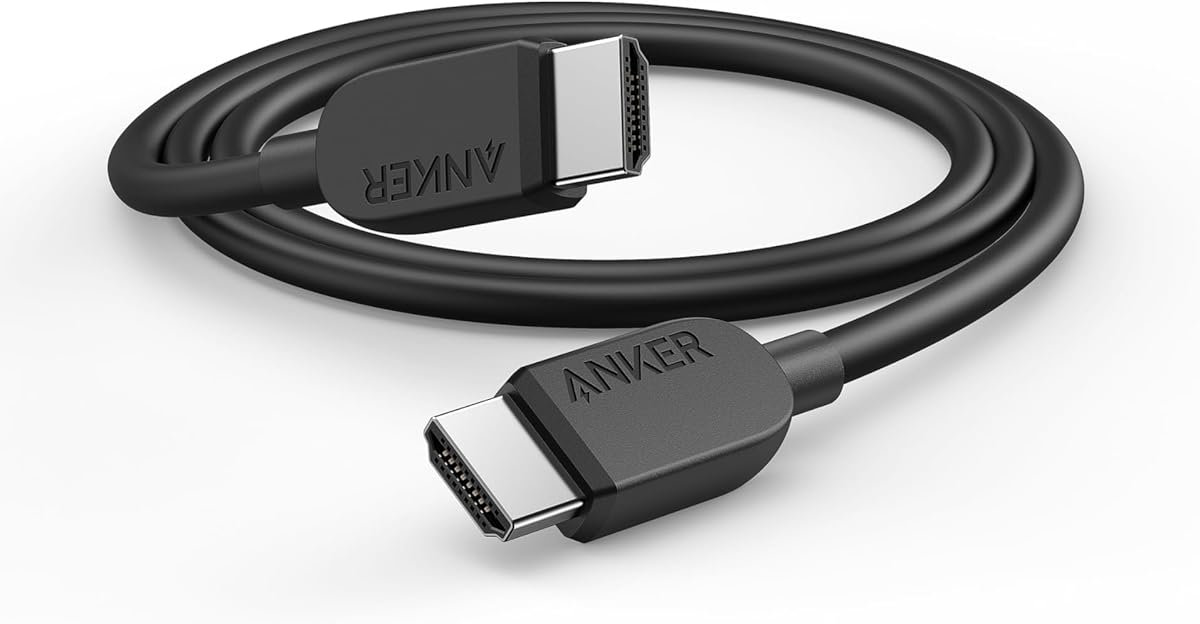
Anker brings reliability to HDMI cables and this 2.1 version delivers serious speed. It targets gamers and streamers needing 4K at 240Hz for smooth motion. The cable holds strong ratings for performance and build quality.
We may earn a commission when you buy through this link, at no additional cost to you.
Its bandwidth tops out at 48Gbps allowing full resolution at high frame rates. The bend test results suggest it can take physical strain without internal damage. You get a clear path for video data to your display.
The six foot length is standard but may not reach far corners of a room. Some users might need adapters for longer runs. Still for most setups it connects boxes to TVs directly without issues.
Pick this if you prioritize brand trust and gaming performance. It works well with consoles and PCs as well as Vsee Box. The warranty adds extra confidence for long term use.
Up to 240Hz support keeps fast action on screen free from tearing.
HDMI 2.1 certification means tested compliance with official standards.
We may earn a commission when you buy through this link, at no additional cost to you.
This two pack gives you backup or extra reach for multiple setups. Each cable meets 48Gbps standards and supports 8K video. The rating reflects user satisfaction with build and performance.
We may earn a commission when you buy through this link, at no additional cost to you.
Features like variable refresh rate help smooth out content on compatible screens. The aluminum shell adds protection against physical impacts and bends. You get consistent results across both cables in the pack.
If you only need one cable this may be more than required. But having a spare is handy if one fails or you move rooms. Stiffness can make routing around furniture slightly harder than thin cords.
Choose this for value when you want extra cables without buying singles. It fits households with more than one display needing HDMI. The quality per cable holds up for daily use.
Keep one in storage or another room to avoid searching when needed.
Aluminum and nylon materials give durability similar to costlier brands.
We may earn a commission when you buy through this link, at no additional cost to you.
Amazon Basics keeps it simple with a solid 2.0 HDMI cable. It handles 4K at 60Hz which is enough for most streaming today. The rating shows consistent performance across many users.
We may earn a commission when you buy through this link, at no additional cost to you.
It includes an Ethernet channel to share internet through the cable. Build quality is decent for the price point. It works with consoles and streaming devices as well as TVs.
This cable cannot carry 8K signals so future displays might need an upgrade. Shielding is standard so long runs could risk interference. But for short home runs it is dependable.
Pick this if you want a low-cost cable that works well. It is ideal for basic setups where 8K is not a need. You save money without losing core video quality.
Low price makes it easy to replace or add extra cables.
Share internet over HDMI to reduce wiring clutter in entertainment centers.
We may earn a commission when you buy through this link, at no additional cost to you.
Silkland focuses on certification and durability in this cable. It meets 48Gbps standards and handles HDR with dynamic tone mapping. Users rate it highly for signal stability.
We may earn a commission when you buy through this link, at no additional cost to you.
The E-Braid design resists wear and protects internal wiring. Audio support includes formats like Dolby Atmos for home theaters. HDCP compliance ensures streaming services work without issues.
The price is higher than basic cables and the design is thick. Some may find it harder to route around sharp corners. But the build quality justifies the cost for long term use.
Choose this for premium setups needing certified performance. It works well with high-end TVs and soundbars. You get peace of mind from official verification.
Official HDMI forum certification verifies it meets strict standards.
Supports Dolby Atmos and dynamic HDR for richer entertainment.
We may earn a commission when you buy through this link, at no additional cost to you.
This cable solves distance needs with fifteen feet of certified high speed. It keeps 8K support even at this length. The rating shows solid performance across users.
We may earn a commission when you buy through this link, at no additional cost to you.
Being CL3 rated means it can be installed inside walls safely. This helps keep your setup tidy and hidden. Bidirectional transmission adds flexibility for different device setups.
It is heavier and stiffer which can make routing harder. Short runs may need less bulk. But for long distance it is one of the few options that holds speed.
Pick this for setups where your box and TV are far apart. It works well with in-wall installations too. You avoid extra extenders or repeaters.
CL3 rating allows safe installation within walls without fire risk.
Fifteen feet delivers 8K without signal loss or extra boosters.
We may earn a commission when you buy through this link, at no additional cost to you.
UGREEN has built a reputation for reliable accessories and this cable matches that. It holds the highest rating in the guide for performance. Certified 8K ensures your stream is future ready.
We may earn a commission when you buy through this link, at no additional cost to you.
Features like quick frame transport and variable refresh rate cut latency. The aluminum case and nylon jacket protect against bending damage. You get clean video and audio without flickers.
The six point six foot length is standard but may need extension for big setups. Price is higher than basic cables but justified by build. It is a safe pick for critical connections.
Choose this if you value brand trust and top ratings. It fits consoles and PCs as well as Vsee Box. The quality reduces risk of connection failures.
High user rating reflects consistent satisfaction and performance.
Quick media switching and VRR reduce delays during scene changes.
We may earn a commission when you buy through this link, at no additional cost to you.
Acer brings monitor quality to this HDMI cable. It supports 8K and 4K at 120Hz for sharp visuals. The braided cord resists wear during frequent moves.
We may earn a commission when you buy through this link, at no additional cost to you.
Variable refresh rate helps PC gaming by syncing frame rates. Aluminum shell and gold connectors reduce corrosion over time. It handles audio with eARC for soundbars too.
The length is common but may not reach long desks. Some users prefer more flexibility in bends. Still it delivers stable signals for desktop setups.
Pick this if you connect Vsee Box to PC monitors. It balances gaming and streaming needs well. You get reliable video without flicker.
VRR keeps screens smooth during fast scenes and games.
Designed for desktops as well as home theater systems.
We may earn a commission when you buy through this link, at no additional cost to you.
This cable is built for the next generation of displays. It officially supports up to 10K at 60Hz with official labeling. You get future proofing beyond current standards.
We may earn a commission when you buy through this link, at no additional cost to you.
It covers SBTM and QMS for advanced signal timing. Deep color support gives richer tones for media. The certification ensures compliance with HDMI standards.
Most users may not need 10K now but it is ready if they upgrade. Price is moderate for the specs provided. It is a smart choice if long term planning is key.
Choose this if you plan for higher resolutions soon. It works with current devices and future displays. You invest once for many years of use.
Support for 10K means you do not need to replace this later.
SBTM and QMS help avoid sync issues in complex setups.
We may earn a commission when you buy through this link, at no additional cost to you.
PowerBear offers a longer cable option at ten feet. It is rated CL3 for safe in-wall installation too. The gold connectors resist corrosion and keep signal clean.
We may earn a commission when you buy through this link, at no additional cost to you.
It handles 4K at 60Hz and HDR with 18Gbps. The build uses braided nylon for physical protection. You get good value for the length provided.
This cable does not support 8K so keep that in mind. Standard speed is enough for most streaming needs. It is great when distance is the main issue.
Pick this if you need ten feet of reach. It works with most devices without fuss. You get a durable option at a fair cost.
Ten feet reaches farther without extra adapters or boosters.
CL3 rating allows wall runs where other cables may not.
We may earn a commission when you buy through this link, at no additional cost to you.
Choosing the right cable depends on your resolution needs and how you plan to run it in your space.
Look for cables labeled High Speed or Ultra High Speed depending on your video needs. Ultra High Speed with 48Gbps supports 8K and 4K at 120Hz while High Speed with 18Gbps handles 4K at 60Hz. Make sure the cable matches your display capabilities.
Choose Ultra High Speed if you plan to use higher resolutions or high refresh rates. If you stick to 4K at 60Hz a High Speed cable saves money.
Measure the distance between your Vsee Box and display before buying. Longer cables may need higher quality shielding to avoid signal loss. For in-wall use pick a CL3 rated option.
Pick a length that reaches without tension. Leave a little slack for easy movement and future changes.
Good cables use thick copper cores and shielding to reduce interference. Nylon braiding protects against bending and wear over time. Gold plated connectors resist corrosion and keep audio and video stable.
Invest in better materials if the cable will be moved often or routed through tight spaces.
Look for official HDMI Forum certification labels on the box or website. This ensures the cable meets tested specs for the version it claims. Without certification there is no guarantee of the speed claims.
Always check that the cable is certified for the version you need like 2.1 for 8K.
Make sure the cable supports the features your devices need like eARC or VRR. Most modern HDMI cables are backward compatible but check for specific protocol support. This ensures audio and smart features work as expected.
Verify compatibility with your Vsee Box and display to avoid feature limits.
Prices vary widely based on brand and features. Basic High Speed cables are affordable while certified Ultra High Speed cost more. Decide if you need premium features or if standard is enough.
Balance your budget with what your display can use. Pay only for what your setup needs.
If you use a soundbar check for eARC or ARC support on the cable. eARC sends higher quality audio to your speakers than ARC. This is important for Dolby Atmos or DTS:X setups.
Choose cables with eARC if you have advanced audio equipment.
Brands with warranties offer more peace of mind if a cable fails. Some provide lifetime support while others give one year. Customer service can help with compatibility questions.
Check warranty terms before buying to protect your investment.
Connect one end to the HDMI output on your Vsee Box and the other to an HDMI input on your display. Make sure the connector clicks in firmly to avoid loose signals.
Keep the cable away from power cords and heat sources to prevent interference. Avoid bending the cable sharply near the connectors to protect internal wiring.
Clean connectors with a dry cloth if dust builds up. Check the cable regularly for wear especially if it gets moved often.
Only if your display supports 8K or 4K at 120Hz and you want to use those features. For standard 4K at 60Hz a 2.0 High Speed cable works fine. Check your box output specs before buying.
Measure the distance between your box and TV then add a few extra feet for slack. Six to ten feet works for most setups. Longer runs may need higher quality shielding.
High quality cables maintain signal over long distances but cheap ones may lose it. Choose well shielded options for runs over fifteen feet. Active cables can help for very long distances.
Most support ARC or eARC for sending audio to a soundbar. Check for eARC if you want full surround sound quality. This feature depends on both cable and device support.
Most are safe but may lack shielding or durability. Choose cables that meet the required speed for your video. Look for basic certification if possible to avoid issues.
Yes they are backward compatible but you lose 8K and 4K at 120Hz features. The cable will still carry 4K at 60Hz. Buy 2.1 only if you need the extra features.
These ten HDMI cables cover most needs from budget picks to future-ready 8K options. The top choices balance performance build and price for Vsee Box users.
Focus on bandwidth and length first then check build quality and certifications. This will save you from replacing cables later or missing features.
Prices and stock change so review current offers before buying. Pick the one that fits your setup and budget today.