
8K 90 Degree DisplayPort 1.4 Adapter 2-Pack
4.4Editor score
Includes 90 and 270 degree options
24k gold plated connectors
Aluminum alloy shell for cooling
This guide compares the top 90 degree DisplayPort adapter and cable options for gaming and workstations, evaluating build quality, video specs, and pricing.
Finding the right connection for your display is crucial for performance. A 90 degree DisplayPort adapter or cable helps manage space behind tight setups while maintaining high bandwidth for modern graphics cards and monitors.
We compared ten highly rated products based on build quality, supported resolutions, and user feedback. This list covers various lengths, connector angles, and versions like DisplayPort 1.4 and 2.1 to suit different needs.
Each pick highlights key strengths, pros, cons, and ideal use cases to help you decide. Note that prices fluctuate often, so check current listings before purchasing to ensure you get the best deal available today.
4.4Editor score

4.8Editor score

4.5Editor score
The following table provides a side-by-side comparison of all ten products reviewed, detailing their specific connection types, supported resolutions, length, and unique features to help you find the exact match for your setup.
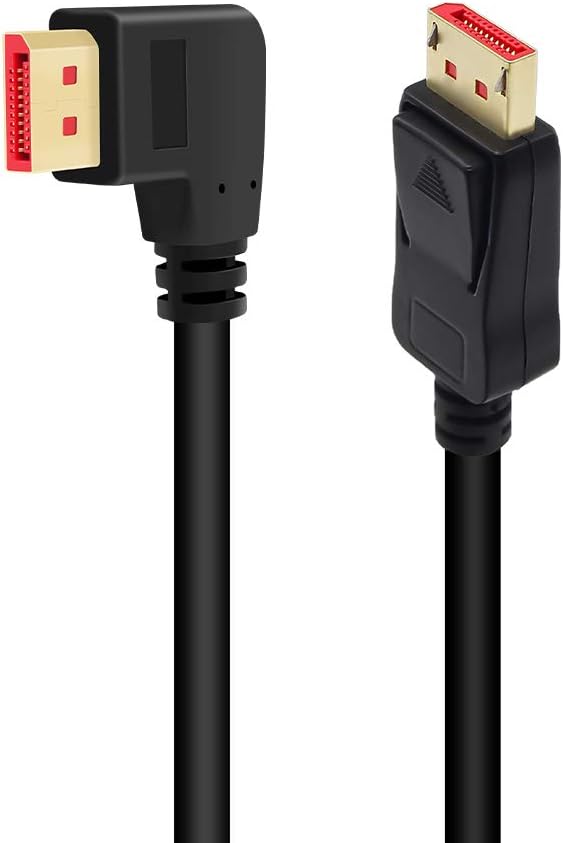

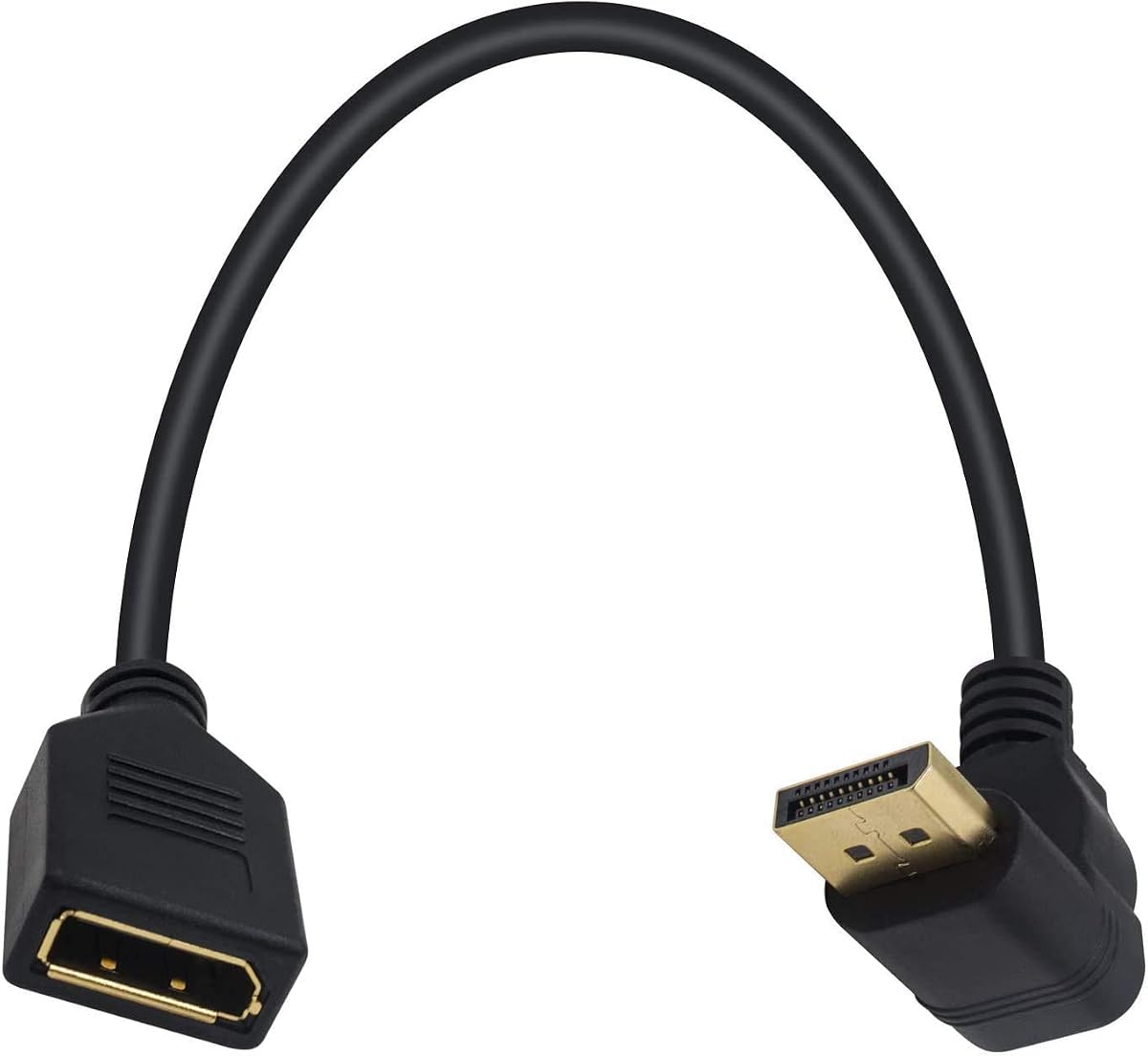


This Cable Matters adapter earns our top spot due to its high performance and reliable build quality. Rated 4.8 stars by users, it supports DisplayPort 1.4 features including Auto Low Latency Mode and Variable Refresh Rate.
We may earn a commission when you buy through this link, at no additional cost to you.
Its standout quality is optimized space management, allowing you to redirect cables in cramped entertainment centers or wall setups. It maintains signal integrity for up to 8K@60Hz and 4K@240Hz ensuring smooth gaming visuals.
The trade-off is that you must verify the physical direction before purchasing, as ports vary. However, its durable construction and support for premium audio formats make it worth the extra check.
This adapter is perfect for gamers and home theater enthusiasts needing reliable connectivity in tight spaces. We recommend it for anyone prioritizing high-resolution support and space efficiency.
The 90-degree connectors redirect cables upward or downward to reduce strain and improve organization behind desks or TVs.
Users benefit from high-definition audio including Dolby TrueHD and Atmos through this adapter’s pass-through capabilities.
We may earn a commission when you buy through this link, at no additional cost to you.
This 2-pack offers excellent value for users needing multiple connectors or backup options. With a 4.4 rating, it delivers DisplayPort 1.4 performance at a very affordable price point compared to single units.
We may earn a commission when you buy through this link, at no additional cost to you.
It features 24k gold plated connectors and an aluminum alloy shell that improves heat dissipation. This ensures stable connections and longevity even during extended high-resolution streaming or gaming sessions.
The main consideration is confirming the correct angle for your setup since ports face different directions. However, the two-pack often includes both up and down variants to solve this.
Ideal for budget-conscious shoppers wanting premium specs like 8K support. It is perfect for wall-mounted devices where space is limited and extra adapters are useful.
Buying two adapters provides flexibility for future upgrades or backup connections without extra cost.
The metal shell and gold plating protect against wear and heat during heavy use.
We may earn a commission when you buy through this link, at no additional cost to you.
This cable stands out as a premium choice with cutting-edge DisplayPort 2.1 technology. Rated 4.5, it supports massive bandwidth up to 54Gbps and resolutions up to 16K at 30Hz.
We may earn a commission when you buy through this link, at no additional cost to you.
Its key strength is compatibility with top-tier GPUs like RTX 5090 and AMD 7900XTX. The triple shielding ensures stable transmission without signal loss even at peak performance levels.
The trade-off is that your source and display must support DisplayPort 2.1 to utilize its full potential. Otherwise it functions well but may not reach max specs.
This is the best pick for enthusiasts building high-end workstations or gaming PCs. If you need future-proof connectivity for upcoming 8K or 16K displays, this cable is ideal.
The 54Gbps bandwidth ensures smooth video and audio for ultra high-resolution displays.
Triple shielding and tinned copper conductors protect against interference for stable signal.
We may earn a commission when you buy through this link, at no additional cost to you.
This compact cable is designed specifically for minimizing clutter in tight spaces. With a 4.6 rating, it offers solid performance in just 15cm, making it perfect for connecting graphics cards directly to monitors.
We may earn a commission when you buy through this link, at no additional cost to you.
Its key strength is the 32.4Gbps bandwidth and support for 8K@60Hz. Despite its small size, it maintains high-speed transmission without losing signal quality.
The main limitation is its length, which restricts it to close-proximity setups. However, this is exactly what users seeking minimal bulk desire.
Buy this if you need a short, reliable extension without adding extra cable length. It is perfect for clean desk builds or when mounting equipment close to the port.
The short 15cm design fits perfectly into cramped areas without excess slack.
High bandwidth ensures stable video even at maximum resolution and refresh rates.
We may earn a commission when you buy through this link, at no additional cost to you.
This extension cable offers a practical 12-inch length for users needing a slight reach increase. It holds a 4.4 rating for consistent performance and reliable signal transmission.
We may earn a commission when you buy through this link, at no additional cost to you.
Its strengths include durable gold-plated connectors and low-profile design that won't block adjacent ports. It supports 4K at 30Hz and full HD stereoscopic 3D for multimedia.
The trade-off is lower refresh rates at 4K compared to newer models, but for general use it performs well. It is suitable for non-gaming displays.
Choose this for standard desktop or workstation setups where 4K 30Hz is sufficient. It provides reliable extension without adding bulk or clutter to your workspace.
The cable is designed not to block adjacent ports on your computer or laptop.
Molded strain relief protects the connector from breaking during repeated use.
We may earn a commission when you buy through this link, at no additional cost to you.
This combo pack offers flexibility with both 90 and 270-degree adapters included. Users report solid performance with features like 4K@240Hz and Dolby TrueHD audio support.
We may earn a commission when you buy through this link, at no additional cost to you.
Its strength is maximizing space in compact setups by offering directional options in one package. The flat design further helps reduce obstruction in tight spaces.
A trade-off is that one angle might not suit every specific setup without swapping, but the pack provides both. It remains a reliable choice for varied needs.
It is best for users unsure of port direction or needing options for multiple devices. The high refresh rate support makes it great for gaming monitors.
Choosing from two angles ensures you can route cables in the best direction possible.
Support for VRR and ALLM ensures smooth visuals during competitive gaming.
We may earn a commission when you buy through this link, at no additional cost to you.
This cable combines a practical 1-meter length with an upward angled design for improved ergonomics. With a 4.6 rating, it ensures stable connections for both home theater and workstation setups.
We may earn a commission when you buy through this link, at no additional cost to you.
Its standout quality is the joint design that reduces bending and compression at the port. It supports 8K resolution and 4K at 60Hz for high-quality video output.
The trade-off is the fixed upward direction which may not suit every monitor layout. However, for standard setups it offers excellent durability and performance.
This is ideal for users needing slightly more reach without excess slack. The angled design helps keep cables out of sight and protects port health.
The upward angled joint prevents cable compression and improves connection stability.
Support for 8K ensures you get the most out of future displays.
We may earn a commission when you buy through this link, at no additional cost to you.
This cable is built for high performance with DisplayPort 2.1 specs including 52Gbps bandwidth and 16K support. It holds a perfect 5.0 rating for delivering consistent results.
We may earn a commission when you buy through this link, at no additional cost to you.
Its strength is compatibility with top GPUs and modern monitors. Users appreciate its ability to handle 8K@120Hz and 4K@240Hz with ease.
The trade-off is the 15cm length which may be too short for larger setups. However, it excels where space is minimal.
Buy this for cutting-edge graphics setups needing maximum bandwidth. It is ideal for close-proximity connections where signal integrity is paramount.
The 52Gbps bandwidth ensures lag-free transmission for high-resolution content.
DisplayPort 2.1 support ensures readiness for next-gen displays.
We may earn a commission when you buy through this link, at no additional cost to you.
This cable is designed with an ultrafine diameter for maximum flexibility in tight rigs. Rated 5.0, it offers exceptional durability and high-speed transmission for gaming and media.
We may earn a commission when you buy through this link, at no additional cost to you.
Its standout quality is the 4.0mm thin design which fits where standard cables cannot. It supports 8K resolution and high refresh rates without signal loss.
The trade-off is the fixed down angle which requires verification. Otherwise, it provides excellent performance for compact builds.
Ideal for users needing ultra-thin cables for panel mounts or stabilizers. It ensures reliable connections in extremely limited spaces.
The thin diameter allows routing in gimbal and stabilizer applications.
High-speed transmission ensures no interference during high-resolution playback.
We may earn a commission when you buy through this link, at no additional cost to you.
This cable provides a practical solution for tight spaces with its upward angled design. Rated 4.6, it balances performance with ergonomic benefits for various setups.
We may earn a commission when you buy through this link, at no additional cost to you.
Its strength lies in reducing strain on ports by redirecting the cable away from obstructions. It supports 8K resolution and delivers high-speed data transfer.
The trade-off is the fixed direction requiring verification. Still, it is a robust option for those needing extra length without clutter.
It is best for users needing to route cables upward. The 1-meter length offers flexibility while keeping the connection organized.
The upward angled joint prevents cable compression and improves connection stability.
Support for 8K ensures you get the most out of future displays.
We may earn a commission when you buy through this link, at no additional cost to you.
Choosing the right adapter depends on several technical factors including version support, angle direction, length, and build quality. Understanding these ensures compatibility and performance for your specific display and graphics card.
Ensure the adapter matches your device's DisplayPort version such as 1.4 or 2.1. Newer versions support higher bandwidth and resolutions like 8K or 16K. Compatibility is essential for utilizing high refresh rates.
Check both your graphics card and monitor specs before purchasing to avoid bottlenecks.
Adapters come in up, down, left, or right angles. Always verify your port orientation to ensure the adapter points away from obstacles. Buying a combo pack helps if you are unsure.
Matching the angle correctly prevents cable strain and improves setup aesthetics.
Select a length that reaches your device without excess slack. Short cables like 15cm minimize clutter while longer ones like 3.3FT offer flexibility. Excess cable can reduce signal integrity.
Choose the shortest length that fits your workspace for the cleanest look.
Look for gold plated connectors and shielded cables to prevent interference. High quality materials ensure long term reliability and stable signal transmission. Shielding helps in environments with electromagnetic noise.
Premium construction protects against corrosion and physical damage over time.
High refresh rate gaming requires sufficient bandwidth. Ensure the adapter supports the Hz rate and resolution of your monitor. A 1.4 adapter supports 4K@144Hz while 2.1 supports much higher.
Verify the product specs match your gaming or work requirements.
Some adapters support advanced audio formats like Dolby TrueHD and Atmos. This is essential for home theater setups. Confirm audio pass-through capabilities if sound quality is a priority.
Adapters with audio support simplify your setup by removing extra cables.
Long-term durability depends on strain relief and connector design. Adapters with metal shells and reinforced joints withstand frequent plugging. A warranty ensures protection against defects.
Prioritize products with warranties to safeguard your investment.
Prices vary based on specs and brand. Budget options may lack premium features like high refresh rates. Compare value packs versus single units to find the best deal.
Invest in quality if you plan to use high-end monitors.
Plug the adapter into the graphics card port firmly until it clicks. Ensure the angle aligns with your desired direction to avoid stress. Then connect the cable from the adapter to your monitor.
Keep the area around the port clear of dust. Use compressed air periodically to clean connectors. Avoid bending cables sharply at the connection point to prevent damage.
Store unused adapters in a protective case if not in use. Label your adapters by angle direction for easy identification. This helps maintain organization for future upgrades or moves.
If the adapter is high quality and matches your DisplayPort version, it will not reduce performance. Poor quality adapters may cause signal loss or limit refresh rates. Always check supported bandwidth.
DisplayPort 2.1 offers higher bandwidth up to 54Gbps and supports 8K@120Hz or 16K. Version 1.4 caps at 32.4Gbps and 8K@60Hz. Choose based on your monitor and GPU capabilities.
Not all adapters support 8K resolution. Many support 4K at high refresh rates but 8K requires DisplayPort 1.4 or higher. Check the product specs for maximum resolution support.
Inspect your device port to see the direction of the opening. If it faces down you need an upward angle. A combo pack helps if you are uncertain about orientation.
Yes if your laptop has a DisplayPort output. Some laptops support DisplayPort++ which works with HDMI adaptors but check your manual. Ensure the adapter supports your laptop's output specs.
Yes they are excellent for gaming as they free up space behind PCs. Look for adapters supporting VRR and High refresh rates to avoid screen tearing during gameplay.
The Cable Matters 4K@240Hz adapter stands out as our top pick for its reliability and features. Budget buyers may prefer the 2-pack options while premium users should consider DisplayPort 2.1 models.
Prioritize compatibility with your display and graphics card before purchasing. Ensure the angle direction and length match your setup to avoid inconvenience or signal issues.
Prices and availability change frequently so review current listings before finalizing your purchase. This guide helps you find the right solution for a clean and high-performance display setup.