
Amazon Fire 7 Kids
4.3Editor score
Affordable entry price
Kid-proof case included
10-hour battery life
Choosing the right digital device for children requires balancing fun with safety and learning. A good tablet offers robust parental controls, durable build quality, and age-appropriate content to support development.
We evaluated ten leading models based on performance, battery life, display quality, and safety features. Our comparison considers screen size, processing power, and the ease of managing content for parents.
Each pick highlights key strengths and ideal use cases for different families. Note that availability and specific offers may change over time, so always verify details before purchasing your next device.
4.3Editor score

4.6Editor score

4.9Editor score
As an Amazon Associate we earn from qualifying purchases.
This side-by-side comparison highlights the key specifications and features of each model to help you decide which tablet fits your child's needs best.


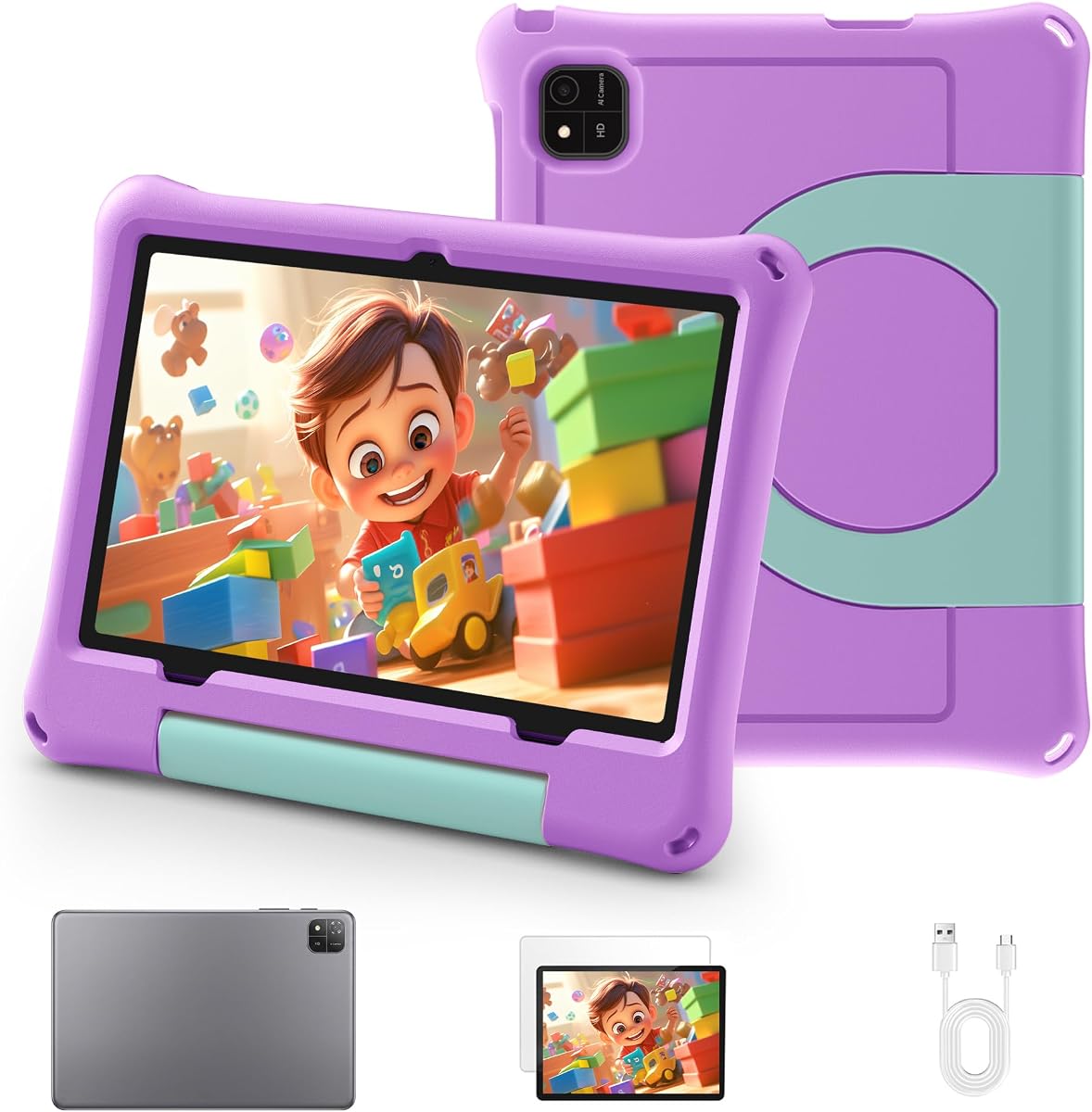

This device stands out as the top choice for children in the older age bracket. It balances performance and safety effectively with a robust set of parental controls.
We may earn a commission when you buy through this link, at no additional cost to you.
The inclusion of a slim case makes it appealing for tweens who want something less bulky. The battery lasts all day, ensuring uninterrupted entertainment or learning sessions.
While it relies on the Amazon ecosystem which limits app choices, the curated content is high quality. The warranty offers peace of mind against accidental drops or damage.
Families seeking a reliable device for children approaching middle school will find this model meets their needs well with its durable design and comprehensive safety features.
The slim case design specifically targets kids who feel standard rugged cases are too childish, offering a more mature aesthetic without sacrificing protection.
With up to thirteen hours of life, parents can rely on this device for long trips or full school days without needing a charger.
We may earn a commission when you buy through this link, at no additional cost to you.
For families prioritizing value, this model offers an excellent entry point into tablet ownership. It includes everything needed to get started right out of the box.
We may earn a commission when you buy through this link, at no additional cost to you.
The kid-proof case protects against common drops and bumps. The subscription provides years of ad-free content which adds significant value to the initial purchase.
Storage is limited but expandable via microSD. This makes it a practical choice for younger children who do not need to store large video files locally.
Ideal for first-time tablet users, it balances cost and functionality well. Parents get a safe device without breaking the bank for a gift or reward.
The one-year inclusion of the digital subscription offers access to thousands of books and games which extends the utility beyond basic hardware specs.
Every unit comes with a sturdy case designed to withstand impacts ensuring the device survives the typical handling of younger children.
We may earn a commission when you buy through this link, at no additional cost to you.
This device brings a modern Android experience tailored for children with parental tools built-in. The hardware supports smooth multitasking and high-quality media consumption.
We may earn a commission when you buy through this link, at no additional cost to you.
The large screen is excellent for educational apps and reading. It runs the latest operating system which ensures compatibility with current apps and security patches.
Parents will appreciate the robust connectivity options and battery life. However the open system means more manual setup compared to locked-down ecosystems.
Best for families wanting flexibility and access to a wide app range. It is a strong contender for children who need specific educational software or creative tools.
Running Android 16 allows for the latest features and security updates which is critical for safe online browsing and app usage.
Support for dual-band Wi-Fi ensures stable connections for streaming and video calls even in homes with many connected devices.
We may earn a commission when you buy through this link, at no additional cost to you.
Designed specifically for preschool and early elementary ages, this tablet balances size and durability perfectly. The screen is bright and responsive for touch interactions.
We may earn a commission when you buy through this link, at no additional cost to you.
It includes a year of digital content which keeps kids engaged without ads. The warranty covers accidental damage which is a major plus for active children.
The battery performance ensures it lasts through long days of use. While it lacks Google services the built-in store provides ample entertainment and learning resources.
This is the ideal choice for parents of young kids needing a safe screen. The included accessories and warranty make it a hassle-free purchase for the family.
The case is engineered to absorb impact protecting the device from drops that commonly occur during playtime or travel.
Thousands of books and videos are available through the subscription which helps parents manage screen time with educational goals.
We may earn a commission when you buy through this link, at no additional cost to you.
This model offers a large screen and significant storage options at a competitive price. It uses Android to provide a familiar interface for parents.
We may earn a commission when you buy through this link, at no additional cost to you.
The anti-blue light feature is a nice addition for reducing eye strain. Battery life supports full day usage without interruption for learning or entertainment.
Audio quality is enhanced by dual speakers which improves the experience. However the brand is less established than major tech companies which may affect support.
Good for families wanting a large display without high cost. It serves well for media consumption and basic educational apps due to the screen size.
The screen includes anti-blue light technology to minimize strain during prolonged reading or video watching sessions.
Users can expand storage up to one terabyte with a microSD card which is useful for storing large files and videos.
We may earn a commission when you buy through this link, at no additional cost to you.
This tablet is unique for including a full keyboard and mouse set. This makes it a powerful tool for typing practice and school work.
We may earn a commission when you buy through this link, at no additional cost to you.
The stylus encourages creativity and drawing which is great for artsy children. The RAM specs suggest smooth performance for multitasking apps.
Battery standby time is impressive allowing the device to last days without use. The focus mode helps reduce distractions during study time.
Ideal for kids who need to produce content like essays or art. It bridges the gap between a toy tablet and a productivity tool.
Including a keyboard and mouse transforms the device into a mini computer capable of handling typing tasks efficiently.
The included stylus allows for precise drawing and writing which enhances the experience for creative and artistic users.
We may earn a commission when you buy through this link, at no additional cost to you.
Designed for tweens, this tablet balances durability with a more mature feel. The stylus makes it useful for schoolwork and note-taking.
We may earn a commission when you buy through this link, at no additional cost to you.
The launcher provides a curated environment to keep content safe. It runs Android allowing access to a wide range of apps for hobbies.
The case and stylus are included which adds value. Screen protection features help maintain eye health during long study sessions.
A solid choice for children in upper elementary or middle school. It supports both learning tasks and entertainment with a robust feature set.
Weighing just 523 grams makes it easy for children to carry to school or use while sitting comfortably.
The ergonomic stylus allows for comfortable drawing and writing making it useful for digital art or homework.
We may earn a commission when you buy through this link, at no additional cost to you.
This model emphasizes creativity and visual quality with high-resolution cameras and a stylus. It is designed to support artistic and educational activities.
We may earn a commission when you buy through this link, at no additional cost to you.
The eye protection mode is effective for reducing strain during reading or drawing. The battery supports a full day of moderate use comfortably.
Pre-installed educational apps save time for parents setting up the device. Controls allow for monitoring of usage patterns and content access.
Suitable for kids who enjoy drawing or photography. The camera quality is a standout feature that allows capturing moments and projects easily.
High quality cameras allow children to document projects or take photos which enhances their creative learning experience.
The included stylus pairs well with drawing apps allowing for natural handwriting and illustration on the screen.
We may earn a commission when you buy through this link, at no additional cost to you.
This tablet offers a balanced configuration suitable for various tasks. The physical RAM ensures smooth operation for standard apps and browsing.
We may earn a commission when you buy through this link, at no additional cost to you.
Night light mode allows for comfortable evening viewing. It has reliable connectivity for streaming and online learning needs.
The packaging is designed for gifting which is convenient for holidays. However users should note the charger is not included in the box.
A versatile option for general entertainment and school tasks. It fits well into daily routines with its reliable battery and screen quality.
The night light mode adjusts the display to be softer on the eyes during darker hours.
Support for both Wi-Fi bands ensures stable internet access for smooth video streaming and browsing.
We may earn a commission when you buy through this link, at no additional cost to you.
Fast charging sets this model apart for busy families. It can be fully powered in just two hours which minimizes downtime.
We may earn a commission when you buy through this link, at no additional cost to you.
Standby time is very long allowing it to sit unused for days without losing charge. This is practical for children who use the device intermittently.
The case adds necessary protection for daily use. Support includes a ninety-day exchange policy which offers some security for buyers.
Ideal for homes needing quick turnaround on device usage. It supports a wide range of apps through the standard Android ecosystem.
USB-C fast charging technology allows the device to return to full capacity quickly which is useful for last-minute needs.
The large battery maintains charge for days without use making it easy to keep ready for spontaneous learning or play.
We may earn a commission when you buy through this link, at no additional cost to you.
Selecting the right device involves considering age appropriateness, durability, and the specific needs of your child's education and entertainment.
Different tablets are designed for specific age ranges. Younger children benefit from more simplified interfaces and robust physical protection, while older kids need features that support schoolwork and creativity.
Always check the manufacturer's recommended age range to ensure the device matches your child's developmental stage.
Robust parental controls are essential for managing screen time and filtering content. Look for features like time limits, app approval, and activity reports to keep kids safe online.
Prioritize models that offer easy-to-use dashboards so you can manage settings without technical difficulty.
Children are prone to accidental drops. A sturdy case or rugged design is highly recommended to prevent damage. Some tablets include warranty programs that cover accidental damage.
Choose devices with reinforced corners or included protective cases to extend the device's lifespan.
Long battery life ensures the tablet lasts through the day without frequent charging. This is crucial for travel or when charging access is limited at home or school.
Look for models offering at least ten hours of continuous use to maximize utility.
A high-resolution display makes reading and watching videos more enjoyable. Eye protection features like blue light reduction are beneficial for reducing strain during long sessions.
Select screens that are bright enough for outdoor use and large enough for comfortable viewing.
Internal storage should be sufficient for apps and games. Expandable storage via microSD cards allows you to add space later as your child's needs grow.
Ensure the device supports storage expansion if you plan to download many large apps or videos.
Some tablets use a locked ecosystem for safety while others run standard Android for flexibility. Consider whether you want more control over content or access to the Play Store.
Weigh the trade-off between safety and access when choosing the operating system.
Accessories like styluses or keyboards can enhance productivity. Check if these are included in the bundle or need to be purchased separately.
A complete bundle often offers better value than buying components individually.
Start by setting up parental controls immediately upon unboxing. This ensures safety from the very first moment the child uses the device.
Teach children proper handling such as holding the device with two hands. This reduces the risk of dropping and damaging the screen.
Regularly update the software to maintain security and performance. Most devices do this automatically but it is good to check periodically.
Yes these tablets are designed with safety in mind. They include parental controls and content filtering to ensure children only access age-appropriate material. Physical cases are also included to protect against damage.
Most tablets allow offline use once content is downloaded. You can save books and videos locally so children can use the device during travel or in areas without internet access.
Parental controls are typically found in the settings menu. You can create profiles for each child and set time limits. Most models offer a dedicated dashboard for managing these settings remotely.
Many models include a free trial of a content subscription. After the trial ends you can choose to renew or cancel. The hardware itself works without an ongoing subscription.
Yes games are a core part of the experience. The built-in stores offer educational games and entertainment suitable for children. Parents can approve which games are accessible.
Several models come with a warranty that covers accidental damage. If the device breaks you can often replace it for free within the warranty period. Always check the specific terms before buying.
The Amazon Fire HD 8 Kids Pro stands out as the top choice for older children needing a balance of durability and performance. For younger kids the Fire 7 Kids offers great value.
Prioritize devices with strong parental controls and warranties. These features ensure safety and peace of mind for families investing in technology for their children.
Remember to check current availability and offers as they may vary. Selecting the right tablet will provide years of safe and educational entertainment.