
Yealink SP92 Conference Speaker
4.1Editor score
AI noise cancelling
20-hour call time
Ultra-portable design
This guide compares the top Bluetooth speakerphone for the home office featuring noise cancellation, battery life, and platform compatibility for professional
Finding the right Bluetooth speakerphone for the home office is essential for clear communication during virtual meetings. A good device ensures your voice is heard without background noise and provides reliable connectivity.
We compared ten top-rated models based on microphone quality, battery life, and platform compatibility. Each product was evaluated for its ability to handle professional conference calls effectively.
Each pick shows key features, pros, and cons to help you decide. Prices change frequently, so check the current listings before making your final purchasing decision for your workspace.
4.1Editor score
4.4Editor score

4.6Editor score
This table provides a side-by-side comparison of all ten products to help you quickly identify the best fit for your specific home office needs.

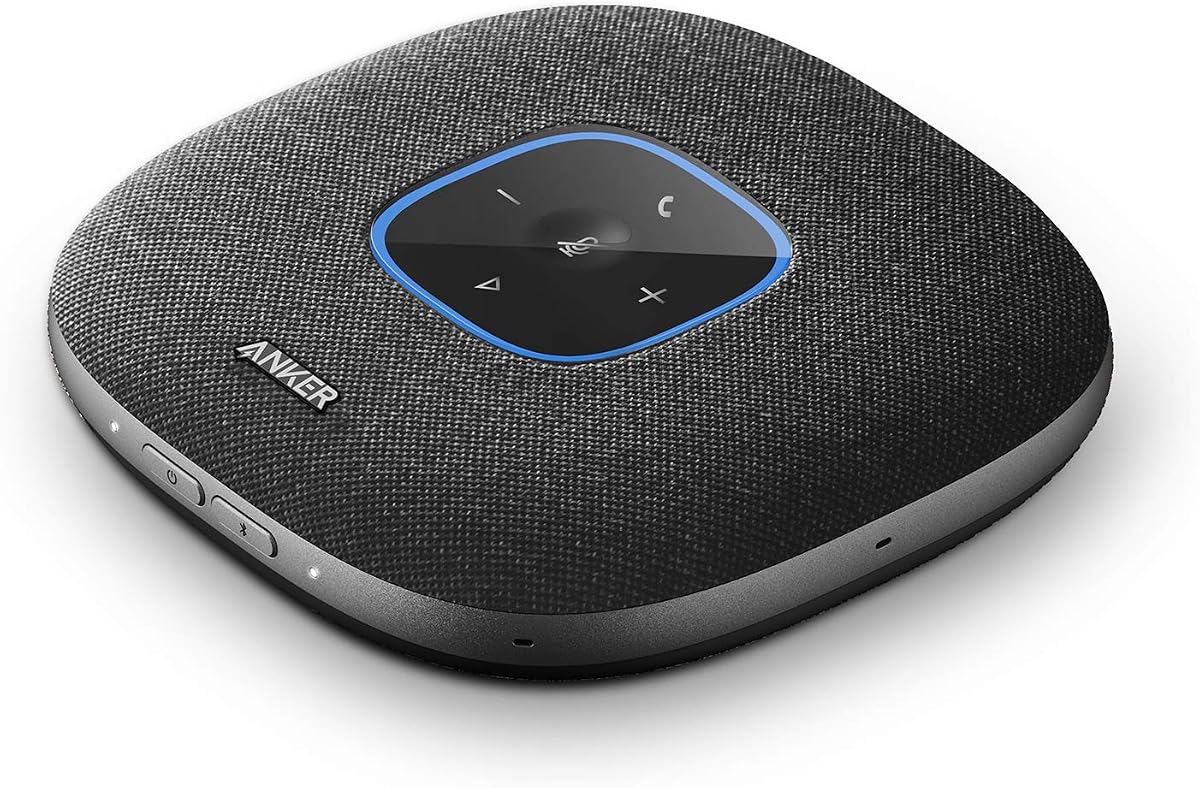


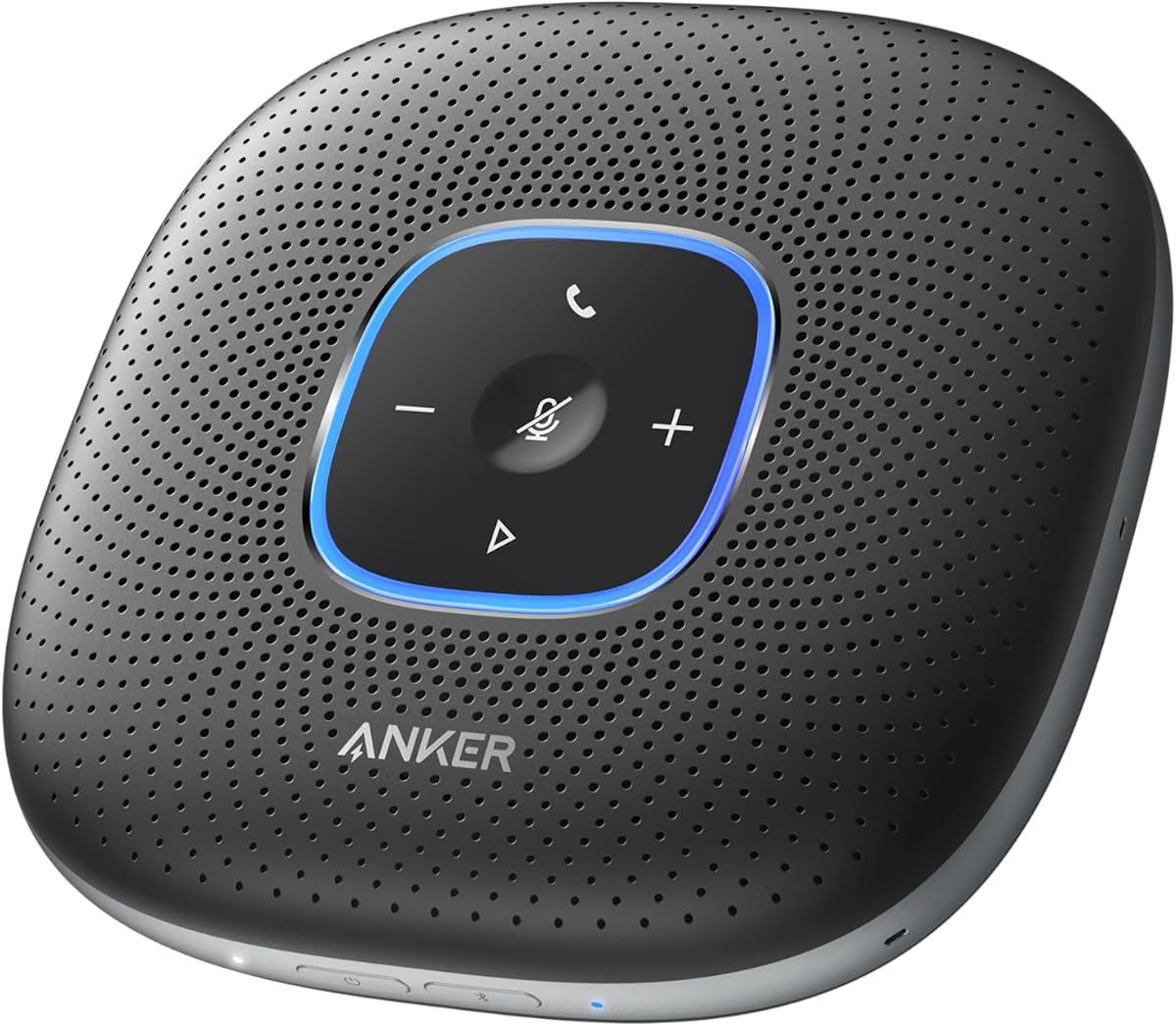
The Anker PowerConf Speakerphone stands out as a top choice for home offices needing reliable audio. With a rating of 4.4, it delivers professional sound quality for meetings. Its standout quality is the 360-degree coverage ensuring everyone is heard clearly.
We may earn a commission when you buy through this link, at no additional cost to you.
Its AI-driven Voice Radar 3.0 technology reduces noise and cancels echo effectively. The 6 microphones pick up voices from all directions. This makes it ideal for larger home office spaces where participants move around.
While the price is higher than some competitors, the features justify the investment. The battery life allows for long meetings without needing a recharge. Power bank capability adds utility for charging other devices on the go.
Business professionals and remote workers should buy this for consistent performance. It is fully compatible with all popular conferencing platforms. This ensures seamless integration into your daily workflow without technical issues.
The 360-degree microphone array ensures voices are picked up clearly from any angle in the room.
With up to 24 hours of call time, you can work through the day without worrying about charging.
We may earn a commission when you buy through this link, at no additional cost to you.
The Anker PowerConf S330 is ideal for users who prioritize a stable wired connection for meetings. It offers a straightforward plug-and-play experience that simplifies setup. The sound quality is enhanced by passive bass radiators for depth.
We may earn a commission when you buy through this link, at no additional cost to you.
Its 4 high-sensitivity microphones ensure 360-degree voice coverage within a 3-meter range. This makes it effective for small to medium meeting spaces. The smart voice enhancement filters background noise effectively.
The main limitation is the reliance on USB-C connectivity which may limit flexibility for mobile users. However, for desk-based work, the wired connection ensures reliability. It is a strong choice for those needing consistent performance.
Office workers needing a reliable desk speaker should consider this model. It connects seamlessly with computers without driver installation. This reduces IT overhead and ensures smooth operation during critical meetings.
Connect via USB-C and join meetings instantly without needing to install any additional drivers.
Passive bass radiators add body and depth to meeting audio and music playback for a rich sound.
We may earn a commission when you buy through this link, at no additional cost to you.
The Anker PowerConf S3 combines Bluetooth and USB-C connectivity for flexibility in home office setups. It features a 6-mic array for comprehensive coverage. The app control allows for customization of sound settings to suit your environment.
We may earn a commission when you buy through this link, at no additional cost to you.
Its real-time voice optimization ensures clear communication by reducing background noise. The double talk feature allows multiple speakers to be heard without words being skipped. This enhances collaborative discussions significantly.
The reliance on app control for some features may be a slight hurdle for non-tech-savvy users. However, the convenience of adjusting settings remotely is a plus. The battery life supports long conference calls effectively.
Remote teams and home offices with frequent meetings should choose this model. It supports all major conferencing platforms seamlessly. This ensures your communication remains professional and uninterrupted during important discussions.
Use the app to tailor audio settings to your specific room acoustics for better voice clarity.
The device handles simultaneous speakers well ensuring no words are lost during group conversations.
We may earn a commission when you buy through this link, at no additional cost to you.
The Jabra Speak 510 is a classic choice known for its portable design and ease of use. It delivers crystal-clear audio suitable for various meeting environments. The setup is straightforward allowing you to start meetings in seconds.
We may earn a commission when you buy through this link, at no additional cost to you.
It supports both Bluetooth and USB connectivity for maximum flexibility. This makes it adaptable to different devices and setups. The sound quality ensures professional results during virtual calls.
While it lacks some advanced features of newer models, its reliability is unmatched. The battery life is sufficient for standard workdays. It is a trusted option for those valuing simplicity and quality.
Travelers and mobile workers should pick this model for on-the-go meetings. It connects effortlessly with laptops and smartphones. This ensures you maintain professional communication standards wherever you are.
Get started with meetings instantly thanks to the intuitive plug-and-play connectivity options.
Connect via Bluetooth or USB to suit your device preference without compatibility issues.
We may earn a commission when you buy through this link, at no additional cost to you.
The Yealink SP92 offers excellent value for those needing a budget-friendly home office solution. It delivers exceptional audio quality with real-time AI noise cancellation. This ensures accurate speech reproduction even in noisy environments.
We may earn a commission when you buy through this link, at no additional cost to you.
Its 360-degree coverage is designed for small to medium meeting rooms. The lightweight design makes it easy to transport between locations. The 20-hour battery life supports full-day meetings without interruptions.
While the build is lighter than premium models, the audio quality compensates. The AI filters out common office noises effectively. This makes it a practical choice for small businesses.
Startups and budget-conscious users should choose this model. It is certified for Microsoft Teams and works with other platforms. This ensures broad compatibility without a significant financial investment.
Real-time AI noise cancellation filters over 1000 noises to ensure accurate speech reproduction.
The lightweight ultra-portable design includes a carrying case ideal for business travel.
We may earn a commission when you buy through this link, at no additional cost to you.
The Lenovo Speakerphone provides enterprise-grade audio suitable for large conference rooms. Its 8 beamforming microphones prioritize voices over background distractions. The IP54 resistance adds durability for hybrid workspaces.
We may earn a commission when you buy through this link, at no additional cost to you.
Full duplex performance allows for natural simultaneous speaking and listening. This creates smooth interruption-free conversations during meetings. It supports dual Bluetooth connectivity for connecting to two devices at once.
The advanced features may require a learning curve for non-technical users. However, the audio quality is unmatched for professional settings. It is designed for reliability and high performance.
Large companies and enterprise users should invest in this model. It is certified for Microsoft Teams with dedicated controls. This ensures seamless integration into existing collaboration environments.
The IP54 dust and splash resistance makes it suitable for various work environments.
Connect to two devices simultaneously for flexible meeting transitions without re-pairing.
We may earn a commission when you buy through this link, at no additional cost to you.
The Jabra Speak2 55 brings modern features to the conference speaker category. Voice level normalization equalizes surrounding voices for consistent audio. It supports up to 30 meters of Bluetooth range for flexibility.
We may earn a commission when you buy through this link, at no additional cost to you.
It includes a USB-C charging adaptor to keep your speaker running longer. The 12-hour battery life covers standard workdays. It is fully compatible with Microsoft Teams for seamless integration.
The price is high compared to other options. However, the build quality and features justify the cost. It is designed for professionals who need reliable performance.
Teams using Microsoft ecosystems should select this model. It connects wirelessly or via USB easily. This ensures efficient communication with minimal technical complications.
With up to 30 meters of range, you can move freely during calls without losing connection.
The USB-C charging adaptor ensures you keep your speaker powered for longer periods.
We may earn a commission when you buy through this link, at no additional cost to you.
The Jabra Speak 510 MS remains a solid choice for softphone and mobile communication. It offers HD voice quality for high-definition sound clarity. The 15-hour talk time supports extended meetings effectively.
We may earn a commission when you buy through this link, at no additional cost to you.
It connects to PCs, tablets, and smartphones easily. This versatility makes it suitable for various devices. The setup is intuitive requiring no IT support for configuration.
While newer models exist, this one retains reliability and compatibility. It is ideal for environments using legacy systems. The build quality ensures long-term usability.
Users needing softphone integration should consider this device. It connects seamlessly with your existing tools. This ensures consistent communication standards across different platforms.
HD voice technology ensures conversations sound clear and professional on every call.
Connect to PCs, tablets, and smartphones for flexible meeting capabilities anywhere.
We may earn a commission when you buy through this link, at no additional cost to you.
The Jabra Speak 710 delivers immersive sound suitable for larger rooms. Its Omni-directional microphone ensures clear audio for up to six people. The lightweight design allows for easy portability between meetings.
We may earn a commission when you buy through this link, at no additional cost to you.
It includes a Link 370 USB adapter for stable connectivity. This ensures reliable performance on computers without Bluetooth. The setup is plug-and-play requiring no technical knowledge.
The Link adapter is an extra component that might be misplaced. However, the performance and certification for major platforms offset this. It is a trusted tool for professional calls.
Remote workers needing high-quality audio should select this model. It works seamlessly with Zoom and Google Meet. This ensures compatibility with common business tools.
The microphone picks up voices for up to six people ensuring no one is missed.
No IT required for setup allowing you to start meetings instantly with any device.
We may earn a commission when you buy through this link, at no additional cost to you.
The YAMAHA YVC-330 offers premium audio technology for serious home offices. Its SoundCap technology eliminates background noise outside a 3-foot range. This ensures clear speech reproduction without distractions.
We may earn a commission when you buy through this link, at no additional cost to you.
Human voice activity detection allows the speakerphone to pick up speech, not noise. The self silence feature mutes the microphone when participants are not speaking. This prevents unwanted audio transmission.
While expensive, the audio quality justifies the price for professionals. The 6-foot USB cable ensures flexible placement. It works with all major tools for seamless integration.
High-end professionals and executives should choose this model. It handles 5-8 people comfortably for meetings. This ensures your conferences sound professional and clear.
SoundCap technology reduces background noise significantly improving overall call quality.
The device distinguishes speech from noise ensuring accurate pickup during calls.
We may earn a commission when you buy through this link, at no additional cost to you.
Selecting the right speakerphone involves evaluating several key features to ensure professional quality calls.
The number and arrangement of microphones determine how well your voice is picked up. Look for models with multiple mics arranged in a 360-degree pattern to ensure all voices are captured clearly regardless of position.
Prioritize speakerphones with 4 to 6 microphones for optimal coverage.
Background noise can disrupt meetings significantly. Advanced models use AI or DSP algorithms to filter out keyboard clicks and ambient sounds. This ensures your voice remains the primary focus during conversations.
Choose models with specific AI noise cancellation features for better clarity.
Long meetings require reliable battery performance. Look for speakerphones offering at least 12 to 24 hours of talk time. Some models also offer USB-C charging or power bank features for added convenience.
Ensure the battery life matches your typical meeting duration needs.
Flexibility is key in home offices. Speakerphones should support both Bluetooth and USB connections. This allows easy switching between mobile devices and laptops without reconfiguration.
Opt for dual connectivity support to maximize device compatibility.
Compatibility with major conferencing platforms ensures seamless integration. Look for Zoom, Microsoft Teams, or Google Meet certifications. This guarantees that buttons and features work as expected during calls.
Select certified models to avoid technical issues during critical meetings.
If you travel or move around, a lightweight design is essential. Compact speakerphones with carrying cases are ideal for business travel. Ensure the device is durable enough for regular use.
Prioritize lightweight and portable options if mobility is a requirement.
Clear audio output is as important as input. Look for speakers with good bass response and volume control. This ensures you hear other participants clearly even in noisy environments.
Choose models with full-duplex audio to avoid echo or audio dropouts.
Setup should be straightforward without requiring IT support. Plug-and-play functionality allows instant connection via USB or Bluetooth. This saves time and ensures you can start meetings without delays.
Select devices that require no software installation for quick deployment.
To begin, connect your speakerphone to your device via Bluetooth or USB cable. Ensure your device recognizes the audio input and output settings before joining a call.
Place the speakerphone in the center of the room or on the desk for optimal microphone pickup. Avoid placing it near noisy devices like fans or air conditioners to prevent interference.
Regularly clean the device with a soft dry cloth to remove dust. Keep it away from moisture and extreme temperatures to ensure long-term functionality and performance.
To connect your Bluetooth speakerphone to your computer, enable Bluetooth on your computer and put the speakerphone in pairing mode. Select the device from your computer's Bluetooth settings list. For USB connections, simply plug the cable into your computer and it should auto-detect.
The average battery life for home office speakerphones ranges from 12 to 24 hours on a single charge. Some high-end models offer up to 24 hours of continuous call time which covers full workdays without needing a recharge.
Yes, most modern Bluetooth speakerphones are compatible with Zoom, Microsoft Teams, and Google Meet. Look for models specifically certified for these platforms to ensure all features and buttons function correctly during calls.
Yes, Bluetooth speakerphones are designed to work seamlessly with mobile phones. You can connect them via Bluetooth or USB-C depending on the model. This allows you to make calls on mobile devices with professional audio quality.
To reduce background noise, choose a speakerphone with active noise cancellation features. Position the device away from noisy sources and speak clearly. Some models also allow you to mute the microphone when not speaking to prevent noise transmission.
USB connections are generally more stable and reliable for conferences as they avoid wireless interference. Bluetooth offers convenience and mobility. If stability is your priority, USB is the better choice for critical meetings.
It is recommended to check for firmware updates every few months to ensure optimal performance. Updates often include bug fixes and new features. Keeping your device updated ensures compatibility with new conferencing tools.
Most speakerphones come with essential accessories like USB-C cables, USB-A adapters, and carrying cases. Some models include Link adapters for stable computer connections. Check the product description to confirm included items before purchasing.
We have reviewed ten top options for the best Bluetooth speakerphone for the home office. Each model offers distinct advantages in sound quality, battery life, and connectivity for professionals.
Prioritize microphone quality and platform certification to ensure your calls are clear and compatible. Consider your mobility needs and choose between wired or wireless options based on your workspace setup.
Prices fluctuate frequently so always verify current pricing before purchasing. Check the latest deals to get the best value for your chosen model today.