
Gigabyte Z370 AORUS Gaming 7
4.4Editor score
3x M.2 slots
ESS Sabre DAC audio
RGB FUSION lighting
This guide compares the top ten brands for Z370 motherboards, evaluating features performance reliability and compatibility to help you find the ideal
Choosing the right motherboard is critical for any PC build. A strong brand ensures reliable power delivery, robust features, and long-term support for your hardware investment.
We analyzed ten top-rated Z370 motherboards from leading manufacturers. Our comparison focuses on chipset performance, connectivity options, cooling solutions, and overall build quality.
Each pick highlights specific strengths like gaming audio, overclocking stability, or budget value. Prices and availability may change, so verify details before purchasing your component.
4.4Editor score
4.6Editor score

4.5Editor score
This side-by-side comparison highlights key specifications for all ten models, helping you quickly identify which board fits your specific performance and budget requirements.


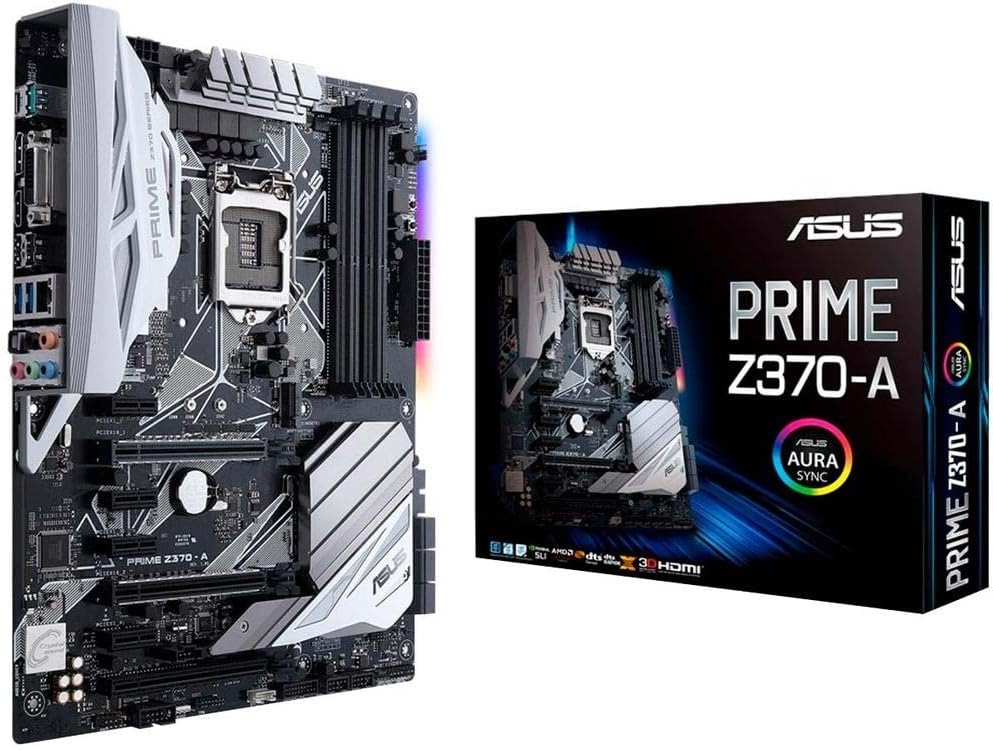
This motherboard stands out as a top choice for builders seeking a balance of performance and features. It earns an Editor's Choice badge due to its robust power delivery and extensive connectivity options.
We may earn a commission when you buy through this link, at no additional cost to you.
Designed exclusively for 8th Gen Intel processors, it maximizes speed with dual M.2 slots and USB 3.1 Gen2 ports. The integrated Realtek S1220A codec delivers high-fidelity audio enhanced by Japanese capacitors.
While the price is higher than entry-level boards, the premium components justify the cost for enthusiasts. The main trade-off is the complexity of the BIOS for novice users.
Gamers and power users looking for stability and future-proof connectivity should prioritize this model. It remains a reliable foundation for any high-performance system built around the Z370 chipset.
Dual M.2 slots and Thunderbolt 3 support ensure your storage and peripherals operate at maximum speeds without bottlenecks.
The Crystal Sound 3 technology with S1220A codec provides warm, immersive sound quality ideal for gaming and media consumption.
We may earn a commission when you buy through this link, at no additional cost to you.
Although it uses the Z390 chipset, this board offers exceptional expansion capabilities suitable for mining or multi-GPU setups. It features six PCIe slots for maximum hardware versatility.
We may earn a commission when you buy through this link, at no additional cost to you.
Key strengths include Above 4G decoding which is essential for cryptocurrency mining or high-end GPU configurations. The board also includes USB 3.1 Gen2 ports for fast data transfers.
The primary trade-off is that it is not strictly a Z370 board, but offers broader compatibility. Users should verify CPU compatibility before purchasing for specific builds.
Builders needing extensive expansion slots will find this model incredibly versatile. It bridges the gap between mainstream desktops and specialized workstation or mining rigs effectively.
Six PCIe slots allow for multiple expansion cards or GPUs, making this ideal for mining or specialized workstation needs.
USB 3.1 Gen2 ports provide blazing fast speeds for external storage and peripherals, ensuring no data bottlenecks occur.
We may earn a commission when you buy through this link, at no additional cost to you.
This board is a top contender for enthusiasts seeking premium features like triple M.2 storage and high-fidelity audio. It is recognized as the Best Premium option in this comparison.
We may earn a commission when you buy through this link, at no additional cost to you.
It supports three M.2 slots with thermal guards to prevent throttling during sustained high-speed data transfers. The ESS Sabre DAC delivers superior audio quality for audiophiles and gamers alike.
The main trade-off is the higher price point compared to standard boards, but the audio and storage capabilities justify the investment. Users should also manage RGB settings carefully for stability.
Gamers and creators needing fast storage speeds and excellent sound will love this model. It offers a high-end experience with robust thermal management for demanding workloads.
Three M.2 slots with thermal guards allow for massive high-speed storage configurations without heat throttling issues.
The ESS Sabre DAC provides high-fidelity sound that rivals dedicated external audio cards for an immersive experience.
We may earn a commission when you buy through this link, at no additional cost to you.
While not Z370, this board offers strong power delivery and mining features at a competitive price. It stands out for its robust digital PWM design and extensive connectivity.
We may earn a commission when you buy through this link, at no additional cost to you.
The 10+2 phases digital PWM design ensures stable power for overclocking and high-load tasks. It also includes six PCIe slots for maximum expansion potential and flexibility.
Trade-offs include using the Z390 chipset which is newer but may not fit all Z370 requirements. The audio is standard compared to premium boards with specialized DACs.
Users building budget mining rigs or systems needing many PCIe slots will find this board valuable. It balances performance and cost effectively for specific use cases.
The 10+2 phases digital PWM design delivers stable power for reliable overclocking and sustained high-load performance.
Six PCIe slots provide ample space for multiple GPUs or expansion cards, ideal for mining or specialized builds.
We may earn a commission when you buy through this link, at no additional cost to you.
Built for durability, this TUF board focuses on longevity and stability. It offers military-grade components that ensure system reliability under stress and heavy gaming sessions.
We may earn a commission when you buy through this link, at no additional cost to you.
Key strengths include TUF LANGuard for network stability and dual M.2 slots for fast storage. The FanXpert 4 Core ensures dynamic cooling for optimal system performance.
The main trade-off is fewer premium features like RGB or high-end audio compared to other Z370 models. However, the durability and warranty make it a smart long-term investment.
Gamers who prioritize system longevity over flashy features should choose this board. It provides a reliable foundation for gaming rigs that need to run consistently.
TUF military-grade components like LANGuard and chokes maximize durability for consistent performance under heavy workloads.
FanXpert 4 Core delivers advanced fan control and dynamic cooling to maintain optimal system temperatures.
We may earn a commission when you buy through this link, at no additional cost to you.
This board provides a balanced platform for standard gaming and productivity builds. It features dual M.2 slots for fast storage access and reliable protection mechanisms.
We may earn a commission when you buy through this link, at no additional cost to you.
Key strengths include Safe Slot Core technology that prevents damage from heavy GPUs. The 5X Protection III hardware safeguards ensure long-term component reliability and stability.
The trade-off is the lack of USB 3.1 Gen2 ports found on higher-end models. However, for general use, the connectivity is sufficient for most peripherals.
Users seeking a reliable and straightforward board without unnecessary bells and whistles should consider this option. It offers essential performance and stability for everyday tasks.
Safe Slot Core technology and 5X Protection III safeguards ensure long-term reliability and component stability.
Dual M.2 slots allow for fast storage configurations without occupying traditional SATA ports for other drives.
We may earn a commission when you buy through this link, at no additional cost to you.
This board is ideal for budget-conscious builders needing core Z370 features. It offers essential connectivity and performance without the cost of premium extras.
We may earn a commission when you buy through this link, at no additional cost to you.
Key strengths include dual channel memory support and a PCIE Gen3 M.2 connector for fast data transfer. It also supports 2-Way Crossfire for multi-GPU setups.
The trade-off is the lack of RGB lighting and advanced audio features. However, for pure performance and budget builds, these omissions are acceptable.
Users on a tight budget who still want fast storage and good memory performance should pick this board. It delivers value where it counts for standard gaming.
Affordable pricing combined with PCIE Gen3 M.2 support ensures fast storage without breaking the budget.
2-Way Crossfire support allows for multiple graphics cards to boost performance for gaming or rendering.
We may earn a commission when you buy through this link, at no additional cost to you.
This model offers essential connectivity like USB 3.1 Gen2 Type-C for modern peripherals. It provides standard performance features for 8th Gen Intel processors.
We may earn a commission when you buy through this link, at no additional cost to you.
Key strengths include support for 8th Gen Intel Core processors and 4 x DDR4 DIMM slots. It ensures compatibility and flexibility for various memory configurations.
The trade-off is a more basic feature set compared to premium boards. However, for standard builds, the essential connectivity is well-suited.
Users needing Type-C support on a budget should consider this board. It covers the basics well without unnecessary extras or costs.
USB 3.1 Gen2 Type-C port provides fast 10 GB/s speeds for modern peripherals and storage.
4 x DDR4 DIMM slots allow for flexible memory configurations up to 64GB total capacity.
We may earn a commission when you buy through this link, at no additional cost to you.
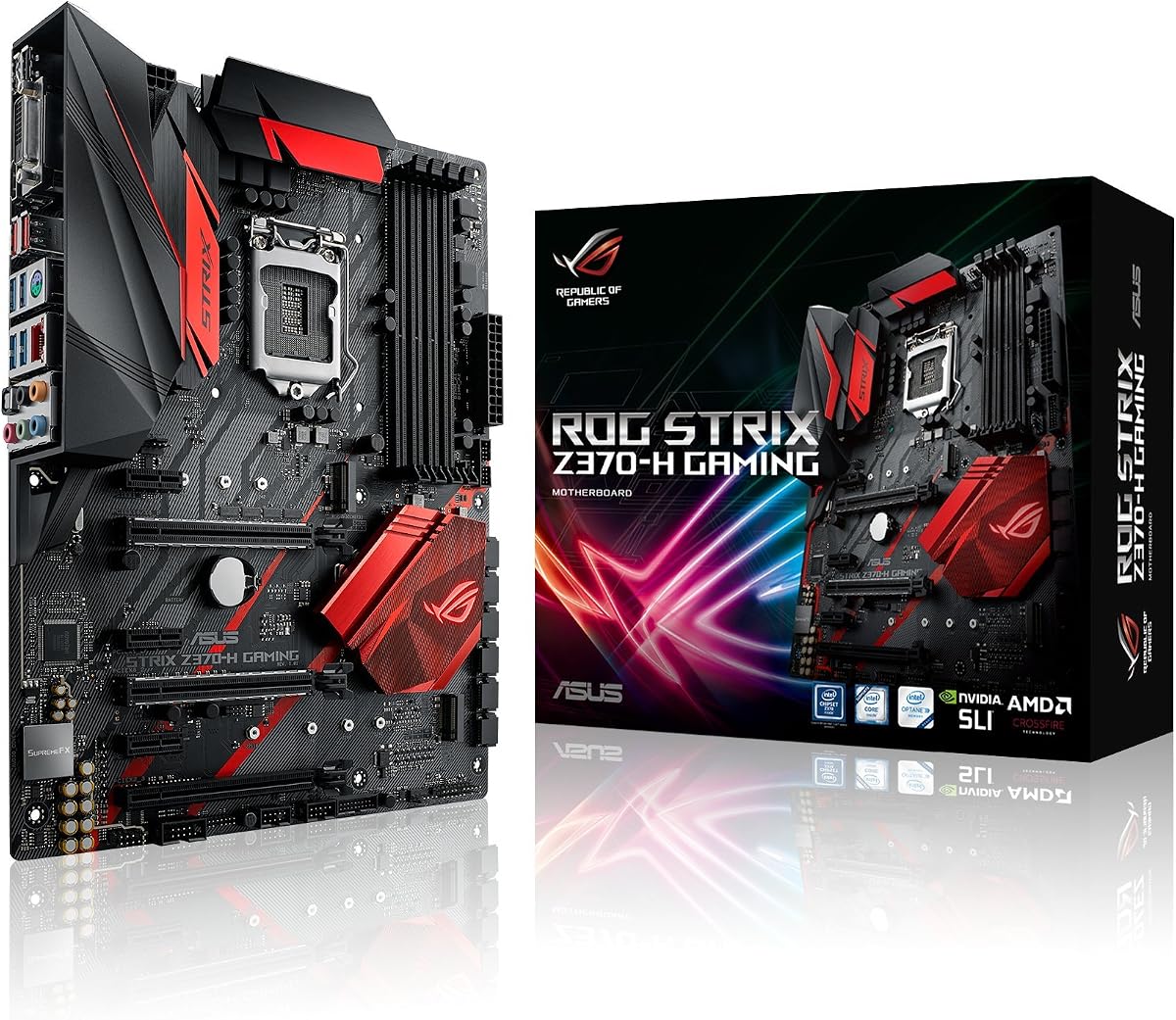
Part of the ROG Strix series, this board focuses on gaming aesthetics and utility. It offers reliable support for 8th Gen processors with ample USB connectivity.
We may earn a commission when you buy through this link, at no additional cost to you.
Key strengths include 64GB DDR4 support and multiple USB ports for various peripherals. The 3-year manufacturer warranty adds significant value and peace of mind.
The trade-off is the lack of M.2 slots which may limit fast storage options. However, for those using traditional SSDs or HDDs, this is not a major issue.
Gamers wanting a reliable board with extensive USB connectivity should look at this option. It offers a good balance of performance and warranty protection.
Backed by a 3-year manufacturer warranty, this board offers long-term peace of mind for gamers.
Support for up to 64GB of DDR4 memory ensures smooth multitasking and future scalability.
We may earn a commission when you buy through this link, at no additional cost to you.
This TUF board emphasizes reliability and robust engineering for long-term use. It provides solid gaming features with military-grade components.
We may earn a commission when you buy through this link, at no additional cost to you.
Key strengths include dual M.2 slots for fast storage and advanced fan control via FanXpert 4. Military-grade TUF components maximize durability for intense gaming sessions.
The trade-off is limited RGB lighting compared to other gaming boards. However, those valuing reliability over aesthetics will find this board worthwhile.
Users seeking a durable and stable platform for gaming should choose this model. It delivers consistent performance with robust cooling and build quality.
Military-grade TUF components maximize durability to withstand intense gaming sessions and long-term use.
FanXpert 4 Core provides advanced fan control for dynamic system cooling to maintain peak performance.
We may earn a commission when you buy through this link, at no additional cost to you.
Selecting the right Z370 motherboard requires evaluating chipset performance, connectivity, and build quality to match your specific usage needs and budget.
Ensure the motherboard uses the LGA 1151 socket compatible with your 8th or 9th Gen Intel processor for proper function and power delivery.
Verify that the BIOS supports your specific CPU model before installing to avoid compatibility issues during setup.
Look for boards with at least four DDR4 DIMM slots to support up to 64GB memory capacity for multitasking and future-proofing.
Select memory slots that offer dual-channel support to maximize memory bandwidth for improved system performance.
Prioritize boards with multiple M.2 slots for NVMe SSDs to achieve faster data transfer speeds compared to traditional SATA drives.
Check for thermal guards on M.2 slots to prevent heat throttling during prolonged high-speed data usage.
Ensure sufficient USB 3.1 Gen2 ports are available to support fast peripherals and external storage devices without bottlenecks.
Check for USB 3.1 Gen1 or Type-C ports depending on your peripheral needs for convenient connectivity options.
Evaluate the audio codec for example Realtek S1220A or ALC892 if you require high-fidelity sound for gaming or media consumption.
Consider boards with DACs or dedicated audio capacitors for warmer and more immersive sound experiences.
Look for robust power delivery designs with digital PWM phases to ensure stable performance during overclocking or high-load scenarios.
Ensure the board has effective thermal solutions and fan headers to maintain system temperatures within safe operating ranges.
Check for RGB Sync compatibility and headers if you want to customize lighting effects across your system components.
Select boards that support AURA Sync or similar standards for seamless integration with other RGB-enabled peripherals.
Review manufacturer warranty periods and support policies to ensure long-term protection for your investment against defects.
Choose brands known for military-grade or premium components for better reliability and longer system lifespan.
Install the motherboard in a static-free environment and connect all power cables securely to ensure stable operation and prevent hardware damage.
Keep the system cool by monitoring fan headers and ensuring proper airflow within your case to maintain component longevity.
Regularly update BIOS and drivers from the manufacturer website to enhance performance and fix potential security issues.
Most Z370 motherboards require a BIOS update to support 9th Gen processors. Check the manufacturer compatibility list before purchasing.
Most Z370 boards support up to 64GB of DDR4 memory across four DIMM slots. Some models may offer different limits based on design.
Yes, Z370 boards support overclocking for compatible Intel processors. Use the BIOS settings to adjust CPU and memory frequencies.
USB 3.1 Gen2 ports provide faster data transfer speeds for external drives. Consider them if you frequently move large files.
Higher-end codecs like Realtek S1220A with high-fidelity DACs offer better sound immersion. Check the audio specs before buying.
M.2 slots offer significantly faster storage speeds than SATA drives. They are recommended for faster boot times and loading.
The ASUS Prime Z370-A leads with balanced performance while the Gigabyte Z370 AORUS Gaming 7 offers premium audio and storage.
Prioritize connectivity and cooling based on your usage. Ensure the board supports your processor and memory requirements before purchase.
Always check current prices and availability as costs can fluctuate frequently in the hardware market.