
ASUS GT 1030 2GB GDDR5
4.6Editor score
Passive cooling design
Low power consumption
Compact form factor
This guide compares the best GPU for ASUS Prime A320M K motherboards featuring detailed reviews of top models from budget to premium options for gamers.
Finding the right GPU for ASUS Prime A320M K requires balancing performance and compatibility. Your graphics card should fit your budget while delivering smooth gameplay and support for modern titles without bottlenecks.
We evaluated ten distinct models based on architecture, memory size, cooling solutions, and user ratings. This list covers options from entry-level cards to high-performance choices suitable for various system configurations.
Each pick highlights key strengths and ideal use cases for different gamers. Remember that market prices fluctuate frequently so check current listings before finalizing your purchase decision for your build.
4.6Editor score

4.7Editor score

4.6Editor score
The following table provides a side-by-side comparison of all ten graphics cards analyzed in this guide to help you quickly identify key specifications and differences.


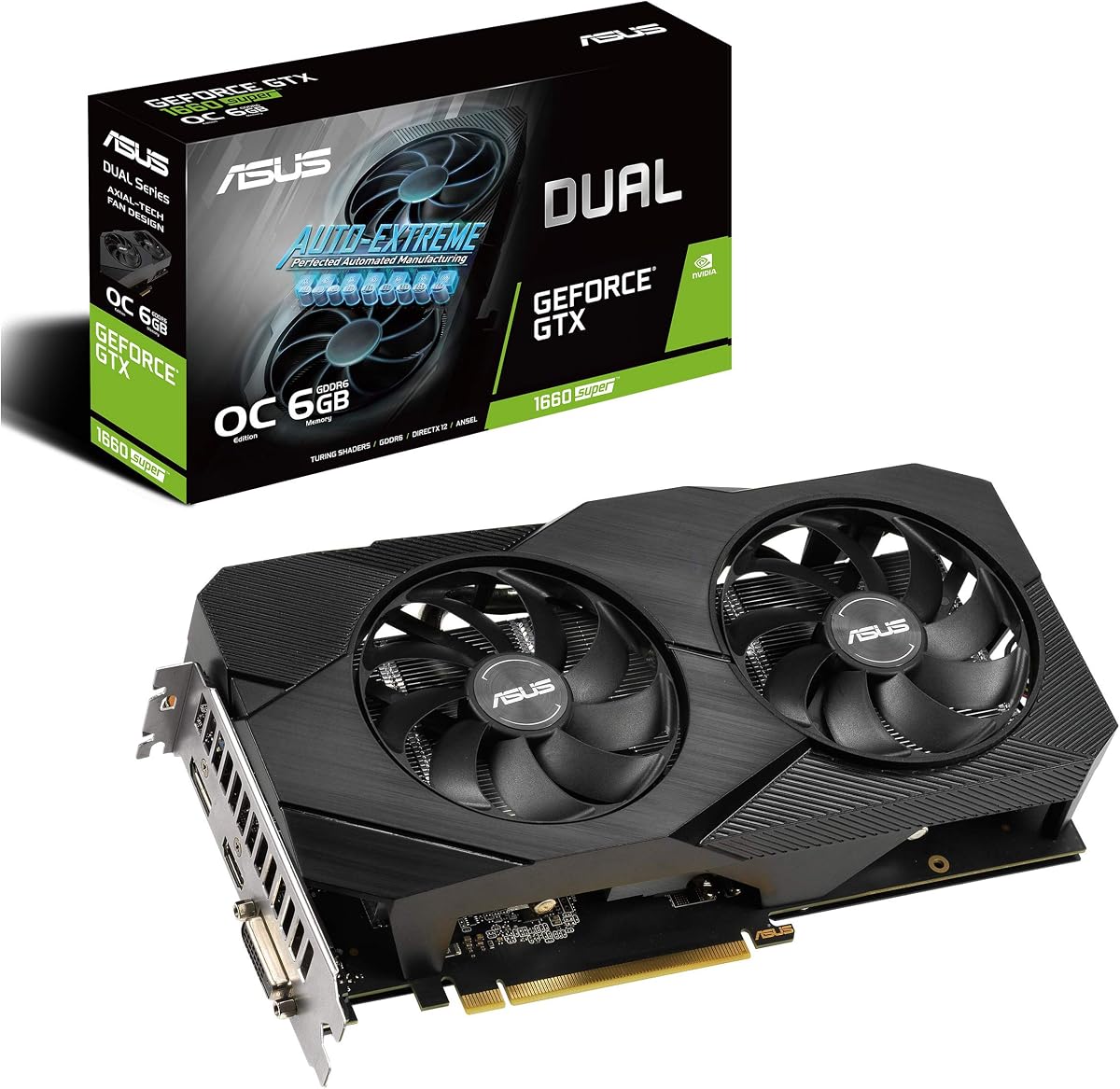


The ASUS Dual GeForce RTX 3050 6GB stands out as our top pick for this motherboard. It delivers strong performance with modern features like DLSS and ray tracing capabilities.
We may earn a commission when you buy through this link, at no additional cost to you.
Its Ampere architecture provides twice the FP32 throughput compared to previous generations. The Axial-tech fan design ensures effective cooling while maintaining a low profile inside your case.
While 6GB VRAM is sufficient for 1080p gaming, it may limit future-proofing for higher texture settings. However, the power efficiency makes it ideal for builds with modest power supplies.
Buy this if you want a balance of current performance and energy efficiency. It is recommended for gamers seeking reliable 1080p experiences without excessive power demands.
Second generation RT cores enable realistic lighting effects without severely impacting frame rates in supported titles.
Third generation Tensor cores support DLSS which uses AI to boost frames while maintaining visual clarity.
We may earn a commission when you buy through this link, at no additional cost to you.
The TUF GTX 1660 Super offers excellent value for budget-conscious buyers. It handles most modern titles well at 1080p with stable frame rates thanks to GDDR6 memory.
We may earn a commission when you buy through this link, at no additional cost to you.
ASUS TUF compatibility testing ensures seamless integration with compatible motherboards and chassis components. The space-grade lubricant extends fan life while keeping noise levels low.
Lack of ray tracing and DLSS limits future utility compared to newer models. However, for pure rasterization performance this card remains competitive in the budget segment.
Choose this if you need reliable gaming performance without breaking the bank. It suits users prioritizing cost-efficiency over cutting-edge features like AI upscaling.
Auto-extreme technology and Super Alloy Power II components ensure long-term reliability under demanding conditions.
GPU Tweak II allows real-time performance monitoring and system optimization with useful tools included.
We may earn a commission when you buy through this link, at no additional cost to you.
The Phoenix RTX 3060 with 12GB of memory is the premium choice for demanding users. It supports higher resolutions and complex workloads thanks to the large memory pool.
We may earn a commission when you buy through this link, at no additional cost to you.
HDMI 2.1 enables 4K output potential while Axial-tech fans maintain low temperatures under heavy loads. This makes it ideal for both gaming and content creation tasks.
Higher power requirements mean checking your PSU capacity before installation. The extra cost is justified by longevity and versatility beyond standard gaming scenarios.
Opt for this if you want maximum versatility for gaming and productivity. It is the top pick for users needing VRAM headroom and modern I/O capabilities.
The larger memory buffer ensures smoother performance in texture-heavy games and creative applications.
HDMI 2.1 provides bandwidth for higher refresh rates and resolutions on modern monitors and TVs.
We may earn a commission when you buy through this link, at no additional cost to you.
The RTX 2060 Phoenix offers a compact solution with ray tracing capabilities at a renewed price point. It supports VR environments and handles most modern games competently.
We may earn a commission when you buy through this link, at no additional cost to you.
Short form factor design fits easily into smaller cases while maintaining sufficient cooling for stable operation. DisplayPort and HDMI options provide flexible connectivity choices.
Buying renewed units carries some risk compared to new products despite testing. Ensure warranty terms are clear before purchase to protect your investment.
Select this if you need ray tracing on a budget. It suits users with space constraints who want entry-level RTX features without full price cost.
This card is officially VR Ready making it suitable for virtual reality headsets without compatibility issues.
The double ball bearing fan provides long life and efficient airflow for consistent thermal performance.
We may earn a commission when you buy through this link, at no additional cost to you.
This renewed TUF GTX 1660 Super holds an impressive user rating reflecting reliability even after previous use. It delivers solid performance for 1080p gaming at a low cost.
We may earn a commission when you buy through this link, at no additional cost to you.
TUF testing ensures it meets strict quality standards for durability. Space-grade lubricant maintains quieter operation compared to standard bearing designs.
Renewed products rely on supplier inspection quality. Amazon Renewed Guarantee offers protection for refunds if the product does not meet expectations upon arrival.
Consider this if you trust certified refurbished channels. It offers the best balance of low cost and dependable quality for standard gaming needs.
Amazon qualified suppliers inspect and test each unit to ensure it functions like new before resale.
The Amazon Renewed Guarantee provides replacement or refund options if not satisfied with your purchase.
We may earn a commission when you buy through this link, at no additional cost to you.
This Dual-Fan Evo model brings enhanced cooling for thermal management during gaming sessions. The dual fan setup ensures lower temperatures and quieter operation under load.
We may earn a commission when you buy through this link, at no additional cost to you.
VR Ready certification means it meets performance standards for virtual reality headsets comfortably. HDMI and DisplayPort outputs allow for flexible monitor configurations.
As a renewed product check warranty details carefully. Performance is comparable to new units but physical appearance may show minimal signs of prior use.
Pick this if cooling performance is your priority. It suits gamers seeking reliable dual-fan solutions at a budget-friendly price point for standard gaming.
Dual fans provide increased airflow to keep the GPU cool during extended gaming sessions.
Multiple outputs allow for multi-display setups ideal for productivity or multi-monitor gaming.
We may earn a commission when you buy through this link, at no additional cost to you.
The Phoenix GTX 1660 Super is ideal for compact builds where space is limited. Its short form factor ensures it fits in small chassis without compromising cooling.
We may earn a commission when you buy through this link, at no additional cost to you.
Phoenix double-ball bearing fans provide superior airflow and longer life than standard sleeve bearings. This contributes to quieter operation and consistent performance over time.
Lack of ray tracing limits appeal for newer AAA titles but remains strong for esports and older games. GDDR6 memory still delivers fast data throughput for rendering.
Choose this for small form factor builds requiring stable performance. It suits users who value longevity and compact design over cutting-edge features.
Short form factor allows installation in small cases where standard GPUs would not fit properly.
Phoenix double-ball bearing fans provide two times longer lifespan for reliable cooling over years of use.
We may earn a commission when you buy through this link, at no additional cost to you.
This model combines dual-fan cooling with a solid three-year warranty for peace of mind. It delivers reliable 1080p gaming performance for standard titles.
We may earn a commission when you buy through this link, at no additional cost to you.
The 2.7 slot form factor balances thermal efficiency and physical size. Dual fans provide twice the airflow for quieter gameplay compared to single-fan designs.
While it lacks ray tracing support it maintains strong frame rates in optimized games. The warranty adds significant value for users wanting long-term support.
Opt for this if reliability and warranty matter most. It suits users wanting dependable performance without needing the absolute latest technology features.
Dual-fan cooling provides triple the quietness compared to older single fan configurations.
Three year warranty covers defects ensuring confidence in long-term product reliability.
We may earn a commission when you buy through this link, at no additional cost to you.
The GT 1030 is an entry-level card designed for basic display needs and light gaming. It runs silently thanks to passive cooling with no fans required.
We may earn a commission when you buy through this link, at no additional cost to you.
Without external power connectors it draws power directly from the PCIe slot. This makes it perfect for systems with limited power supply capacity.
Limited memory and older architecture restrict modern gaming potential. It handles video playback and older titles well but not demanding new releases.
Select this for basic HTPC builds or light use. It suits users needing display outputs without high performance requirements or noise.
The heatsink design provides silent operation without any moving parts or fan noise.
This card draws power directly from the slot removing need for extra power cables.
We may earn a commission when you buy through this link, at no additional cost to you.
The STRIX GTX 970 represents a legendary legacy card now available renewed. It features robust DirectCU cooling and high build quality typical of STRIX models.
We may earn a commission when you buy through this link, at no additional cost to you.
DirectCU II technology ensures cooler operation allowing stable performance. HDMI 2.0 and DisplayPort outputs provide versatile display connections for various monitors.
Due to its age modern game support is limited. It remains a budget option for secondary builds or basic tasks where high-end performance isn't needed.
Consider this for budget legacy upgrades. It suits users needing a basic GPU without modern features at minimal cost.
DirectCU II with zero dB fan ensures silent gaming while keeping temperatures significantly cooler.
Multiple ports including HDMI 2.0 and DisplayPort allow flexible connection options.
We may earn a commission when you buy through this link, at no additional cost to you.
Selecting the right graphics card requires evaluating several technical factors to ensure compatibility and performance with your specific build.
Modern GPUs like RTX 30 series offer DLSS and ray tracing which require newer drivers. Ensure your system supports these features for optimal gaming.
Prioritize Ampere or Turing architecture for best driver support and future updates.
6GB is the minimum for 1080p gaming today. 8GB or 12GB provides headroom for higher resolution textures and demanding workloads.
Choose at least 6GB to avoid stuttering in modern games.
Check the card's recommended PSU wattage. The RTX 3060 needs roughly 650W while the GT 1030 needs none.
Verify your power supply meets the GPU's demands before purchasing to avoid instability.
Small cases require low-profile or short cards. Check case width and length limits against the GPU's dimensions.
Measure your case clearance to ensure the GPU fits without obstruction.
Dual-fan designs cool better than single-fan. Passive cooling works for entry cards but creates heat in enclosed spaces.
Look for Axial-tech or TUF fans for better thermal performance.
Match monitor inputs to GPU outputs. HDMI 2.1 enables higher refresh rates for 4K monitors.
Ensure you have the right ports for your primary display setup.
New cards often have longer warranties. Renewed products vary but Amazon Renewed Guarantee offers refunds if needed.
Check warranty terms to ensure protection for your purchase.
Higher price usually means better performance. Decide on your target resolution and frame rate to set budget.
Balance cost against performance needs to avoid overspending.
Install the GPU in the primary PCIe x16 slot. Ensure it is fully seated and secured with case screws before powering on the system.
Download the latest drivers from NVIDIA or ASUS software. Keeping drivers updated ensures stability and access to new game optimization features.
Clean dust filters and fans regularly to maintain cooling. Use compressed air to prevent heat buildup which can degrade performance.
Yes. The motherboard supports PCIe x16 slots compatible with modern GPUs. Just ensure your power supply meets the requirements.
It is solid for 1080p gaming with DLSS. It offers good efficiency and modern features for the price point.
Check your PSU wattage. Entry cards need minimal power but higher cards like 3060 require 650W minimum.
The GTX 1660 Super offers high frame rates for esports titles without expensive pricing or power usage.
Yes if sold by qualified suppliers. Amazon Renewed Guarantee provides protection for replacements if issues arise.
The GT 1030 passive model is silent. The TUF models also use low-noise bearings for quiet operation.
We highlighted ten GPUs suitable for this motherboard. The RTX 3050 leads for balanced performance and efficiency in modern titles.
Prioritize VRAM and power requirements based on your use case. Higher performance models like the RTX 3060 offer future proofing but cost more.
Always check current listings and prices before purchasing as market fluctuations affect deals and availability.