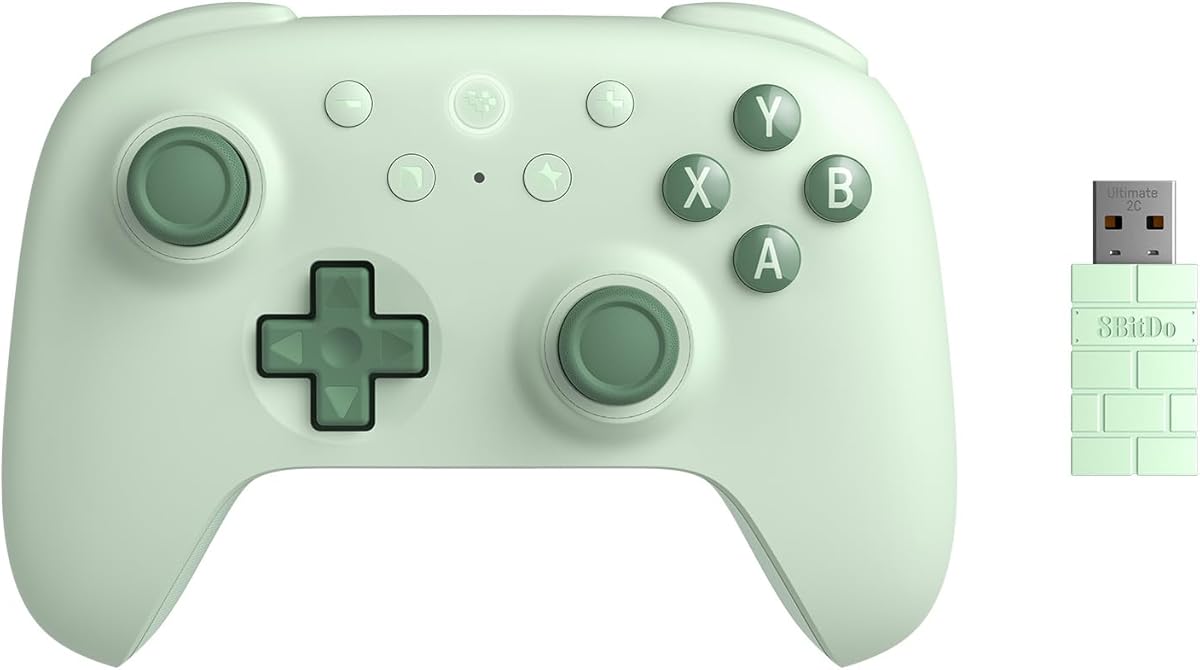
8Bitdo Ultimate 2C Wireless Controller
4.4Editor score
Hall Effect joysticks included
1000Hz polling rate
Remappable L4/R4 bumpers
This guide compares the top 10 gaming controllers for laptops featuring Hall Effect joysticks, wireless connectivity, and high polling rates for smooth laptop
Choosing the right gaming controller for your laptop can transform your PC gaming experience significantly. A quality gamepad offers ergonomic comfort, precise inputs, and wireless freedom that keyboard and mouse setups often lack for certain genres.
We evaluated ten top-rated controllers based on connectivity options, build quality, and feature sets like Hall Effect sticks and high polling rates. Our analysis focuses on performance reliability and compatibility across Windows laptops and portable gaming devices.
Each pick highlights specific strengths such as budget value, premium features, or multi-platform support to help you find the best match. Please note that availability and terms may change so verify details before making your final purchase decision today.
4.4Editor score

4.4Editor score

4.1Editor score
This side-by-side comparison outlines the key specifications and features of each controller to help you make an informed decision based on your specific laptop gaming needs and preferences.


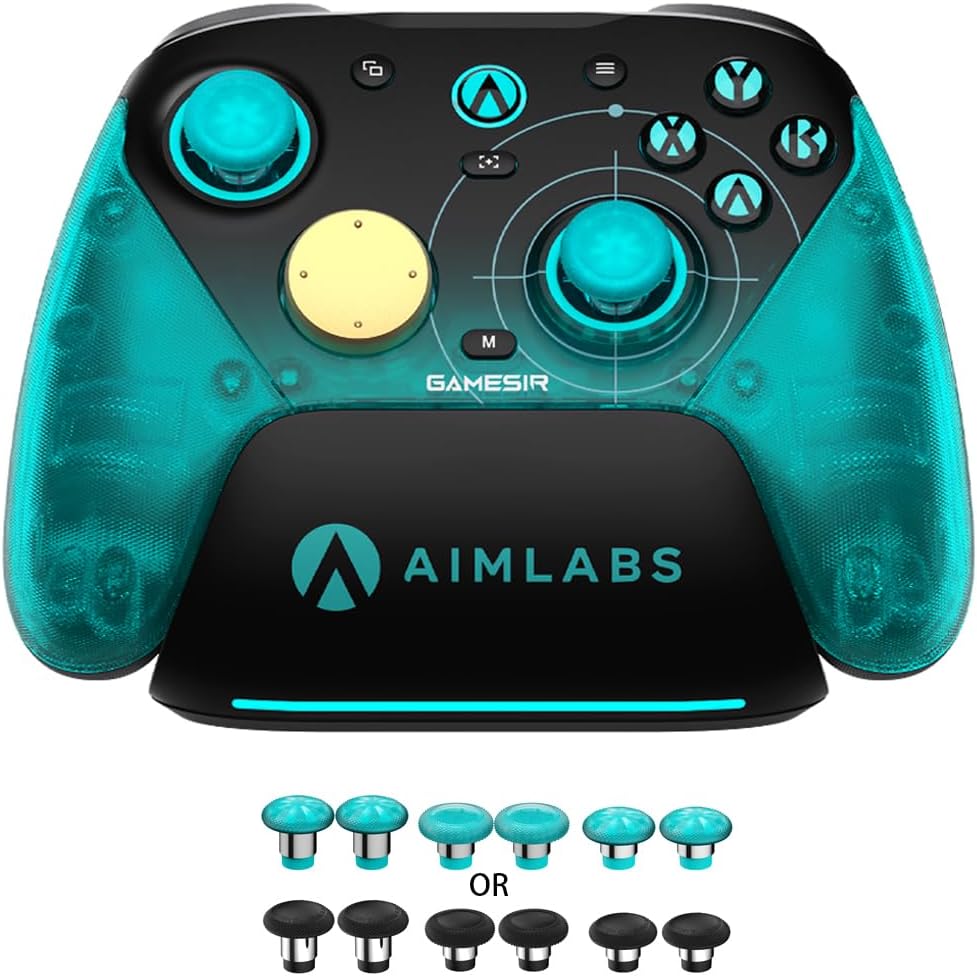


The GameSir Nova Lite 2 stands out as a top choice for laptop gamers seeking precision and reliability. With a solid rating and excellent build quality, this controller delivers smooth performance across multiple platforms without breaking the bank for users.
We may earn a commission when you buy through this link, at no additional cost to you.
Its Hall Effect joysticks eliminate stick drift entirely ensuring long-term accuracy during intense sessions. The 1000Hz polling rate minimizes input lag which is critical for competitive play on your laptop screen. Additionally the mechanical D-pad offers tactile feedback that feels responsive and precise for fighting or platforming games.
While the battery life is decent it is not the longest in its class. You may need to charge it more frequently than some premium rivals. The software customization requires downloading an app which adds a slight setup step but it unlocks useful features like mapping and firmware updates.
If you want a versatile controller that balances performance and value this is the one to choose. It suits competitive players and casual gamers alike who need reliable inputs on Windows laptops or portable devices. We recommend it for its durability and consistent tracking.
Hall Effect sensors use magnets instead of contact points to prevent wear and ensure consistent tracking over time.
Switch seamlessly between wired 2.4G wireless and Bluetooth to connect your laptop or mobile device effortlessly.
We may earn a commission when you buy through this link, at no additional cost to you.
The Razer Wolverine V3 Pro is a high-end controller designed for serious laptop gamers who demand the best possible response times. Its 8K polling rate ensures every input is registered instantly giving you an edge in fast-paced shooters or racing games on your PC.
We may earn a commission when you buy through this link, at no additional cost to you.
TMR thumbsticks provide magnetic stability that avoids stick drift completely. The four back buttons mimic mouse clicks for enhanced macro control without needing a keyboard. The lightweight build reduces hand fatigue during marathon sessions making it comfortable for extended use on your laptop.
The main trade-off is the higher cost which might not fit every budget. It also works exclusively with Windows PC meaning you cannot use it with Switch or mobile devices. This limitation is acceptable if you prioritize pure PC gaming performance above all else.
For competitive players willing to invest in top-tier gear this controller delivers unmatched speed and precision. The included carrying case protects your investment during travel. We recommend it for esports enthusiasts who need every millisecond advantage on their laptop setup.
The 8000Hz polling rate updates inputs eight thousand times per second for near-zero latency performance.
Magnetic resistance thumbsticks offer precise control without physical contact points that wear out over time.
We may earn a commission when you buy through this link, at no additional cost to you.
The 8Bitdo Ultimate 2C proves you do not need to spend a fortune to get excellent controller performance on your laptop. It includes Hall Effect joysticks and a high polling rate typically found in more expensive models making it a smart value pick.
We may earn a commission when you buy through this link, at no additional cost to you.
The 1000Hz polling rate ensures smooth and responsive inputs across both wired and wireless modes. Remappable L4 and R4 bumpers allow you to map shortcuts without software which adds tactical flexibility. The build feels refined and durable for daily gaming sessions on your laptop.
Some users might find the design a bit minimalist compared to flashy RGB options. Battery specifics are not emphasized but the controller generally offers reliable power for extended play. These minor details do not outweigh the strong performance and cost efficiency here.
If you are looking for a cost-effective controller that does not compromise on core features this is the best choice. It works well with PC and Android devices so you can use it across multiple screens. We recommend it for budget-conscious gamers seeking quality.
Magnetic joysticks provide accurate input without physical wear points that cause drift in standard controllers.
Additional L4 and R4 buttons let you remap actions directly without needing extra software installation.
We may earn a commission when you buy through this link, at no additional cost to you.
The EasySMX X15 offers impressive endurance with a 1000mAh battery that supports up to 20 hours of playtime on a single charge. This is perfect for long gaming sessions on your laptop without needing constant recharging breaks.
We may earn a commission when you buy through this link, at no additional cost to you.
Hall Effect joysticks eliminate drift ensuring smooth and precise movement during extended use. The three connection modes allow seamless switching between 2.4G wireless Bluetooth and wired USB-C for any setup. Programmable back buttons help with shortcuts to enhance your control layout.
The absence of a mic jack and gyro sensor limits some advanced features found in higher-end models. While not critical for most genres it may matter for voice chat or motion-enabled titles. Otherwise the controller performs reliably for PC and Steam games.
For players who prioritize battery life and reliable wireless performance this is a solid option. It covers major platforms including Switch and mobile so you can use it across devices. We recommend it for those who play for long stretches.
A large 1000mAh battery provides up to 20 hours of continuous playtime before needing a recharge.
Three connection options ensure you can adapt to your preferred setup without losing performance.
We may earn a commission when you buy through this link, at no additional cost to you.
The AceGamer Aurora II supports a wide range of platforms including PC Switch Android and iOS making it highly versatile for laptop users who switch between devices. Its strong connectivity ensures you can game anywhere without compatibility headaches.
We may earn a commission when you buy through this link, at no additional cost to you.
Hall Effect joysticks provide stable input without drift which is essential for precise control during competitive matches. The programmable back keys allow customization for combos and shortcuts enhancing gameplay efficiency. A 1000mAh battery delivers extended playtime for uninterrupted sessions on your laptop.
It does not work with Xbox systems which limits its use if you game there. The pairing instructions are somewhat detailed but once set up it performs smoothly with minimal interference. Overall it offers great flexibility for diverse setups.
If you need a controller that adapts to multiple devices this is a top choice. The battery life and drift-free performance are strong selling points. We recommend it for users who value versatility across PC and mobile ecosystems.
Supports PC Android iOS and Switch for seamless switching between gaming platforms.
Upgraded receiver and encryption dongle deliver stable signals without interference during play.
We may earn a commission when you buy through this link, at no additional cost to you.
The GameSir G7 Pro delivers esports-grade precision with an 8000Hz polling rate over wired and wireless connections for near-zero latency on your laptop. It is engineered for serious competitive players who need the fastest response possible.
We may earn a commission when you buy through this link, at no additional cost to you.
TMR joysticks use magnetic technology to eliminate stick drift entirely ensuring long-term consistency. The 6-Axis gyro sensor enhances aiming accuracy for shooters giving you a competitive edge. A 3.5mm audio jack lets you use headsets directly for immersive sound without extra hardware.
It is limited to Windows PCs which restricts cross-platform use. The premium price reflects its high-end features but may not suit casual gamers. However for those focused on competitive play these trade-offs are worth the performance gains.
For PC gaming fans aiming for top-tier stats this controller is unmatched. Its build quality and customization options support advanced playstyles. We recommend it for dedicated esports players who need every technical advantage.
8000Hz rate registers inputs instantly for smoother control and zero lag in competitive scenes.
Built-in gyroscope adds motion control precision for better aiming in shooters and strategy games.
We may earn a commission when you buy through this link, at no additional cost to you.
The Logitech G F310 offers simplicity with its plug-and-play wired USB connection that requires no setup hassles on your laptop. It features a familiar Xbox 360 layout so most gamers can pick it up and start playing immediately.
We may earn a commission when you buy through this link, at no additional cost to you.
The six-foot cord gives you enough range to sit back comfortably while gaming on your laptop screen. Profiler software allows you to map keyboard and mouse commands which helps when games lack native gamepad support. It works well with both old and new titles.
It does not support wireless connectivity which might limit freedom of movement. The wired nature ensures zero latency and reliable performance though. For basic PC gaming this wired controller delivers solid results without extra cost or setup.
If you prefer a straightforward reliable controller without batteries or wireless pairing this is ideal. It suits users who want quick setup and broad game support. We recommend it for casual players or those on tight budgets.
Familiar button arrangement reduces learning curve for users coming from Xbox consoles.
Software allows mapping keyboard and mouse actions to controller buttons for broader compatibility.
We may earn a commission when you buy through this link, at no additional cost to you.
The GameSir Nova Lite provides reliable wireless performance at an accessible price point for laptop users. Its Hall Effect joysticks ensure precision without drift making it suitable for various game genres from racing to action.
We may earn a commission when you buy through this link, at no additional cost to you.
You can connect via Bluetooth 2.4G dongle or USB-C offering flexibility depending on your laptop ports. The 600mAh battery offers up to 10 hours of play which covers most casual sessions. A Turbo function allows quick activation for repeat inputs during gameplay.
Battery life is shorter than some other options on this list but still reasonable for daily use. Software customization adds features like deadzone tuning but requires installation. These steps are manageable for those who want extra control.
For budget-friendly wireless gaming without compromising stick quality this is a smart pick. It supports PC Switch and mobile for broad use. We recommend it for casual gamers needing reliable wireless connection.
Three connection options let you pair with laptops via wireless Bluetooth or cable easily.
Quick toggle turbo to automate repeat inputs for faster gameplay actions.
We may earn a commission when you buy through this link, at no additional cost to you.
The MSI Force GC30V2 distinguishes itself with interchangeable D-pads allowing you to adjust shape and feel to suit different games. This unique feature is rare in its price range and adds value for users who play varied genres.
We may earn a commission when you buy through this link, at no additional cost to you.
It supports wireless play with dual vibration motors providing immersive feedback during explosions or crashes. Compatible with PC and Android it offers decent versatility. Durable switches ensure consistent clicks over time without feeling mushy during long sessions.
It lacks Hall Effect joysticks so stick drift may appear over time compared to newer models. Software support is minimal compared to competitors which limits customization. Still it remains a solid option for those valuing physical customization.
If you want a tactile D-pad and good wireless performance this is worth considering. The build quality feels robust for regular use. We recommend it for players who prefer physical customization over advanced tech.
Swap D-pads to suit your grip style or game genre preferences easily.
Two motors provide strong haptic feedback for more immersive gameplay effects.
We may earn a commission when you buy through this link, at no additional cost to you.
The Logitech G F710 uses a 2.4 GHz wireless connection with a tiny nano receiver that stays in your laptop USB port. This setup ensures minimal latency and interference so you can focus on gameplay without worrying about signal drops.
We may earn a commission when you buy through this link, at no additional cost to you.
It works with a broad range of games from classics to new titles. The nano receiver plugs and forgets so you do not need to manage cables constantly. Dual vibration motors add realistic feedback for a more immersive experience during key moments.
This model lacks newer tech like Hall Effect joysticks so stick drift could occur over time. The design feels older compared to modern ergonomic controllers. However the wireless reliability remains strong for users seeking simplicity and connection quality.
If you prioritize wireless stability over latest features this is a reliable pick. It suits players who want a dependable controller without complex setup. We recommend it for users who value consistent performance.
Tiny nano receiver plugs into USB port and stays there for convenient wireless play.
2.4 GHz connection minimizes interference ensuring stable signals even near other devices.
We may earn a commission when you buy through this link, at no additional cost to you.
Choosing the right controller for your laptop involves balancing performance features and comfort to match your gaming habits and device setup.
Look for controllers offering multiple connection types like Bluetooth 2.4G wireless and wired USB-C. This flexibility ensures compatibility with your laptop's ports and your preferred setup style whether stationary or mobile.
Multiple modes let you switch between devices easily without losing performance.
Hall Effect or magnetic TMR sticks prevent physical wear and drift ensuring long-term accuracy. Standard carbon potentiometers may degrade over time leading to inconsistent input.
Choose Hall Effect or magnetic tech for durability and precision.
Polling rate determines how often inputs are registered by the PC. Higher rates like 1000Hz or 8000Hz reduce input lag significantly for competitive gaming on your laptop.
Higher polling rates ensure faster and more responsive gameplay.
Wireless controllers with larger capacity batteries allow longer play sessions without interruption. Aim for 10 to 20 hours of battery life for consistent performance during extended sessions.
Long battery life minimizes charging interruptions.
Additional back buttons or remappable bumpers let you customize control layouts without extra software. This helps create macros and shortcuts for complex commands in games.
Programmable buttons improve efficiency and comfort.
Ensure the controller supports your specific platforms such as Windows 10/11 Android or Switch. Cross-platform compatibility expands your usage options across devices.
Compatibility ensures the controller works with all your devices.
A controller with comfortable grips and balanced weight reduces hand fatigue during long sessions. Consider shape and button placement if you have larger hands.
Good ergonomics ensure comfort during extended use.
Durable materials and switches extend the lifespan of your controller. High-quality components resist wear and tear from daily use and ensure consistent feel.
Strong build quality protects your investment.
Start by pairing the controller to your laptop via the preferred connection method. For Bluetooth press and hold the home button until pairing mode activates then select the device in your system settings.
Keep the controller charged using a USB-C cable when battery levels drop below 20 percent. Proper charging extends battery life and ensures you are ready for the next gaming session.
Store the controller in a dry place away from extreme temperatures to protect internal components. If using a wireless receiver keep it plugged into a USB port to avoid losing the tiny dongle.
The GameSir Nova Lite 2 offers excellent wireless performance with Hall Effect sticks and a 1000Hz polling rate for responsive play on your laptop. It balances affordability with precision features making it a top choice.
Yes Hall Effect joysticks use magnetic sensors instead of physical contacts eliminating wear and preventing stick drift over time. This ensures consistent and accurate control even during long sessions.
Many modern controllers support multi-platform use. Models like the EasySMX X15 and AceGamer Aurora II work with PC Android and Switch allowing seamless switching between devices.
A polling rate of at least 1000Hz is recommended for competitive gaming as it reduces input lag significantly. Higher rates like 8000Hz offer ultra-responsive performance for fast-paced FPS titles.
Battery life ranges from 10 to 20 hours depending on the model and usage. The EasySMX X15 offers 20 hours whereas others provide around 10 hours for typical gaming sessions.
Wired controllers eliminate battery concerns and reduce potential latency but offer less freedom of movement. Wireless options provide convenience and work well with modern controllers that have strong Bluetooth or dongle connectivity.
The GameSir Nova Lite 2 Razer Wolverine V3 Pro and 8Bitdo Ultimate 2C represent the top picks for laptop gaming due to their Hall Effect technology and responsiveness.
Prioritize connectivity stick technology and battery life when selecting a controller to match your gaming habits and device requirements for best results.
Always check current availability and features before buying to ensure the controller meets your evolving needs and preferences for laptop play today.