
Switch Cooling Fan with Bottom Cooling
4.0Editor score
Adjustable speed up to 6000 RPM
Vertical stand design
Compatible with Steam Deck
This guide compares the top cooling fan Nintendo Switch dock options to help you prevent overheating and extend your console lifespan with reliable accessories.
Gaming for hours can cause your Switch to overheat, leading to performance drops. A dedicated cooling fan for the dock helps maintain safe temperatures and ensures smooth gameplay during long sessions.
We evaluated ten popular cooling solutions based on fan speed, noise levels, compatibility, and build quality. Our analysis focuses on how well each unit integrates with the official or third-party docks.
Each pick highlights key features like LED displays, adjustable speeds, and extra ports. Prices and availability change frequently, so verify details before purchasing to ensure you get the right fit.
4.0Editor score

4.6Editor score

4.0Editor score
This table offers a side-by-side look at the top cooling fans for the Nintendo Switch dock. Compare specs, ratings, and features to find the right match for your setup.



This unit earns the Editor's Choice badge for its balanced performance. With a 4.6 rating, it features adjustable speeds and an LED display showing real-time data.
We may earn a commission when you buy through this link, at no additional cost to you.
The fan runs from 510 RPM to 6000 RPM, allowing you to balance noise and cooling. Below 2400 RPM it is nearly silent, making it ideal for quiet rooms.
While it produces some spinning sound at max speed, the cooling power is worth it for long sessions. The fixed pad prevents slipping and protects your console from scratches.
Buy this if you want reliable cooling with visual feedback. It is a solid upgrade over relying on stock ventilation alone.
The display shows both RPM and exhaust temperature, helping you verify effective cooling.
Joystick caps and a fixed pad add value by protecting your console and preventing slips.
We may earn a commission when you buy through this link, at no additional cost to you.
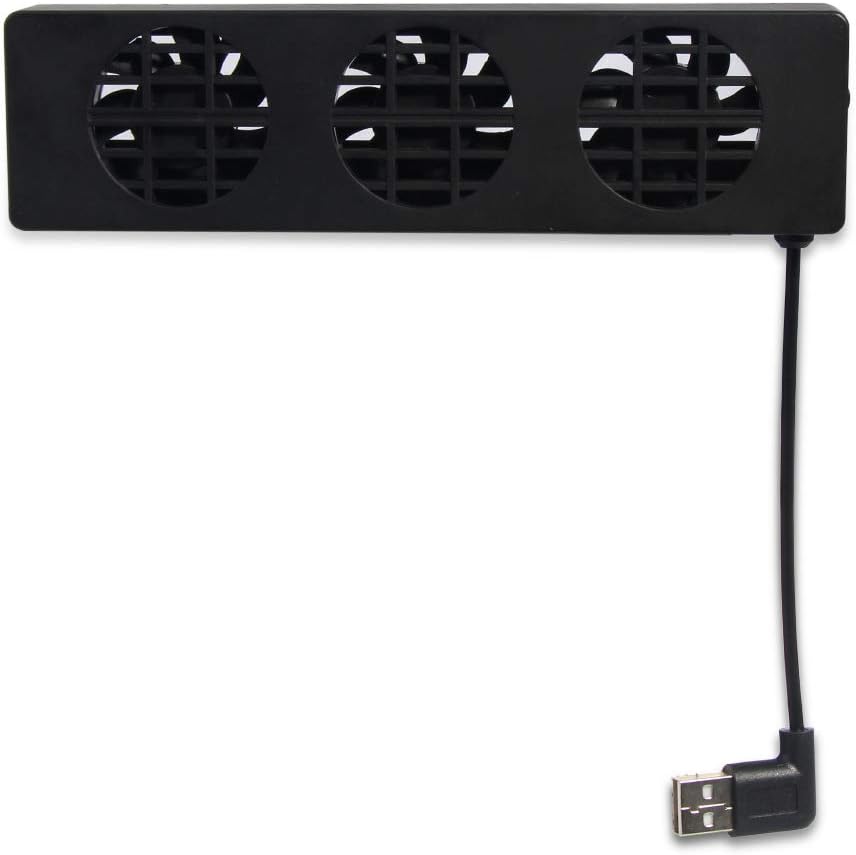
This cooler uses three fans to boost ventilation. Its compact design fits neatly behind the dock without blocking space.
We may earn a commission when you buy through this link, at no additional cost to you.
You can switch between turbo and normal modes depending on session length. Normal mode keeps noise low for casual play.
The rating is slightly lower due to build feel compared to premium units. However, for basic cooling it does a decent job.
Choose this if you prefer multiple fans over digital controls. It is straightforward to install and power via USB.
Three fans working together provide faster temperature drops during intense gaming.
No tools are needed; it simply plugs into the dock's USB port for power.
We may earn a commission when you buy through this link, at no additional cost to you.
This premium option supports the Switch 2 dock with dual fans and auto-operation. It adds extra ports and game card storage to the setup.
We may earn a commission when you buy through this link, at no additional cost to you.
The dual fans promote heat dissipation and extend system lifespan. RGB lights let you match the mood of the game.
It offers many features beyond cooling, but it is specific to Switch 2 docks. Users with older models should look elsewhere.
Buy this if you want an all-in-one station with gaming aesthetics. It balances cooling power with useful accessory storage.
Six slots allow quick access to your favorite games without removing them from the console.
Three ports support controllers and smartphones, reducing the need for extra hubs.
We may earn a commission when you buy through this link, at no additional cost to you.
Designed for the 2021 OLED dock, this fan offers massive storage with 14 game slots. It uses Type-C power like the OLED base.
We may earn a commission when you buy through this link, at no additional cost to you.
The blue light gives a tech-inspired look that matches the OLED aesthetic. Material is durable ABS for long-term use.
It lacks speed control, but the airflow is strong enough for heat dissipation. Install is quick and follows the original base design.
Pick this if you have an OLED dock and want storage. It is a great value for the slot count and build quality.
Fourteen slots hold many cartridges, keeping your game library accessible and organized.
Type-C input matches the OLED base style, offering a cleaner and more modern setup.
We may earn a commission when you buy through this link, at no additional cost to you.
This fan fits the OLED base and uses Type-C power. It runs quietly while boosting air circulation inside the dock.
We may earn a commission when you buy through this link, at no additional cost to you.
The switch turns power and LED lighting on or off together. This keeps things simple without extra buttons.
It lacks adjustable speeds but maintains cool temps effectively. The white color matches most setups.
Buy this if you want a simple and quiet accessory. It is reliable for long gaming sessions on OLED models.
High speed operation remains quiet, ensuring music and game audio remain clear.
One switch handles both power and light, streamlining your daily use.
We may earn a commission when you buy through this link, at no additional cost to you.
This model runs at 3000 RPM to cool your dock efficiently. Its small size keeps your entertainment area tidy.
We may earn a commission when you buy through this link, at no additional cost to you.
The white finish with blue LED adds style to your setup. It plugs directly into the dock USB port.
While it lacks advanced features, it performs well for the price. It avoids messy cables and clutter.
Choose this for straightforward cooling without extra cost. It balances performance and design well.
The white and blue LED finish matches many entertainment centers and modern setups.
USB powered means no extra outlet is needed for operation.
We may earn a commission when you buy through this link, at no additional cost to you.
It features three fans inside a small bracket for effective ventilation. The turbo and normal switch helps manage noise.
We may earn a commission when you buy through this link, at no additional cost to you.
Durable materials ensure it lasts through frequent use. It is compact and easy to set up.
The design focuses on function over style. There is no digital display but the airflow is strong.
Buy this if you want multiple fans without high cost. It is a practical option for heavy gaming.
Three fans provide broader coverage and faster cooling for the dock.
Superior materials are used to ensure durability over time.
We may earn a commission when you buy through this link, at no additional cost to you.
This cooler uses three fans to quickly reduce console temperature. The switch gives two speed options.
We may earn a commission when you buy through this link, at no additional cost to you.
USB power makes it easy to carry and store. It inserts directly behind the dock.
It is one of the more affordable choices. The build is simple but functional for basic needs.
Pick this if you want to save money on cooling. It does the job without unnecessary features.
Increased airflow helps speed up heat exchange during gameplay.
Lightweight design makes it easy to carry out and store when not in use.
We may earn a commission when you buy through this link, at no additional cost to you.
This fan supports Switch and Steam Deck with adjustable speeds. It includes an LED display for real-time RPM data.
We may earn a commission when you buy through this link, at no additional cost to you.
The vertical stand and stabilizer pad ensure it sits firmly. It prevents overheating and avoids game pauses.
While it lacks some high-end features, it offers great value. Customer service and warranty are strong points.
Buy this if you need flexibility for different consoles. It balances performance and affordability well.
Adjustable speed from 510 to 6000 RPM lets you tune cooling to your environment.
The sponge pad keeps the unit fixed and protects the console from scratches.
We may earn a commission when you buy through this link, at no additional cost to you.
This model offers a clean black look for your OLED dock. It uses USB power and high quality materials.
We may earn a commission when you buy through this link, at no additional cost to you.
It focuses on core functionality without extra bells and whistles. Performance is reliable for everyday use.
The lack of digital controls is offset by its simplicity. It is a no-fuss option for many users.
Choose this if you prefer a minimal design. It delivers steady cooling without complexity.
The black finish blends seamlessly with dark entertainment setups.
High quality material ensures durability and consistent airflow.
We may earn a commission when you buy through this link, at no additional cost to you.
Choosing the right fan requires attention to power, speed, and features. Here are the main factors to consider.
Most fans draw power from the dock USB port. This avoids extra cables and keeps your area tidy.
Ensure the fan matches your dock model for best fit and power compatibility.
Higher RPM means stronger cooling but potentially more noise. Adjustable fans let you balance these.
Look for silent operation below 2400 RPM if you prefer quiet gaming.
Units with LED displays show RPM and temperature for better monitoring. Buttons allow manual control.
If you want simplicity, basic on/off switches are easier to use daily.
Check if the fan fits your specific dock version like OLED or original. Some are model specific.
Verify compatibility to avoid installation issues and ensure proper airflow.
Some fans produce spinning sounds at high speeds. Review noise specs to find a quiet option.
Noise control matters more if you game in shared spaces.
Durable materials like ABS ensure long life. Stable pads prevent slipping and scratching.
A sturdy build protects your console and keeps airflow consistent.
Lifetime or limited warranties show confidence in quality. Good service helps if issues arise.
Check policy details before purchase to understand your coverage.
Prices vary based on features. Budget models work well, while premium ones add ports and storage.
Choose based on your needs and how much value you get.
Install the fan behind the dock and secure it with any included pads. Ensure it aligns with the ventilation areas.
Connect the fan to the USB port for power. Turn it on before starting long sessions to maintain safe temperatures.
Clean dust from the fan blades regularly. Wipe with a dry cloth to keep airflow clear and avoid issues.
It is not required but helpful for long gaming sessions. Fans prevent overheating and avoid performance drops due to high heat.
Many models run quietly at low speeds. Check RPM specs and reviews to find units below 2400 RPM for minimal noise.
Yes, several options fit the OLED dock. Ensure compatibility before buying to avoid fit issues.
Most draw power from the dock USB port. No external outlets are needed for operation.
No, installation is simple. Most slide behind the dock and plug into USB.
Using third-party accessories usually does not void console warranties. Check official policies if you have concerns.
The top picks offer strong cooling, display options, and good build quality. The Editor's Choice model provides balanced performance for most users.
Prioritize features like speed control and noise levels based on your setup. Consider OLED compatibility if you own that version.
Check current prices and availability before buying. This ensures you get the best value for your gaming needs.