
ARCTIC P12 Pro A-RGB
4.7Editor score
High Static Pressure Design
PWM Control Up To 3000RPM
Fluid Dynamic Bearing
This guide compares the top addressable RGB fans for PC builds, evaluating airflow, noise levels, lighting effects, and compatibility to help you choose the
Addressable RGB fans have transformed modern PC builds by combining efficient cooling with customizable lighting effects. These fans allow users to control individual LEDs for dynamic color patterns that enhance the aesthetics of any gaming or workstation setup.
We evaluated ten top-rated models based on airflow performance, noise levels, bearing technology, and lighting synchronization capabilities. Our analysis focuses on real-world specifications and user feedback to ensure reliable recommendations for diverse build requirements.
Each selection highlights unique strengths such as budget-friendly options, premium features, or specialized airflow designs. Please note that product availability and pricing may change frequently, so verify current details before making your final purchase decision.
4.7Editor score

4.7Editor score
4.8Editor score
The following comparison table provides a side-by-side overview of key specifications for all ten selected addressable RGB fans. Use this data to quickly identify which model best matches your specific cooling and aesthetic requirements.



This five-pack of Thermalright TL-C12C-S fans delivers exceptional cooling performance with a rating of 4.7 stars. It combines silent operation with powerful airflow and beautiful ARGB lighting effects that can be synchronized through motherboard controls.
We may earn a commission when you buy through this link, at no additional cost to you.
The S-FDB bearing technology minimizes noise and extends the fan lifespan significantly. With a maximum speed of 1550 RPM and an airflow of 66.17 CFM, it handles high heat loads efficiently while maintaining a noise level under 25.6 dBA.
While the lighting effects are stunning, they depend on having a compatible motherboard port for full synchronization. Additionally, the five-pack configuration might be too many for smaller cases with limited mounting points.
Buy this if you need a reliable, quiet cooling solution for a full system overhaul. It is ideal for builders who prioritize thermal performance alongside aesthetic customization without breaking the budget.
The optimized blade design ensures maximum airflow while reducing turbulence for quieter operation.
Up to 17 light modes allow for dynamic color changes synchronized with other system components.
We may earn a commission when you buy through this link, at no additional cost to you.
The CORSAIR RS120 ARGB fans offer a triple pack with robust cooling capabilities and a rating of 4.6 stars. Designed for high-performance systems, these fans provide substantial airflow and support daisy-chain connections for streamlined cable management.
We may earn a commission when you buy through this link, at no additional cost to you.
Equipped with Magnetic Dome Bearings, they reduce friction and noise effectively. With speeds reaching up to 2100 RPM, they deliver 72.8 CFM airflow, making them excellent for pushing air through dense radiators or heatsinks.
While they perform well, running them at maximum speed might introduce a slight hum in quiet environments. Also, ensuring your motherboard has compatible ARGB connectors is necessary for full lighting customization.
Choose this set if you are building a high-end gaming rig that demands intense cooling. The combination of speed, airflow, and modern connectivity makes it a solid investment for performance enthusiasts.
Magnetic Dome Bearings significantly reduce friction for smoother and quieter long-term operation.
AirGuide technology directs airflow precisely to hotspots for targeted cooling efficiency.
We may earn a commission when you buy through this link, at no additional cost to you.
The ARCTIC P12 Pro A-RGB stands out as a budget-friendly option with a 4.7-star rating. It offers impressive static pressure and speed range, making it suitable for demanding cooling tasks like pushing air through thick radiators.
We may earn a commission when you buy through this link, at no additional cost to you.
Featuring a Fluid Dynamic Bearing, this fan ensures minimal vibration and long-term reliability. Its ability to adjust from near stop to 3000 RPM provides flexibility for balancing noise and cooling based on real-time temperature needs.
However, the high maximum speed can produce noticeable noise if not controlled via PWM settings. Also, buying individual fans might take longer for a full setup compared to multi-pack options.
This fan is perfect for users needing high static pressure without overspending. Its engineering excellence delivers premium performance at a fraction of the cost of other brands.
Designed specifically to penetrate dense radiator fins for effective liquid cooling.
Balanced rotor blades ensure smooth and quiet spinning even at low power settings.
We may earn a commission when you buy through this link, at no additional cost to you.
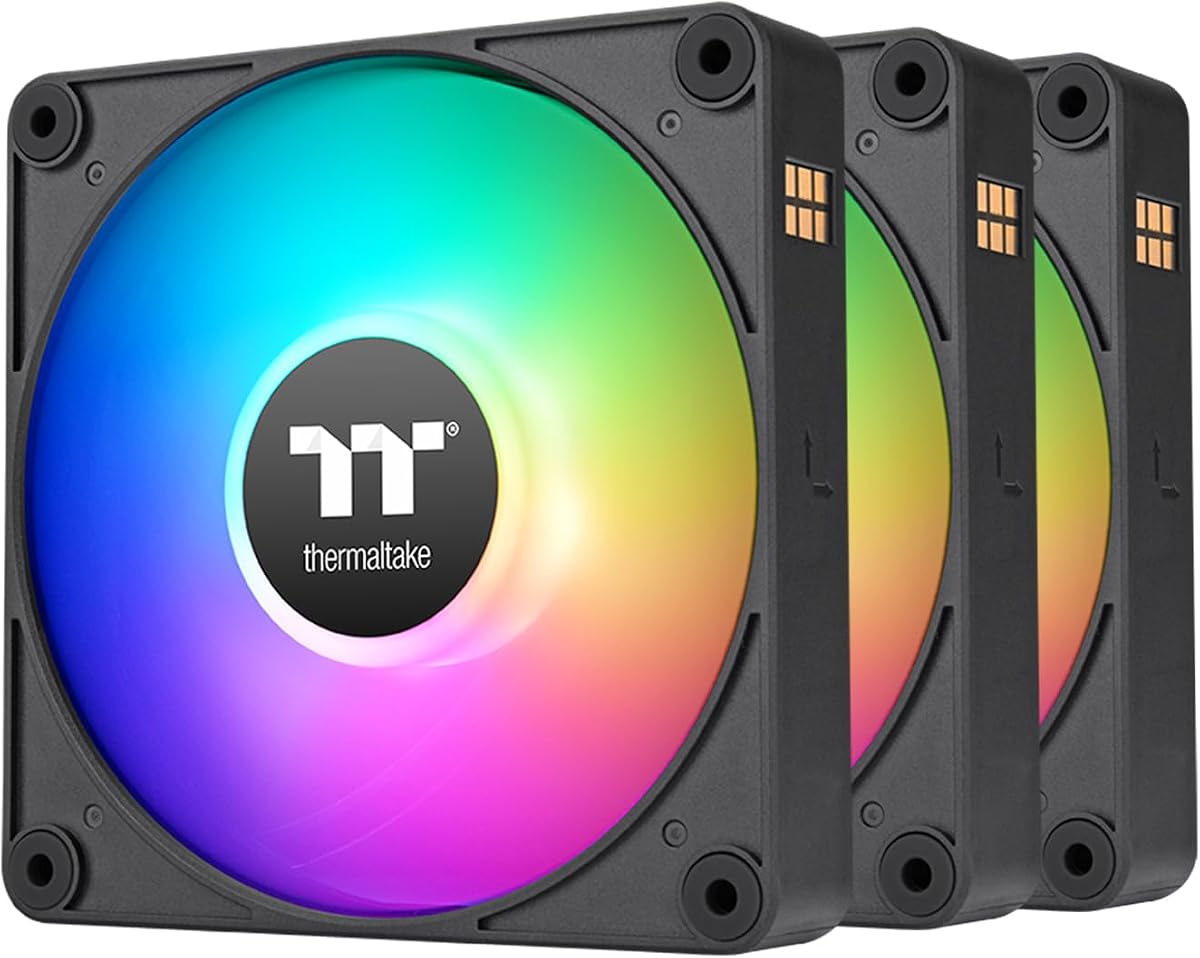
The Thermaltake CT120 EX pack features an innovative magnetic connection design with a 4.6-star rating. This simplifies cable management by allowing fans to connect directly through magnetic points rather than tangled wires.
We may earn a commission when you buy through this link, at no additional cost to you.
With 9 addressable LEDs per fan, users can create vibrant lighting effects controlled via 5V motherboard sync. The hydraulic bearing ensures smooth operation while the anti-vibration mounting system reduces structural noise.
Some users might find the magnetic connection slightly tricky to align initially. Additionally, the pack price reflects the specialized design compared to standard fan kits available in the market.
Opt for this set if you value clean aesthetics and easy wiring. The unique magnetic system offers a modern approach to building a visually appealing and efficient PC cooling loop.
Magnetic connectors reduce cable clutter and speed up the installation process significantly.
Embedded mounting systems absorb vibrations to prevent rattling and maintain silence.
We may earn a commission when you buy through this link, at no additional cost to you.
This six-pack offers a unique combo of forward and reverse fans with a 4.4-star rating. It includes a controller and features a three-sided prism design that creates striking visual effects from multiple angles.
We may earn a commission when you buy through this link, at no additional cost to you.
With 28 ARGB LEDs per fan, the lighting brightness is impressive compared to standard models. The inclusion of reverse fans allows for consistent aesthetics even when fans are viewed from the side or bottom.
The lower rating suggests some users may have encountered setup complexity with the separate controller. Also, the prism design might obscure full light patterns on the back side of the fan.
This kit is ideal for cases needing reverse airflow without buying separate units. The comprehensive package provides both aesthetic appeal and functional versatility for modern PC builds.
Mix of forward and reverse fans ensures efficient intake and exhaust cycles.
Three-sided design spreads RGB light evenly for a cohesive look inside the chassis.
We may earn a commission when you buy through this link, at no additional cost to you.
The Thermalright TL-C12C-S X3 provides a compact three-pack with a solid 4.6-star rating. It mirrors the performance of the five-pack but suits smaller cases needing fewer cooling units without excessive redundancy.
We may earn a commission when you buy through this link, at no additional cost to you.
Equipped with S-FDB bearings, these fans operate silently while delivering 66.17 CFM of airflow. The 4-pin PWM connector allows precise speed control based on system temperature requirements for optimal efficiency.
While efficient, the pack size may not suffice for larger full-tower cases needing extensive airflow. Also, the average cable length might restrict placement options in some complex configurations.
Buy this if you need just three high-quality fans for a specific zone. It offers the same reliability as the larger pack at a lower cost for targeted cooling solutions.
S-FDB bearings minimize blade shake to ensure consistent and quiet operation.
Automatic speed adjustment helps maintain balance between cooling power and noise.
We may earn a commission when you buy through this link, at no additional cost to you.
Another five-pack option from Thermalright with a 4.7-star rating offers intelligent temperature control for automatic speed adjustment. It simplifies thermal management without requiring constant manual intervention or software tuning.
We may earn a commission when you buy through this link, at no additional cost to you.
Featuring 1550 RPM speed and 66.17 CFM airflow, it ensures strong cooling performance across large cases. The lighting interface supports 5V 3-pin ARGB for seamless motherboard synchronization of effects.
However, five fans might be too many for mid-tower cases with limited mounting points. Also, proper syncing requires a compatible motherboard port which might limit older systems.
This set is excellent for full-tower builds needing maximum airflow. The automated speed features provide convenience while maintaining high performance for demanding thermal loads.
Intelligent control adjusts fan speeds automatically based on real-time temperature data.
5V 3-pin support ensures consistent color and effects across all connected devices.
We may earn a commission when you buy through this link, at no additional cost to you.
The Thermaltake CT120 ARGB comes as a dual-pack with a 4.6-star rating designed for radiator mounting. Its 7-blade design optimizes static pressure to push air through dense cooling fins effectively.
We may earn a commission when you buy through this link, at no additional cost to you.
Equipped with a hydraulic bearing for smooth operation, it supports speeds up to 2000 RPM. The daisy-chain design helps reduce cable clutter while maintaining synchronization through motherboard software.
Since it includes only two fans, you may need additional packs for multi-radiator setups. Also, the daisy-chain configuration might require careful planning to ensure correct connections.
This pack is perfect for users upgrading a single radiator. It balances performance and cost while offering reliable hydraulic bearings for long-term silent operation.
Seven blades improve static pressure to enhance radiator cooling efficiency significantly.
Hydraulic bearing ensures low friction for extended fan life and reduced noise.
We may earn a commission when you buy through this link, at no additional cost to you.
The Thermaltake LE120 ARGB is a three-pack with a high 4.8-star rating. It features a 9-blade design for balanced airflow and comes with a splitter to simplify installation without extra adapters.
We may earn a commission when you buy through this link, at no additional cost to you.
With a PWM control range from 500 to 1500 RPM, it offers flexibility for silent idle or cooling-intensive tasks. The hydraulic bearing maintains stable operation while minimizing noise levels during use.
The included splitter might create some cable management challenges in tight spaces. Otherwise, it offers a robust and reliable package for standard case cooling needs.
This trio is ideal for users seeking a proven reliable solution with high ratings. Its balanced performance makes it suitable for both gaming and workstation environments.
Nine blades generate consistent airflow to maintain stable internal case temperatures.
Included splitter reduces the need for multiple ports on motherboard headers.
We may earn a commission when you buy through this link, at no additional cost to you.
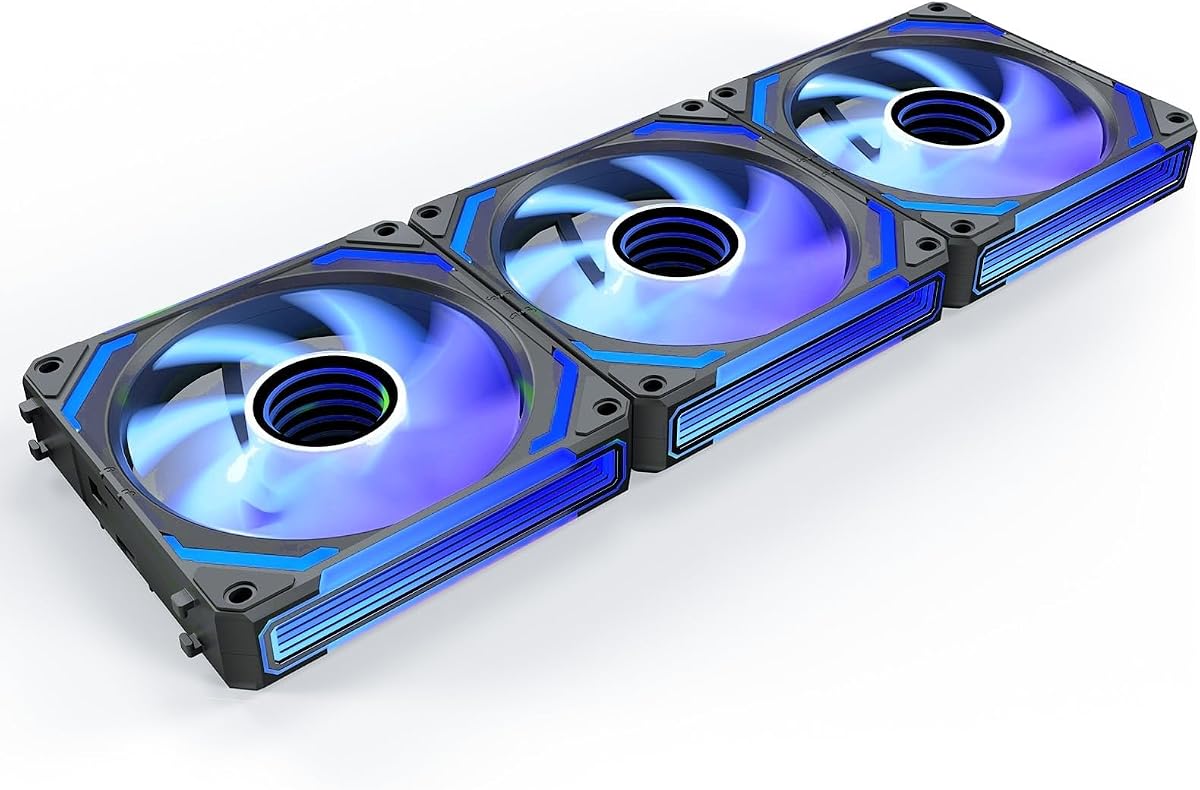
The AsiaHorse COSMIQ 120mm offers premium reverse fans with a 4.8-star rating. Its infinity mirror design creates a mesmerizing visual effect while the reverse blades ensure lighting remains visible from all angles.
We may earn a commission when you buy through this link, at no additional cost to you.
Featuring a built-in sound pickup for music sync, the lights react to audio in real time for an immersive experience. With a speed of 2000 RPM and FDB bearing, it delivers strong cooling quietly.
While the visual features are unmatched, the price is higher than standard fans. Also, the separate controller adds another element to manage within the case wiring.
Select this set for a unique, high-end build aesthetic. The combination of reverse design and music sync makes it a standout choice for visual enthusiasts.
Music sync allows lighting to react dynamically to system sounds and music.
Reverse blades maintain aesthetic continuity when fans are viewed from the side.
We may earn a commission when you buy through this link, at no additional cost to you.
Choosing the right addressable RGB fans involves balancing performance, aesthetics, and compatibility. This guide breaks down the essential factors to ensure your selection meets both thermal and visual needs.
Airflow (CFM) measures how much air a fan moves, while static pressure measures its ability to push air through resistance like radiators. For case cooling, high airflow is preferred. For liquid cooling, high static pressure is essential.
Prioritize CFM for intake and exhaust positions and static pressure for radiator mounting to ensure optimal system performance.
Noise levels are measured in decibels (dBA). Fans with FDB, Fluid Dynamic, or Magnetic Dome bearings tend to operate more quietly and have longer lifespans compared to traditional sleeve bearings.
Look for ratings under 25 dBA for silent builds or consider bearing types that promise low vibration for extended quiet operation.
PWM (Pulse Width Modulation) allows precise speed control via a 4-pin connector. DC control adjusts voltage through a 3-pin connector. PWM is generally more efficient and offers better speed management.
Ensure your motherboard supports the connector type you choose to enable automatic speed adjustments based on temperature.
There are two main RGB standards: 12V 4-pin (standard RGB) and 5V 3-pin (Addressable RGB). Addressable RGB allows individual LED control which creates more dynamic effects.
Verify your motherboard has the compatible port and sync software to avoid compatibility issues during installation.
Fans are sold individually or in packs. Purchasing packs can save money but ensure you have enough mounting points. Reverse fans are useful for maintaining aesthetics when viewed from the side.
Count your available slots and decide if you need standard or reverse blades based on your case layout and personal preference.
Daisy-chaining allows multiple fans to connect with fewer cables by linking them in a series. This reduces cable clutter and makes the build look cleaner inside the case.
Look for fans that support daisy-chain connections if you plan to install multiple units in a single area.
Higher RPM means faster spinning which generally translates to better cooling but potentially more noise. Ensure the fan supports a wide speed range to adjust between silence and performance.
Check the maximum RPM and whether it supports variable speed control to match your cooling needs.
Mounting systems with rubber grommets or anti-vibration pads help reduce structural noise caused by vibrations. This is crucial for high-speed fans in open case designs.
Choose models with reinforced frames and rubber mounts to minimize rattling during operation.
Start by checking your motherboard's manual to identify compatible ports for PWM and ARGB connectors. Correctly identifying these ports ensures that speed control and lighting synchronization work properly from the beginning.
Install the fans securely using the provided screws or mounting system. Ensure the airflow direction matches your case requirements. Use rubber grommets if included to reduce vibration and noise during operation.
Keep your PC interior clean by using compressed air to remove dust from fan blades regularly. Dust buildup can increase noise and reduce airflow efficiency, so a monthly cleaning cycle helps maintain performance.
RGB fans have a single controller per fan so all LEDs light up with one color. Addressable RGB fans allow individual LED control using a 5V 3-pin connector enabling dynamic patterns like rainbows and custom animations.
If your motherboard has a 5V 3-pin ARGB header you can control the lighting directly via software. If not you will need a separate controller to manage lighting effects and synchronization across multiple fans.
A balanced setup usually includes at least two intake fans and one exhaust fan for good airflow. For gaming PCs three to five fans are common to ensure temperatures stay low during demanding tasks.
Mixing brands is possible but syncing lighting effects may be difficult if software differs. It is best to use fans from the same ecosystem or rely on third-party software for universal synchronization.
RGB fans consume slightly more power due to the lighting elements but the difference is minimal. A typical RGB fan uses around 0.2 to 0.5 watts for lighting which is negligible compared to system power.
Use PWM control to lower speeds during idle periods. Ensure fans are mounted with rubber grommets to reduce vibrations. Select fans with fluid dynamic or magnetic bearings for smoother quieter operation.
Reverse fans are useful if you want consistent lighting visible from all angles without obscuring cables. Standard fans hide the blades on the back so reverse fans offer a cleaner aesthetic for modern cases.
We explored ten top-rated addressable RGB fans offering a mix of performance and aesthetics. The Thermalright TL-C12C-S X5 stands out as our top pick while the ARCTIC P12 Pro A-RGB offers the best value for budget builders.
When making your choice prioritize airflow efficiency and noise control alongside visual customization. Consider factors like bearing type and connectivity to ensure long-term reliability and seamless integration with your system.
Remember that product availability and pricing are subject to change. We recommend checking current listings and verifying compatibility before finalizing your purchase to secure the best deal available today.